
How to Copy PDF to Word?

Summary
Usually, we meet with many problems when we copy the content from PDF to Word. For example, the original layout changes and the images cannot be copied. In this essay, we will talk about how to copy PDF to Word easily.

Convert to Editable Word/Excel/PPT/Text/Image/Html/Epub
Multifunctional Encrypt/decrypt/split/merge/add watermark
OCR Support Extract Text from Scanned PDFs, Images & Embedded Fonts
Quick Convert dozens of PDF files in batch
Compatible Support Windows 11/10/8/8.1/Vista/7/XP/2K
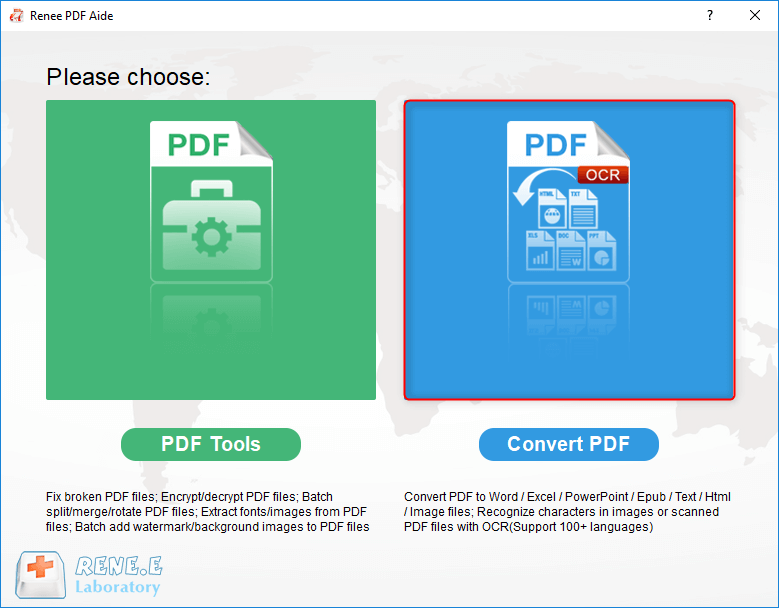
Convert to Editable Word/Excel/PPT/Text/Image/Html/Epub
OCR Support Extract Text from Scanned PDFs, Images & Embedded
Support Windows 11/10/8/8.1/Vista/7/XP/2K
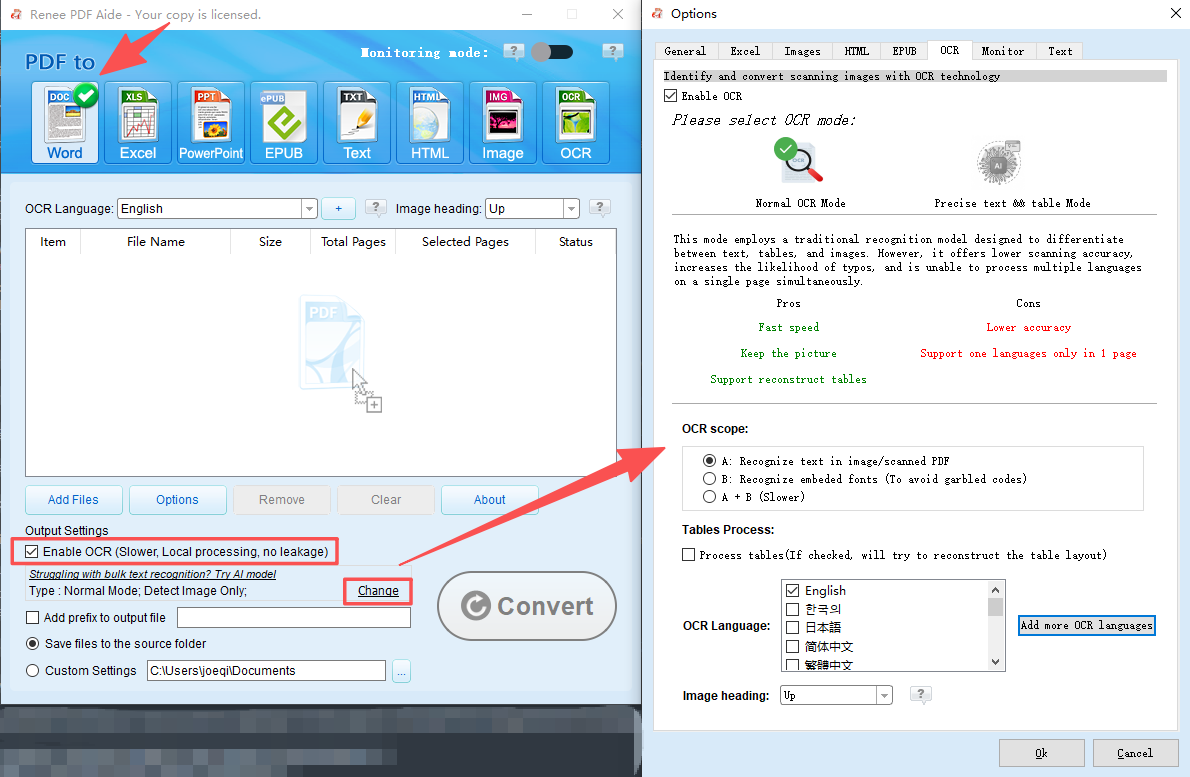
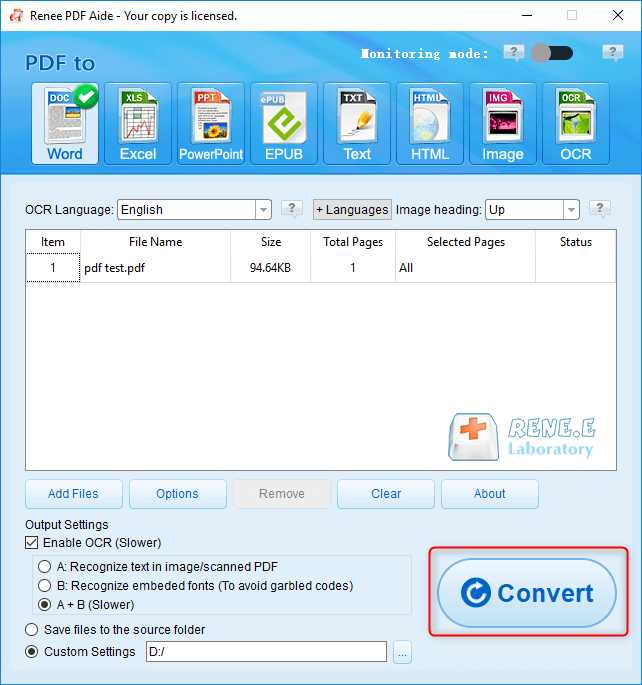
The OCR function can improve text recognition in two ways:
A. Recognize words on image and PDF. You can use this function to improve text recognition when you are going to convert the image-based PDF and the scanned PDF.
B. Recognize the font style to avoid garbled codes when there are different embedded font styles on the PDF file.。
Relate Links :
How to Scan Paper Document to PDF for Free?

22-12-2021
Ashley S. Miller : Digital document is more convenient than paper because it is easily saved and transferred. In addition to a...

10-01-2022
Amanda J. Brook : If you wonder about how to make a PDF file, the essay will be suitable for you. We...


