
Need Free Computer Monitoring Software?

Summary
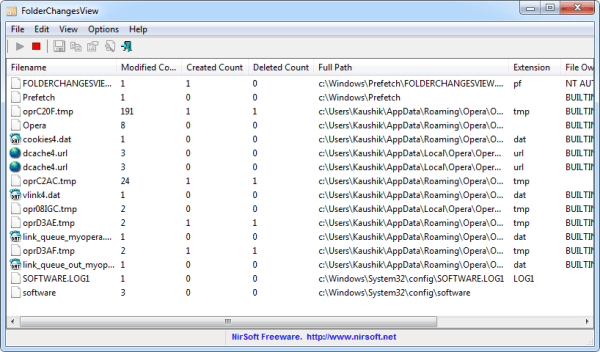
Have you ever thought if your computer is been turned on by the other people or if your files have been modified? In fact, we can monitor our computer. In this essay, we will introduce some pieces of free computer monitoring software to you!

Easily use Simple operations fit green hands and professionals.
Prevent from privacy leak Unauthorized external devices cannot run or obtain any information in PC.
Control and lock Users can lock devices, websites, applications and USB ports.
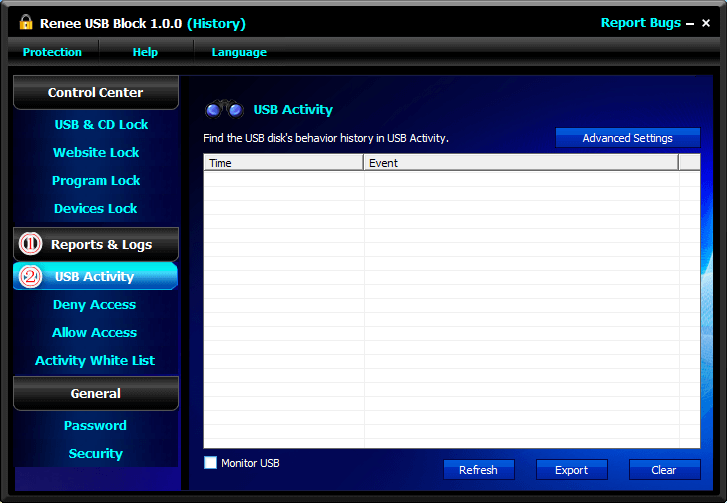
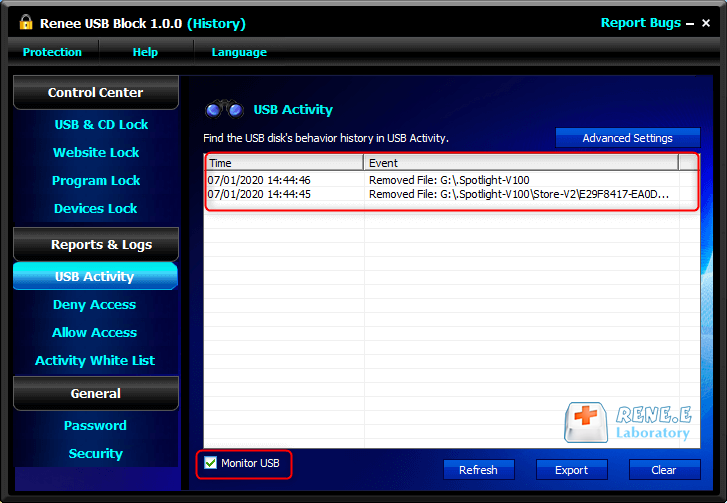
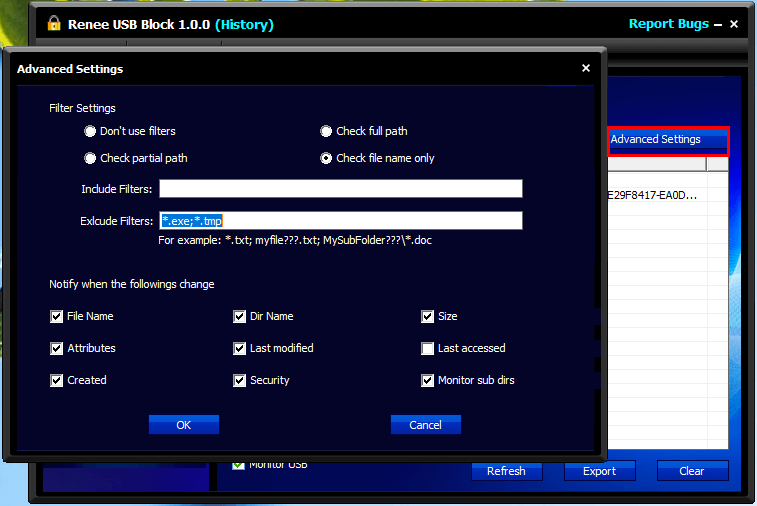
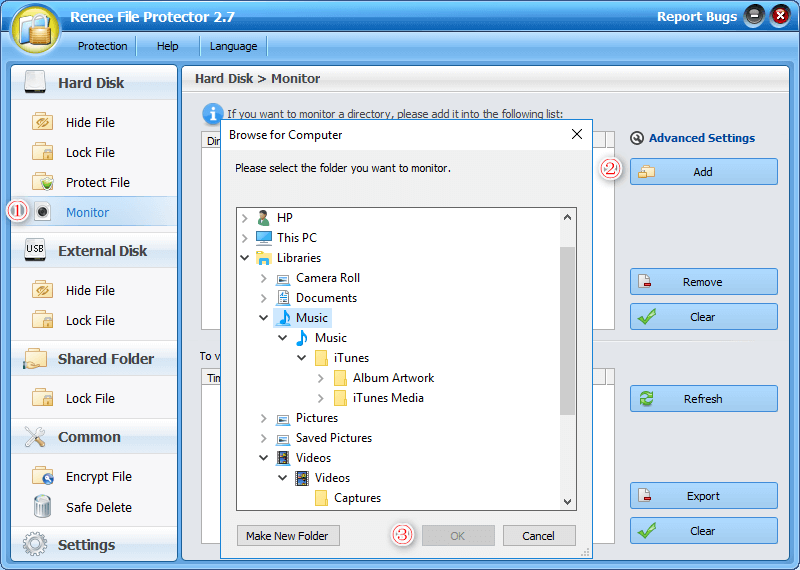
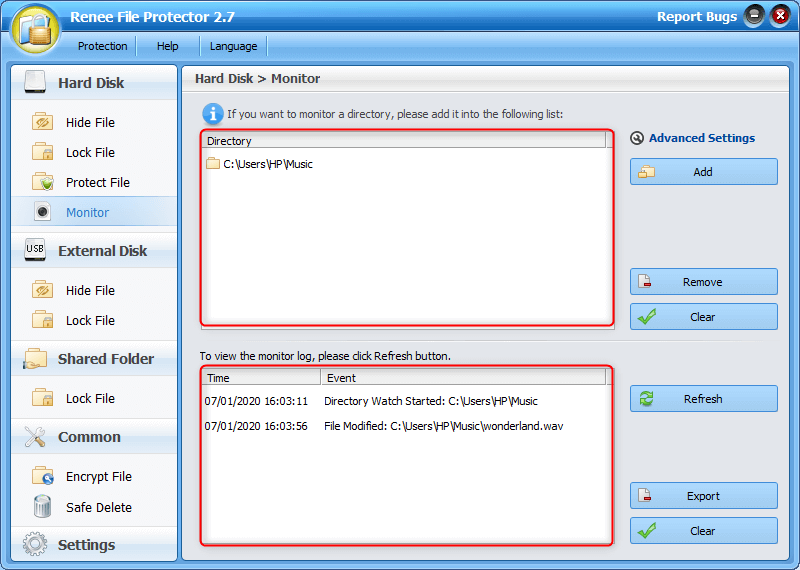
Monitor and logs Users can select the target directory to monitor and generate the history.
Self protection Lock itself if users enter the wrong passwords 5 times. Notification will be sent once wrong password entered over 5 times and password change. Password is also necessary when uninstalling.
Easily use Simple operations fit green hands and professionals.
Prevent from privacy leak Unauthorized external devices cannot run or obtain any information in PC.
Monitor and logs Monitor target directory and generate the history.
Easy to use Few clicks for whole folder encryption process.
Overall protection Users can hide, lock or get other protection to files in local disk or USB disk.
High Security Classified encryption method prevents data from leakage.
Compression transfer Support to compress and encrypt any files to secure the file transfer security.
Advanced self protection Provide self
Easy to use Few clicks for whole folder encryption process.
Overall protection Users can hide, lock or get other protection to files in local disk or USB disk.
High Security Classified encryption method prevents data from leakage.
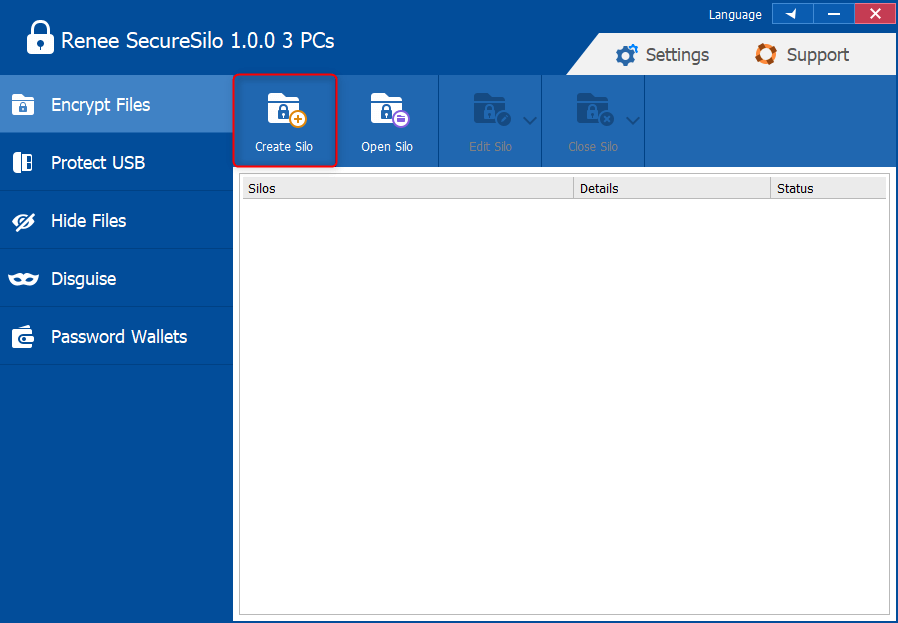
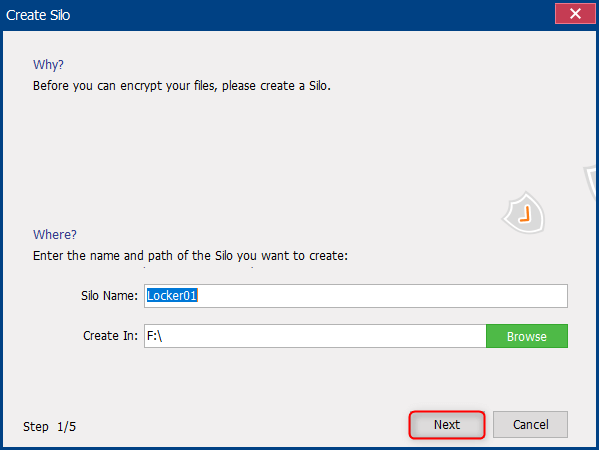
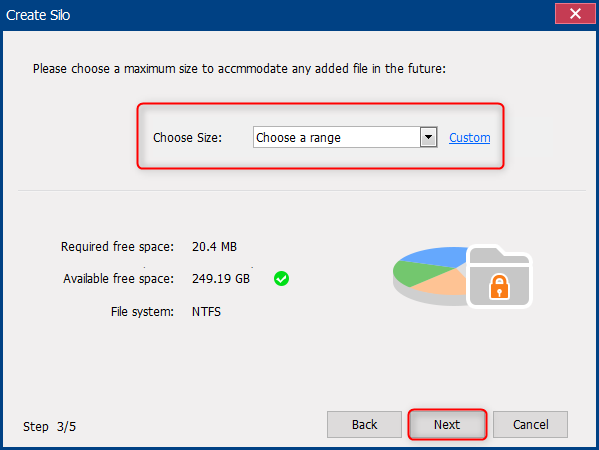
Encrypt files in seconds Encrypt files with virtual encrypted disk and whole process can be finished in 1 second.
User friendly Concise interface helps users master the software in short time.
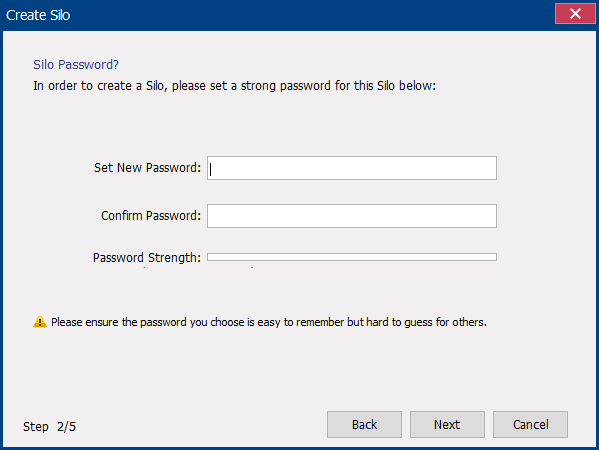
High Security AES256 encryption algorithm helps Renee Seecure Silo encrypt files confidentially.
Encrypt any Data Support to encrypt images, videos, Office documents and software.
Overall Data Protection Solution Protect data in USB disk/hide/disguise files/ Password wallet.
Easy to use Few clicks for whole encryption process.
User friendly Concise interface helps users master the software in short time.
Encrypt any Data Support to encrypt images, videos, Office documents and software.
Relate Links :
How to Create A Password-Protected Folder on Mac?

06-01-2020
John Weaver : For data protection, Mac users should encrypt the files. How can we encrypt files on Mac? Is it...

03-01-2020
Jennifer Thatcher : In our daily life, encrypting a hard drive is not something difficult. In this essay, we will talk...


