
Solutions to Slowly Running iPad/iPad mini/iPad Pro

Summary
Compared with iPhone and MacBook, iPad is more cost effective and more durable. An iPad is usually used for several years. However, iPad becomes running slowly when many apps are installed and the components are aging. How to solve this problem? In this essay, we will list some solutions to slowly running iPad/iPad mini/iPad Pro.



Remove Passcode Delete the passcode for iOS devices even locked out.
Fix iOS System Failure Recover frozen iOS devices from DFU mode, recovery mode or other system problems.
Factory Reset One click to restore iOS devices to factory status.
Full Support to iOS Devices Compatible with all models of iPhone, iPad and iPod Touch.
Well Compatibility Fully compatible with the latest version of iOS.
Remove Passcode Delete the passcode for iOS devices even locked out.
Well Compatibility Fully compatible with the latest version of iOS.
Full Support to iOS Devices Compatible with all models of iPhone, iPad and iPod Touch.
It is easy to fix the iPhone problems within 3 steps:
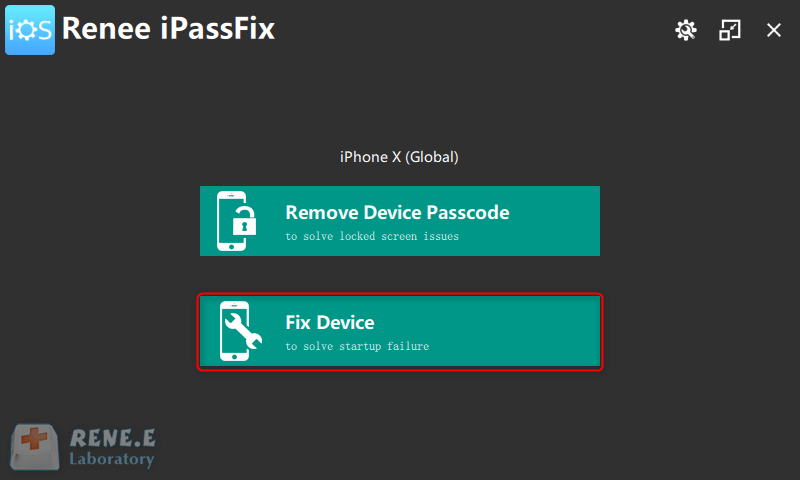
Step 1: Download and install Renee iPassFix. Then, connect iPhone to the computer and run the software. Next, select [Fix Device].
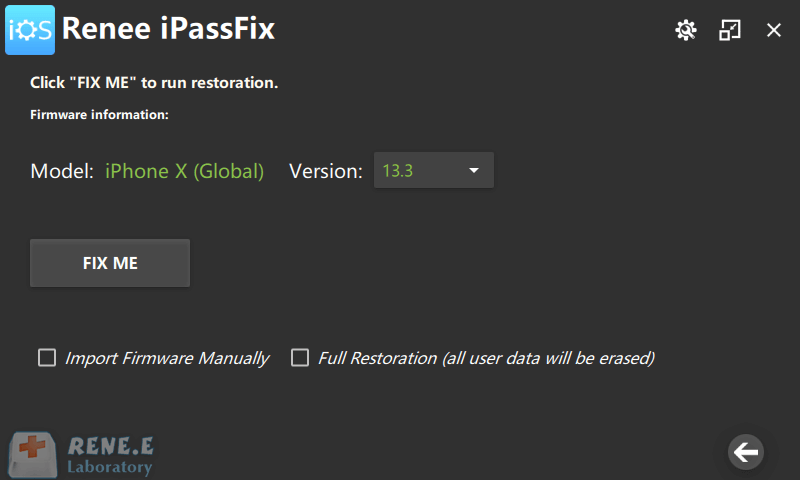
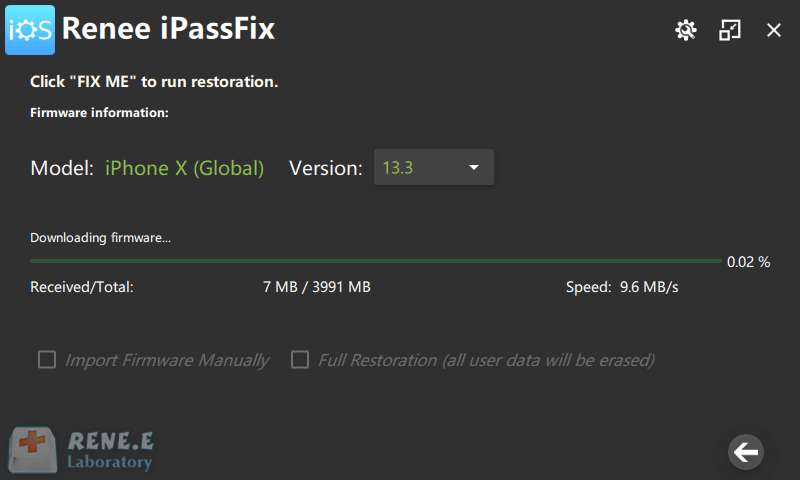
Step 2: After that, click on [FIX ME] to download the firmware and fix iPhone. Or, manually import the firmware. It is noted that all the data will be emptied when you check the option [Full Restoration].
Step 3: Finally, disconnect between iPhone and PC as it is finished.
Relate Links :
Solutions to Slowly Running iPad/iPad mini/iPad Pro

03-06-2021
Amanda J. Brook : Compared with iPhone and MacBook, iPad is more cost effective and more durable. An iPad is usually used...
How to Prevent iPhone from being Cracked by GrayKey?
03-06-2021
Amanda J. Brook : Generally, the iPhone screen passcode cannot be removed, provided that you don’t turn off the passcode or the...


