author avatar
    Technology Manager of Test Dept.
Last update by James Smith at 5 August 2026

Summary
This technical guide details the precise commands required to git reflog recover deleted file entries after destructive operations like reset or rebase. It also outlines alternative disk scanning methodologies for scenarios where version control history is insufficient or expired.


Lost a file after running git reset, git rebase, or an amend? This guide will show you how to use git reflog to recover a deleted file, step by step. If Git’s history can’t help, you’ll also find out how to scan your drive with dedicated data recovery software so you can choose the best recovery method for your situation.

Quick answer: recover a deleted file using git reflog in 3 steps

Step 1: Run git reflog to find the commit hash just before the file was deleted.
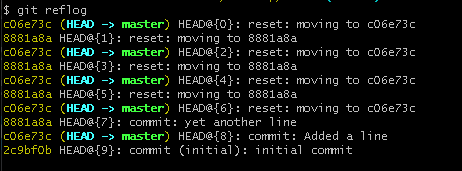
git reflog to find the commit
Step 2: Run git checkout <commit_hash> -- <file_path> to restore the file from that commit.
- commit_hash can be a full 40‑character SHA‑1, a short hash (typically 7–12 characters), any unique prefix, or even a tag such as v1.2.0.
- file_path must be a path inside the Git repository, relative to the repo root. You cannot use an arbitrary local filesystem path outside the repo.
Example: git checkout abc1234 -- src/renee_utils/math.js

git restore cannot take a commit hash directly in the same way. It is designed for working‑directory resets, not for pulling a file out of an arbitrary historical commit.

Step 3: Run git add and git commit to save the recovered version.
Warning: This method only works if the file was previously committed and the reflog entry has not expired. It cannot recover untracked or uncommitted files. Over time, Git’s garbage collection may permanently remove dangling commits.

The limitation ofgit reflogand the solution

Why Git reflog sometimes cannot recover your file

Git only tracks files that have been committed. If a file was never committed, was overwritten after deletion, or the reflog entry has expired, Git can no longer see it. In these cases, the file’s raw data may still be present on your storage drive—even if Git can’t access it. A data recovery tool can scan the disk directly and may be able to recover files that are now invisible to Git.

a. What does show up in git reflog

git reflog will show commits, checkouts, resets, merges, rebases, amended commits, stash, branch creation or deletions and pulls that update your local branch.

b. What doesn’t show up in git reflog

These actions don’t move any references, so they leave no reflog entries:
1. Commands that only affect the working directory or index
git add, git rm, git restore, git status, git diff
2. Remote‑only changes
Reflog doesn’t track what happens on the server, It only tracks changes to your local copies of remote refs
3. File changes that don’t create commits.
Reflog doesn’t record content changes, only ref movements

c. The expiration

Git automatically removes older reflog entries over time to keep the repository from growing indefinitely. Once these entries are pruned, the underlying commit data becomes unreachable, and you can no longer recover it through Git.
Default expiration rules:
Entry typeRetention

Normal reflog entries

~90 days

Unreachable entries (dangling commits)

~30 days

You can usually recover deleted commits for about 90 days

You can customize the retention period with these commands:

git config –global gc.reflogExpire 120.days
git config –global gc.reflogExpireUnreachable 45.days

Although Git provides powerful tools for tracking committed changes, its recovery capabilities stop where uncommitted data begins. Once a file falls outside Git’s visibility—whether because it was never committed, was overwritten, or its reflog entry has expired—you need a solution that operates at the storage‑level rather than the version‑control level. This is where a dedicated data‑recovery utility becomes essential, offering a way to retrieve files that Git can no longer reference or reconstruct.

Recover deleted files with Renee Undeleter (recommended non-Git option)

Renee Undeleter is a professional data recovery tool designed to retrieve lost or deleted files even when Git can’t help. It’s especially useful if the file was never committed or if a destructive Git action was followed by further disk activity.
Renee Undeleter can recover more than 400 file formats using signature scanning, so it doesn’t require file-system metadata to restore your files. The software offers several scanning modes tailored to different data-loss situations:
Scan Smarter with Renee Undeleter's Advanced ModesRenee Undeleter data Recovery software

Easy to use Only simple steps to recover data from storage devices.

Multiple scan modes Fast partition scan, whole partition scan and whole disk scan for different recovery needs.

File types Support to recover pictures, videos, audios, documents, mails, etc.

Supported storage devices Recover data from recycle bin, SD card, external disk, etc.

Supported systems Windows 11,10, 8.1, 8, 7, Vista, XP, 2000 and Mac OS X10.6, 10.7, 10.8+.

Easy to use Only simple steps to recover data from storage devices.

Multiple scan modes - 3 scan modes for different recovery needs.

Supported storage devices Recover data from recycle bin, SD card, external disk, etc.
Free TrialFree TrialFree Trial

3000 users have downloaded Renee Undeleter and found data back!

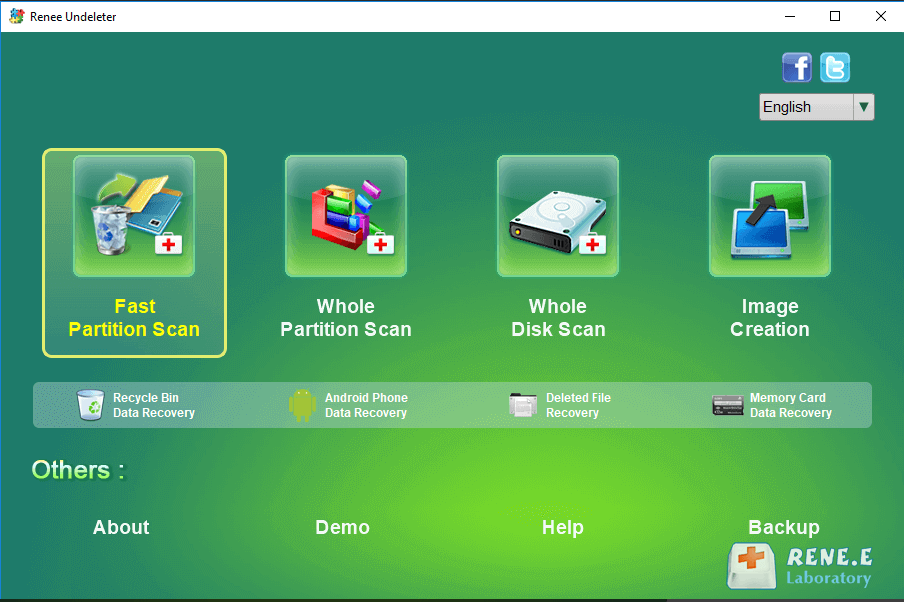
- Fast Partition Scan – for files lost through accidental deletion or emptying the recycle bin.
- Whole Partition Scan – for files lost from formatted or inaccessible partitions.
- Whole Disk Scan – for a comprehensive scan of the entire drive.
- Image Creation – to create a partition mirror image for backup or later recovery.
Renee Undeleter supports all major Windows file systems (NTFS, FAT, FAT32, exFAT), as well as macOS and Linux file systems. Its user-friendly interface makes the recovery process straightforward, even for those without technical experience.
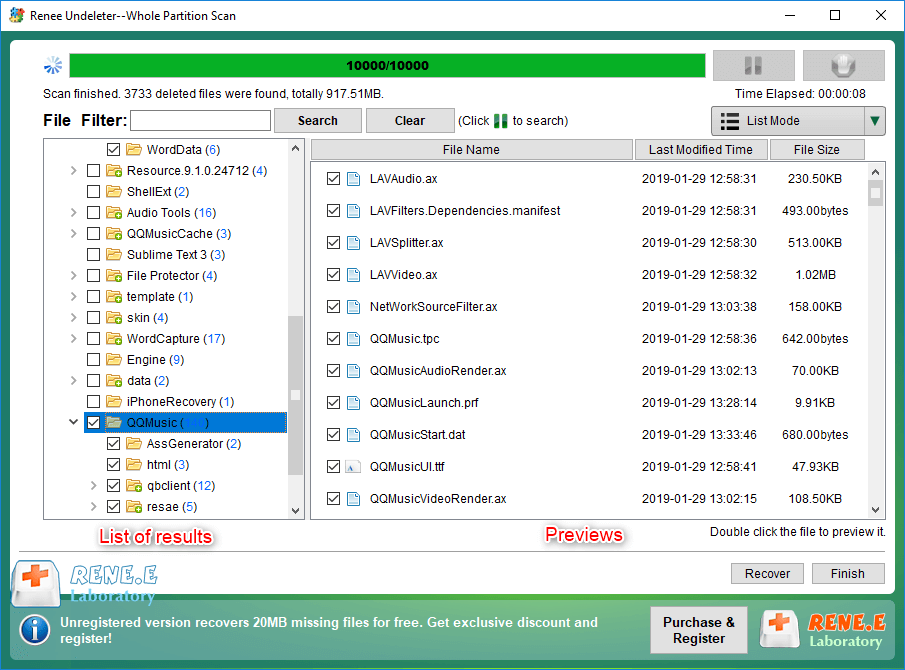
Preview and select files to recover in Renee Undeleter with checkboxes

How to start a scan with Renee Undeleter (overview)

1. Download and install Renee Undeleter from the official site.

Important: Do not install it on the drive where the data was lost, as this could overwrite your lost files.

2. Select the scan mode. In the main interface, choose Fast Partition Scan for accidental deletions, or Whole Partition Scan if the drive was formatted.
Renee Undeleter, select Fast Partition Scan
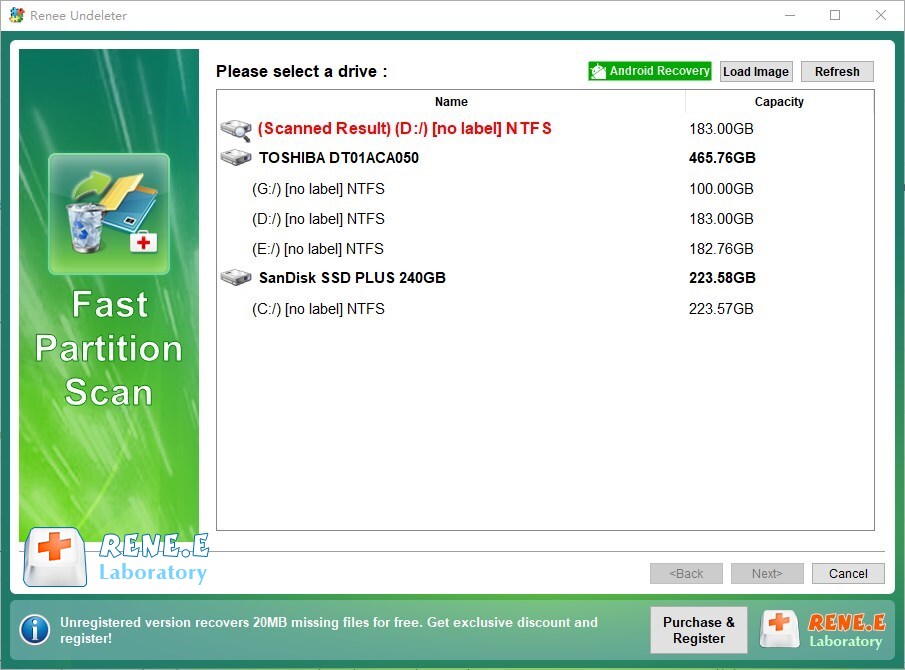
3. Scan and recover. Select the target partition, click Next.
select partition to scan for fast partition scan
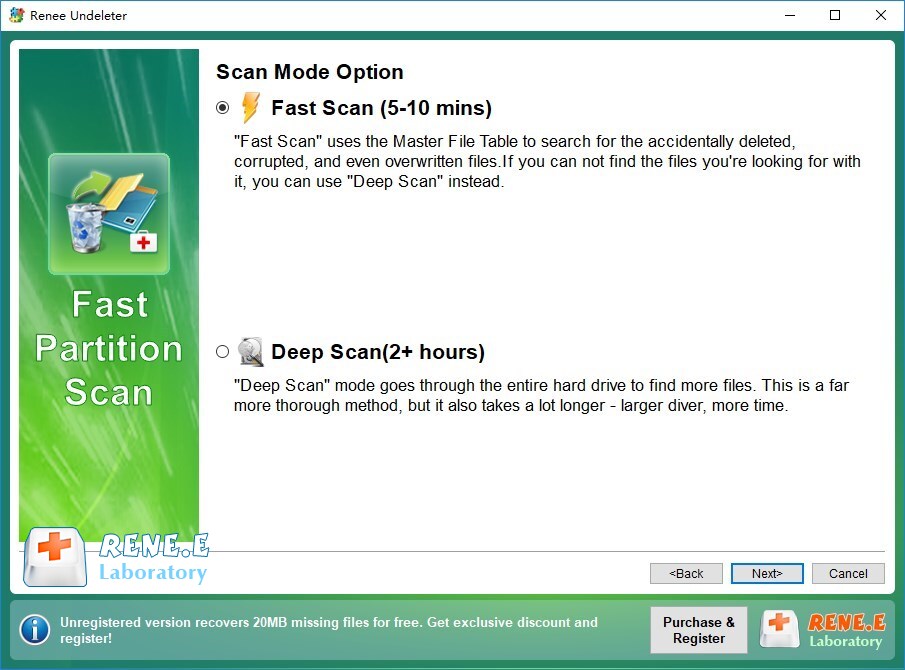
Choose Fast Scan (or Deep Scan if needed).
fast scan lost data
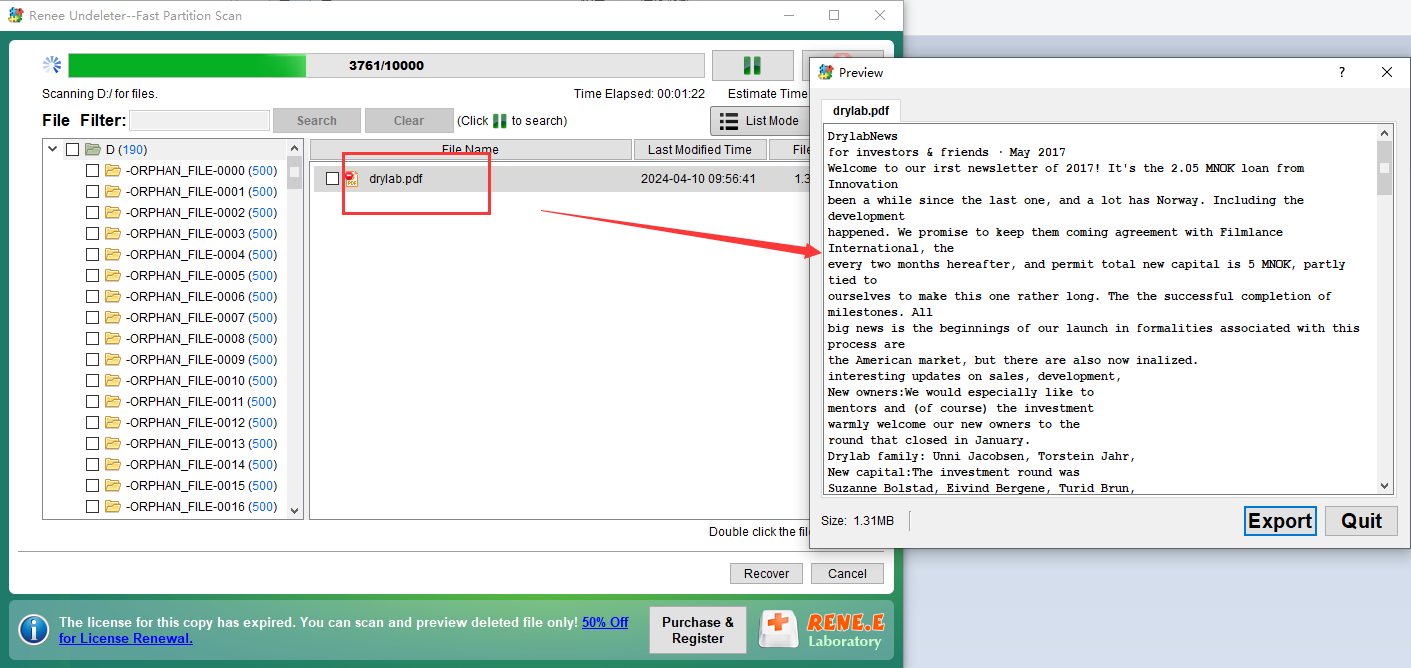
Wait for the scan to complete. You can preview files by double-clicking them, select the ones you want, and click Recover.
preview pdf files
4. Save safely. Always save recovered files to a different disk to prevent overwriting the original lost data.

FAQ

1. Does git reflog help recover files that were never committed?

No. Git reflog only records head movements for committed changes. If a file was never staged or committed, Git has no knowledge of it, and reflog cannot help. In this case, use a recovery tool like Renee Undeleter to scan the disk for the raw data.

2. How long does reflog keep entries before they expire?

By default, Git keeps reflog entries for 90 days for reachable commits and 30 days for unreachable ones. These durations can be changed via gc.reflogExpire and gc.reflogExpireUnreachable. Once entries expire and garbage collection runs, those commits may become permanently inaccessible.

3. Can I recover a file aftergit reset --hardif it was only staged but never committed?

No, not with Git alone. git reset –hard discards both the index (staging area) and uncommitted changes in your working tree. If the file was only staged and never committed, there’s no commit object containing it. You’ll need a data recovery tool that scans the disk for remnants.

4. What is the difference betweengit restoreandgit checkoutfor recovering a deleted file?

git restore –source= — is the modern, safer command introduced in Git 2.23. It only affects the working tree (or the index with –staged) and doesn’t modify your branch. git checkout — also restores the file but stages it as well. For simple file recovery, git restore is recommended.
Renee Undeleter - Powerful Data Recovery SoftwareRenee Undeleter data Recovery software

Easy to use Only simple steps to recover data from storage devices.

Multiple scan modes Fast partition scan, whole partition scan and whole disk scan for different recovery needs.

File types Support to recover pictures, videos, audios, documents, mails, etc.

Supported storage devices Recover data from recycle bin, SD card, external disk, etc.

Supported systems Windows 11,10, 8.1, 8, 7, Vista, XP, 2000 and Mac OS X10.6, 10.7, 10.8+.

Easy to use Only simple steps to recover data from storage devices.

Multiple scan modes - 3 scan modes for different recovery needs.

Supported storage devices Recover data from recycle bin, SD card, external disk, etc.

Free TrialFree TrialFree Trial

3000 users have downloaded Renee Undeleter and found data back!

User Comments

Page 1

Leave a Comment


Your comment has been submitted and is awaiting moderation.