
Online vs. Offline OCR: Privacy and Security Risks Explained

Summary
This guide examines the core differences in online vs offline OCR privacy, detailing how cloud-based and on-device processing handle data retention and security. It outlines practical verification methods and selection criteria for ensuring sensitive documents remain protected during text extraction.

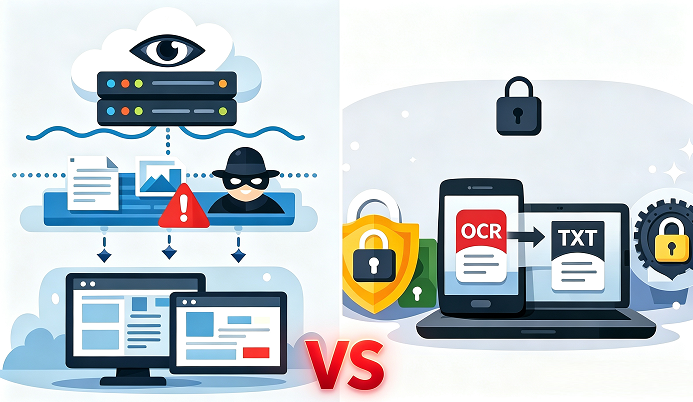
| Type | How it works | Privacy implications | Common software |
|---|---|---|---|
Online OCR websites |
You upload a document through a browser; the site sends it to a cloud server, performs OCR, and returns the extracted text. |
🔒 Possible storage • 📊 Upload logging • 🧠 Model training use • ♾️ Long retention |
iLovePDF, Smallpdf, OnlineOCR, i2OCR, NewOCR, Convertio... |
Local apps using cloud OCR |
The app looks local, but OCR runs on a remote server. Your file is uploaded in the background, processed online, then downloaded as text. |
🚚 File leaves device • 🗄️ Server storage • 👁️ Provider access • 🔍 Policy‑dependent reuse |
Easeus PDF Editor, Adobe Scan, CamScanner, Office Lens (cloud mode), Google Drive OCR |
| Type | How it works | Privacy implications | Common software |
|---|---|---|---|
True on‑device OCR |
OCR runs entirely on your computer or phone. Images/PDFs are processed using local hardware with no internet required. |
🛡️ Stays on device • 👤 No third‑party access • 🔐 No uploads • 🧱 Full data control |
Microsoft OneNote OCR, Renee PDF Aide, ABBYY FineReader (desktop), Tesseract, PDF‑XChange, OCRmyPDF, Apple Live Text |

100% Offline Privacy Process and extract text from your documents locally without ever uploading files to a cloud server.
Multifunctional Encrypt/decrypt/split/merge/add watermark
OCR Support Extract Text from Scanned PDFs, Images & Embedded Fonts
Quick Convert dozens of PDF files in batch
Compatible Support Windows 11/10/8/8.1/Vista/7/XP/2K
Convert to Editable Word/Excel/PPT/Text/Image/Html/Epub
OCR Support Extract Text from Scanned PDFs, Images & Embedded
Support Windows 11/10/8/8.1/Vista/7/XP/2K
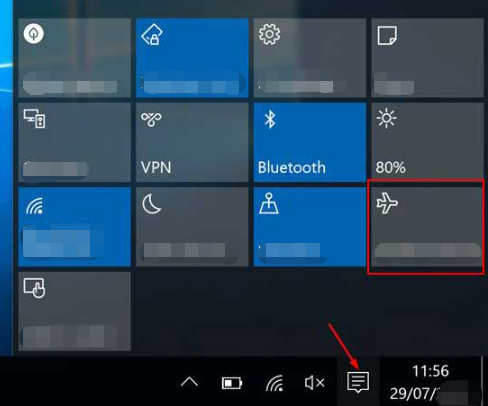
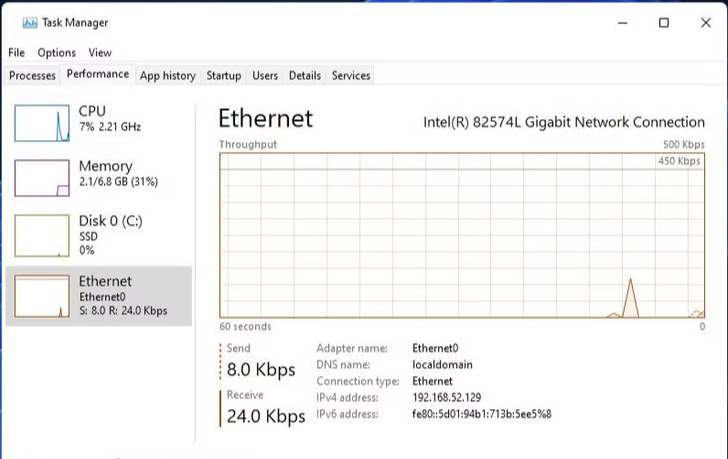
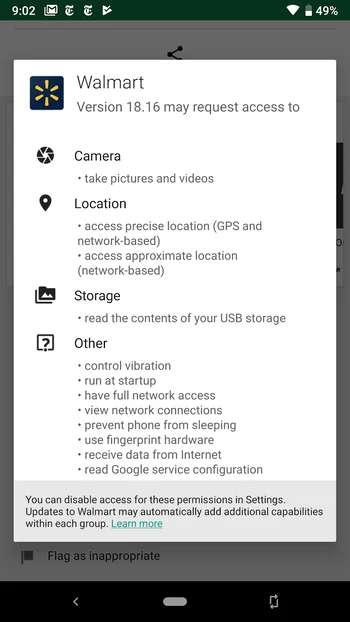
Is online OCR safe for tax returns or medical records?
Does browser-based OCR mean my file isn’t uploaded?
Can offline OCR still leak my data?
100% Offline Privacy Process and extract text from your documents locally without ever uploading files to a cloud server.
Multifunctional Encrypt/decrypt/split/merge/add watermark
OCR Support Extract Text from Scanned PDFs, Images & Embedded Fonts
Quick Convert dozens of PDF files in batch
Compatible Support Windows 11/10/8/8.1/Vista/7/XP/2K
Convert to Editable Word/Excel/PPT/Text/Image/Html/Epub
OCR Support Extract Text from Scanned PDFs, Images & Embedded
Support Windows 11/10/8/8.1/Vista/7/XP/2K
Relate Links :
How to Run OCR on Scanned PDFs with Watermarks, Stamps, or Background Noise

29-07-2026
John Weaver : This guide outlines practical methodologies for processing an OCR scanned PDF with watermark, addressing common text extraction disruptions...
How to Convert PDF to DOCX with OCR: A Complete Guide

14-07-2026
Jennifer Thatcher : This guide outlines the technical processes and software categories required for converting a pdf to docx with ocr,...
How to Optimize Scanned PDFs for Better OCR Accuracy
13-07-2026
Jennifer Thatcher : Procedures to optimize scanned pdf for ocr involve technical steps such as deskewing, contrast adjustment, and denoising to...
Word 2007 .doc vs .docx Compatibility: How to Fix Issues When Opening Converted PDFs

05-07-2026
Amanda J. Brook : This comprehensive technical overview of Word 2007 .doc vs .docx compatibility explains the structural differences between binary and...



User Comments
Leave a Comment