
LibreOffice PDF to Word Conversion: How to Convert PDFs to Editable Word Documents

Summary
This guide covers libreoffice pdf to word conversion using the free office suite. It includes detailed steps for graphical and command-line methods along with common limitations. The content also explores free online converters and professional software options for improved results.

Table of contents

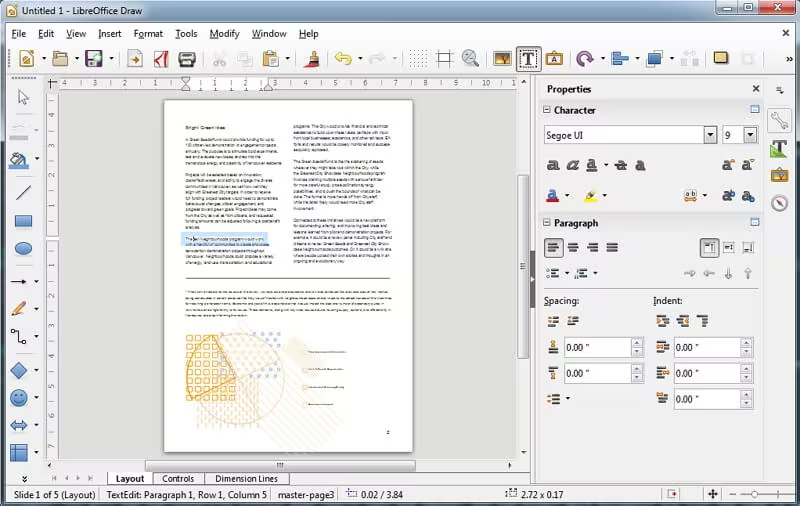
| Approach | Best For | Ease of Use | Batch Support | Format Preservation |
|---|---|---|---|---|
Graphical Interface (Draw) |
Single files, basic editing |
Moderate |
No |
Fair for simple PDFs |
Command-Line (Headless) |
Advanced users, automation |
Difficult |
Possible with scripts |
Same limitations as GUI |
- Completely free and open-source
- Works offline with full privacy
- Allows basic editing before export
Disadvantages:
- Poor layout retention for complex files
- Text often becomes separate objects requiring manual fixes
- No built-in OCR for scanned PDFs
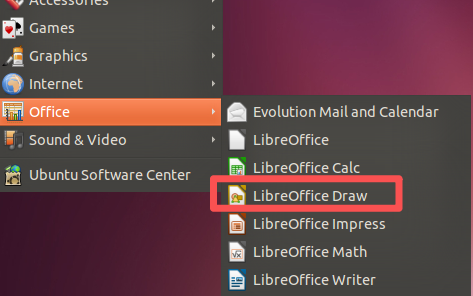
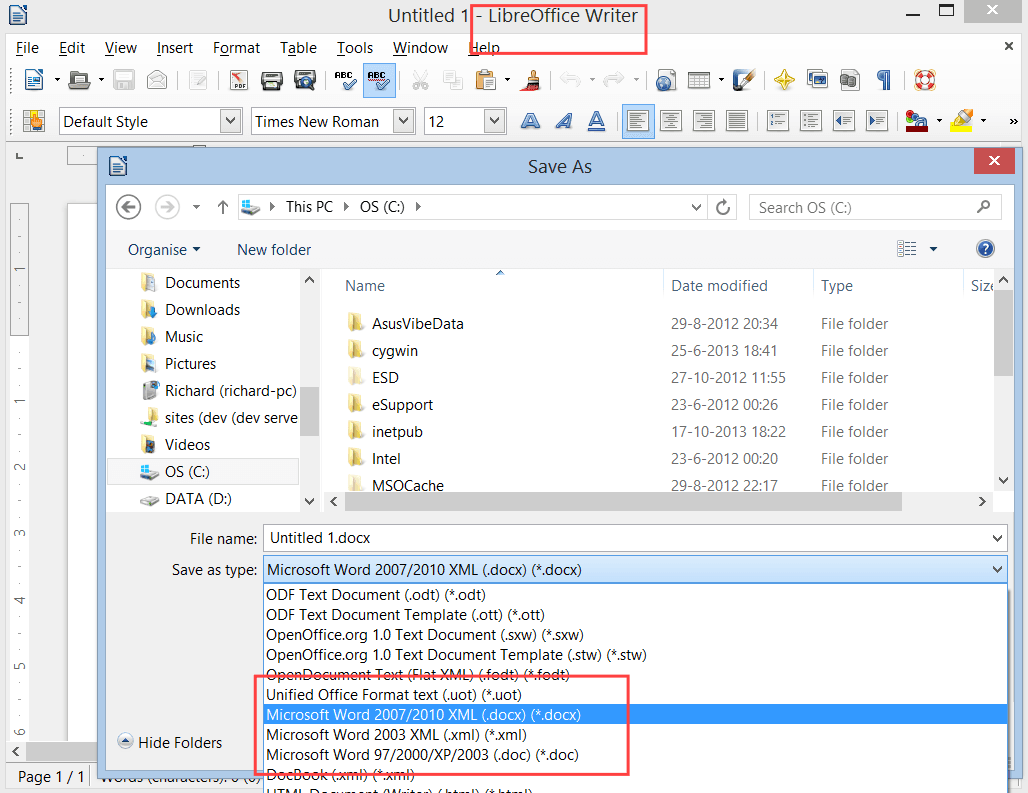
Step-by-step instructions:

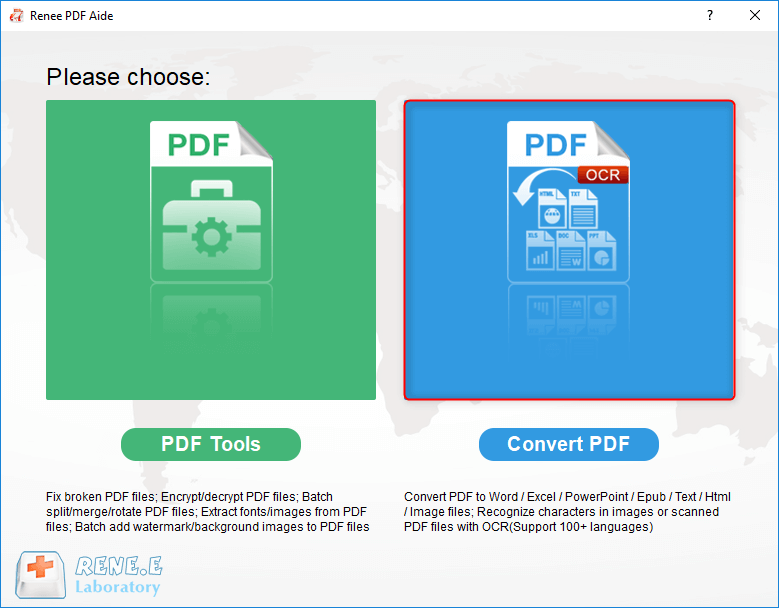
Convert to Editable Word/Excel/PPT/Text/Image/Html/Epub
Multifunctional Encrypt/decrypt/split/merge/add watermark
OCR Support Extract Text from Scanned PDFs, Images & Embedded Fonts
Quick Convert dozens of PDF files in batch
Compatible Support Windows 11/10/8/8.1/Vista/7/XP/2K
Convert to Editable Word/Excel/PPT/Text/Image/Html/Epub
OCR Support Extract Text from Scanned PDFs, Images & Embedded
Support Windows 11/10/8/8.1/Vista/7/XP/2K
soffice –headless –convert-to docx –outdir output/ input/sample.odt
- Text frequently splits into individual boxes or frames
- Tables and multi-column layouts often break
- Images may shift or lose quality
- Scanned PDFs remain images—no text recognition
- Headers, footers, and page numbering can disappearFor simple text-heavy PDFs, results are usable.
For professional documents, reports, or anything with graphics, you’ll likely need a more capable tool.
Convert to Editable Word/Excel/PPT/Text/Image/Html/Epub
Multifunctional Encrypt/decrypt/split/merge/add watermark
OCR Support Extract Text from Scanned PDFs, Images & Embedded Fonts
Quick Convert dozens of PDF files in batch
Compatible Support Windows 11/10/8/8.1/Vista/7/XP/2K
Convert to Editable Word/Excel/PPT/Text/Image/Html/Epub
OCR Support Extract Text from Scanned PDFs, Images & Embedded
Support Windows 11/10/8/8.1/Vista/7/XP/2K
Supported Operating Systems:
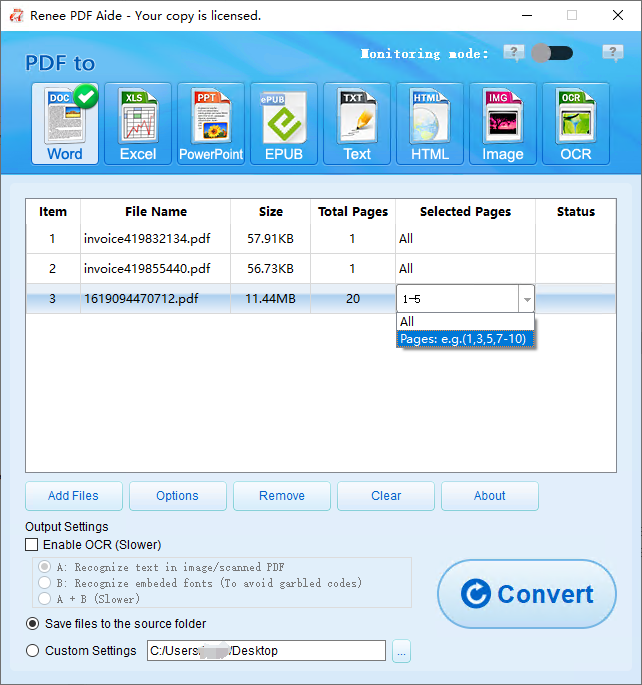
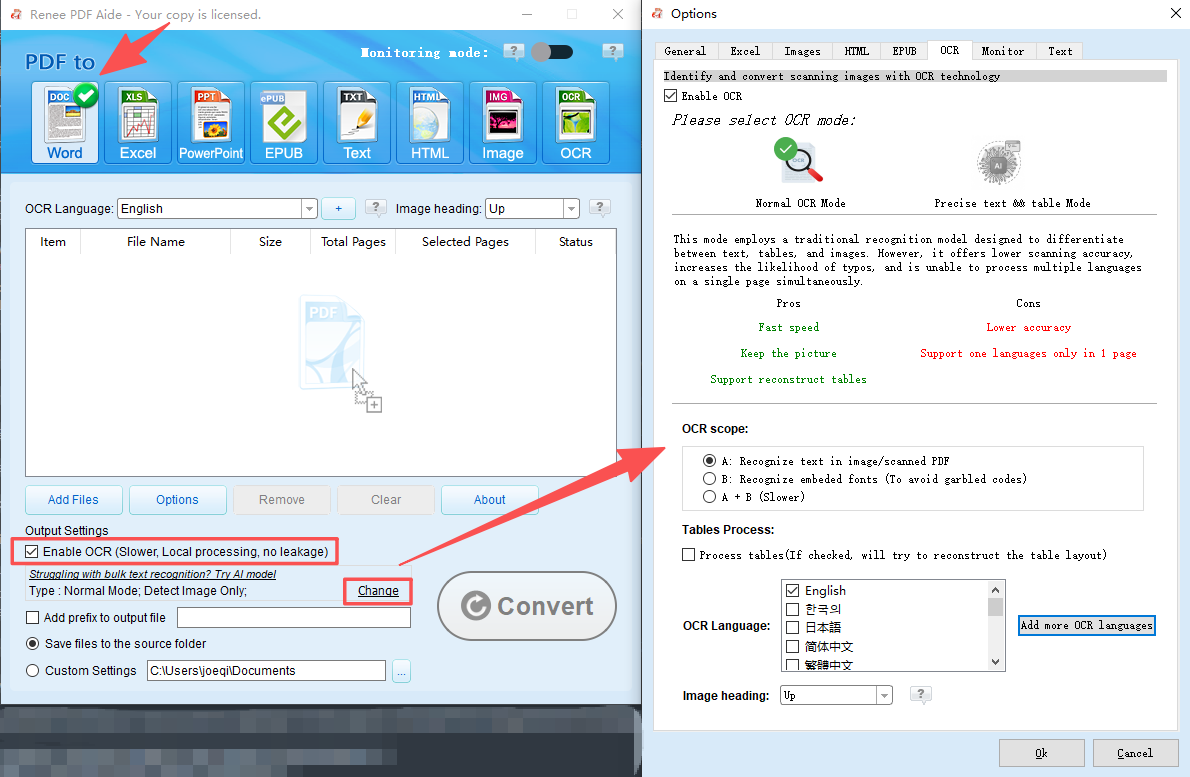
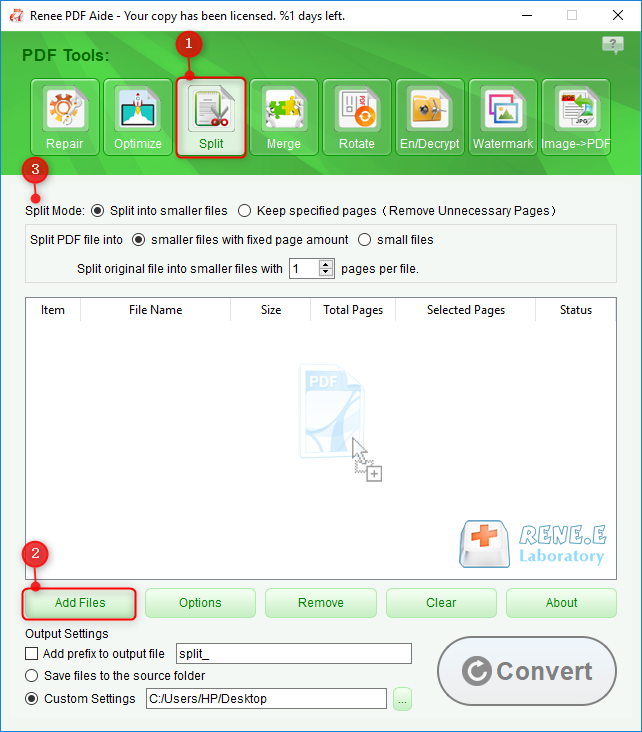
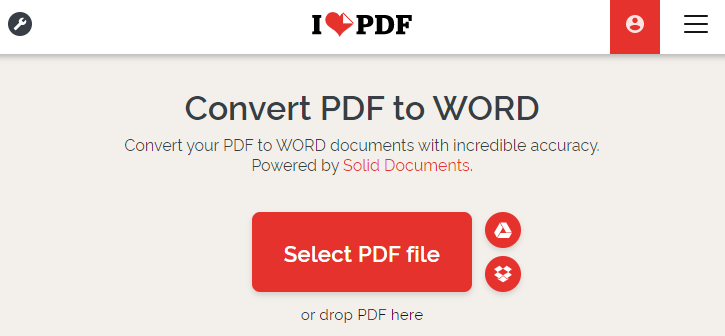
The specific operation steps are as follows:

- Extremely easy—one‑click process
- Good format retention for standard PDFs
- No software installation required
- Some OCR available
Disadvantages:
- Requires internet connection
- Privacy concerns (files uploaded to servers)
- Free versions have daily/hourly limits and file size restrictions
- Potential watermarks or queues
Comparison of Common Online PDF Conversion Tools
| Tool | Free Features | Free Tier Limits (Specific) | Best For |
|---|---|---|---|
iLovePDF |
PDF → Word, Excel, PPT; merge/split; basic OCR |
2–5 tasks per day, max 15–20 MB per file, slower queue during peak hours |
Users who need a clean interface and solid formatting |
Smallpdf |
PDF → Word; compression; basic editing |
1 task per hour, max 15 MB per file, OCR not free |
Quick, occasional conversions on desktop or mobile |
PDF2Go |
PDF → Word; rotate, merge, split; basic OCR |
Max 50 MB per file, ads, slower processing, OCR accuracy limited |
Users who want many PDF utilities in one place |
PDFCandy |
PDF → Word; 40+ PDF tools; no login required |
1 task at a time, slower speeds, occasional watermarks, max 500 MB per file |
Casual users who want variety without creating an account |
Adobe Acrobat Online |
High‑quality PDF → Word; strong formatting |
1–2 conversions per day, many tools locked behind subscription |
Users who want the most accurate conversion for simple files |
HiPDF |
PDF → Word; limited OCR; cloud integration |
2 tasks per day, max 10 MB per file, OCR accuracy reduced on free tier |
Cloud‑based workflows and light usage |
Zamzar |
PDF → Word; supports many formats |
2 conversions per 24 hours, max 50 MB per file, no OCR |
Simple, occasional conversions without advanced needs |
| Feature | LibreOffice | Free Online Tools (iLovePDF/Smallpdf) | Renee PDF Aide |
|---|---|---|---|
Ease of Use |
Moderate (manual steps) |
Very Easy |
Very Easy |
Conversion Quality |
Fair (simple PDFs only) |
Good |
Excellent (high fidelity) |
Offline Capability |
Yes |
No |
Yes |
Batch Support |
Limited |
Limited (free tier) |
Full |
Cost |
Free |
Free with limits |
Free trial |
Privacy |
Excellent (local) |
Moderate (uploads required) |
Excellent (local) |
Suitability for Scanned PDFs (OCR) |
No |
Basic |
Advanced |
Does LibreOffice support converting scanned PDFs to editable Word files?
Why does text become separate boxes after converting with LibreOffice?
Can I batch convert multiple PDFs to Word using LibreOffice?
Are online converters safe for sensitive documents?
What if LibreOffice misformats my tables or images?
Is there a completely free tool that handles scanned PDFs well?
Convert to Editable Word/Excel/PPT/Text/Image/Html/Epub
Multifunctional Encrypt/decrypt/split/merge/add watermark
OCR Support Extract Text from Scanned PDFs, Images & Embedded Fonts
Quick Convert dozens of PDF files in batch
Compatible Support Windows 11/10/8/8.1/Vista/7/XP/2K
Convert to Editable Word/Excel/PPT/Text/Image/Html/Epub
OCR Support Extract Text from Scanned PDFs, Images & Embedded
Support Windows 11/10/8/8.1/Vista/7/XP/2K
Relate Links :
Convert ASPX to PDF: A Simple Guide

10-10-2023
Amanda J. Brook : Learn how to convert ASPX files to PDF with a simple method, allowing for easier use and transfer....
Open PDF Files with InDesign: A Step-by-Step Guide
18-02-2024
Amanda J. Brook : Discover the seamless process for importing PDF files into Adobe InDesign, the industry-standard layout and page design software....
Convert ODT files to PDF Effortlessly
24-02-2024
Amanda J. Brook : Explore the world of ODT files and uncover the seamless ways to transform them into universally accessible PDF...
Convert PDF to Keynote on Mac: Step-by-Step Guide
12-10-2023
Amanda J. Brook : Learn how to convert PDF to Keynote files on your Mac system. Discover the step-by-step method in this...



User Comments
Leave a Comment