
How to Combine Multi-Page PDF Tables into a Single Continuous Excel Sheet

Summary
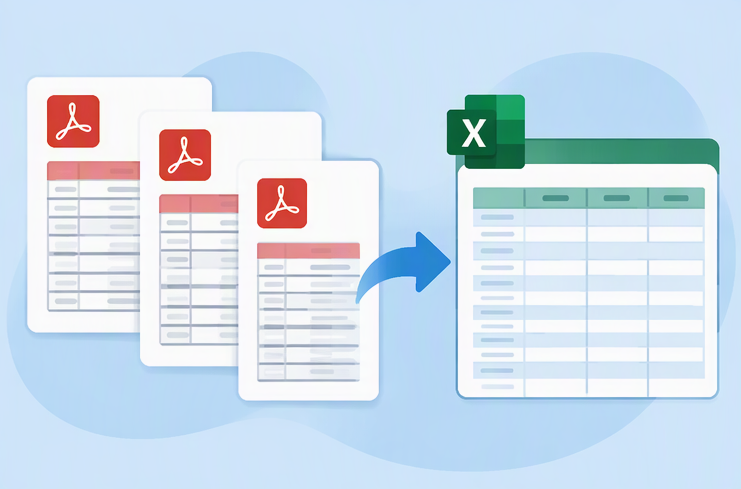
This guide explores effective methods for converting a multi page pdf table to single excel sheet, comparing online tools, Power Query, and dedicated desktop software. It provides step-by-step instructions for achieving a seamless, continuous worksheet without repeated headers or data fragmentation.

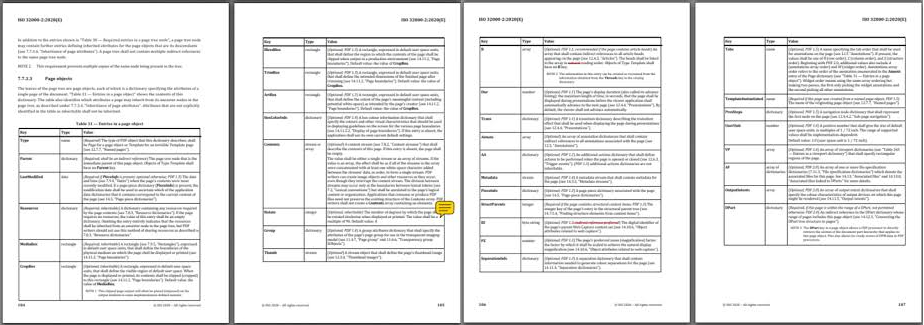

| PDF or Layout Trait | Symptom After Export | Impact on Single-Sheet Workflow |
|---|---|---|
Simple text-based table |
Usually exports cleanly ✅ |
Easy to merge if single-sheet export is supported |
Scanned or image-based PDF |
Blank output or image-only content |
OCR required before Excel conversion |
Repeating headers |
Header row repeats on each page |
Duplicate header rows require manual cleanup |
Merged cells |
Cells split or misaligned |
Column data may shift and need correction |
Continued rows across pages |
Rows skipped or duplicated ⚠️ |
Missing or duplicate records at page breaks |

Table Integrity Preserve original table layouts and merge multi-page data seamlessly into a single continuous Excel sheet without repeating headers.
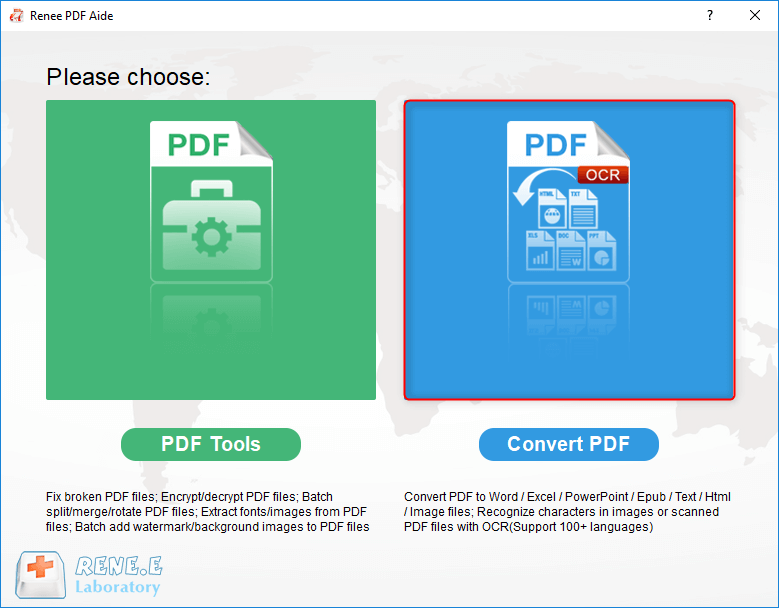
Multifunctional Encrypt/decrypt/split/merge/add watermark
OCR Support Extract Text from Scanned PDFs, Images & Embedded Fonts
Quick Convert dozens of PDF files in batch
Compatible Support Windows 11/10/8/8.1/Vista/7/XP/2K
Convert to Editable Word/Excel/PPT/Text/Image/Html/Epub
OCR Support Extract Text from Scanned PDFs, Images & Embedded
Support Windows 11/10/8/8.1/Vista/7/XP/2K
| Online Converter | PDF → Excel | Combine Multiple PDF Pages into a Single Excel Worksheet | Free Tier / Trial | Pricing |
|---|---|---|---|---|
🏆 Able2Extract Professional |
✅ Yes |
✅ Yes. Supports extracting multi-page tables and exporting consolidated data into Excel. |
7-day free trial |
Starts at $149.95 (one-time license) |
🏆 PDFTables |
✅ Yes |
✅ Yes. Allows control over worksheet output and supports structured multi-page table extraction. |
50 free pages after signup |
Pay-as-you-go plans available |
🥇 ABBYY FineReader PDF |
✅ Yes |
✅ Yes. Particularly strong for scanned PDFs and multi-page table reconstruction. |
Free trial available |
Subscription and perpetual licenses available |
🥈 Adobe Acrobat Pro |
✅ Yes |
⚠️ Exports entire PDFs to Excel. Multi-page tables are often preserved, but single-sheet consolidation may require verification depending on document structure. |
Free online conversions (limited) + free trial |
Starts at $19.99/month |
🥈 Smallpdf Pro |
✅ Yes |
⚠️ Supports PDF-to-Excel conversion and batch processing, but does not explicitly guarantee automatic consolidation into a single worksheet. |
Limited free conversions per day |
Starts at $12/month |
🥉 Nitro PDF Pro |
✅ Yes |
⚠️ Exports PDF data to Excel, but multi-page consolidation may require manual cleanup. |
Free trial available |
Subscription pricing |
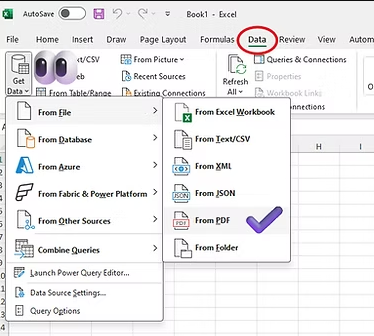
| Title | Detailed Description |
|---|---|
Supported system versions |
Windows 10/11 and macOS with Excel 2016 or later; Microsoft 365 recommended |
Required conditions |
Native text-based PDF; Excel desktop installed; PDF loaded from local or web source |
Runtime limitations |
No built-in OCR; page-spanning tables still need cleaning; merged cells often split unpredictably |
Typical performance |
Fast on small digital PDFs; slower on large reports with many columns |
| Method | Ease | Multi-page table handling | Scanned PDF support | Privacy |
|---|---|---|---|---|
Online PDF converters |
⭐⭐⭐ |
⭐⭐ |
Varies |
⚠️ Files may be uploaded |
Excel Power Query |
⭐⭐ |
⭐⭐⭐ |
❌ No OCR |
✅ Local |
Local PDF Converters |
⭐⭐⭐ |
⭐⭐⭐ |
⭐⭐⭐(via OCR) |
✅ 100% Local & Secure |
Versatile Convert to Word/Excel/PPT/Text/Image/Html/Epub
Secure 100% local conversions ensure zero risk of data leaks
Efficient Batch Process dozens of PDF files in seconds
Comprehensive Seamlessly convert PDFs to Excel, PowerPoint, Text, and more
OCR Support Extract Text from Scanned PDFs, Images & Embedded Fonts
Versatile Effortlessly convert XFA, multi
Secure 100% local conversions ensure zero risk of data leaks
Efficient Batch Process dozens of PDF files in seconds


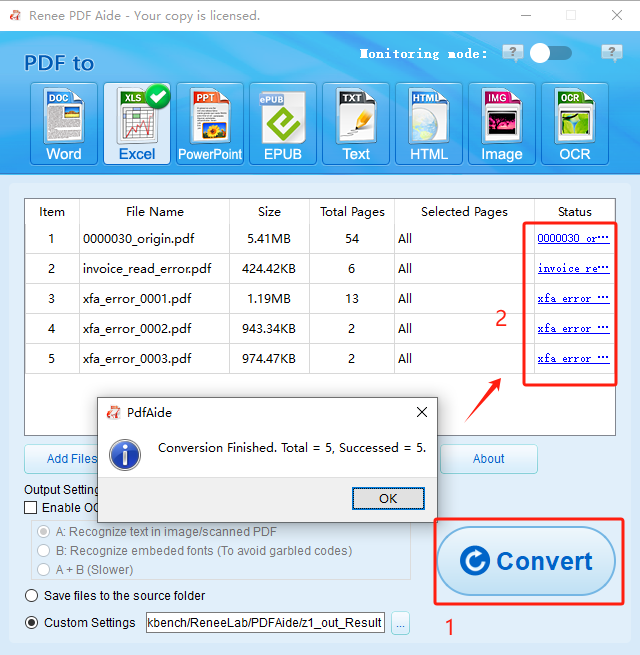
Why did my converter create separate sheets per page instead of one?
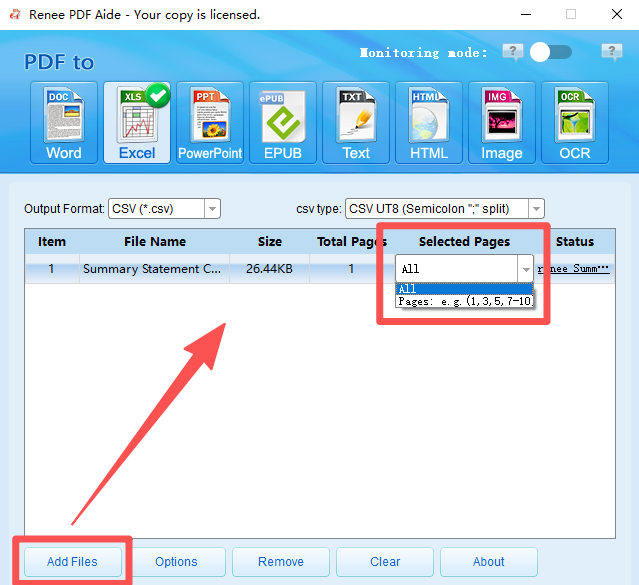
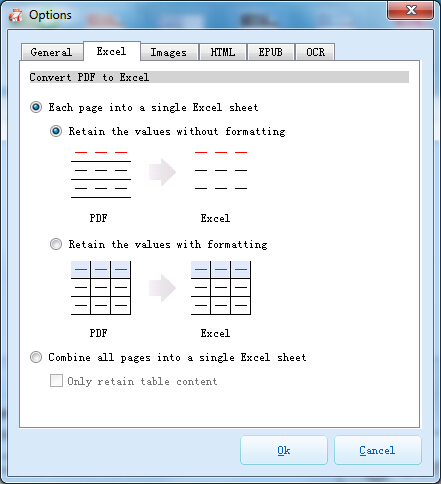
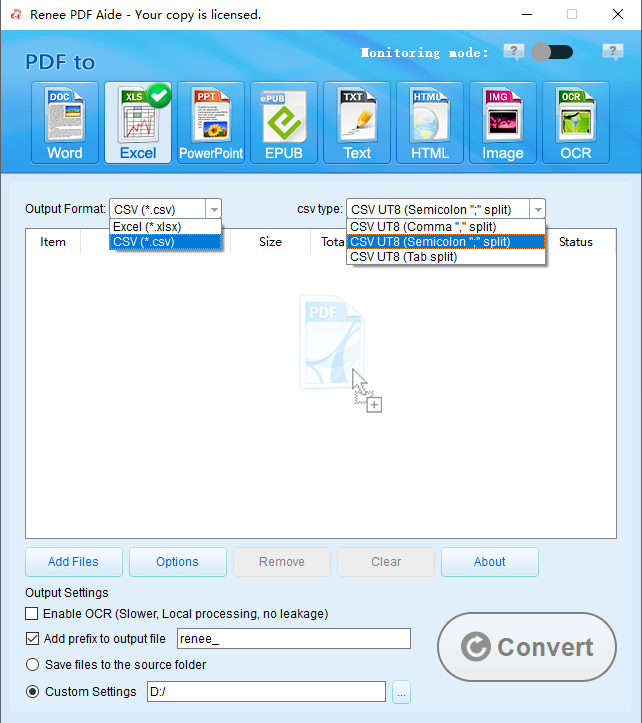
Combine all pages into a single Excel sheet, you’ll get multiple sheets. Desktop tools with dedicated merge options avoid this issue.
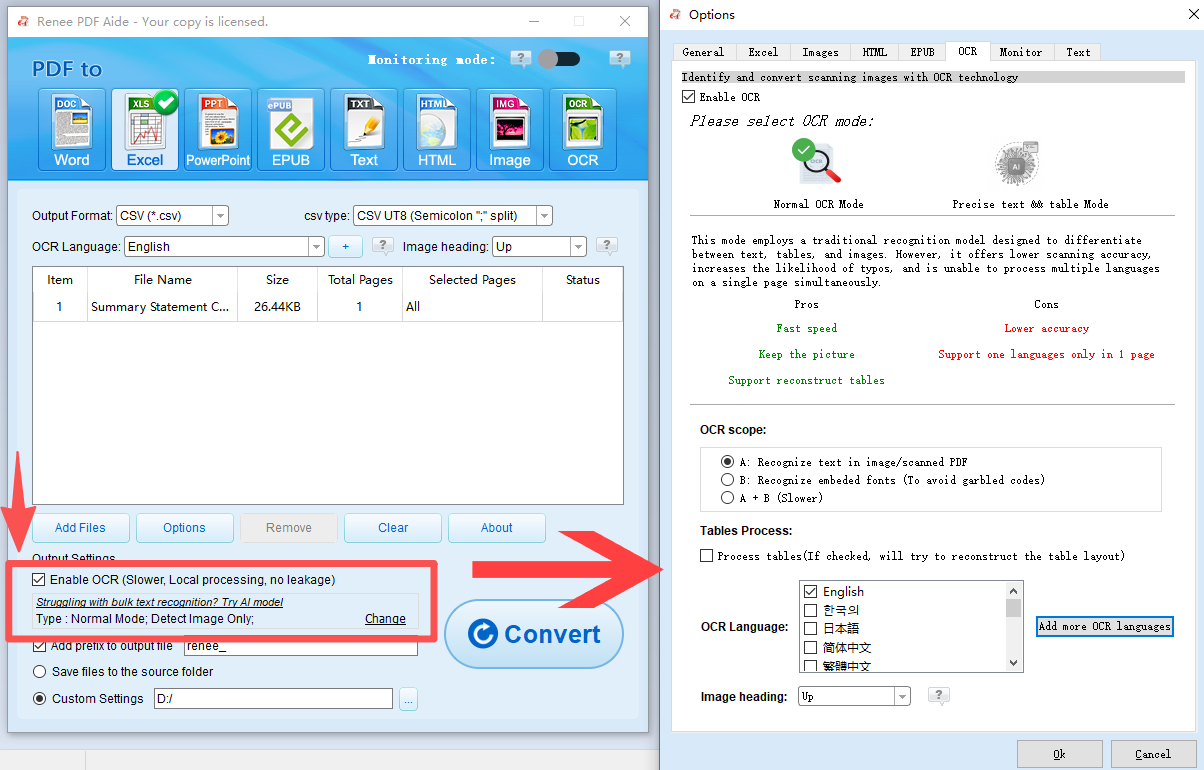
Does this method work for scanned or image-based PDF tables?
Is my financial or confidential data uploaded online during conversion?
Can I convert only specific pages of a long PDF report?
Versatile Convert to Word/Excel/PPT/Text/Image/Html/Epub
Secure 100% local conversions ensure zero risk of data leaks
Efficient Batch Process dozens of PDF files in seconds
Comprehensive Seamlessly convert PDFs to Excel, PowerPoint, Text, and more
OCR Support Extract Text from Scanned PDFs, Images & Embedded Fonts
Versatile Effortlessly convert XFA, multi
Secure 100% local conversions ensure zero risk of data leaks
Efficient Batch Process dozens of PDF files in seconds
Relate Links :
How to Convert XFA(XML Forms Architecture) PDF to Word Documents

30-06-2026
Ashley S. Miller : This comprehensive guide outlines multiple technical methods to convert xfa pdf to word, including direct software extraction and...
How to Fix Garbled Text in PDF to Word Conversion
30-06-2026
Ashley S. Miller : This comprehensive resource outlines the technical causes of character encoding failures and provides systematic methods to fix garbled...
Best Bulk PDF Converter Tools: Quickly & Easily Convert Multiple Files
20-11-2025
Amanda J. Brook : Discover the best bulk PDF converter tools to save time and boost productivity. Compare top free and paid...
Top Ways to Extract Tables from PDF Files : Free & AI Tools Revealed
28-10-2025
Amanda J. Brook : Discover the best ways to extract tables from PDF in 2025 using free tools and advanced AI methods,...



User Comments
Leave a Comment