
How to Convert PDF to Word for Microsoft Office Word 2007: The Complete Compatibility Guide

Summary
This comprehensive guide outlines the technical requirements and software solutions for executing a pdf to word 2007 conversion while preserving document formatting. It evaluates desktop applications, online converters, and optical character recognition tools to ensure seamless compatibility with legacy Microsoft Office environments.

Table of contents

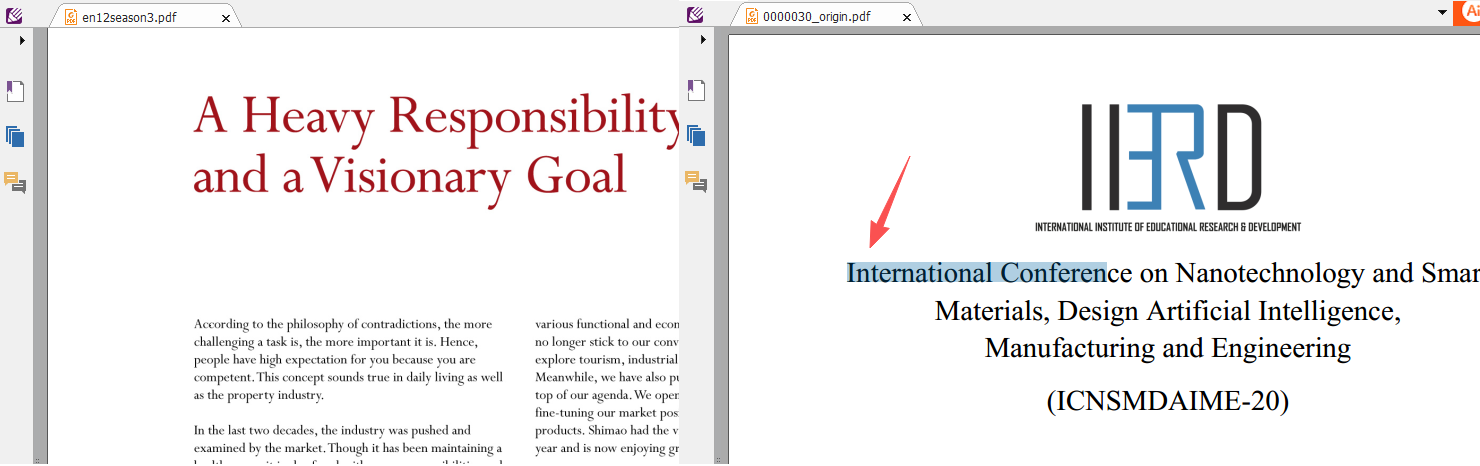
Data Structure is not compatible
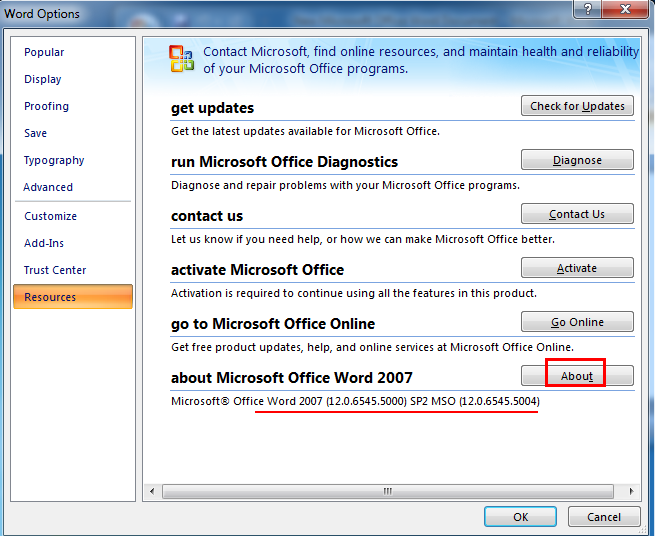
Output format is not compatible
| Feature | Text-Based PDF | Scanned PDF |
|---|---|---|
Content Type |
Selectable text characters |
Photograph of a page |
Common Source |
Digital export (Word, browser) |
Scan from a physical document |
Conversion Requirement |
Standard converter |
OCR-enabled converter |
Output Quality in Word 2007 |
High, preserves formatting |
Needs specific OCR settings; formatting requires extra care |
| Method Category | Accuracy (Text PDF) | Accuracy (Scanned PDF) | Data Privacy | Batch Support | Word 2007 Compatibility | Cost |
|---|---|---|---|---|---|---|
Dedicated Desktop Software (Renee PDF Aide) |
High, preserves layout |
High, OCR-powered recognition |
Complete (offline) |
Full batch conversion |
Native (.doc/.docx) |
Free trial; paid full version |
Online Converters (e.g., Smallpdf) |
Moderate to good |
Requires separate OCR; often poor |
Low (files uploaded) |
Limited or paid |
Outputs.docx; Compatibility Pack may be needed |
Free tier with caps |
Google Docs |
Moderate, complex layouts break |
None (scanned PDFs remain images) |
Low (cloud) |
Manual |
.docx export only; formatting often corrupt |
Free |
Legacy MODI (Office 2007) |
Low to moderate |
Outdated OCR, garbled text |
High (local) |
No |
.doc output, but heavy cleanup required |
Built-in (discontinued) |

Versatile Convert to Word/Excel/PPT/Text/Image/Html/Epub
Secure 100% local conversions ensure zero risk of data leaks
Efficient Batch Process dozens of PDF files in seconds
Comprehensive Seamlessly convert PDFs to Excel, PowerPoint, Text, and more
OCR Support Extract Text from Scanned PDFs, Images & Embedded Fonts
Versatile Effortlessly convert XFA, multi
Secure 100% local conversions ensure zero risk of data leaks
Efficient Batch Process dozens of PDF files in seconds
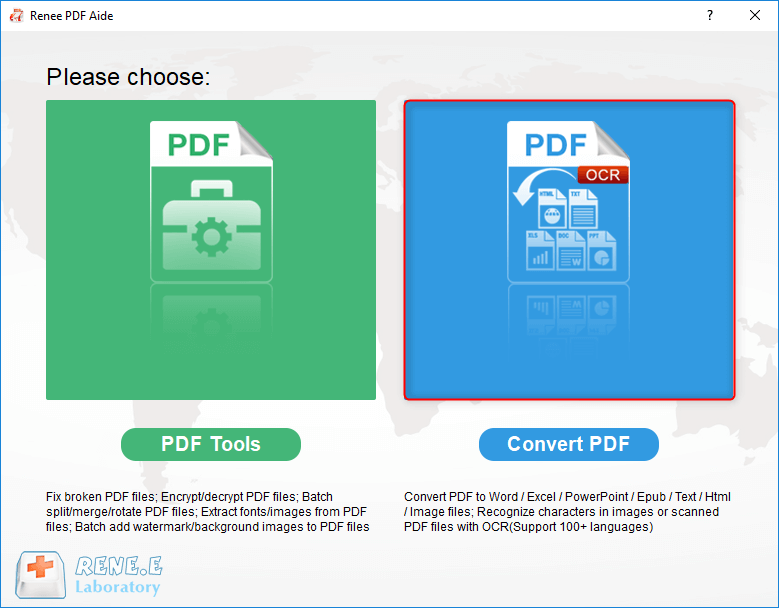
Step 1: Launch and Select the Conversion Module
Step 2: Add Your PDF Files
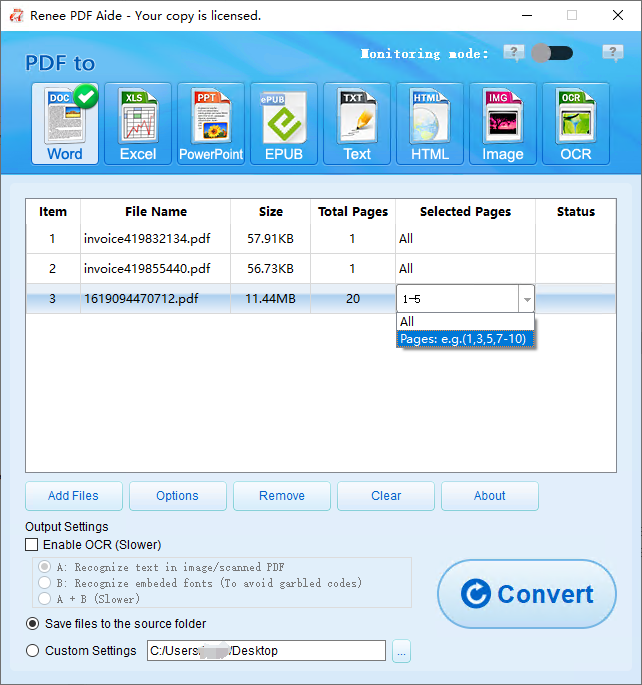
Step 3: Choose Output Format and Configure Options
Step 4: Enable OCR for Scanned or Complex PDFs
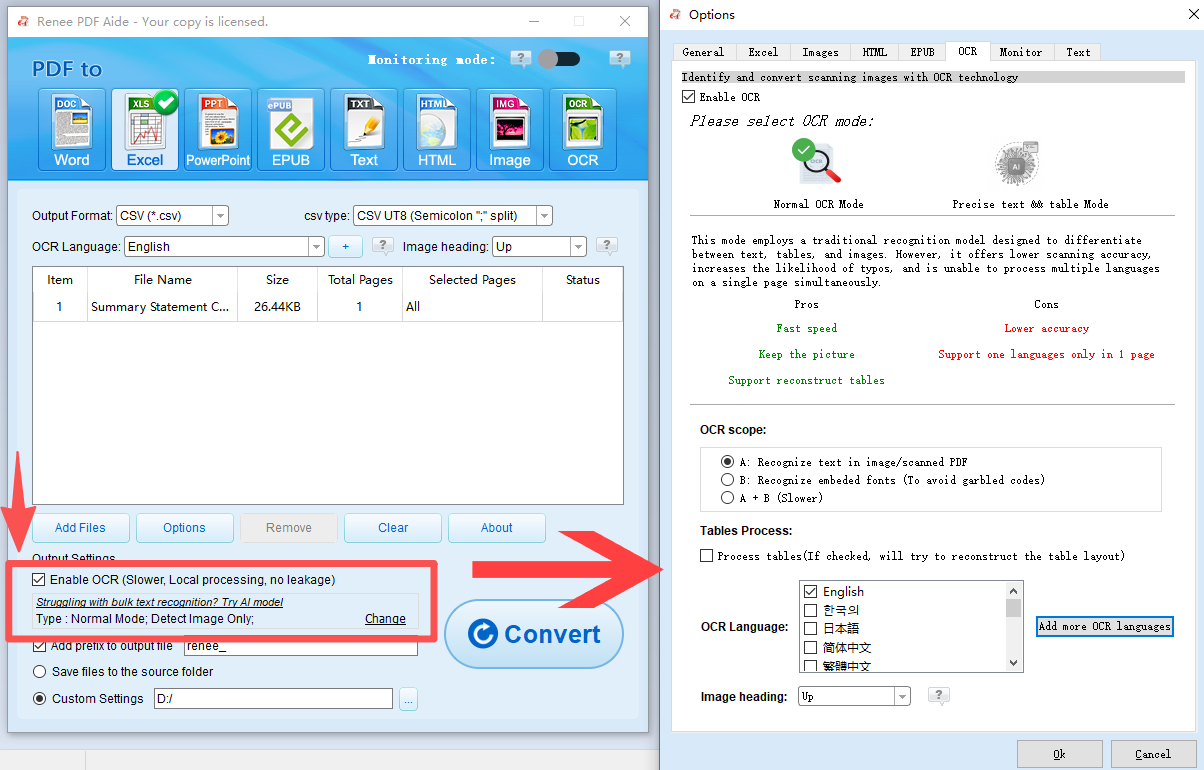
Step 5: Convert and Locate Your Word 2007 File

- Instant, no-installation web access
- Clean UI and simple drag-and-drop
- Decent text-only conversion for simple PDFs
Disadvantages:
- Files uploaded to external servers—privacy risk
- Free tier limited to a few conversions per day
- No legacy .doc output; .docx needs Compatibility Pack
- OCR locked behind paid plan; formatting often degrades
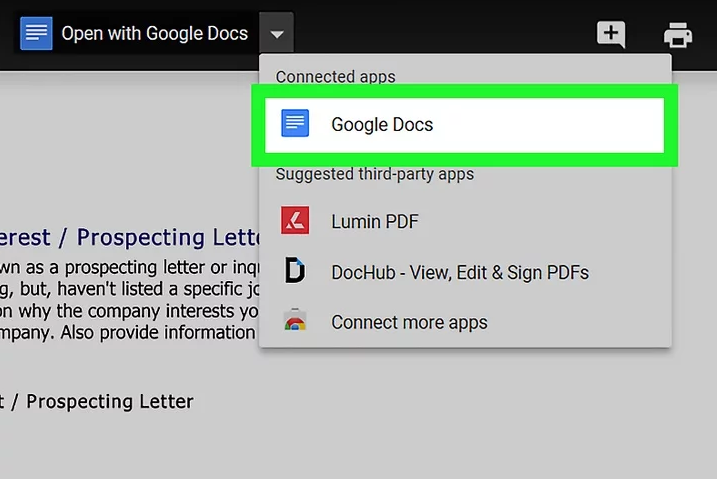
- Completely free with a Google account
- Works inside any browser, no installation
- Automatic saving and version history
Disadvantages:
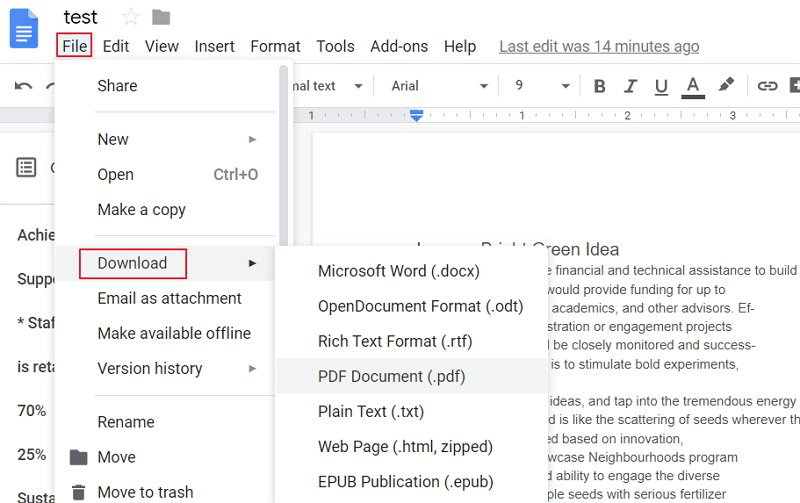
- Severe formatting loss on complex layouts
- No OCR for scanned PDFs—output stays an image
- .docx export only; Compatibility Pack needed
- File size limit (typically 2 MB for conversion) and internet-dependent
Steps
Versatile Convert to Word/Excel/PPT/Text/Image/Html/Epub
Secure 100% local conversions ensure zero risk of data leaks
Efficient Batch Process dozens of PDF files in seconds
Comprehensive Seamlessly convert PDFs to Excel, PowerPoint, Text, and more
OCR Support Extract Text from Scanned PDFs, Images & Embedded Fonts
Versatile Effortlessly convert XFA, multi
Secure 100% local conversions ensure zero risk of data leaks
Efficient Batch Process dozens of PDF files in seconds
Can I convert scanned PDFs to Word 2007, and what tool do I need?
Is Renee PDF Aide free to try before purchasing?
Why does my converted text show garbled characters or blank boxes in Word 2007?
Can I convert multiple PDFs to Word 2007 at the same time?
Versatile Convert to Word/Excel/PPT/Text/Image/Html/Epub
Secure 100% local conversions ensure zero risk of data leaks
Efficient Batch Process dozens of PDF files in seconds
Comprehensive Seamlessly convert PDFs to Excel, PowerPoint, Text, and more
OCR Support Extract Text from Scanned PDFs, Images & Embedded Fonts
Versatile Effortlessly convert XFA, multi
Secure 100% local conversions ensure zero risk of data leaks
Efficient Batch Process dozens of PDF files in seconds
Relate Links :
Word 2007 .doc vs .docx Compatibility: How to Fix Issues When Opening Converted PDFs
05-07-2026
Amanda J. Brook : This comprehensive technical overview of Word 2007 .doc vs .docx compatibility explains the structural differences between binary and...
Effortless Ways to Convert PDF to Excel: The Only Guide You Need
31-10-2025
Amanda J. Brook : This hands-on guide walks you through converting PDFs to Excel using trusted tools that preserve your data. It’s...
21-06-2021
Amanda J. Brook : XLS is the Excel format. In our daily life, we should convert XLS to PDF for data security....
How to Convert PDF to Word on Mac?

30-03-2021
John Weaver : Although most of the online documents are saved as PDF, the PDF files should be converted to the...



User Comments
Leave a Comment