
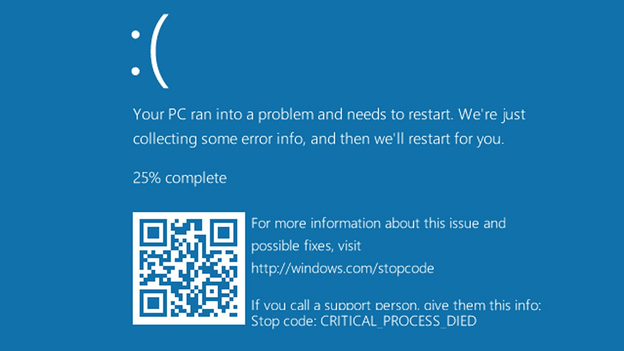
0x000000ef Windows 10: Complete Troubleshooting Guide for CRITICAL_PROCESS_DIED

Summary
This comprehensive guide addresses the 0x000000ef windows 10 stop code by outlining systematic troubleshooting approaches for both bootable and non-bootable system states. Solution categories include emergency data backup procedures, system file repairs, driver conflict resolution, recovery environment tools, and hardware diagnostics.


| Symptoms | Scenario | Recommended starting section |
|---|---|---|
PC starts normally but blue screens after 5-30 minutes |
A |
|
Blue screen appears during Windows logo loading |
B |
|
PC restarts continuously without showing desktop |
B |
|
Error appeared after driver or Windows update |
A or B |
|
Error appeared after new hardware installation |
A or B |

Remove Windows Login Password 3 steps for whole password remove process.
Recover the files Recover the deleted files without Windows system.
Transfer the data Transfer the important files of the computer with system.
Multifuctional Data transfer, data recovery, bootable problem recovery can be run without system.
Highly compatible Windows 11/10/8.1/8/7/XP/Vista. UEFI boot.
Remove Login Password Support Windows 11/10/8.1/8/7/XP/Vista. UEFI boot.
Recover the files Recover the deleted files without Windows system.
Transfer the data Transfer the important files of the computer with system.



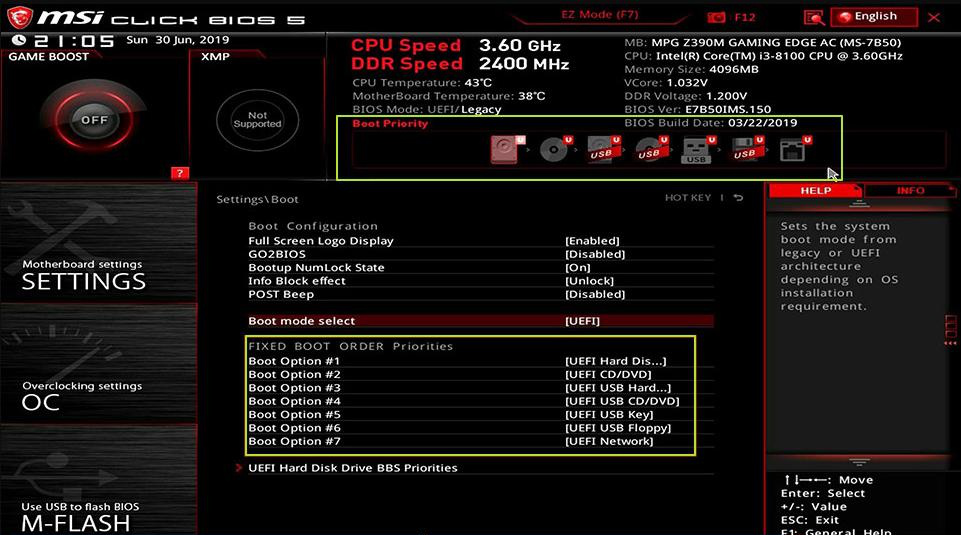
| Brand | Boot Menu Key | BIOS Key |
|---|---|---|
Dell |
F12 |
F2 |
HP |
F9 |
Esc / F10 |
Lenovo (Laptop) |
F12 |
F2 or Fn+F2 |
Lenovo (ThinkPad) |
Enter then F1 |
F1 |
ASUS |
Esc or F8 |
Del or F2 |
Acer |
F12 |
Del or F2 |
MSI |
F11 |
Del |
Samsung |
F2 or Esc |
F2 |
Toshiba |
F12 |
F2 |
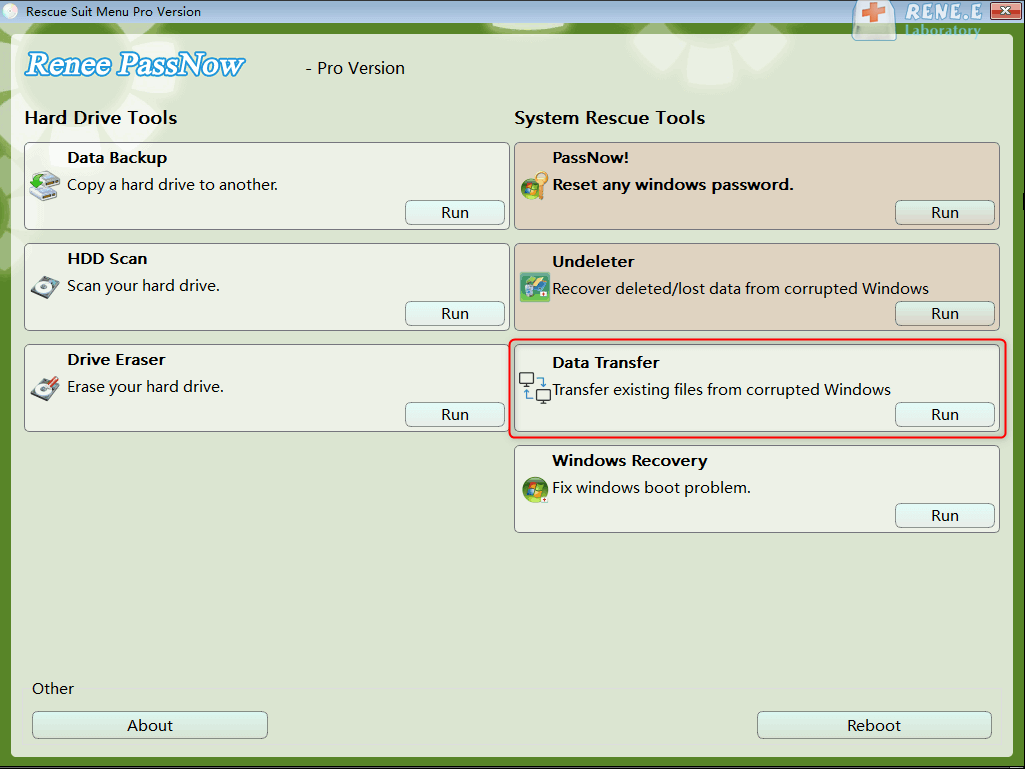
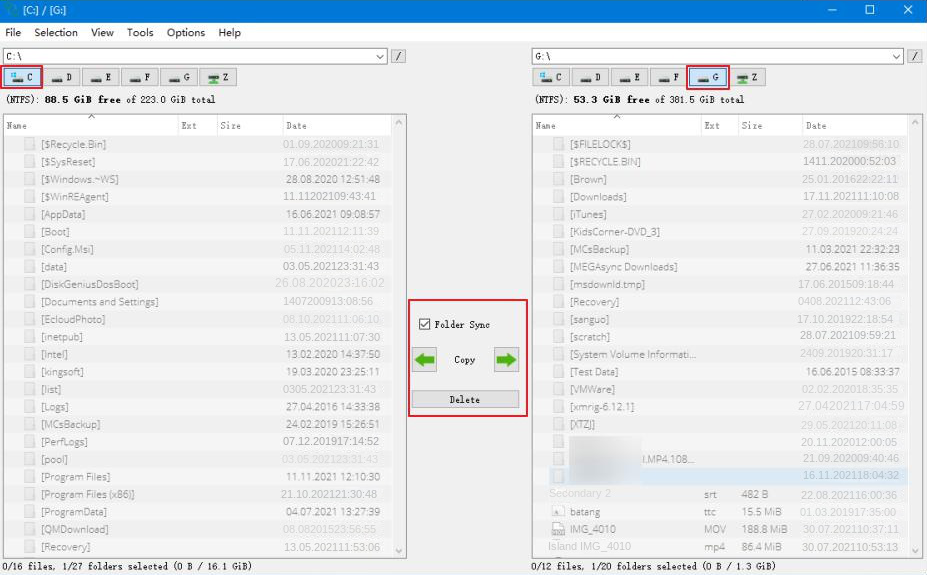
C:\Users\[YourUserName]\ and copy your key folders: Desktop, Documents, Pictures, Downloads, Videos, and Music.
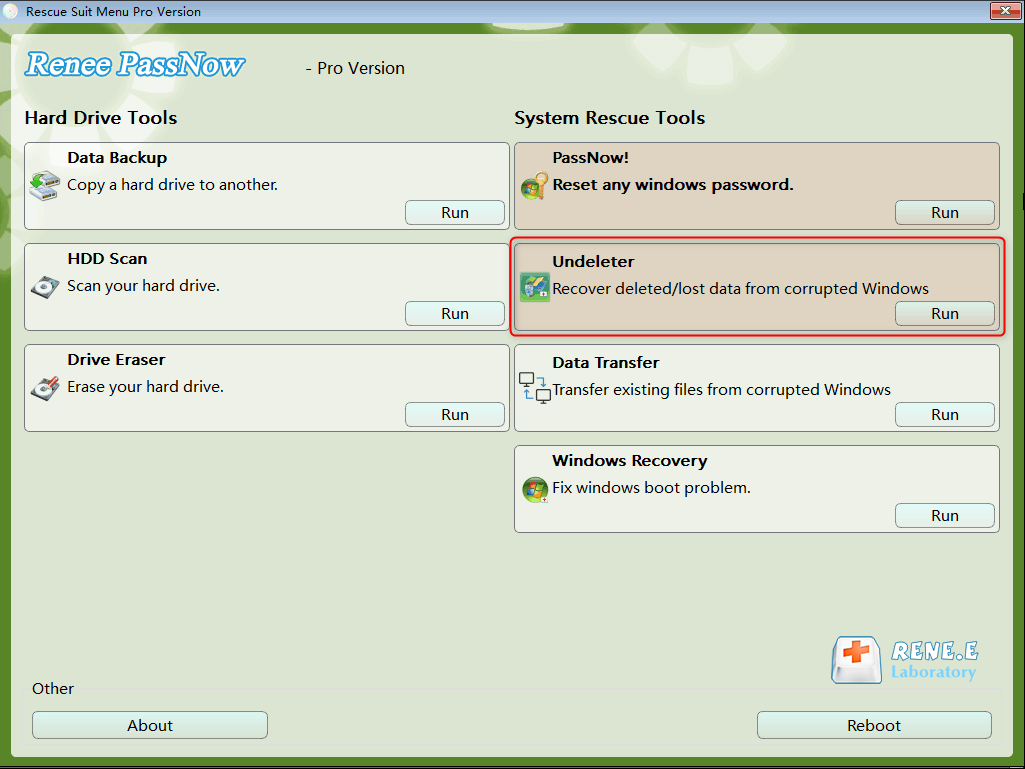
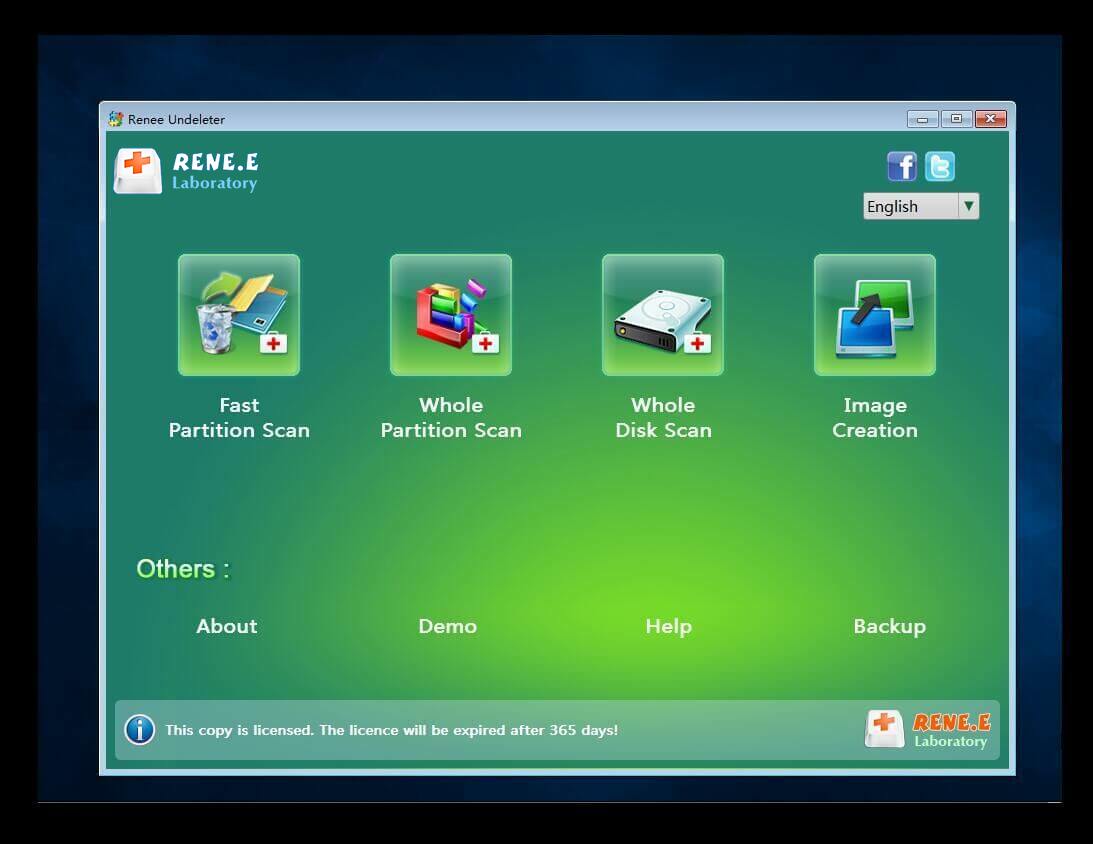
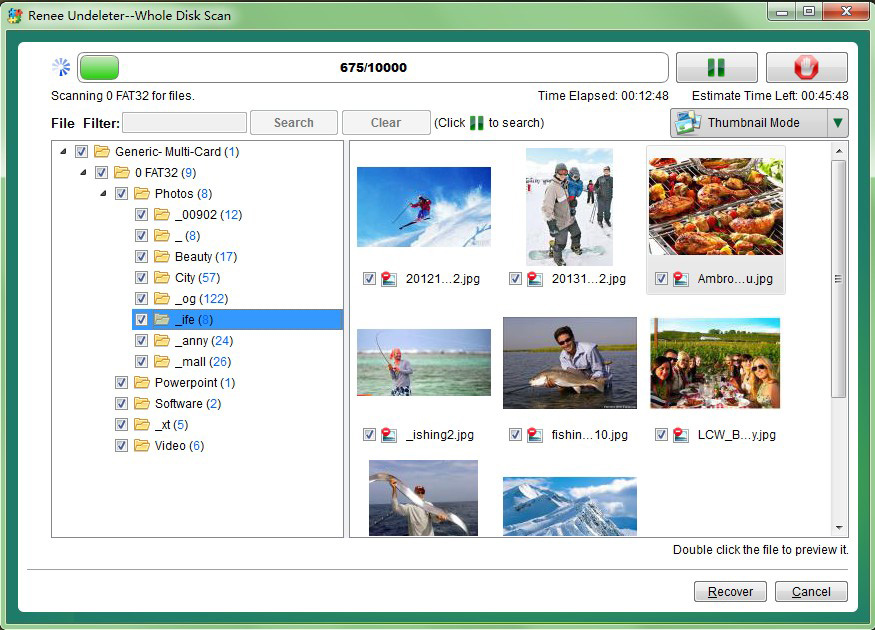
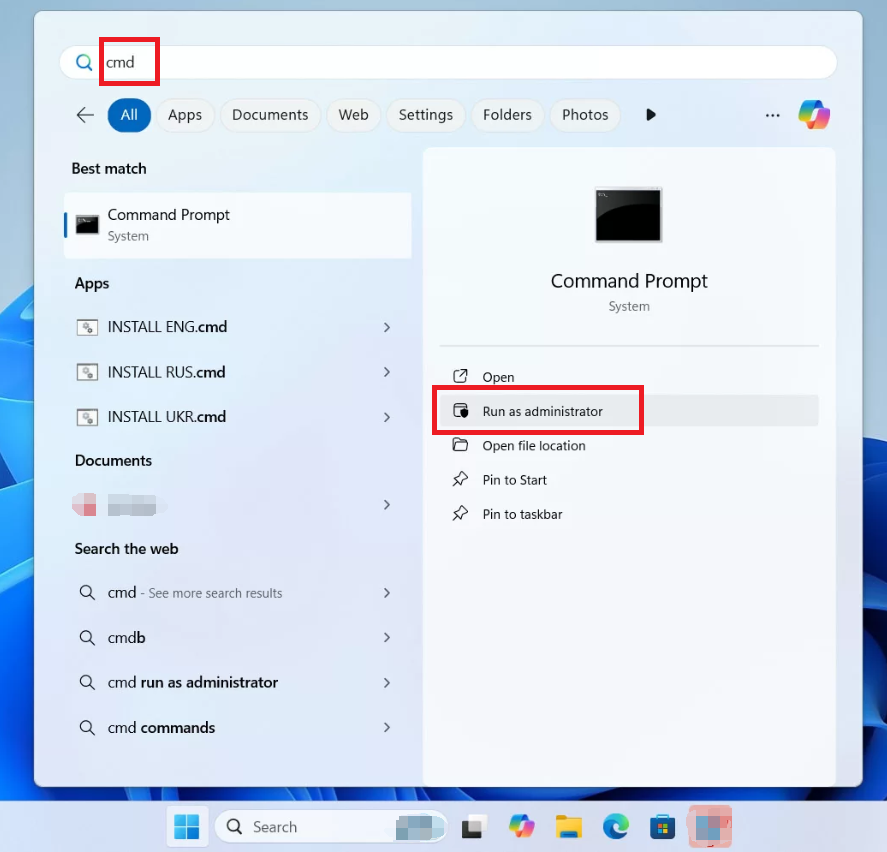
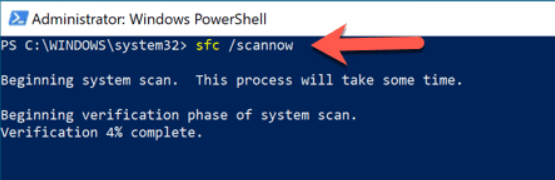
sfc /scannow
chkdsk C: /f /r
DISM /Online /Cleanup-Image /CheckHealth
DISM /Online /Cleanup-Image /RestoreHealth
sfc /scannow again.
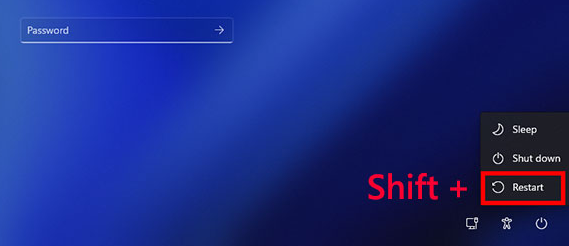
msconfig, and hit Enter. Go to the Services tab, check “Hide all Microsoft services”, then click “Disable all” .” Next, go to the Startup tab and click “Open Task Manager” — disable everything there. Click OK and restart.
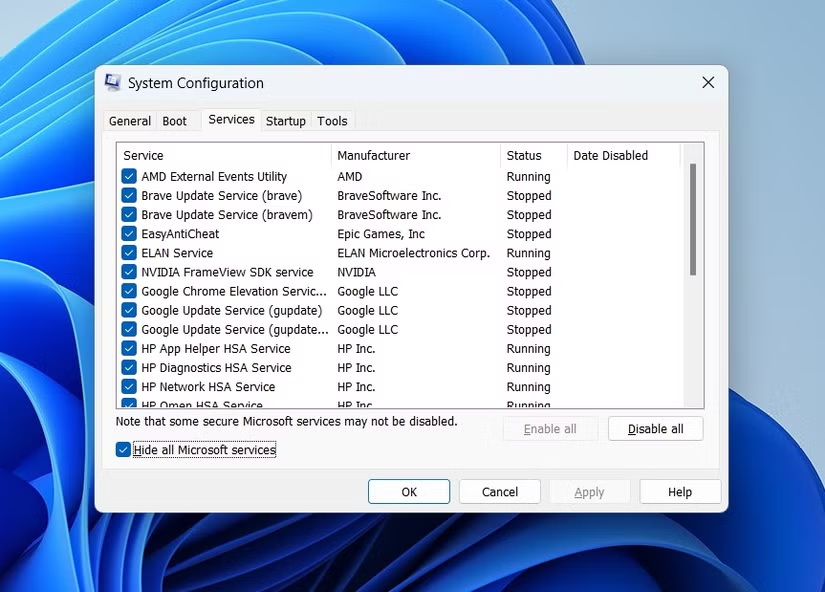
1. Accessing Windows Recovery Environment (WinRE)
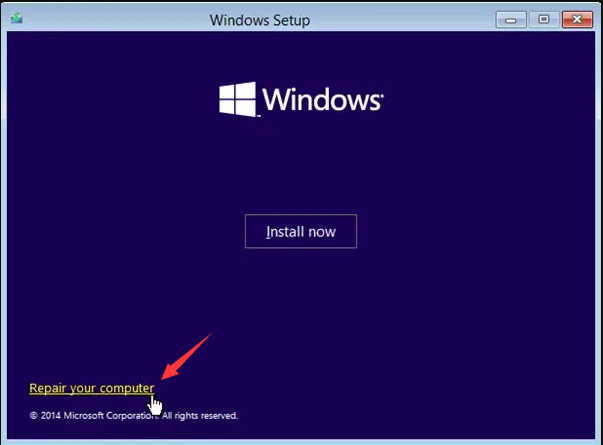

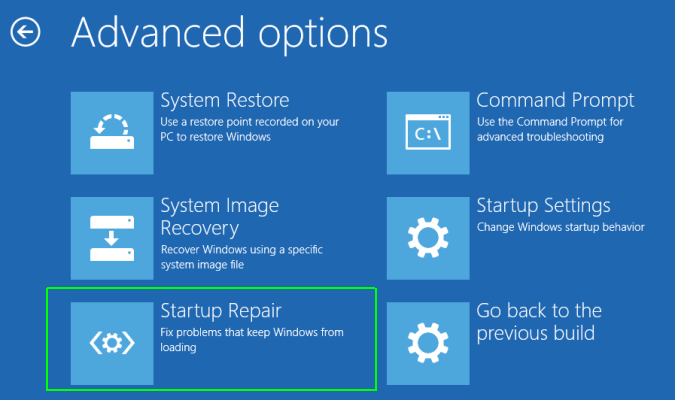
2 Running Startup Repair
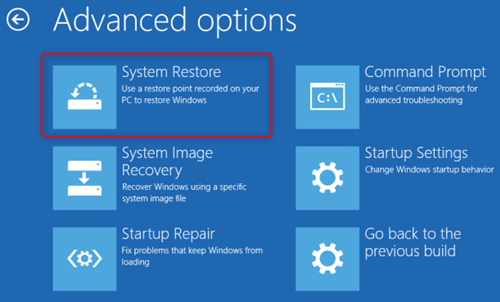
3 Using System Restore
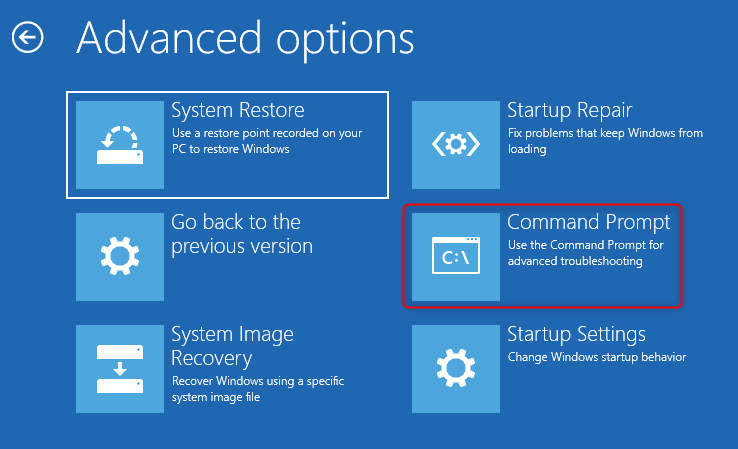
4 Running Bootrec Commands from Command Prompt
bootrec /fixmbr
bootrec /fixboot
bootrec /scanos
bootrec /rebuildbcd
Decision Criteria: When to Stop Software Repairs
- The same error keeps happening after all methods in Sections 3 and 5
- SFC, DISM, or CHKDSK fail or never complete
- Bootrec commands keep saying “element not found”
- CHKDSK finds bad sectors or corruption it can’t fix
Remove Windows Login Password 3 steps for whole password remove process.
Recover the files Recover the deleted files without Windows system.
Transfer the data Transfer the important files of the computer with system.
Multifuctional Data transfer, data recovery, bootable problem recovery can be run without system.
Highly compatible Windows 11/10/8.1/8/7/XP/Vista. UEFI boot.
Remove Login Password Support Windows 11/10/8.1/8/7/XP/Vista. UEFI boot.
Recover the files Recover the deleted files without Windows system.
Transfer the data Transfer the important files of the computer with system.
Testing Hard Drive Health
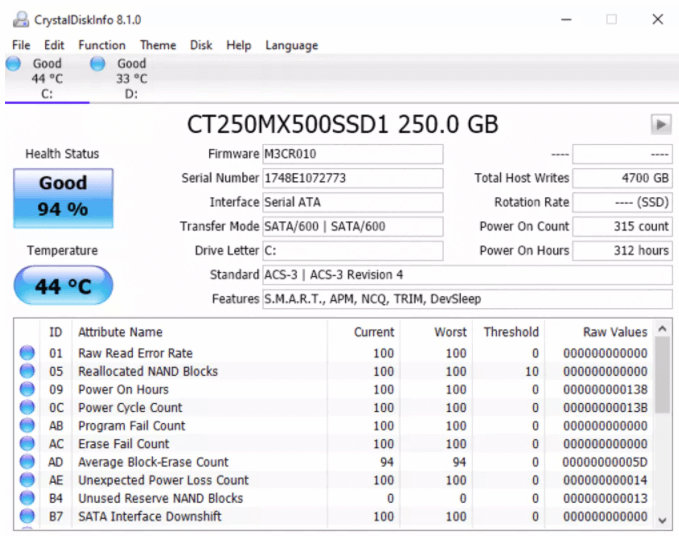
- Reallocated Sectors Count (anything above 0 is a red flag)
- Current Pending Sector Count
- Uncorrectable Sector Count
wmic diskdrive get status. If it says “Pred Fail”, replace the drive immediately.
Testing RAM with Windows Memory Diagnostic
mdsched.exe, and choose “Restart now and check for problems”.
Repair Install vs. Clean Reinstall (When Hardware Passes All Tests)
- Requires a Windows installation USB
- Run setup.exe from within Windows (or boot from the USB and choose Upgrade)
- Best option if your data backup was successful
- Boot from Windows installation USB → Custom install → Delete existing partitions → Install
- Only use this if Repair Install fails or you want a completely fresh start
Remove Windows Login Password 3 steps for whole password remove process.
Recover the files Recover the deleted files without Windows system.
Transfer the data Transfer the important files of the computer with system.
Multifuctional Data transfer, data recovery, bootable problem recovery can be run without system.
Highly compatible Windows 11/10/8.1/8/7/XP/Vista. UEFI boot.
Remove Login Password Support Windows 11/10/8.1/8/7/XP/Vista. UEFI boot.
Recover the files Recover the deleted files without Windows system.
Transfer the data Transfer the important files of the computer with system.
What causes the 0x000000ef Windows 10 blue screen?
Can I fix 0x000000ef without losing data?
How do I create a bootable USB for Renee PassNow?
Will Startup Repair fix CRITICAL_PROCESS_DIED?
Should I replace my hard drive if I see bad sectors?
What should I do if the error returns after a clean install?
Remove Windows Login Password 3 steps for whole password remove process.
Recover the files Recover the deleted files without Windows system.
Transfer the data Transfer the important files of the computer with system.
Multifuctional Data transfer, data recovery, bootable problem recovery can be run without system.
Highly compatible Windows 11/10/8.1/8/7/XP/Vista. UEFI boot.
Remove Login Password Support Windows 11/10/8.1/8/7/XP/Vista. UEFI boot.
Recover the files Recover the deleted files without Windows system.
Transfer the data Transfer the important files of the computer with system.
Relate Links :
Critical Process Died ntoskrnl.exe: How to Fix the BSOD Error in Windows 10/11

17-03-2026
Jennifer Thatcher : This article analyzes the critical_process_died ntoskrnl exe Blue Screen of Death error in Windows environments. It outlines common...



User Comments
Leave a Comment