
How to Recover Files Deleted by git clean or git checkout

Summary
This resource outlines technical methods to recover files after git clean by leveraging dangling objects, IDE local history, and system backups. It also details disk-level scanning procedures for restoring untracked data that lacks version control history.

.js, .py, .html, or config files vanish, and Git reports a clean working tree—no unstaged changes, no apparent way to undo.

git clean deletes files from disk with no safety net. Unlike committed files, purely untracked files have no history in Git. The operating system marks their space as available, but the raw data often lingers until something else overwrites it. That short window is what all recovery methods try to exploit.
git add) might be recoverable from dangling objects. Everything else depends on your IDE, operating system backups, or a file recovery tool.
| 💻 Your situation | 🧭 Best first action | 🌟 Likely success |
|---|---|---|
🧩 You ran git add before git clean |
🔍 Use git fsck --lost-found to locate dangling objects |
✅ High – data usually survives |
🗃️ Purely untracked files (never staged or committed) |
🛑 Stop writes immediately → try 3rd‑party recovery software (e.g. Renee Undeleter) for disk‑level scan |
⚠️ Moderate–High if you act quickly |
🚫 Ignored files deleted by git clean -x or git clean -xdf |
🧠 Same as untracked; check IDE local history first |
🔄 Varies – IDE history may help |
🧠 IDE local history active (VS Code, JetBrains) |
⏳ Restore from local history right away |
✅ High, especially for recent edits |
☁️ System or cloud backup covers the folder |
♻️ Restore from backup |
✅✅ Very High if backup ran recently |
git fsck method. If you use an IDE with local history, that’s your fastest recovery route. For all other cases, head straight to the Renee Undeleter section after checking the lighter recovery options below.

Easy to use Only simple steps to recover data from storage devices.
Multiple scan modes Fast partition scan, whole partition scan and whole disk scan for different recovery needs.
File types Support to recover pictures, videos, audios, documents, mails, etc.
Supported storage devices Recover data from recycle bin, SD card, external disk, etc.
Supported systems Windows 11,10, 8.1, 8, 7, Vista, XP, 2000 and Mac OS X10.6, 10.7, 10.8+.
Easy to use Only simple steps to recover data from storage devices.
Multiple scan modes - 3 scan modes for different recovery needs.
Supported storage devices Recover data from recycle bin, SD card, external disk, etc.
git add on a file, Git stored its contents as a blob object. Even after git clean, that blob may still exist as a dangling object—at least until Git’s garbage collection runs. To look for these:
git fsck –lost-found
.git/lost-found/other/. You won’t get the original filenames—just content hashes—but for source code, the file content is what matters.
- No extra software needed
- Works for any repo where git add was used
- Fast scan of local .git folder
Disadvantages:
- Filenames are lost – you must inspect each blob
- Only works for files you staged before the loss
- Useless for purely untracked files never added
How to do it
git fsck --lost-found and wait for it to finish.
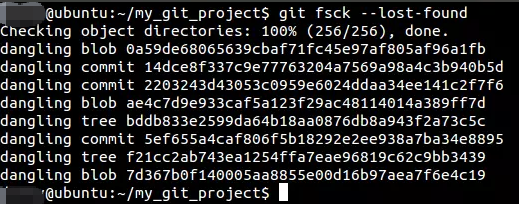
.git/lost-found/other/ (you may need to show hidden files).
git clean, these snapshots can survive. VS Code, IntelliJ IDEA, WebStorm, and other JetBrains IDEs all feature local history that can save your work for days.
- Original file names and folder structure are preserved
- Restoration is a simple click inside the editor
- No command-line knowledge needed
Disadvantages:
- Only works if the file was opened inside the IDE recently
- History retention depends on IDE settings
- Does not cover files never opened in the editor
VS Code
JetBrains (IntelliJ/WebStorm/PyCharm)
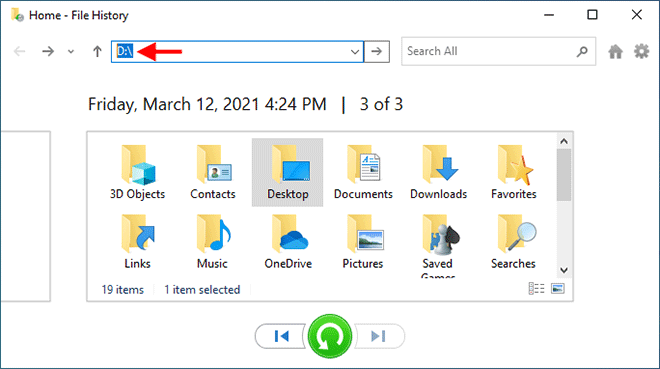
- Restores exact file names, paths, and timestamps
- No extra scanning or hashing needed
- Built into the operating system or already installed
Disadvantages:
- Requires the backup to have occurred before the loss
- Cloud sync may have already propagated the deletion
- Backup drives may also be affected if they sync instantly
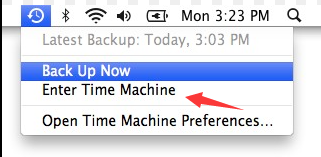
Time Machine (macOS)
File History (Windows)
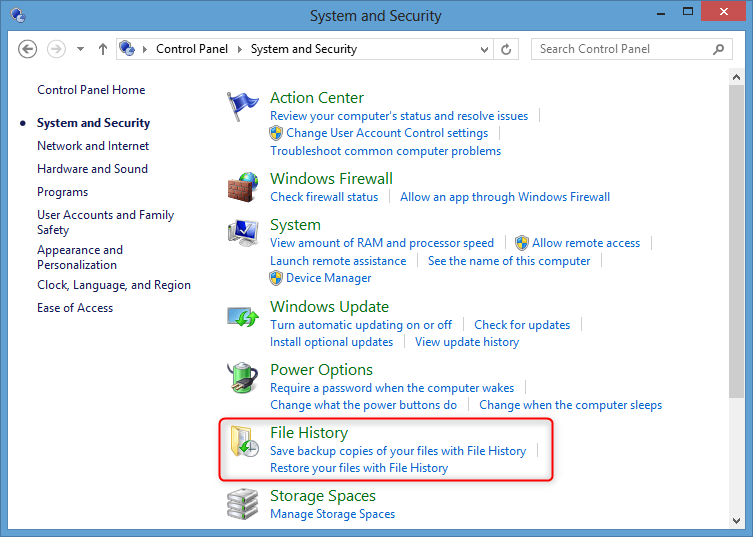
Cloud storage
Easy to use Only simple steps to recover data from storage devices.
Multiple scan modes Fast partition scan, whole partition scan and whole disk scan for different recovery needs.
File types Support to recover pictures, videos, audios, documents, mails, etc.
Supported storage devices Recover data from recycle bin, SD card, external disk, etc.
Supported systems Windows 11,10, 8.1, 8, 7, Vista, XP, 2000 and Mac OS X10.6, 10.7, 10.8+.
Easy to use Only simple steps to recover data from storage devices.
Multiple scan modes - 3 scan modes for different recovery needs.
Supported storage devices Recover data from recycle bin, SD card, external disk, etc.


git clean, start with Fast Partition Scan—it’s optimized for recent deletions and completes quickly.
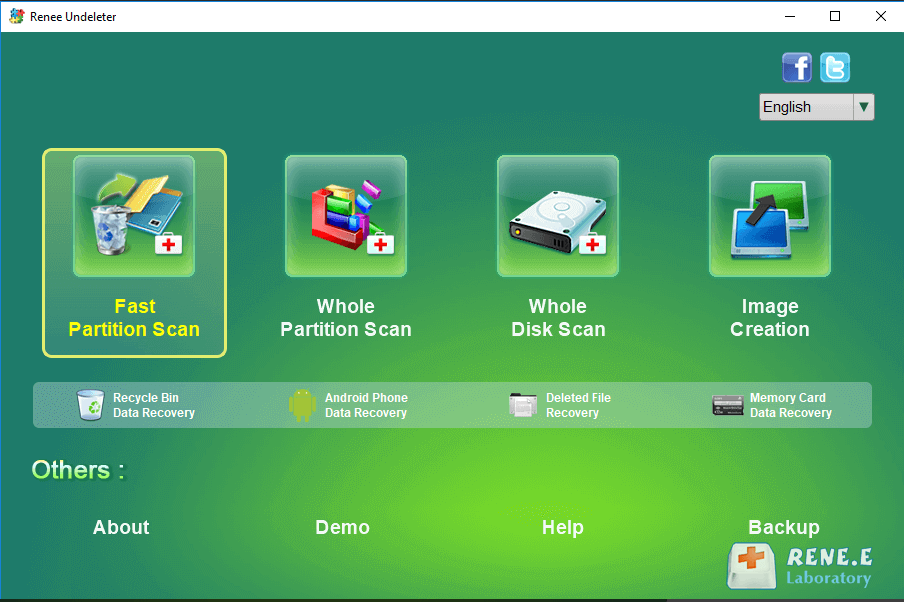
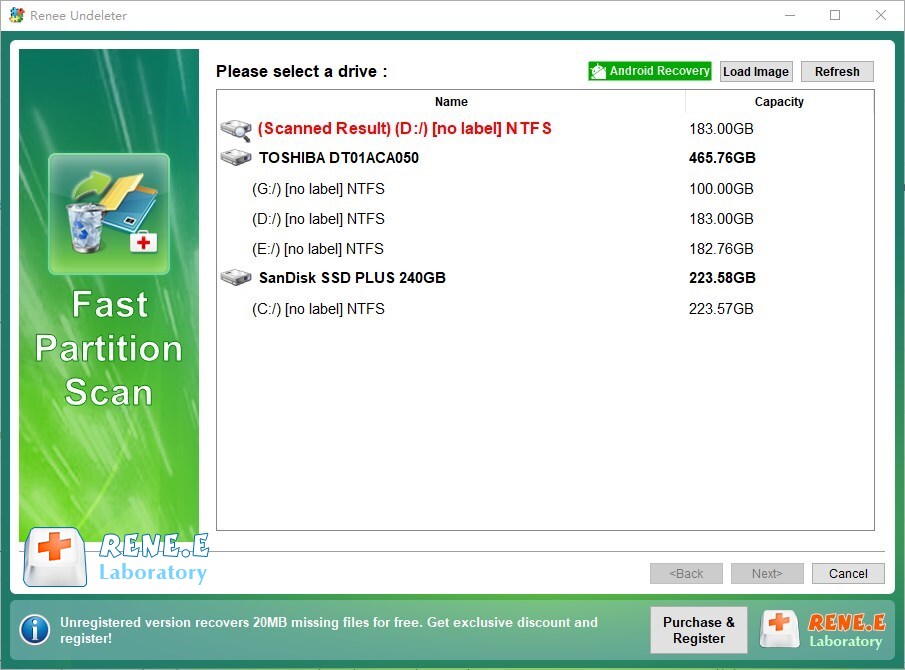
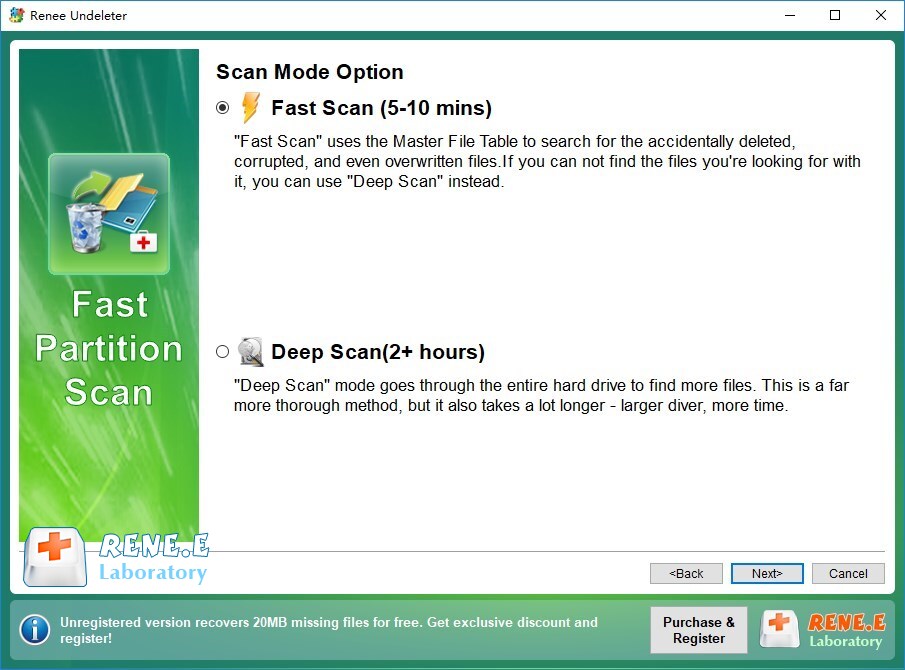
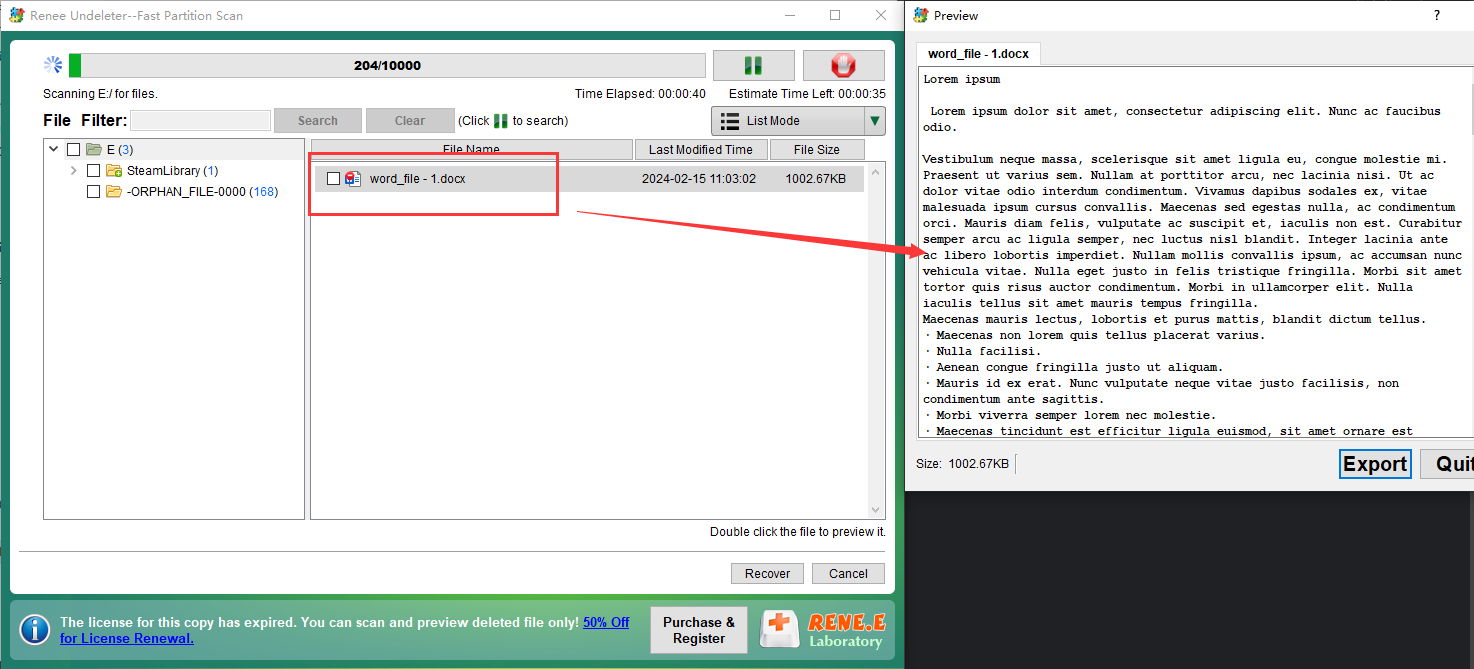
Easy to use Only simple steps to recover data from storage devices.
Multiple scan modes Fast partition scan, whole partition scan and whole disk scan for different recovery needs.
File types Support to recover pictures, videos, audios, documents, mails, etc.
Supported storage devices Recover data from recycle bin, SD card, external disk, etc.
Supported systems Windows 11,10, 8.1, 8, 7, Vista, XP, 2000 and Mac OS X10.6, 10.7, 10.8+.
Easy to use Only simple steps to recover data from storage devices.
Multiple scan modes - 3 scan modes for different recovery needs.
Supported storage devices Recover data from recycle bin, SD card, external disk, etc.
Can I undo git clean -fdx directly?
git clean, so there’s no git undo-clean command. Use git clean -n to preview deletions before running the real command. After the fact, you must rely on the recovery methods described above.
What is the difference between staged and untracked files for recovery?
Does git checkout . delete files permanently?
Relate Links :
Crashed Hard Drive Recovery: How to Rescue Your Files and Fix the drive

28-07-2026
Ashley S. Miller : Crashed hard drive recovery requires accurate diagnosis of logical corruption versus physical failure to determine the appropriate retrieval...
BSOD : CRITICAL_PROCESS_DIED Error (0x000000EF) - Data Recovery and System Repair
10-05-2026
Jennifer Thatcher : This comprehensive guide addresses the bsod critical_process_died error by prioritizing data recovery before any system repair attempts. It...
Recover Files from Windows 11 Not Starting: Safe Data Rescue Guide

09-03-2026
John Weaver : This guide explains how to recover files from Windows 11 not starting by outlining software-based, built-in recovery, and...
Recover Data from a CFexpress Card: Complete Recovery Guide
24-02-2026
John Weaver : This article outlines structured methods to recover data cfexpress card content using software-based recovery, open‑source tools, and professional...



User Comments
Leave a Comment