
Crashed Hard Drive Recovery: How to Rescue Your Files and Fix the drive

Summary
Crashed hard drive recovery requires accurate diagnosis of logical corruption versus physical failure to determine the appropriate retrieval method. This guide outlines systematic diagnostic steps, low-risk preliminary checks, and bootable software solutions for secure data extraction.

Table of contents

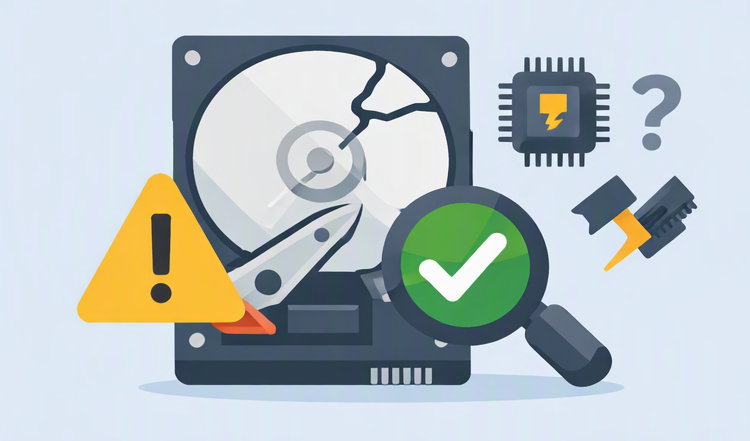
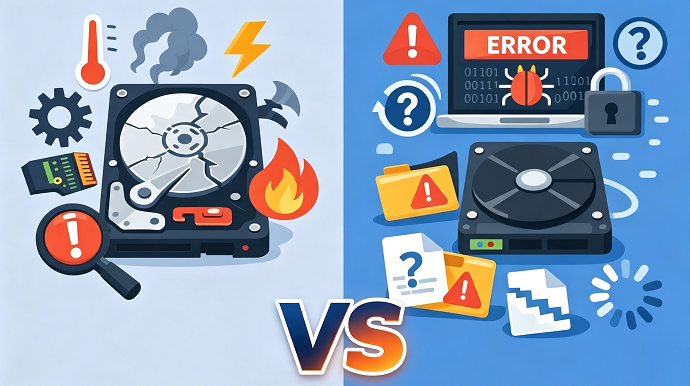
| Symptom | Likely Cause | Safe Next Step |
|---|---|---|
Drive not detected in BIOS/UEFI at all |
Physical failure: Dead drive, failed logic board, or severe electronic fault |
💰 Professional data recovery service |
Boot failure, blue screen (BSOD), or Windows refuses to load but drive is visible in BIOS |
Logical crash: OS corruption, boot sector damage, or driver conflict |
DIY bootable recovery software |
Drive detected but shows “RAW”, prompts to format, or partition is inaccessible |
Logical crash: Logical corruption (file system/partition table) |
DIY bootable recovery software |
Clicking, grinding, or beeping sounds |
Physical failure: Mechanical failure (read/write heads, spindle motor) |
💰 Stop immediately. Professional cleanroom service only |
Burning smell, drive does not spin up at all |
Physical failure: Electrical failure |
💰 Professional service only |

Remove Windows Login Password 3 steps for whole password remove process.
Recover the files Recover the deleted files without Windows system.
Transfer the data Transfer the important files of the computer with system.
Multifuctional Data transfer, data recovery, bootable problem recovery can be run without system.
Highly compatible Windows 11/10/8.1/8/7/XP/Vista. UEFI boot.
Remove Login Password Support Windows 11/10/8.1/8/7/XP/Vista. UEFI boot.
Recover the files Recover the deleted files without Windows system.
Transfer the data Transfer the important files of the computer with system.

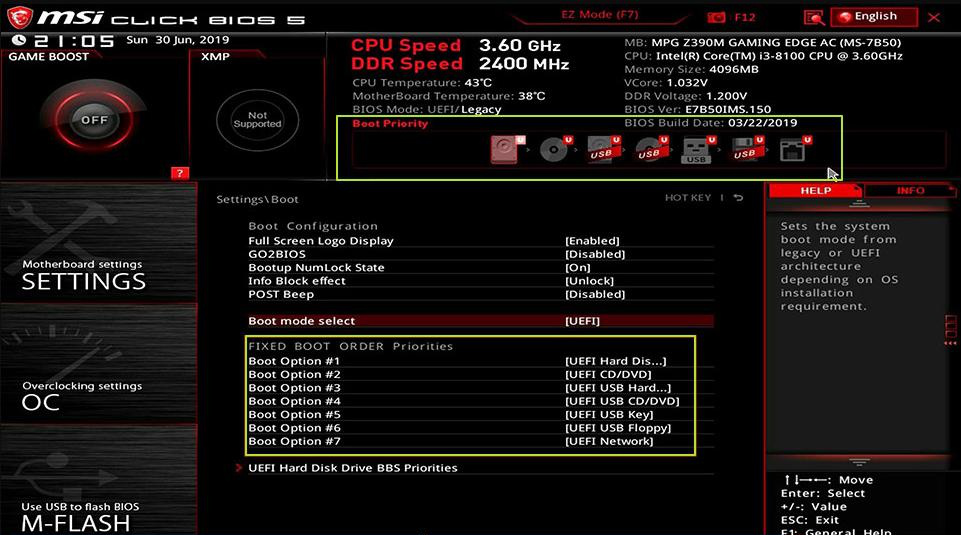
| BIOS / Computer Brand | Boot Menu Key | BIOS Setup Key |
|---|---|---|
DELL |
F12 |
F2 |
HP |
F9 (boot menu) / Esc → F9 |
Esc → F10 (some models F10 direct) |
ASUS |
Esc (laptops) / F8 (desktops) |
F2 or Delete |
Acer |
F12 (must be enabled in BIOS) |
F2 or Delete |
Lenovo (Consumer Laptops) |
F12 (some models Novo Button) |
F2 |
Lenovo (Desktops) |
F12 |
F1 |
Lenovo (ThinkPads) |
F12 |
F1 |
MSI |
F11 |
Delete |
Samsung |
F10 or F11 (varies by model) |
F2 |
Gigabyte / Aorus |
F12 |
Delete |
Intel (NUC / Boards) |
F10 |
F2 |
Microsoft Surface Tablets |
Hold Volume Down + Power (boot menu) |
Hold Volume Up + Power (UEFI) |
Important Cautions
Remove Windows Login Password 3 steps for whole password remove process.
Recover the files Recover the deleted files without Windows system.
Transfer the data Transfer the important files of the computer with system.
Multifuctional Data transfer, data recovery, bootable problem recovery can be run without system.
Highly compatible Windows 11/10/8.1/8/7/XP/Vista. UEFI boot.
Remove Login Password Support Windows 11/10/8.1/8/7/XP/Vista. UEFI boot.
Recover the files Recover the deleted files without Windows system.
Transfer the data Transfer the important files of the computer with system.
Can I recover data from a hard drive that makes clicking noises?
Is Renee PassNow safe to use on a drive with bad sectors?
Can I recover files from a crashed hard drive for free?
Remove Windows Login Password 3 steps for whole password remove process.
Recover the files Recover the deleted files without Windows system.
Transfer the data Transfer the important files of the computer with system.
Multifuctional Data transfer, data recovery, bootable problem recovery can be run without system.
Highly compatible Windows 11/10/8.1/8/7/XP/Vista. UEFI boot.
Remove Login Password Support Windows 11/10/8.1/8/7/XP/Vista. UEFI boot.
Recover the files Recover the deleted files without Windows system.
Transfer the data Transfer the important files of the computer with system.
Relate Links :
Fatal Hard Drive Recovery Mistakes to Avoid When Your Drive Crashes

27-07-2026
John Weaver : This article outlines critical hard drive recovery mistakes that can lead to permanent data loss during a drive...
Laptop Hard Drive Recovery: Safe Ways to Retrieve Your Files

16-06-2026
Jennifer Thatcher : The comprehensive resource outlines methodologies for laptop hard drive recovery, categorizing interventions into logical error resolution, offline data...
BSOD : CRITICAL_PROCESS_DIED Error (0x000000EF) - Data Recovery and System Repair
10-05-2026
Jennifer Thatcher : This comprehensive guide addresses the bsod critical_process_died error by prioritizing data recovery before any system repair attempts. It...
RAW Partition Data Recovery: A Beginner's Guide
27-05-2025
Ashley S. Miller : Learn how to recover raw partition data on Windows with our step-by-step guide. Safely retrieve your files from...



User Comments
Leave a Comment