
What to Do When Git Repository Files Are Missing Due to Disk Corruption

Summary
This guide provides a comprehensive overview of diagnosing and resolving git repository missing files disk corruption through systematic filesystem checks and specialized data recovery tools. It outlines safe manual repair methods, sector-level scanning procedures, and verification steps to restore compromised version control environments without data loss.

git status and encounter a cryptic error. A teammate’s commit is gone. The .git folder, once full of history, now contains empty or zero-byte files. This is a nightmare scenario for any developer—especially after a sudden power loss, system crash, or blue screen that leaves your disk in an inconsistent state.

git log or git status fails with “fatal: bad object HEAD” or “error: object file .git/objects/… is empty”.
git fsck reports “error: object file is empty”, “broken link”, or “missing blob” after a boot failure.
.git folder but hangs or displays zero-byte files inside objects/.
chkdsk or fsck (on Linux) detects filesystem errors on the volume containing the repository.
| Symptom | Likely Cause | Next Action |
|---|---|---|
|
Pure Git repository corruption (ref/object mismatch). |
Recover from a clone or remote; do not run |
|
Disk corruption affecting Git objects. |
Stop using the drive; scan with a read-only recovery tool. |
The |
Partition loss, formatting, or severe filesystem damage. |
Use partition-level recovery software. |
Physical signs: clicking drive, slow reads, frequent I/O errors. |
Failing hardware (bad sectors, head crash). |
Power off immediately; consider professional data recovery. |
.git folder is still accessible but contains a few corrupt objects, try these low-risk steps before turning to disk-recovery software. These manual methods assume the storage is physically healthy and any filesystem corruption is limited to certain files. Following this order often lets you restore your repository without advanced recovery tools.

- No third-party software required
- fast if only a few objects are missing
- works entirely offline.
Disadvantages:
- Requires command-line knowledge
- fails completely if the disk has physical bad sectors
- risk of accidental data deletion if wrong objects are removed.
dd on Linux, or a disk imaging utility). This preserves the current state in case later steps make things worse.
git fsck --full
.git/objects/ and delete any file with a size of 0 bytes (or those named in the “object file is empty” error).
git fetch origin
.git/objects/ into your damaged repository, keeping the same directory structure. After copying, check if errors have decreased:
git fsck --full
.git directory at all, these steps won’t work. In that case, specialized recovery tools are necessary.
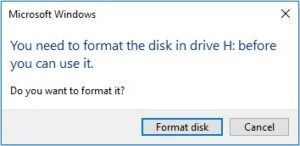
git fsck can’t even find the objects folder, if the drive appears raw or formatted, or if Windows says “You need to format the disk before you can use it,” you’re facing filesystem- or partition-level damage—well beyond what Git commands can repair. That’s where Renee Undeleter comes in.

Easy to use Only simple steps to recover data from storage devices.
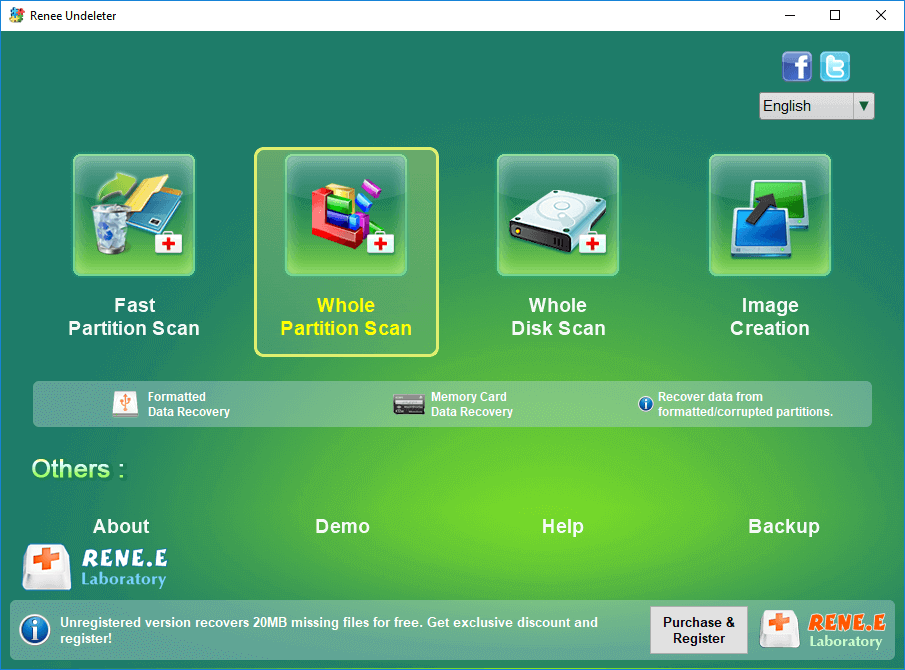
Multiple scan modes Fast partition scan, whole partition scan and whole disk scan for different recovery needs.
File types Support to recover pictures, videos, audios, documents, mails, etc.
Supported storage devices Recover data from recycle bin, SD card, external disk, etc.
Supported systems Windows 11,10, 8.1, 8, 7, Vista, XP, 2000 and Mac OS X10.6, 10.7, 10.8+.
Easy to use Only simple steps to recover data from storage devices.
Multiple scan modes - 3 scan modes for different recovery needs.
Supported storage devices Recover data from recycle bin, SD card, external disk, etc.
.git folders, pack files, source code, and configuration—so Git can later verify and rebuild history using its own tools.
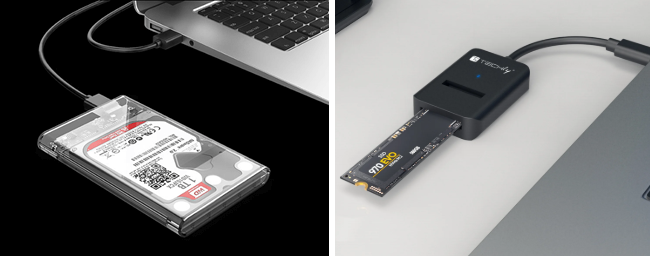


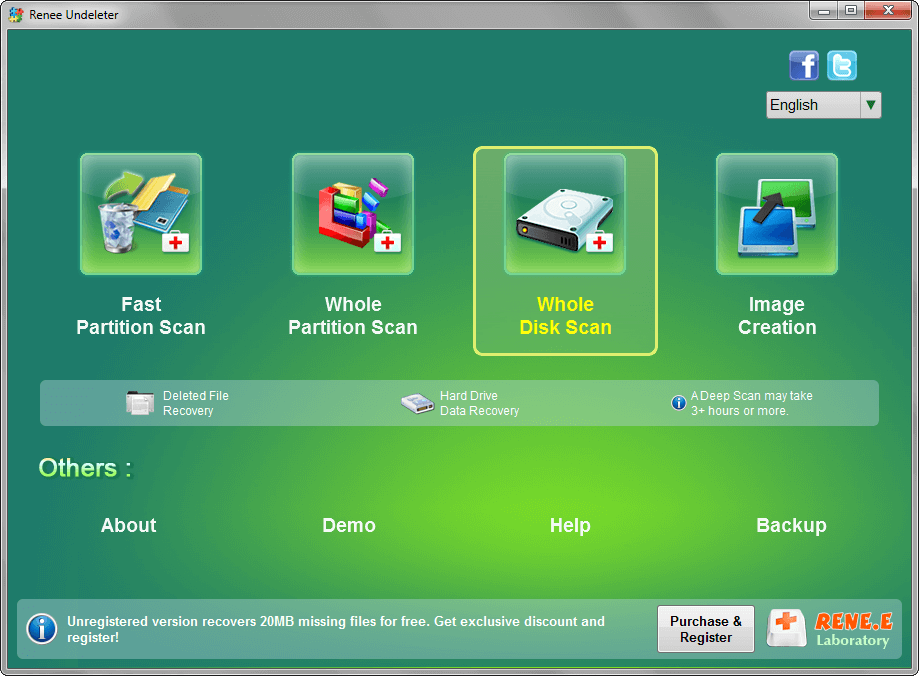
.git folder and its contents (objects, refs, HEAD, config).
.git/objects/pack/.
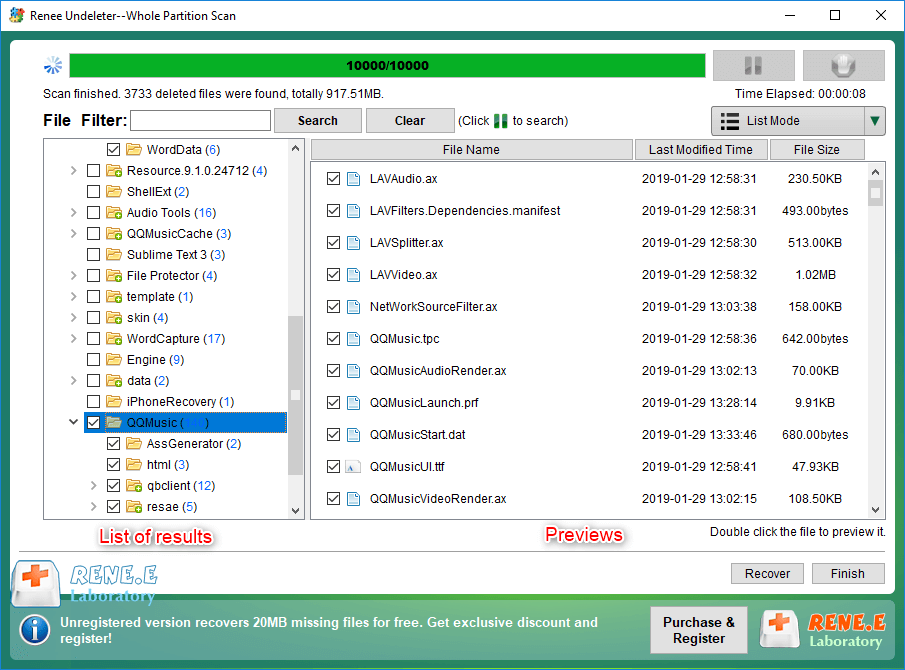
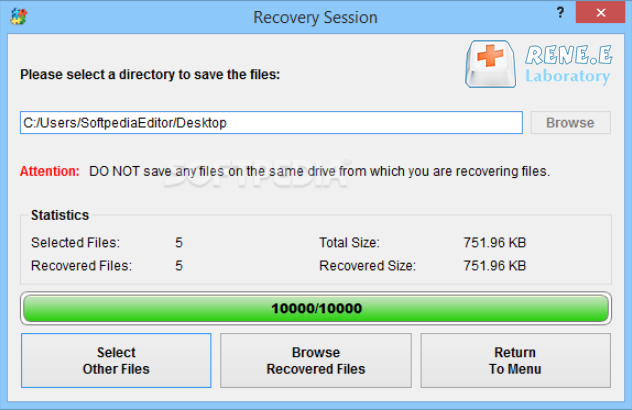
.git folder back into your project directory on the healthy drive. Open a terminal in that folder and run:
git fsck --full
git fetch origin
git reset --hard origin/main # or your default branch
git fsck --fullIf the output is empty or only lists dangling objects, your object database is clean.
git statusYou should see a normal working tree, possibly with restored changes.
git log --oneline -10Recent commits should appear with correct messages and timestamps.
git branch -aAll local and remote‑tracking branches should be visible.
Decision rule
git fsck reports no errors, git log shows the expected history, and files open correctly, the repository is safe to use. Immediately push all recovered commits to the remote:
git push --all origin
git fsck still reports unfixable issues, clone a clean copy from the remote and manually reapply the recovered source files.
Can Renee Undeleter restore specific Git objects like individual commits or blobs?
.git/objects/ folder—including all present loose objects and pack files. Once those files are back on a healthy disk, Git’s own fsck can identify which objects are still valid. In practice, you recover whatever objects were still physically present on the disk; the software doesn’t break them down to individual commit or blob granularity.
Is it always safer to re-clone the repository instead of trying to repair a corrupt one?
.git data. Once recovered and pushed, switching to a fresh clone is fine.
How can I tell if the disk itself is failing rather than just Git metadata being damaged?
chkdsk /r) but only the .git directory has problems, the issue is likely logical. If the drive can’t complete a surface scan or shows many reallocated sectors, hardware failure is likely and continued use risks total data loss.
Easy to use Only simple steps to recover data from storage devices.
Multiple scan modes Fast partition scan, whole partition scan and whole disk scan for different recovery needs.
File types Support to recover pictures, videos, audios, documents, mails, etc.
Supported storage devices Recover data from recycle bin, SD card, external disk, etc.
Supported systems Windows 11,10, 8.1, 8, 7, Vista, XP, 2000 and Mac OS X10.6, 10.7, 10.8+.
Easy to use Only simple steps to recover data from storage devices.
Multiple scan modes - 3 scan modes for different recovery needs.
Supported storage devices Recover data from recycle bin, SD card, external disk, etc.
Relate Links :
How to Recover Files Deleted by git clean or git checkout
06-08-2026
Jennifer Thatcher : This resource outlines technical methods to recover files after git clean by leveraging dangling objects, IDE local history,...
How to Use Git Reflog to Recover a Deleted File After reset, rebase, or amend
05-08-2026
Jennifer Thatcher : This technical guide details the precise commands required to git reflog recover deleted file entries after destructive operations...
Understanding File Signatures in Digital Forensics

27-08-2024
Ashley S. Miller : A file signature is a unique identification number at the beginning of a file that indicates its type...
Choosing the Right Western Digital (WD) Hard Disk: An In-Depth Guide
22-08-2024
Ashley S. Miller : The article provides a comprehensive guide on selecting the appropriate Western Digital (WD) hard disk for mass storage...



User Comments
Leave a Comment