
Boost Performance: Upgrading the SSD in Your Samsung Galaxy Book 2

Summary
This guide breaks down everything you need to know about upgrading your Galaxy Book 2 SSD—covering compatibility checks, warranty details, and step-by-step instructions. Boost your storage safely and efficiently for smoother gameplay and a more responsive experience overall.

Table of contents

- Expanded Storage: No more juggling files—enjoy plenty of room for apps, documents, photos, and games.
- Faster Performance: Speedier boot times, quicker app launches, and an overall smoother experience.
- Improved Multitasking: Handle multiple apps with ease, without your system grinding to a halt.
- Better Efficiency: Modern SSDs use less power, which could mean slightly longer battery life.
| Model Name | Features | Hard Disk Slots | Memory Slots | Source |
|---|---|---|---|---|
Galaxy Book 2 Pro |
- 13.3" or 15.6" AMOLED display - Intel Core i5/i7 (12th Gen) - Intel Iris Xe graphics - Up to 16GB LPDDR5 RAM - Up to 1TB NVMe SSD - Thunderbolt 4, USB-C, HDMI - Wi-Fi 6E, Bluetooth 5.1 - Fingerprint reader, backlit keyboard |
- 1 NVMe SSD slot - Default: 256GB/512GB/1TB NVMe SSD - Upgradable: ✅Yes, user-replaceable NVMe SSD |
- 2 slots, LPDDR5 (soldered) - Default: 8GB/16GB - Upgradable: ❌No, soldered RAM |
|
Galaxy Book 2 Pro 360 |
- 13.3" or 15.6" AMOLED touchscreen - Intel Core i5/i7 (12th Gen) - Intel Iris Xe graphics - Up to 16GB LPDDR5 RAM - Up to 1TB NVMe SSD - S Pen support - Thunderbolt 4, USB-C, USB-A - Wi-Fi 6E, Bluetooth 5.1 - 2-in-1 convertible design |
- 1 NVMe SSD slot - Default: 256GB/512GB/1TB NVMe SSD - Upgradable: ✅Yes, user-replaceable NVMe SSD |
- 2 slots, LPDDR5 (soldered) - Default: 8GB/16GB - Upgradable: ❌No, soldered RAM |
|
Galaxy Book 2 360 |
- 13.3" AMOLED touchscreen - Intel Core i5/i7 (12th Gen) - Intel Iris Xe graphics - Up to 16GB LPDDR4x RAM - Up to 512GB NVMe SSD - S Pen support - USB-C, USB-A, HDMI, microSD - Wi-Fi 6E, Bluetooth 5.1 - 2-in-1 convertible design |
- 1 NVMe SSD slot - Default: 256GB/512GB NVMe SSD - Upgradable: ✅Yes, user-replaceable NVMe SSD |
- 2 slots, LPDDR4x (soldered) - Default: 8GB/16GB - Upgradable: ❌No, soldered RAM |
|
Galaxy Book 2 |
- 15.6" FHD LED display - Intel Core i3/i5/i7 (12th Gen) - Intel UHD or Iris Xe graphics - Up to 16GB LPDDR4x RAM - Up to 512GB NVMe SSD - USB-C, USB-A, HDMI, microSD - Wi-Fi 6, Bluetooth 5.1 - Lightweight design |
- 1 NVMe SSD slot - Default: 256GB/512GB NVMe SSD - Upgradable: ✅Yes, user-replaceable NVMe SSD |
- 2 slots, LPDDR4x (soldered) - Default: 4GB/8GB/16GB - Upgradable: ❌No, soldered RAM |
|
Galaxy Book 2 Business |
- 14" FHD LED display - Intel Core i5/i7 (12th Gen) - Intel Iris Xe graphics - Up to 32GB DDR4 RAM - Up to 1TB NVMe SSD - vPro support, enhanced security - Thunderbolt 4, USB-C, USB-A, HDMI - Wi-Fi 6E, Bluetooth 5.1 |
- 1 NVMe SSD slot - Default: 256GB/512GB/1TB NVMe SSD - Upgradable: ✅Yes, user-replaceable NVMe SSD |
- 2 slots, DDR4 (upgradeable) - Default: 8GB/16GB/32GB - Upgradable: ✅Yes, user-replaceable RAM |
- Hard Disk Slots: All models feature a single NVMe SSD slot. Upgrades are possible by replacing the existing SSD with a compatible NVMe SSD, though users should verify compatibility (e.g., PCIe 3.0 or 4.0).
- Memory Slots: Most models (Pro, Pro 360, 360, and standard Book 2) use soldered LPDDR5 or LPDDR4x RAM, making upgrades impossible. The Galaxy Book 2 Business is an exception, offering upgradeable DDR4 RAM.
- Galaxy Book 2 360: This model is a 2-in-1 convertible, similar to the Pro 360 but with a focus on portability and a single 13.3″ display size, using LPDDR4x RAM instead of LPDDR5.

Automatic 4K alignment Improves SSD performance during system migration.
Support GPT and MBR Automatically adapt to the suitable partition format.
Support NTFS and FAT32 Redeploy various files in different file systems.
Back up quickly Back up files at up to 3,000MB/min.
Overall backup schedule Support system redeployment/system backup/partition backup/disk backup/disk clone.
Automatic 4K alignment Improve SSD performance
Support GPT and MBR Intelligently adapt to a partition format
Support NTFS and FAT32 Redeploy files in different file systems
Step 1. Download and Install Renee Becca on Your Galaxy Book 2
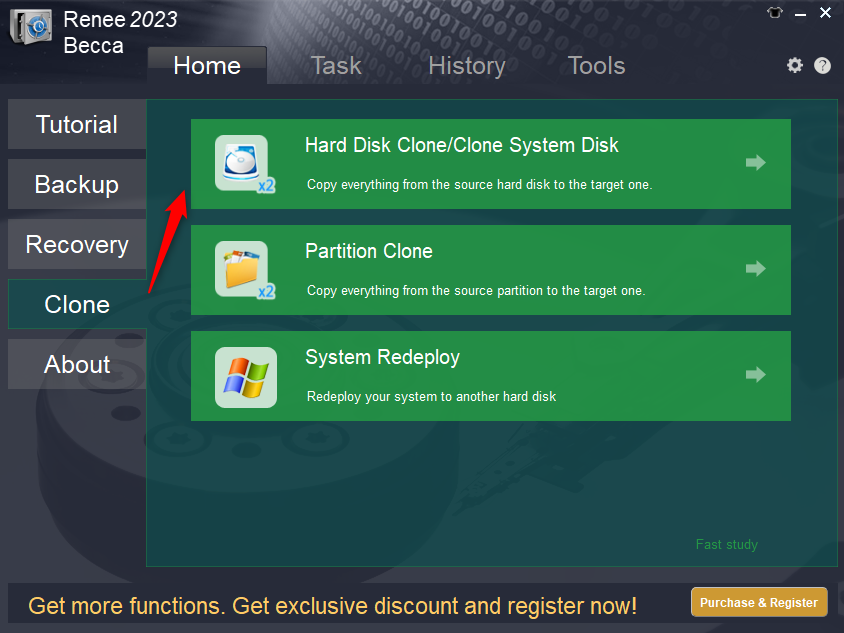
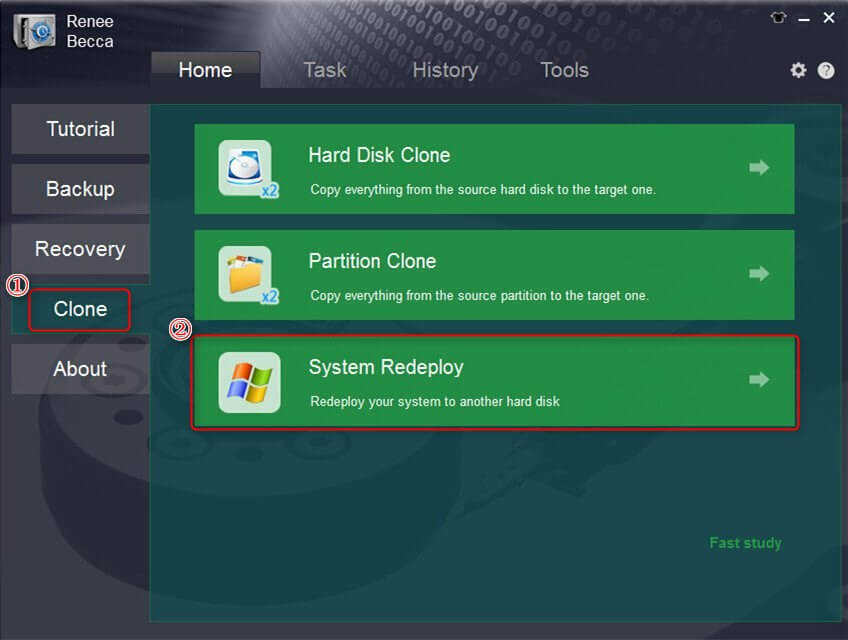
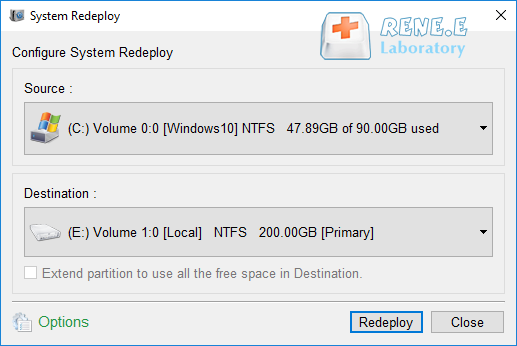
Step 2. Choose the Right Cloning Option for Your Galaxy Book 2
| Function Name | Feature | Suitable For |
|---|---|---|
Hard Disk Clone/Clone System Disk |
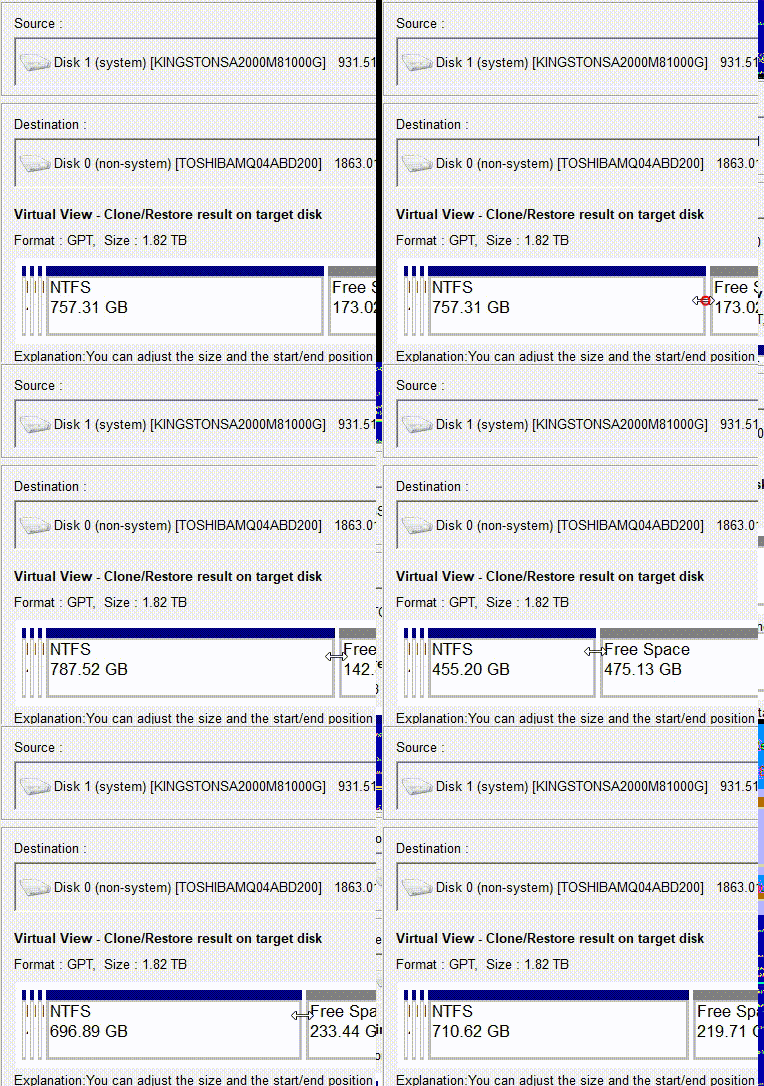
Creates an exact copy of the selected disk, supports adjusting partition size by moving the partition boundary with the mouse, and enables starting the cloned hard disk. |
Complete SSD Replacement |
System Redeploy |
Supports migrating only the Windows system partition to another hard disk. |
Dual-Drive Configuration, HDD-to-SSD Migration |
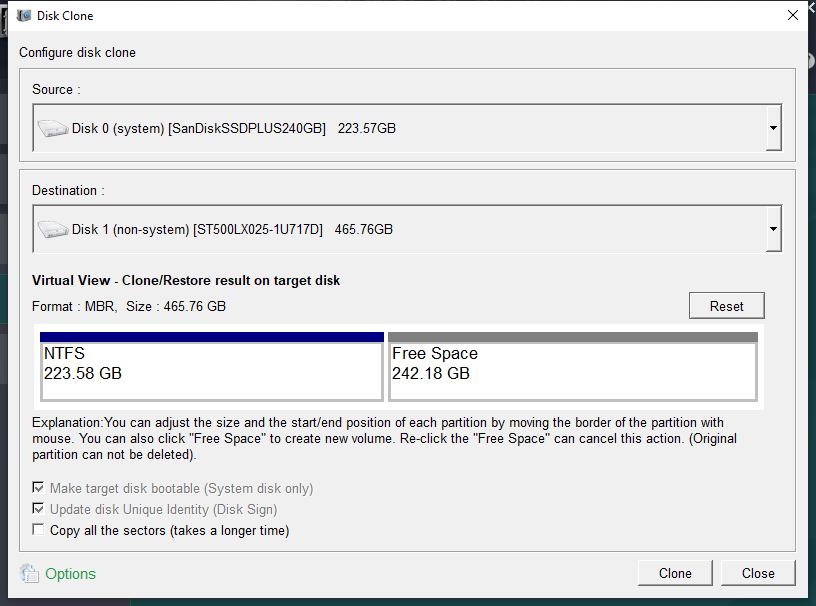
Step 3. Monitor the Cloning Progress
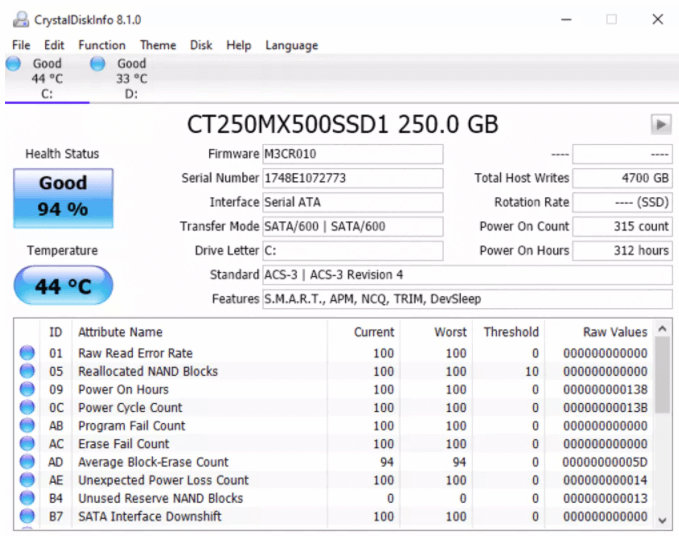
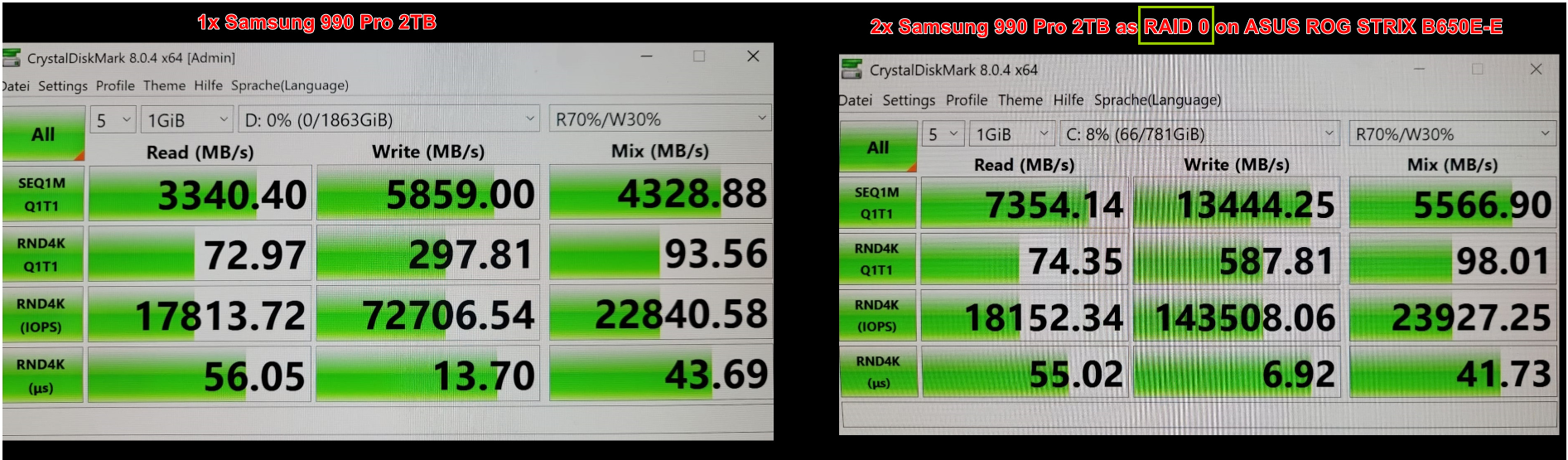
Step 4. Verify Your New SSD's Performance

Automatic 4K alignment Improves SSD performance during system migration.
Support GPT and MBR Automatically adapt to the suitable partition format.
Support NTFS and FAT32 Redeploy various files in different file systems.
Back up quickly Back up files at up to 3,000MB/min.
Overall backup schedule Support system redeployment/system backup/partition backup/disk backup/disk clone.
Automatic 4K alignment Improve SSD performance
Support GPT and MBR Intelligently adapt to a partition format
Support NTFS and FAT32 Redeploy files in different file systems
Relate Links :
Step-by-Step Guide: How to Clone Windows to a Smaller SSD Effortlessly
17-07-2025
John Weaver : Learn how to clone Windows to a smaller SSD with this step-by-step guide. Perfect for users in the...
Ultimate Lenovo Legion SSD Upgrade Guide 2025: Maximize Your Gaming Speed

22-09-2026
Amanda J. Brook : This Lenovo Legion SSD upgrade guide for 2025 breaks down how to expand storage and boost speed, giving...
SSD Caching Explained: The Key to Lightning-Fast Performance

03-07-2025
Ashley S. Miller : SSD caching mechanisms are transforming system performance by using fast storage to accelerate data access, vital for modern...
[2025] Ultimate Guide to Upgrading SSD and RAM in Razer Blade Laptops

24-06-2025
Jennifer Thatcher : Upgrade Razer Blade SSD and RAM with this authoritative, step-by-step guide. Learn how to select a compatible SSD,...



User Comments
Leave a Comment