
Git Restore a Deleted File: How to Recover Your Work Safely

Summary
This documentation outlines various technical methods to git restore a deleted file across different repository states, including unstaged, staged, and committed modifications. The provided instructions cover native command-line utilities alongside third-party data recovery software for scenarios where version control history is unavailable.




git rm by mistake, or switched branches and found a crucial file gone. It’s natural to panic, but Git is built to safeguard your work. The key is to pause and avoid making the situation worse.
| Deletion Type | What Happened | How It Appears in Git | Recovery Approach |
|---|---|---|---|
Working tree deletion (unstaged) |
The file was removed locally, but Git still knows about it. |
Listed as deleted under Changes not staged for commit. |
Restore with |
Staged deletion ( |
You intentionally staged the deletion. |
Listed as deleted under Changes to be committed. |
Unstage with |
Committed deletion |
The file was deleted in a previous commit and is now part of history. |
Not shown in |
Recover using |
commit: The point in Git history you want to pull the file from. Example: abc123, HEAD~2, main
file: The specific file you want to restore. Example: src/app.js, docs/guide.md
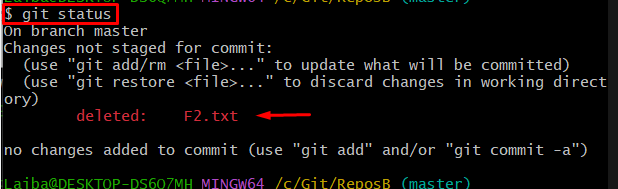
git status
git log –oneline — {file}
file with the missing file’s path. This shows recent commits affecting that file, helping you pinpoint when it was deleted.
git status output to the right recovery command. (See the screenshot placeholder for a typical example.)
| git status output | Deletion type | Starting command |
|---|---|---|
|
Local deletion (unstaged) |
|
|
Staged deletion |
|
File missing from status & working tree (mentioned in |
Committed deletion |
|

Easy to use Only simple steps to recover data from storage devices.
Multiple scan modes Fast partition scan, whole partition scan and whole disk scan for different recovery needs.
File types Support to recover pictures, videos, audios, documents, mails, etc.
Supported storage devices Recover data from recycle bin, SD card, external disk, etc.
Supported systems Windows 11,10, 8.1, 8, 7, Vista, XP, 2000 and Mac OS X10.6, 10.7, 10.8+.
Easy to use Only simple steps to recover data from storage devices.
Multiple scan modes - 3 scan modes for different recovery needs.
Supported storage devices Recover data from recycle bin, SD card, external disk, etc.
Step-by-step recovery with Renee Undeleter
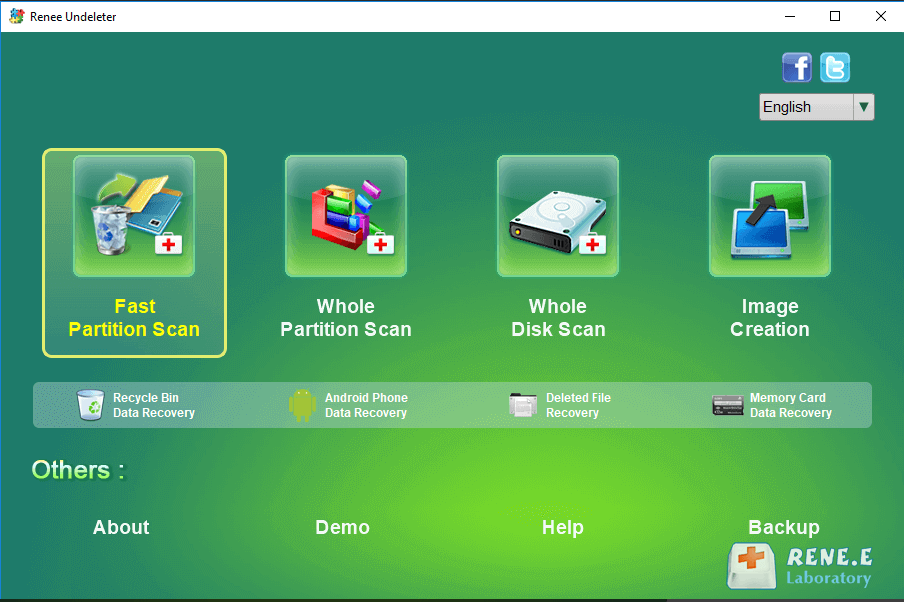
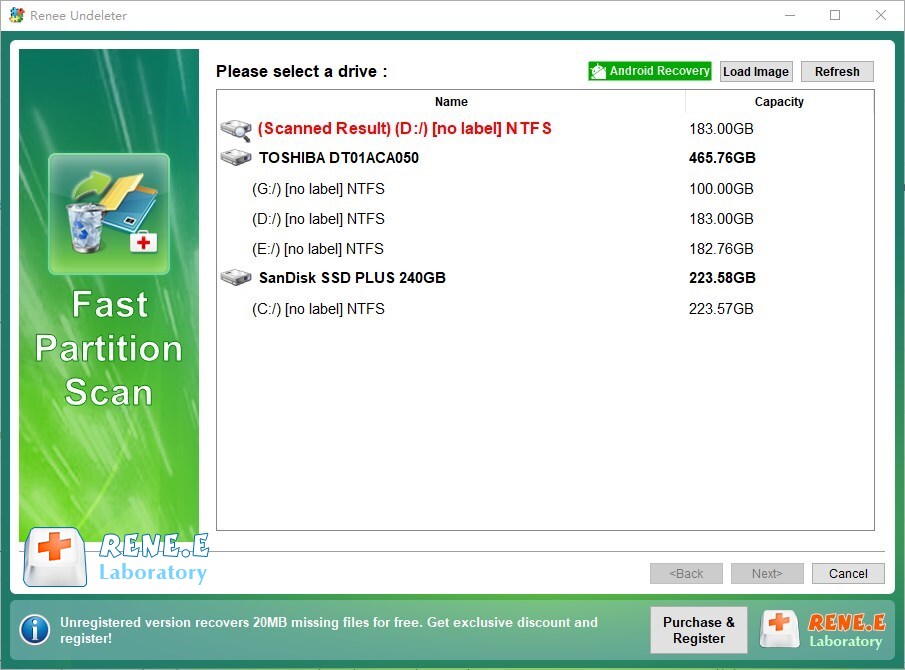
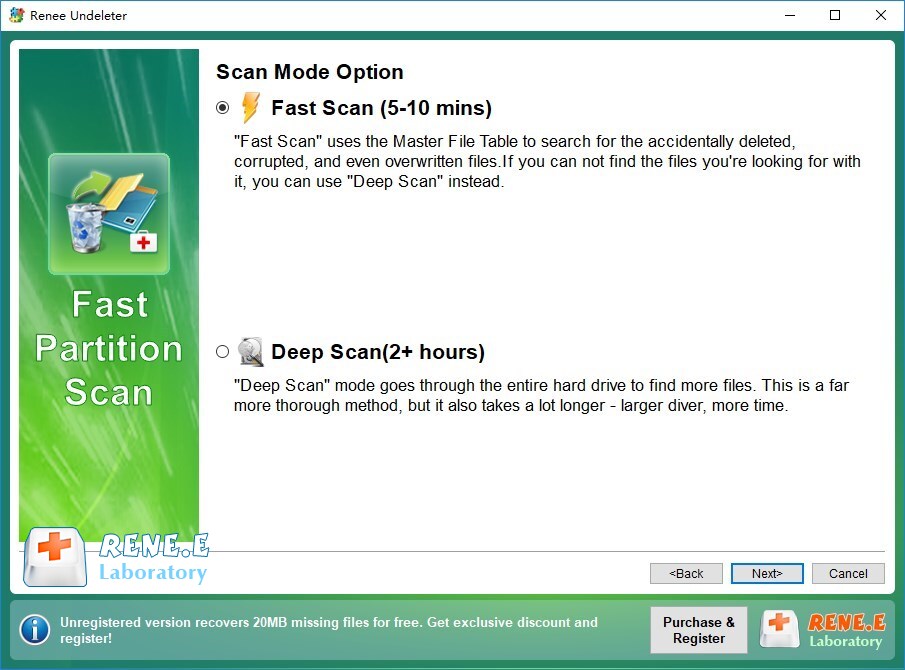
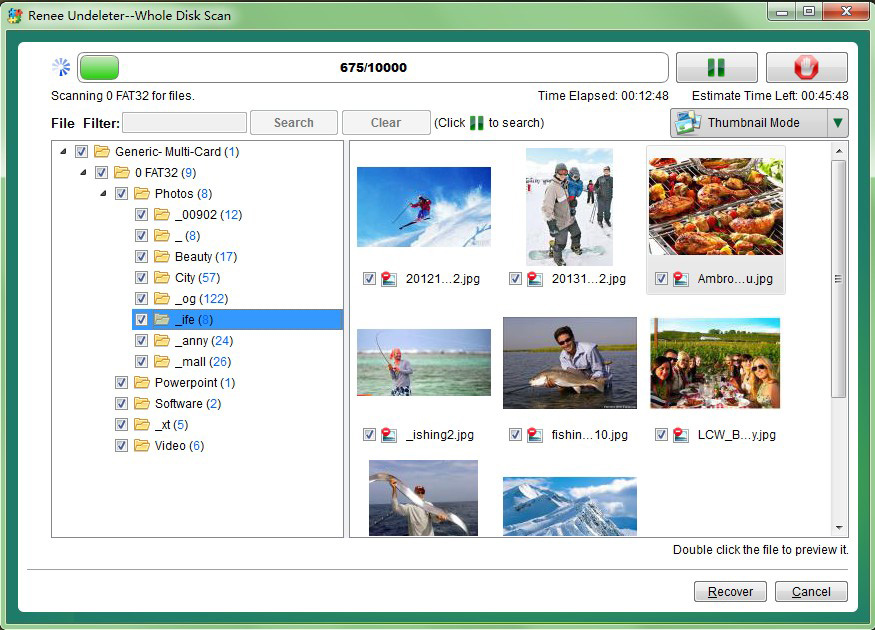
Easy to use Only simple steps to recover data from storage devices.
Multiple scan modes Fast partition scan, whole partition scan and whole disk scan for different recovery needs.
File types Support to recover pictures, videos, audios, documents, mails, etc.
Supported storage devices Recover data from recycle bin, SD card, external disk, etc.
Supported systems Windows 11,10, 8.1, 8, 7, Vista, XP, 2000 and Mac OS X10.6, 10.7, 10.8+.
Easy to use Only simple steps to recover data from storage devices.
Multiple scan modes - 3 scan modes for different recovery needs.
Supported storage devices Recover data from recycle bin, SD card, external disk, etc.
What is the difference between git restore and git checkout for file recovery?
git restore is the modern, dedicated command for undoing changes to the working tree or staging area. git checkout -- {file} does the same for working-tree recovery, but is less intuitive and can be confused with branch switching. Git now recommends git restore for file-level recovery because it separates these concepts more clearly.
Why does git restore say “pathspec did not match” and how do I fix it?
git ls-files to list tracked files). If the file was deleted in an earlier commit, you may need to specify a --source that still contains it (such as a previous commit or another branch).
Can I recover a file deleted in an old commit without losing newer changes?
git restore --source={old_commit} {file} to bring back the file as it existed in that commit. Your working tree and other files remain unchanged, and you can review or commit the restoration as needed.
Is file recovery possible after a git reset --hard?
git reset --hard discards local changes, but Git keeps unreachable commits in the reflog for a while. Use git reflog to locate the commit where the file still existed, then recover it with git restore --source={reflog-entry} {file}.
Easy to use Only simple steps to recover data from storage devices.
Multiple scan modes Fast partition scan, whole partition scan and whole disk scan for different recovery needs.
File types Support to recover pictures, videos, audios, documents, mails, etc.
Supported storage devices Recover data from recycle bin, SD card, external disk, etc.
Supported systems Windows 11,10, 8.1, 8, 7, Vista, XP, 2000 and Mac OS X10.6, 10.7, 10.8+.
Easy to use Only simple steps to recover data from storage devices.
Multiple scan modes - 3 scan modes for different recovery needs.
Supported storage devices Recover data from recycle bin, SD card, external disk, etc.
Relate Links :
Git Restore vs Checkout vs Reset vs Revert: Which Command Recovers Deleted Files?

10-08-2026
John Weaver : This technical reference outlines the functional distinctions within git restore vs checkout vs reset vs revert regarding repository...
How to Recover Deleted Untracked Files That Git Never Committed
10-08-2026
John Weaver : Diagnostic procedures and third-party software solutions to recover untracked deleted file Git data after accidental workspace clearance are...
What to Do When Git Repository Files Are Missing Due to Disk Corruption

07-08-2026
Jennifer Thatcher : This guide provides a comprehensive overview of diagnosing and resolving git repository missing files disk corruption through systematic...
How to Recover Files Deleted by git clean or git checkout
06-08-2026
Jennifer Thatcher : This resource outlines technical methods to recover files after git clean by leveraging dangling objects, IDE local history,...



User Comments
Leave a Comment