
Why Running CHKDSK on a Corrupted SD Card Can Destroy Your Recoverable Data

Summary
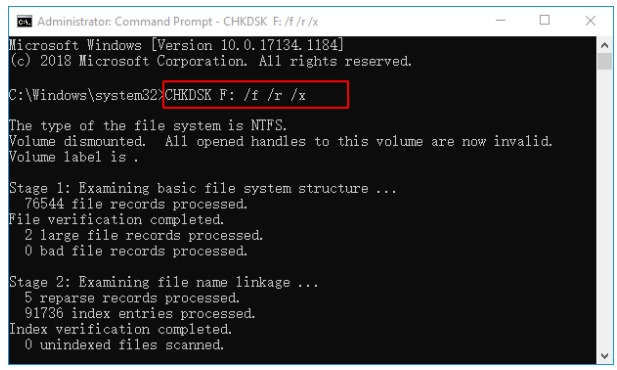
This guide examines the technical mechanisms behind chkdsk sd card data loss, specifically detailing how the repair utility relocates orphaned clusters into hidden FOUND.000 directories. Furthermore, it outlines systematic recovery methodologies, including deep scan protocols and manual file signature identification, to restore inaccessible documents and media.

| What users believe CHKDSK does | What CHKDSK actually does |
|---|---|
Recovers missing photos, videos, and documents in their original folders. |
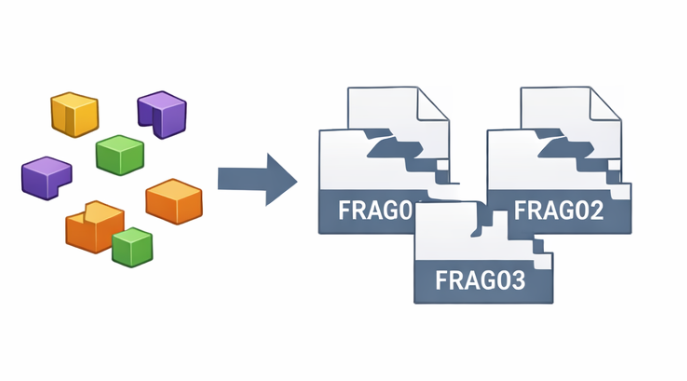
Converts orphaned data clusters into raw .CHK fragments inside a hidden FOUND.000 folder. |
Repairs the card and makes all files accessible. |
Repairs the file system structure; files whose directory entries were lost are not “fixed” back to their original locations. |
A safe “repair” button that cannot cause harm. |
A write-intensive process that can overwrite recoverable data on a severely corrupted card. |
Leaves all files untouched. |
May split large files into multiple .CHK pieces, making them unusable without further recovery. |

Easy to use Only simple steps to recover data from storage devices.
Multiple scan modes Fast partition scan, whole partition scan and whole disk scan for different recovery needs.
File types Support to recover pictures, videos, audios, documents, mails, etc.
Supported storage devices Recover data from recycle bin, SD card, external disk, etc.
Supported systems Windows 11,10, 8.1, 8, 7, Vista, XP, 2000 and Mac OS X10.6, 10.7, 10.8+.
Easy to use Only simple steps to recover data from storage devices.
Multiple scan modes - 3 scan modes for different recovery needs.
Supported storage devices Recover data from recycle bin, SD card, external disk, etc.
| Decision Point | Yes → Action) | No → Action |
|---|---|---|
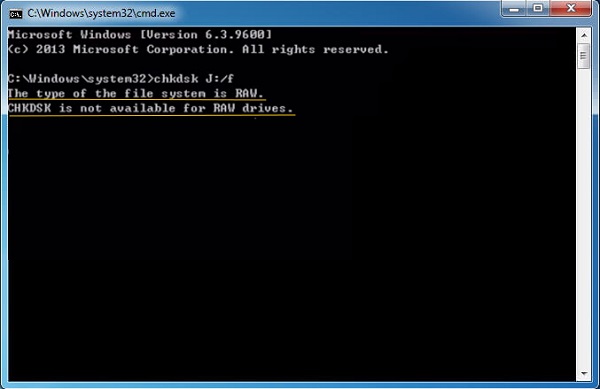
Is the SD card RAW? |
Do not run CHKDSK. Recover data first; format only after recovery. |
Proceed to next question. |
Do you have a full verified backup? |
CHKDSK can be used if the card shows no physical failure. |
Stop. Create a disk image and recover files before any repair. |
Signs of physical damage? |
Power off immediately; consult a professional. |
CHKDSK may be considered only after data recovery is complete. |
Can CHKDSK recover deleted files from an SD card?
Will running CHKDSK format my SD card?
How do I open .CHK files from the FOUND.000 folder?
Easy to use Only simple steps to recover data from storage devices.
Multiple scan modes Fast partition scan, whole partition scan and whole disk scan for different recovery needs.
File types Support to recover pictures, videos, audios, documents, mails, etc.
Supported storage devices Recover data from recycle bin, SD card, external disk, etc.
Supported systems Windows 11,10, 8.1, 8, 7, Vista, XP, 2000 and Mac OS X10.6, 10.7, 10.8+.
Easy to use Only simple steps to recover data from storage devices.
Multiple scan modes - 3 scan modes for different recovery needs.
Supported storage devices Recover data from recycle bin, SD card, external disk, etc.
Relate Links :
Maxtor Hard Drive Recovery: How to Recover Data from a Maxtor Hard Drive on a Windows PC

23-05-2026
Jennifer Thatcher : This article outlines maxtor hard drive recovery methods covering data loss, corruption, and drive accessibility issues. It reviews...
CRITICAL_PROCESS_DIED Windows 11: Systematic Troubleshooting & Data Safety Guide

14-05-2026
John Weaver : This guide addresses the critical_process_died windows 11 stop code by outlining systematic troubleshooting methods, including built-in Windows repair...
BSOD : CRITICAL_PROCESS_DIED Error (0x000000EF) - Data Recovery and System Repair
10-05-2026
Jennifer Thatcher : This comprehensive guide addresses the bsod critical_process_died error by prioritizing data recovery before any system repair attempts. It...
Recover Data from Unmountable Boot Volume Error (0x000000ED): Safe Recovery Guide
08-04-2026
Amanda J. Brook : This article examines unmountable boot volume no boot data recovery scenarios where Windows systems fail to start due...



User Comments
Leave a Comment