
How to Translate an Extra-Large PDF in Microsoft Word or Google Docs/Translate—Step-by-Step Guide

Summary
This guide details how to translate pdf in microsoft word or google docs/translate by addressing common challenges such as scanned images and oversized files. It provides step-by-step workflows for both platforms, including necessary preparation steps like OCR and file splitting to ensure accurate and editable results.

| PDF type | What Word/Docs can handle directly | What requires extra preparation |
|---|---|---|
Native text PDF |
Word and Google Docs can open and translate directly. Google Translate can translate it also. |
None. May have minor formatting shifts. |
Scanned/Image-based PDF |
Cannot translate directly; text will be ignored. |
Requires OCR (Optical Character Recognition) preparation first. |
Extra-large/Complex layout |
Fails to upload or crashes during conversion. |
Requires splitting, merging, or compressing the file first. |
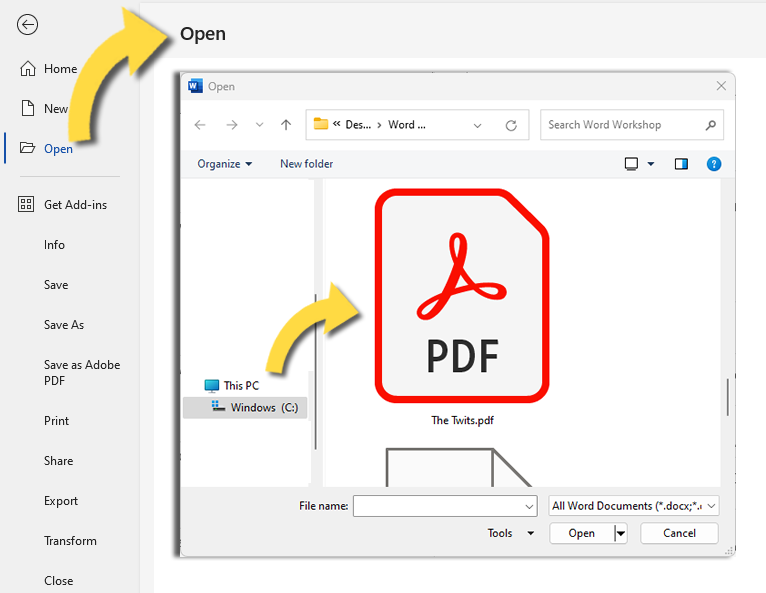
Choose Microsoft Word
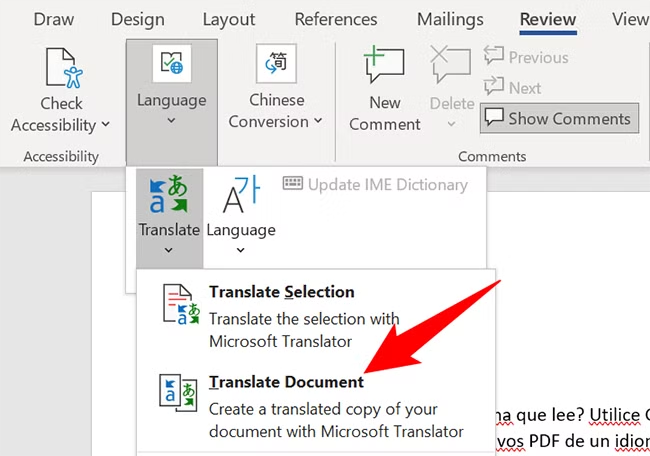
- Better layout retention with installed desktop Office
- Built-in Translator under Review tab
- Works well after OCR prep
Disadvantages:
- Requires Microsoft Word or Microsoft 365
- May struggle with very large PDF conversion
- Cloud translation may send text to Microsoft Translator
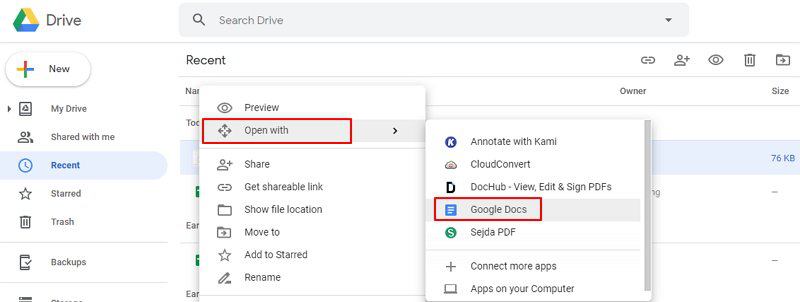
Choose Google Docs when
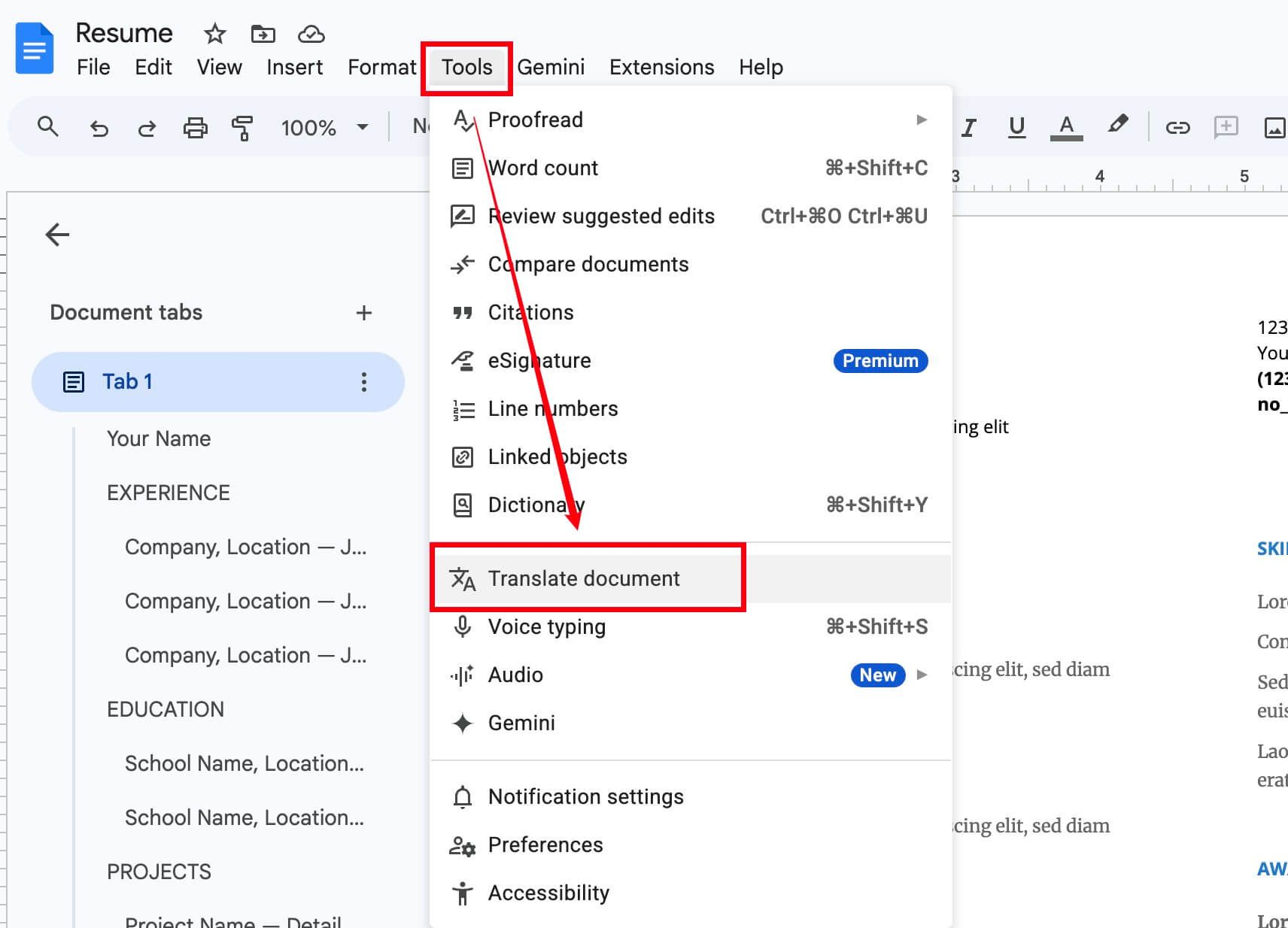
- Free with Google account
- No software installation required
- Easy sharing and collaborative editing
- Handles simple text PDFs quickly
Disadvantages:
- Requires internet and upload to Google Drive
- Formatting loss on complex pages
- Large PDFs can time out or fail during conversion
- Scanned/image-only PDFs need OCR prep
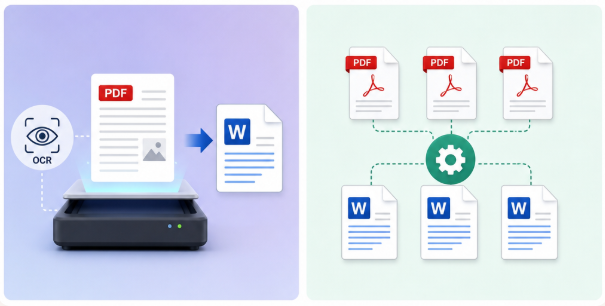

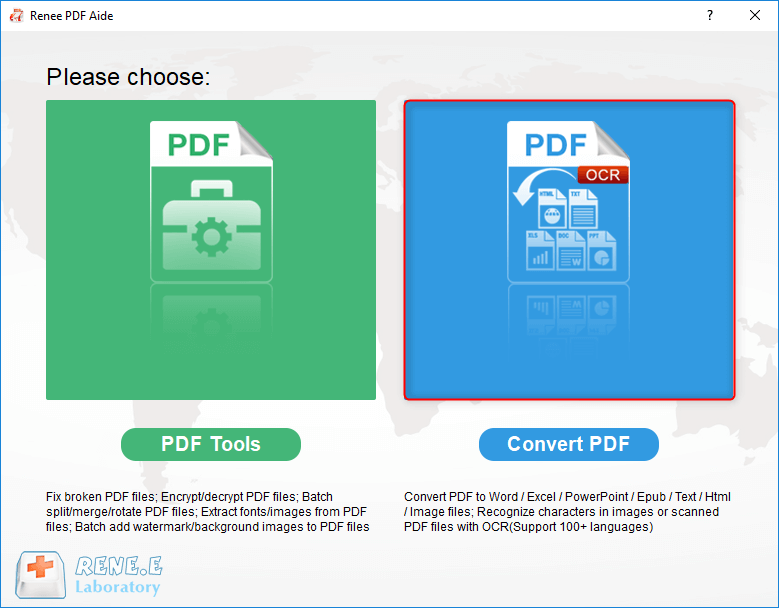
Convert to Editable Convert to Word/Excel/PPT/Text/Image/Html/Epub
Multifunctional Encrypt/decrypt/split/merge/add watermark
OCR Support Extract Text from Scanned PDFs, Images & Embedded Fonts
Quick Convert dozens of PDF files in batch
Compatible Support Windows 11/10/8/8.1/Vista/7/XP/2K
Convert to Editable Word/Excel/PPT/Text/Image/Html/Epub
OCR Support Extract Text from Scanned PDFs, Images & Embedded
Support Windows 11/10/8/8.1/Vista/7/XP/2K

Versatile Convert to Word/Excel/PPT/Text/Image/Html/Epub
Secure 100% local conversions ensure zero risk of data leaks
Efficient Batch Process dozens of PDF files in seconds
Comprehensive Seamlessly convert PDFs to Excel, PowerPoint, Text, and more
OCR Support Extract Text from Scanned PDFs, Images & Embedded Fonts
Versatile Effortlessly convert XFA, multi
Secure 100% local conversions ensure zero risk of data leaks
Efficient Batch Process dozens of PDF files in seconds
| Issue | Likely Cause | Quick Fix |
|---|---|---|
Missing image text |
Scanned/image-based content missed. |
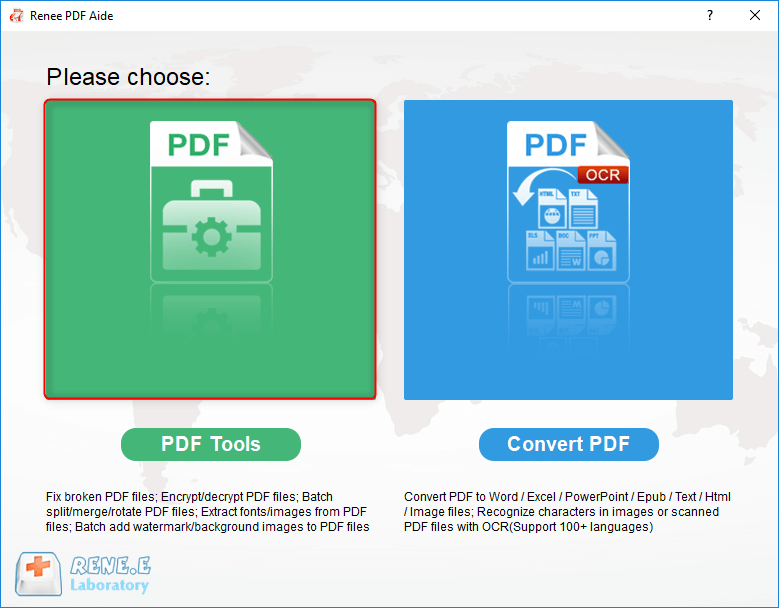
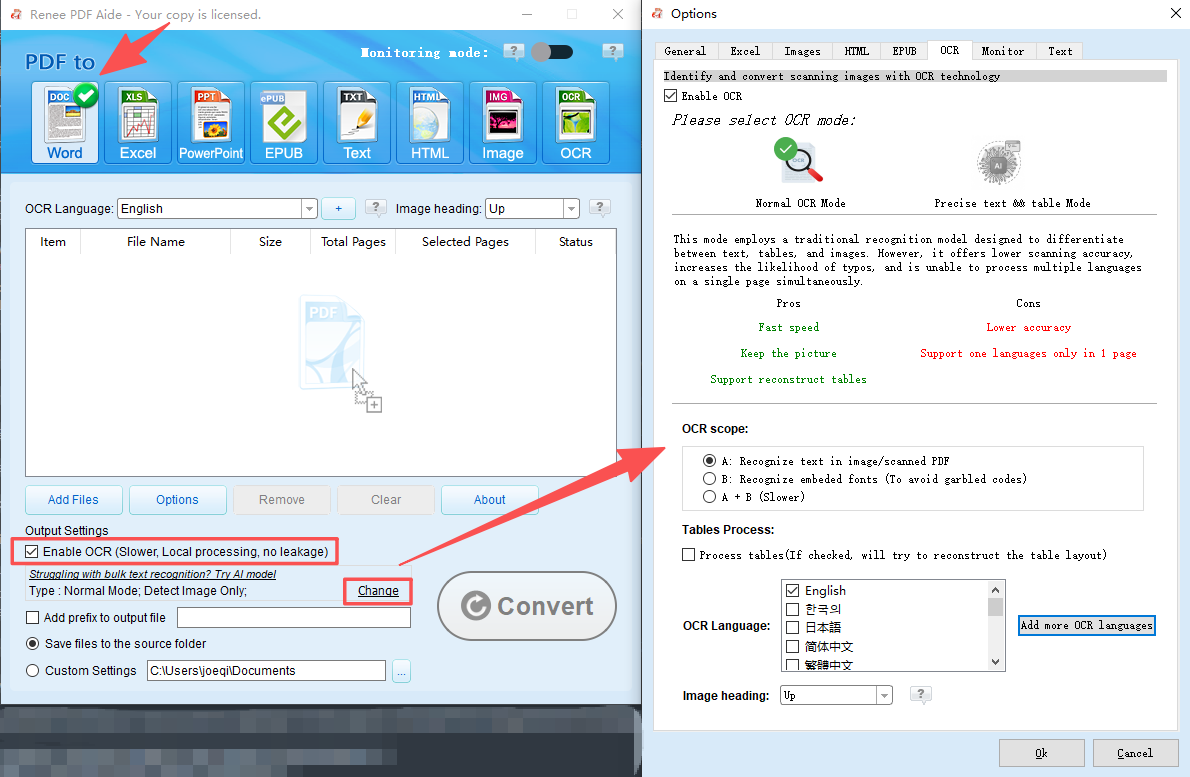
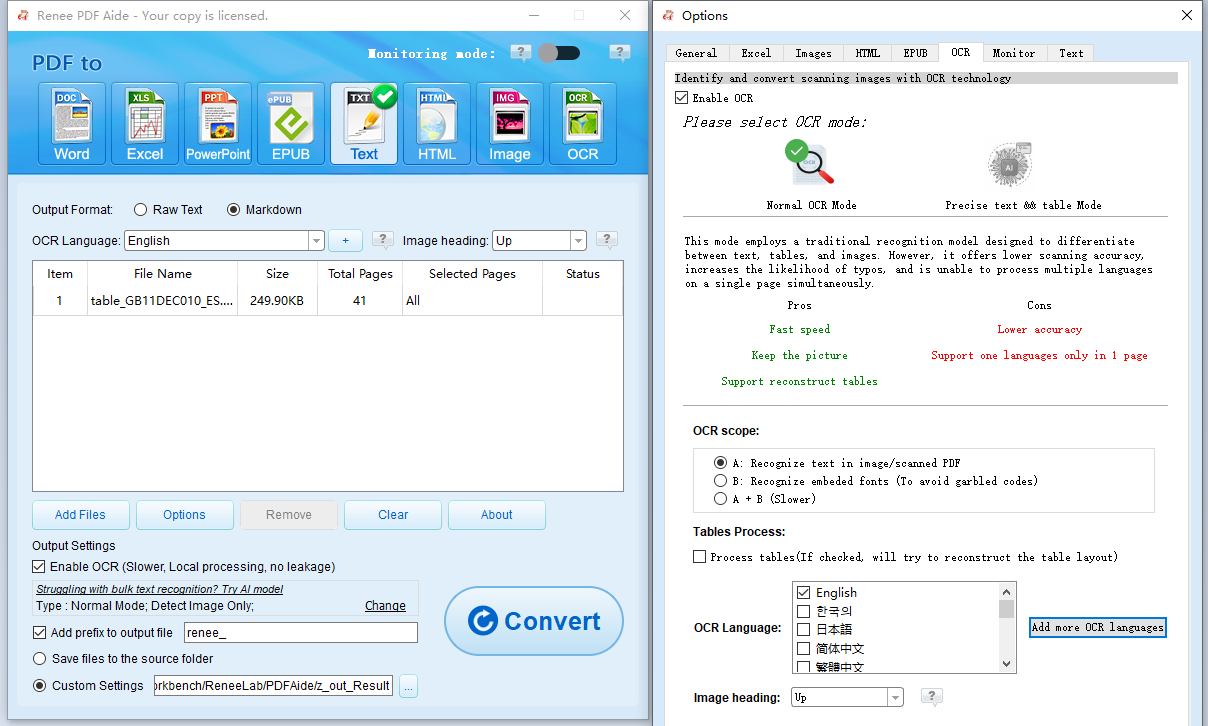
Re-run OCR with Renee PDF Aide before translating. |
Jumbled table layout |
Complex formatting conversion failure. |
Use Word for layout-heavy files or refer to the original PDF. |
File too large to upload |
Exceeds Google Docs size limit. |
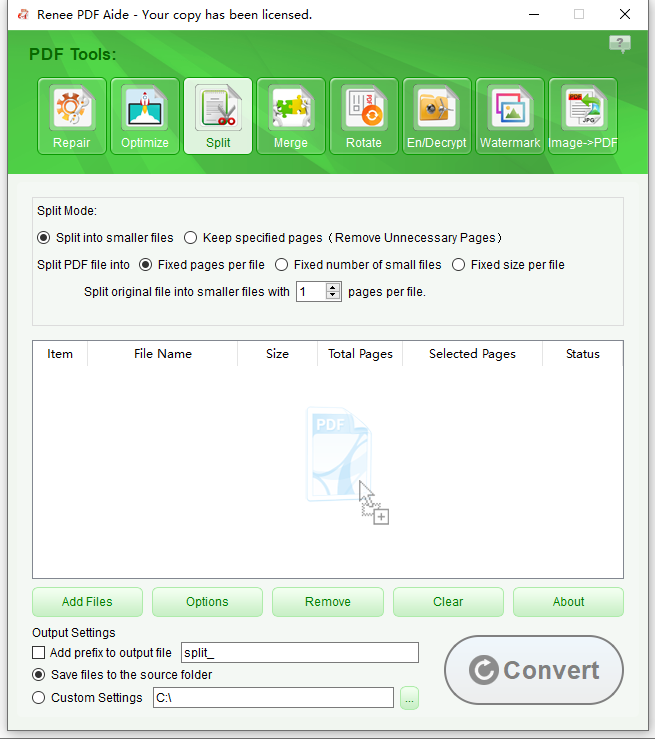
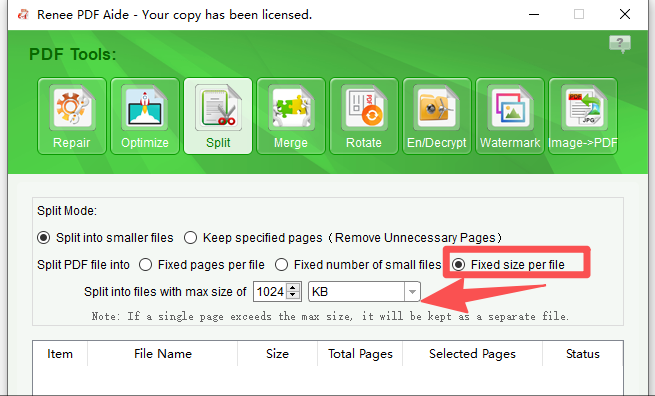
Split or compress the file with Renee PDF Aide. |
Pages stuck in original language |
OCR was skipped or failed. |
Enable OCR and select the correct language mode in Renee PDF Aide. |
Can I translate a scanned PDF directly in Word or Google Docs without any extra tool?
What is the maximum file size Google Docs can handle for PDF translation?
Does the translation in Word or Google Docs keep the original PDF formatting?
Is it safe to upload sensitive documents to Google Translate or Microsoft Translator?
Which method gives the most accurate translation: Word, Google Docs, or Google Translate?
Versatile Convert to Word/Excel/PPT/Text/Image/Html/Epub
Secure 100% local conversions ensure zero risk of data leaks
Efficient Batch Process dozens of PDF files in seconds
Comprehensive Seamlessly convert PDFs to Excel, PowerPoint, Text, and more
OCR Support Extract Text from Scanned PDFs, Images & Embedded Fonts
Versatile Effortlessly convert XFA, multi
Secure 100% local conversions ensure zero risk of data leaks
Efficient Batch Process dozens of PDF files in seconds
Relate Links :
Free OCR Software: Unlock Easy and Efficient Text Recognition
26-05-2024
Amanda J. Brook : Discover how to transform images into text with top-rated, free OCR software and follow our detailed conversion guide.
How to Effortlessly Delete PDF Pages?
24-05-2024
Amanda J. Brook : How to delete PDF pages? Master efficient PDF deletion, merging, and conversion with professional tools, detailed guides, and...
How to Select PDF Editor for Mac?

24-02-2021
Ashley S. Miller : PDF documents are usually used in our daily life because it is supported by different operating systems, and...

24-12-2020
John Weaver : PDF is widely used in different operation systems. If we want to edit and view PDF files, we...



User Comments
Leave a Comment