author avatar
    Senior Program Developer
Last update by Emma Johnson at 31 July 2025

Summary
Learn how to recover photos from Fujifilm camera quickly and easily. Our expert guide covers every major Fujifilm model, popular file formats, and effective tips to restore lost photos—perfect for users.



Panicking over lost Fujifilm photos? Whether you’re facing accidental deletions, a formatted SD card, or a camera malfunction, we’ve got the solutions you need. This guide is tailor-made for Fujifilm users like you, offering fast, reliable ways to recover your precious memories—be it stunning RAF RAW shots or everyday JPEGs. Stick with us, and you’ll be back to enjoying those photos in no time.
Tip: If you notice photos are missing, immediately turn off your camera and safely remove the SD card. Don’t use the camera again until you’ve tried recovery—this prevents overwriting your lost data and boosts your chances of getting it back.

Fujifilm Camera Models and Formats: Know Your File Types

When recovering photos from your Fujifilm camera, it’s helpful to know the file formats your camera produces, as you’ll need a recovery tool that supports them. The table below lists popular Fujifilm models and their photo and video formats to help you confirm what files you’re trying to recover. While these are common models, the recovery methods in this guide work for any Fujifilm camera using an SD card—just make sure your recovery software supports formats like RAF, JPEG, HEIF, MOV, or MP4.
Camera ModelPhoto Format(s)Video ContainerVideo Codec(s)Notes

X-T5

JPEG, RAW (RAF), HEIF

MOV

H.264, H.265 (HEVC)

Supports 6.2K oversampled; ALL-Intra & Long GOP modes

X-T4

JPEG, RAW (RAF)

MOV, MP4

H.264, H.265

High-quality 4K60p video

X-H2

JPEG, RAW (RAF), HEIF

MOV

ProRes, H.265

Internal 8K ProRes recording

X-H2S

JPEG, RAW (RAF), HEIF

MOV

H.264, H.265, ProRes

High-speed readout for 4K120p

X-S20

JPEG, RAW (RAF), HEIF

MOV, MP4

H.264, H.265

V-Log support, great for content creators

X100VI

JPEG, RAW (RAF), HEIF

MOV, MP4

H.264

Fixed lens, discreet design

X100V

JPEG, RAW (RAF)

MOV, MP4

H.264

Classic design, great street shooter

X-Pro3

JPEG, RAW (RAF)

MOV

H.264

Premium rangefinder feel

GFX100 II

JPEG, RAW (RAF), HEIF

MOV

ProRes, H.265

8K video, 4:2:2 10-bit internal recording

GFX100S

JPEG, RAW (RAF)

MOV

H.264, H.265

4K/30p with rich depth

GFX50S II

JPEG, RAW (RAF)

N/A

N/A

No video recording support

Understanding your camera’s file formats is crucial for selecting the right recovery tool. Now, let’s explore whether photo recovery is feasible.

Is It Possible to Recover Photos from a Fujifilm Camera?

Yes, in most cases, you can recover photos from your Fujifilm camera. Since these cameras store data on SD cards, recovery hinges on how that data is managed. Here’s what affects your odds:
Time matters. When you delete a photo, it’s not gone—it’s just marked as free space. Act fast before new photos overwrite it. Some SD cards use features like Wear Leveling or TRIM, which can erase data permanently, so speed is key.
File system condition. If your SD card is still readable, recovery is easier. If it’s corrupted, you might need to make a copy of the card or get professional help.
Physical damage. A bent, scratched, or soaked SD card is trickier. Stop trying DIY fixes and head to a professional data recovery center to avoid permanent loss.
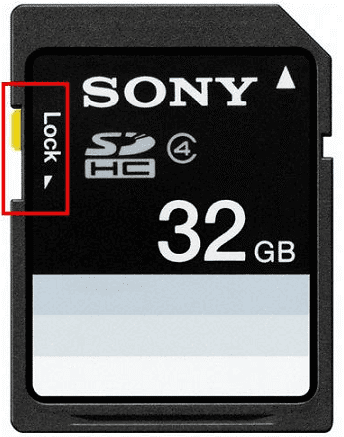
Tips: Boost your chances by locking the SD card (slide the side switch to “lock”) to prevent new data from being written.
SD Card Shows "Secure Digital Storage Device" after ...

How to Recover Photos from a Fujifilm Camera

Your options for recovery are backups (if you’ve got them), software, or pros. Since backups aren’t always an option, let’s dive into the two best methods.

Method 1: Use Photo Recovery Software

Photo recovery software is your go-to for DIY recovery. It scans your SD card for deleted files, but it only works if they haven’t been overwritten. For Fujifilm cameras, you need software that handles fragmented files—like RAF RAW shots split across the card.
Renee Undeleter - Powerful Data Recovery SoftwareRenee Undeleter data Recovery software

Easy to use Only simple steps to recover data from storage devices.

Multiple scan modes Fast partition scan, whole partition scan and whole disk scan for different recovery needs.

File types Support to recover pictures, videos, audios, documents, mails, etc.

Supported storage devices Recover data from recycle bin, SD card, external disk, etc.

Supported systems Windows 11,10, 8.1, 8, 7, Vista, XP, 2000 and Mac OS X10.6, 10.7, 10.8+.

Easy to use Only simple steps to recover data from storage devices.

Multiple scan modes - 3 scan modes for different recovery needs.

Supported storage devices Recover data from recycle bin, SD card, external disk, etc.

Free TrialFree TrialFree Trial

3000 users have downloaded Renee Undeleter and found data back!

Renee Undeleter is a top pick for Fujifilm users. It’s great at recovering RAF files and fragmented data, with a simple interface to boot. It can restore videos (MP4, MOV), photos (RAF, Fujifilm’s unique RAW format, and JPG), and even audio files (WAV). This means none of your deleted files should be lost. Here’s how to use it:

How to Recover Photos with Renee Undeleter
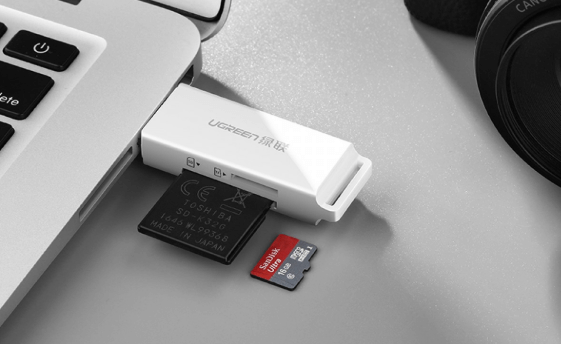
Step 1: Remove the SD card from your Fujifilm camera and connect it to your computer via a card reader.
how to recover deleted pictures from the SD card when it is connected to pc
Download and install Renee Undeleter, then open it.
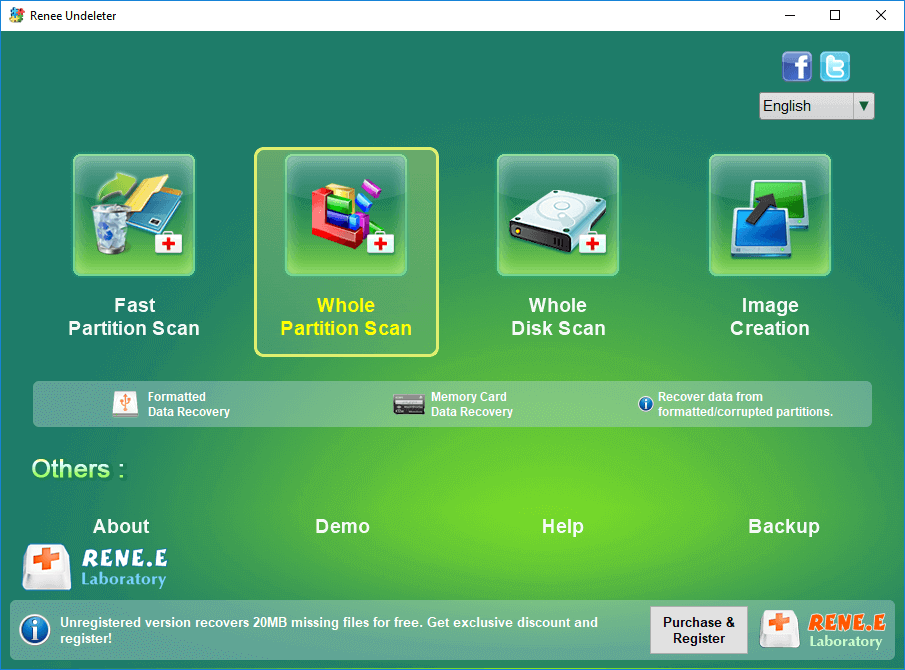
Select Whole Partition Scan—perfect for SD card recovery.
Note: Don’t install the software on the SD card—it could overwrite your photos!
select whole partition scan in renee undeleter to recover deleted video from sd card
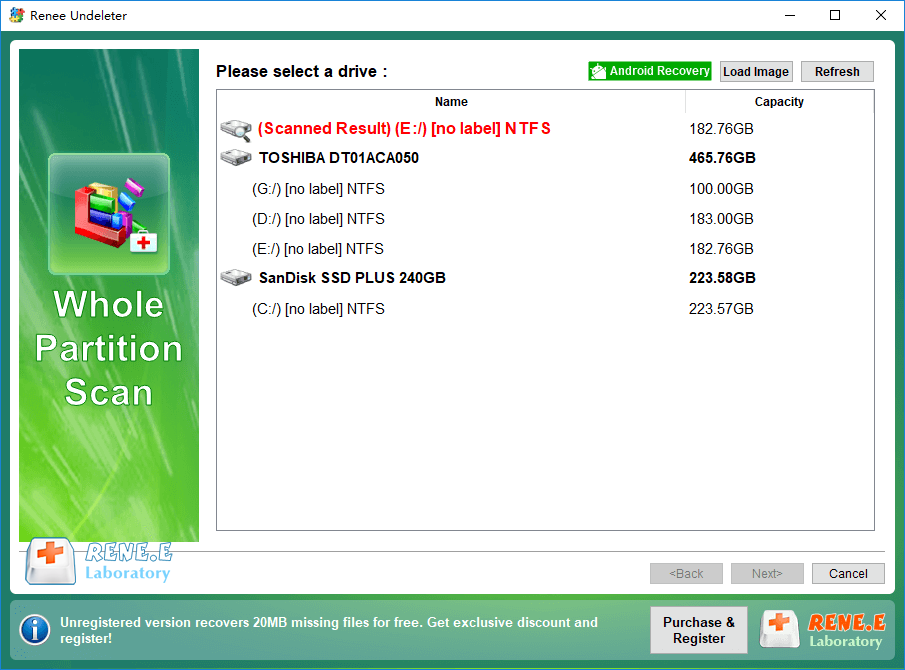
Step 2: Choose your SD card partition and click Next.
Renee Undeleter Whole Partition Scan
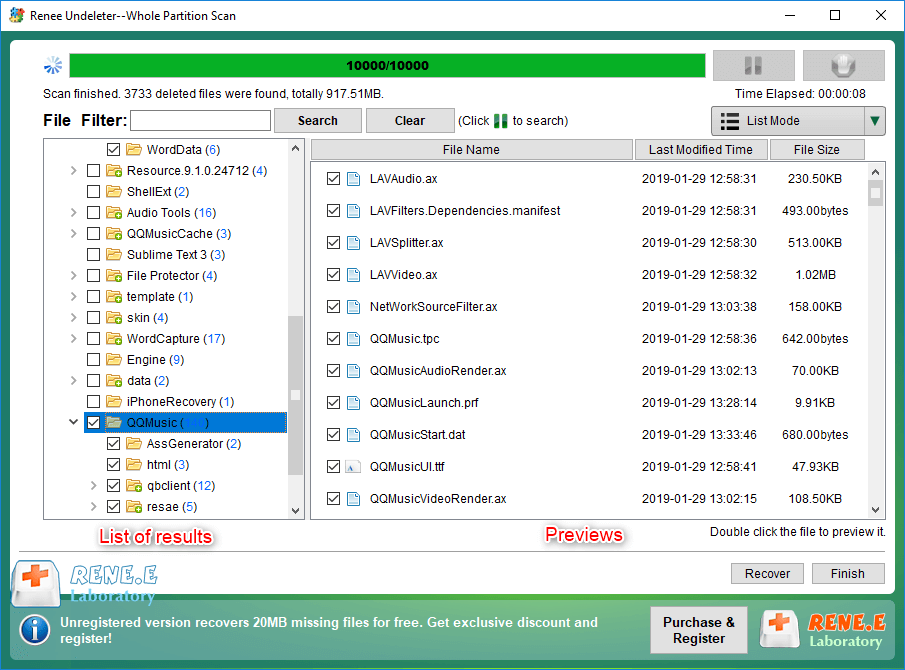
Step 3: Wait as Renee Undeleter scans.
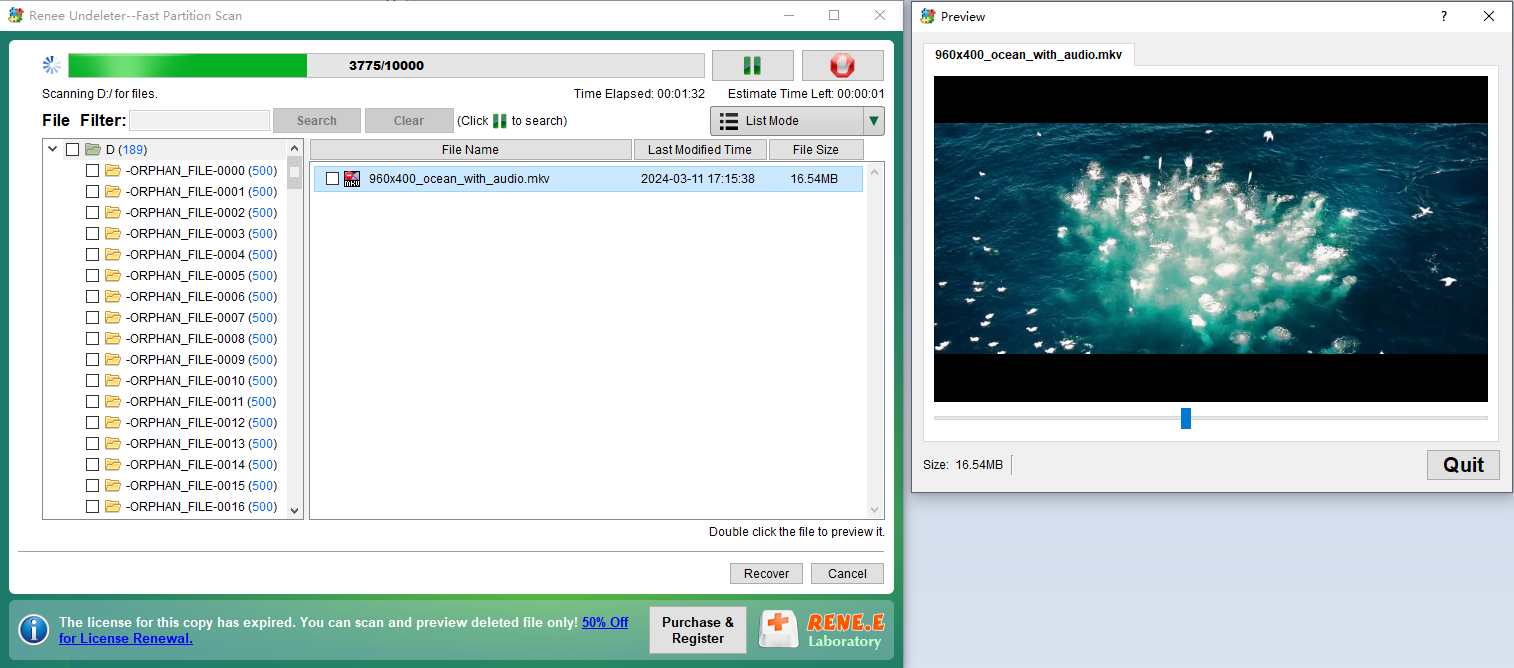
Preview files by double-clicking during the scan, then check the ones you want and hit Recover. Or, let it finish, select your photos, and recover them.
preview deleted mkv video file
preview and select the files to recover in renee undeleter
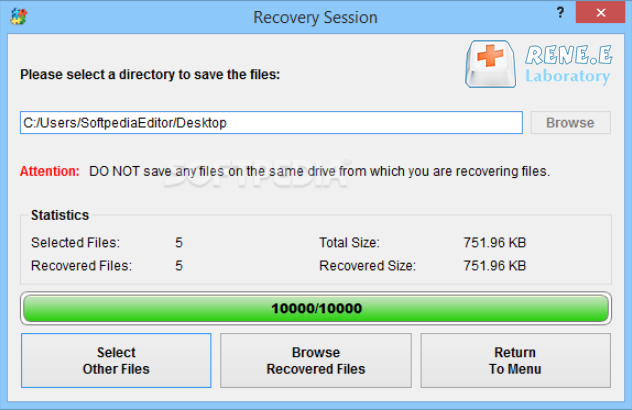
Note: Save recovered files to your computer, not the SD card, to avoid overwriting other data.
recover the whole disk data
Renee Undeleter - Powerful Data Recovery SoftwareRenee Undeleter data Recovery software

Easy to use Only simple steps to recover data from storage devices.

Multiple scan modes Fast partition scan, whole partition scan and whole disk scan for different recovery needs.

File types Support to recover pictures, videos, audios, documents, mails, etc.

Supported storage devices Recover data from recycle bin, SD card, external disk, etc.

Supported systems Windows 11,10, 8.1, 8, 7, Vista, XP, 2000 and Mac OS X10.6, 10.7, 10.8+.

Easy to use Only simple steps to recover data from storage devices.

Multiple scan modes - 3 scan modes for different recovery needs.

Supported storage devices Recover data from recycle bin, SD card, external disk, etc.
Free TrialFree TrialFree Trial

3000 users have downloaded Renee Undeleter and found data back!

Method 2: Send Your SD Card to a Data Recovery Service

If your SD card is damaged or corrupted beyond software’s reach, pros can help.
Recovering Data from Kingston Memory Cards: A Comprehensive Guide - Rene.E  Laboratory
Here’s how:
  1. Pick a trusted data recovery service with good reviews.
  2. Reach out via their site, app, or phone to schedule an evaluation.
  3. Pack and send your SD card to their center.
  4. They’ll inspect it (usually free), give you a quote, and await your approval.
  5. Once approved, they’ll recover your photos and send them back via cloud or a new card.
  6. Handle your SD card carefully afterward to prevent future issues.

Wrap Up

No matter how photos get deleted from your Fujifilm camera, you can recover them as long as the data still exists on the SD card. The key is to act quickly—before the files are overwritten or erased by the card’s automatic functions. If your SD card is in good condition, use photo recovery software like Renee Undeleter. If you suspect corruption, try recovery software first, but don’t hesitate to contact professionals if needed. For physical damage, go straight to a data recovery center.
Prevention is always better than cure. Going forward, think twice before deleting photos. If your SD card has space, keep extra files until you can review them later. Handle your SD card gently: always eject it safely, avoid interrupting file transfers, and store it in a protective case. Most importantly, back up your photos regularly after transferring them to other devices.
Regular backups to cloud services like Google Drive or external drives can prevent future data loss.
Renee Undeleter - Powerful Data Recovery SoftwareRenee Undeleter data Recovery software

Easy to use Only simple steps to recover data from storage devices.

Multiple scan modes Fast partition scan, whole partition scan and whole disk scan for different recovery needs.

File types Support to recover pictures, videos, audios, documents, mails, etc.

Supported storage devices Recover data from recycle bin, SD card, external disk, etc.

Supported systems Windows 11,10, 8.1, 8, 7, Vista, XP, 2000 and Mac OS X10.6, 10.7, 10.8+.

Easy to use Only simple steps to recover data from storage devices.

Multiple scan modes - 3 scan modes for different recovery needs.

Supported storage devices Recover data from recycle bin, SD card, external disk, etc.

Free TrialFree TrialFree Trial

3000 users have downloaded Renee Undeleter and found data back!

Frequently Asked Questions

How do I view pictures on my Fujifilm camera?
Turn on your camera, press the playback button, use the arrow keys to find your photo, and press OK to view it.
Does Fujifilm have its own photo recovery tool?
No, Fujifilm doesn’t provide one. Use third-party tools like Renee Undeleter, Recuva, or PhotoRec instead.
How long can you use one SD card in Fujifilm cameras?
It varies by quality and use, but most last tens of thousands of cycles. Replace every 1-2 years if you shoot a lot, and always eject safely.

User Comments

Page 1

Leave a Comment


Your comment has been submitted and is awaiting moderation.