
FAT32, exFAT, or NTFS? How Your Pen Drive’s File System Affects Data Recovery Success

Summary
This article outlines the technical differences affecting pen drive file system FAT32 exFAT NTFS recovery, detailing metadata structures and scan methodologies. It provides a structured workflow for data restoration, post-recovery verification protocols, and software recommendations for handling formatted or inaccessible storage devices.


File System Compatibility Specifically optimized to recover data from FAT32, exFAT, and NTFS formatted drives after accidental deletion or formatting.
Supported devices SD card, SDHC, SDXC, USB flash drive, hard disk, computer, etc.
Supported file types Image, video, audio, text, email, etc.
Easy to use Recover by 3 steps and support to preview scan results.
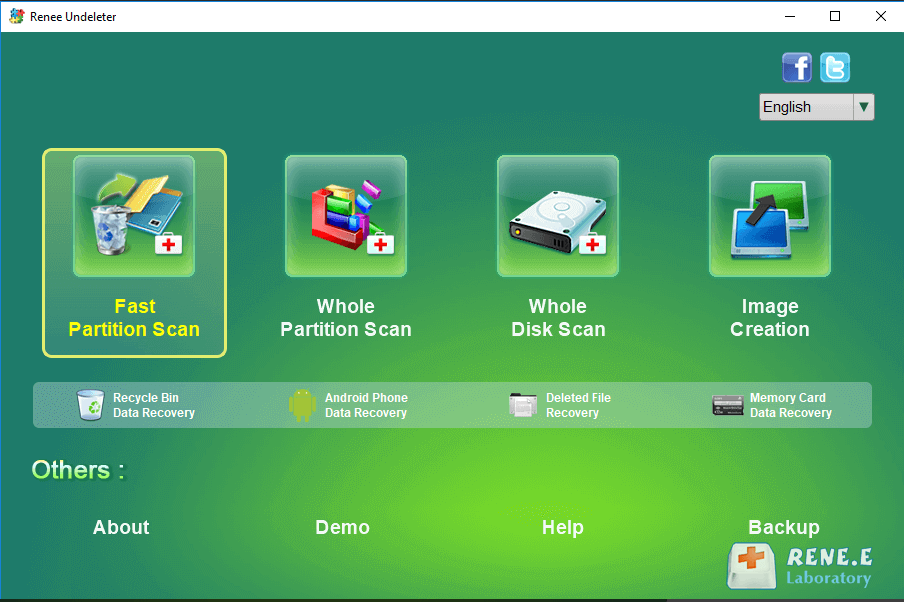
Multiple scan modes Fast partition/whole partition/whole disk scan.
Easy to use Recover by 3 steps.
Multiple scan modes Fast partition/whole partition/whole disk scan.
Supported devices SD card/USB/hard disk, etc.
Free TrialFree TrialFree Trial 800 people have downloaded!| 📌 Aspect | 🏆 NTFS | ⚠️ FAT32 | 🔍 exFAT |
|---|---|---|---|
Metadata design |
Uses a detailed Master File Table (MFT) for every file |
Uses a simple File Allocation Table |
Uses a lightweight allocation table with limited metadata |
Journaling support |
✅ Yes |
❌ No |
❌ No |
Recovery of file names & folders |
🟢 Excellent Names and folder structure often survive a quick format |
🟡 Moderate Can often recover names initially, but easily damaged by new writes |
🔴 Limited Names and folder structure are frequently lost after formatting |
Effect of Quick Format |
✅ Most metadata remains intact |
⚠️ Some traces remain, but can be overwritten quickly |
❌ Minimal metadata typically survives |
Behavior after corruption |
🟢 Often recoverable using MFT and journal information |
🟡 No self-healing; may become RAW after damage |
🔴 Directory damage can quickly result in a RAW volume |
Best recovery strategy |
⭐ Whole Partition Scan to preserve original names and folders |
⚡ Stop using the drive immediately, then run Fast Partition Scan or Whole Partition Scan |
🔍 Whole Partition Scan + Signature Scan recommended |
Overall recovery friendliness |
🏆 Best |
🥈 Medium |
🥉 Most challenging |
Recovery Friendliness Ranking
Strong to recover Recover data from the storage devices sustaining many bad sectors.
Supported devices SD card, SDHC, SDXC, USB flash drive, hard disk, computer, etc.
Supported file types Image, video, audio, text, email, etc.
Easy to use Recover by 3 steps and support to preview scan results.
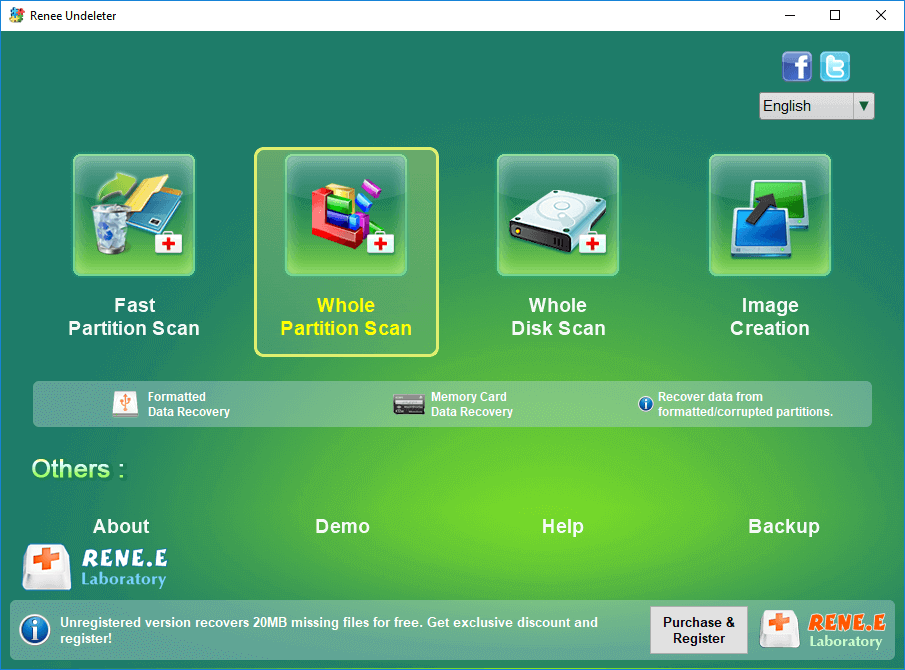
Multiple scan modes Fast partition/whole partition/whole disk scan.
Easy to use Recover by 3 steps.
Multiple scan modes Fast partition/whole partition/whole disk scan.
Supported devices SD card/USB/hard disk, etc.
Free TrialFree TrialFree Trial 800 people have downloaded!- Supports NTFS, FAT32, and exFAT pen drives
- Signature scanning for 400+ file formats
- File preview and Image Creation
Disadvantages:
- Must install on a different drive to avoid overwriting
- Deep scans can take time


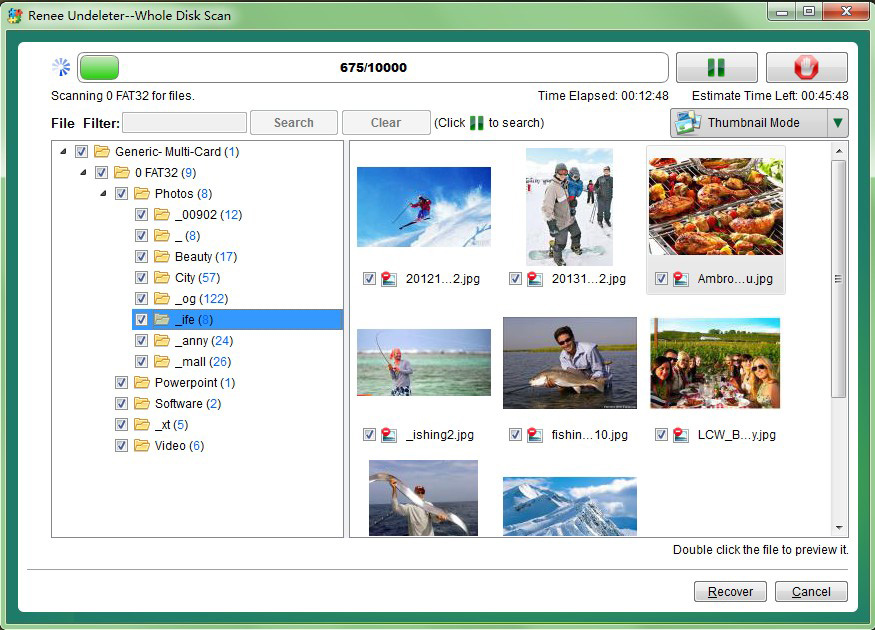

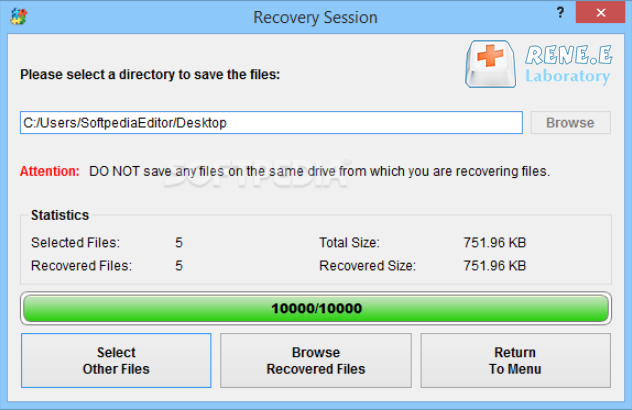
D:\Recovery).
Can I recover files from a formatted exFAT pen drive?
Why is NTFS recovery usually more successful than FAT32 or exFAT?
Should I run CHKDSK before or after trying data recovery?
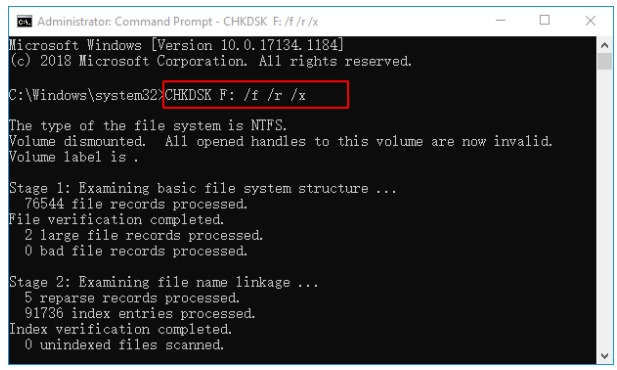
Does a pen drive bypass the Recycle Bin when files are deleted?
Easy to use Only simple steps to recover data from storage devices.
Multiple scan modes Fast partition scan, whole partition scan and whole disk scan for different recovery needs.
File types Support to recover pictures, videos, audios, documents, mails, etc.
Supported storage devices Recover data from recycle bin, SD card, external disk, etc.
Supported systems Windows 11,10, 8.1, 8, 7, Vista, XP, 2000 and Mac OS X10.6, 10.7, 10.8+.
Easy to use Only simple steps to recover data from storage devices.
Multiple scan modes - 3 scan modes for different recovery needs.
Supported storage devices Recover data from recycle bin, SD card, external disk, etc.
Relate Links :
When to Stop DIY: Signs Your Pen Drive Has Physical Damage and Needs a Professional Recovery Lab

08-10-2026
Ashley S. Miller : This article outlines the diagnostic indicators that necessitate pen drive physical damage professional recovery over standard software solutions....
How to Use the Attrib Command to Unhide Pen Drive Files

29-09-2026
John Weaver : This guide details the precise syntax and execution steps for the attrib command unhide pen drive files, addressing...
Hidden vs Deleted Files on a Pen Drive: How to Tell Them Apart and Recover Each
24-09-2026
John Weaver : This guide explains the technical differences regarding hidden files vs deleted files on pen drive, focusing on storage...
17-09-2026
John Weaver : This guide details the technical procedures required to unlock encrypted pen drive before data recovery operations can commence....



User Comments
Leave a Comment