
The Ultimate Guide to Change Windows 11 Password Using CMD [Include Scripts]

Summary
Learn how to change Windows 11 password using CMD with this straightforward guide. This article covers locked-out scenarios and essential tech skills to safely reset your Windows 11 password via command line.


net user, PowerShell, and tools like Renee PassNow. Let’s get started!
| User Intent | Scenario | How this Article Addresses It |
|---|---|---|
| Forgotten Password | You’re locked out of your Windows 11 PC because you forgot your local account password and don’t have recovery options like a reset disk. | This guide provides clear CMD-based solutions, such as the net user command, to reset your password, even when locked out, along with user-friendly tools like Renee PassNow. |
Administrative Tasks |
IT professionals or system admins need to efficiently update or reset passwords for multiple user accounts on Windows 11 systems. |
The article provides step-by-step CMD and PowerShell commands to streamline password management across multiple accounts, saving time for admins. |
Security Concerns |
You suspect your password may have been compromised and need a quick, secure way to change it to protect your data. |
We emphasize CMD’s reliability for fast password resets, ensuring your Windows 11 account stays secure against potential cyber threats. |
Learning System Administration |
Tech enthusiasts or students want to learn how to manage Windows 11 systems using command-line tools like CMD. |
The guide explains CMD techniques in detail, making it a practical resource for mastering system administration skills. |
Troubleshooting |
Standard password reset methods (e.g., via Settings or Control Panel) fail due to system errors or corrupted user profiles. |
The article includes advanced CMD methods, like replacing Sticky Keys or Utility Manager, to bypass issues and regain access to your system. |

Remove Windows Login Password 3 steps for whole password remove process.
Recover the files Recover the deleted files without Windows system.
Transfer the data Transfer the important files of the computer with system.
Multifuctional Data transfer, data recovery, bootable problem recovery can be run without system.
Highly compatible Windows 11/10/8.1/8/7/XP/Vista. UEFI boot.
Remove Login Password Support Windows 11/10/8.1/8/7/XP/Vista. UEFI boot.
Recover the files Recover the deleted files without Windows system.
Transfer the data Transfer the important files of the computer with system.
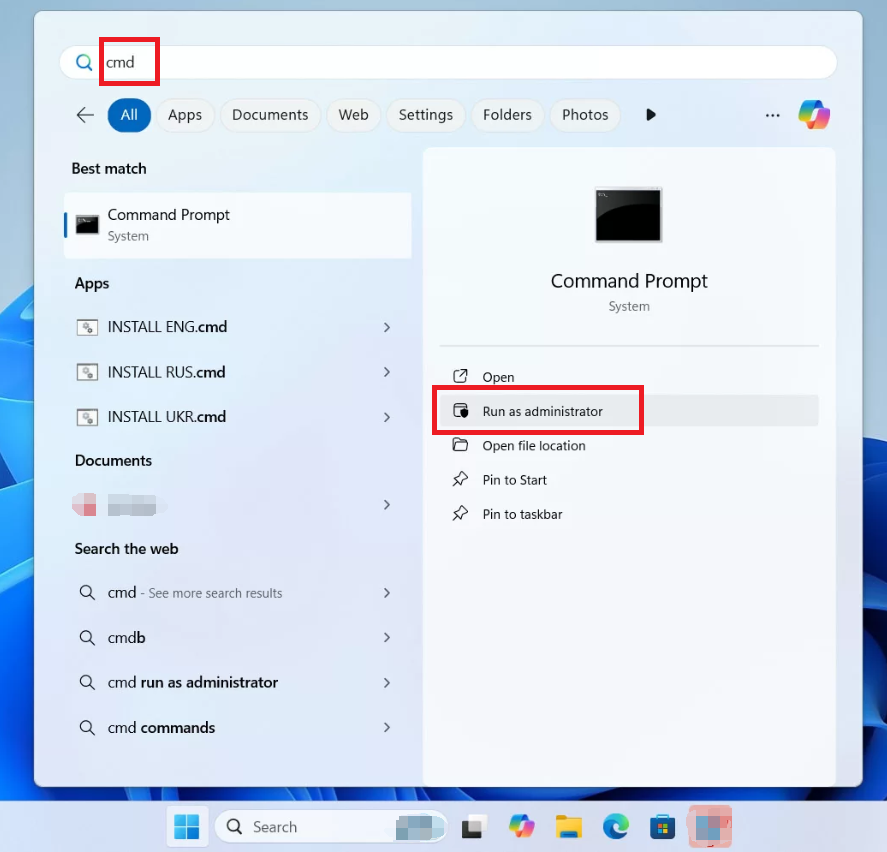
net user
net user Solina *
Batch Processing
@echo off
setlocal enabledelayedexpansion
REM Define the new password
set NEW_PASSWORD=123456@123
REM Specify the file containing usernames (e.g., userlist.txt)
set USER_FILE=userlist.txt
REM Check if the file exists
if not exist "%USER_FILE%" (
echo User file not found: %USER_FILE%
exit /b
)
REM Read each line (username) and update the password
for /f "delims=" %%u in (%USER_FILE%) do (
echo Updating password for user %%u…
net user "%%u" "%NEW_PASSWORD%" >nul 2>&1
if !errorlevel! EQU 0 (
echo Password updated successfully for %%u
) else (
echo Failed to update password for %%u (user may not exist or insufficient privileges)
)
)
echo All operations completed.
pause
Alice
Bob
Charlie
Remove Windows Login Password 3 steps for whole password remove process.
Recover the files Recover the deleted files without Windows system.
Transfer the data Transfer the important files of the computer with system.
Multifuctional Data transfer, data recovery, bootable problem recovery can be run without system.
Highly compatible Windows 11/10/8.1/8/7/XP/Vista. UEFI boot.
Remove Login Password Support Windows 11/10/8.1/8/7/XP/Vista. UEFI boot.
Recover the files Recover the deleted files without Windows system.
Transfer the data Transfer the important files of the computer with system.
PowerShell, and open it. By default, it opens with a PowerShell tab, so you’re ready to go. Make sure to run it as an administrator for the necessary permissions.
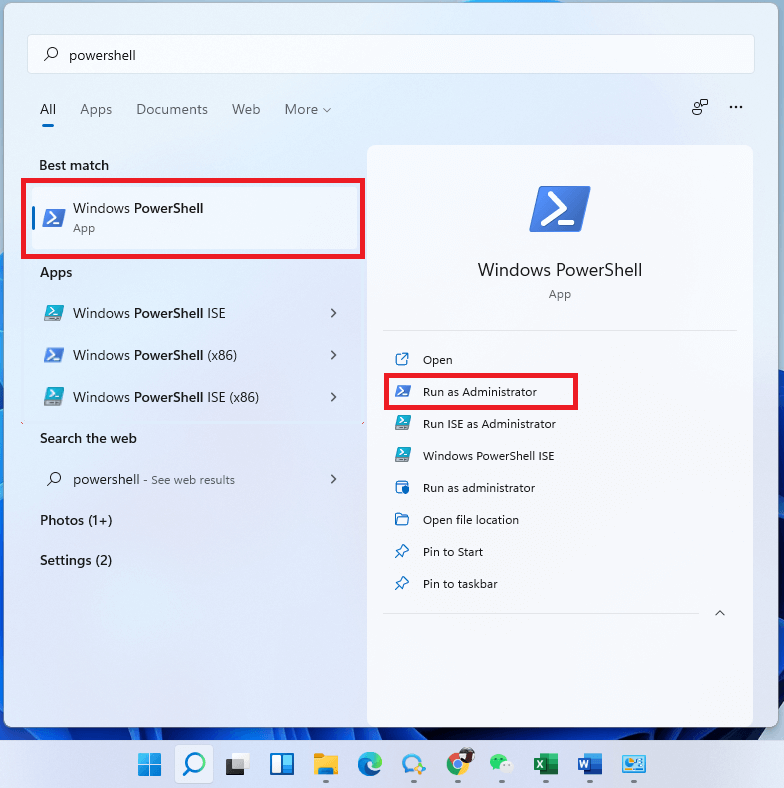
Get-LocalUser. This will show you all local accounts on the machine.
$Password = Read-Host "Enter the New Password" -AsSecureString
$UserAccount = Get-LocalUser -Name "USERNAME"
Set-LocalUser -InputObject $UserAccount -Password $Password
Batch Processing
# Define new password as a secure string
$NewPassword = ConvertTo-SecureString "123456@123" -AsPlainText -Force
# Path to the file containing usernames (one per line)
$UserListFile = "userlist.txt"
# Check if the file exists
if (-Not (Test-Path $UserListFile)) {
Write-Host "User file not found: $UserListFile"
exit
}
# Read usernames and update password for each
Get-Content $UserListFile | ForEach-Object {
$username = $_.Trim()
if ($username) {
try {
Write-Host "Updating password for user: $username"
Set-LocalUser -Name $username -Password $NewPassword
Write-Host "Password updated successfully for $username"
} catch {
Write-Host "Failed to update password for $username. Error: $_"
}
}
}
Write-Host "All operations completed."
Remove Windows Login Password 3 steps for whole password remove process.
Recover the files Recover the deleted files without Windows system.
Transfer the data Transfer the important files of the computer with system.
Multifuctional Data transfer, data recovery, bootable problem recovery can be run without system.
Highly compatible Windows 11/10/8.1/8/7/XP/Vista. UEFI boot.
Remove Login Password Support Windows 11/10/8.1/8/7/XP/Vista. UEFI boot.
Recover the files Recover the deleted files without Windows system.
Transfer the data Transfer the important files of the computer with system.
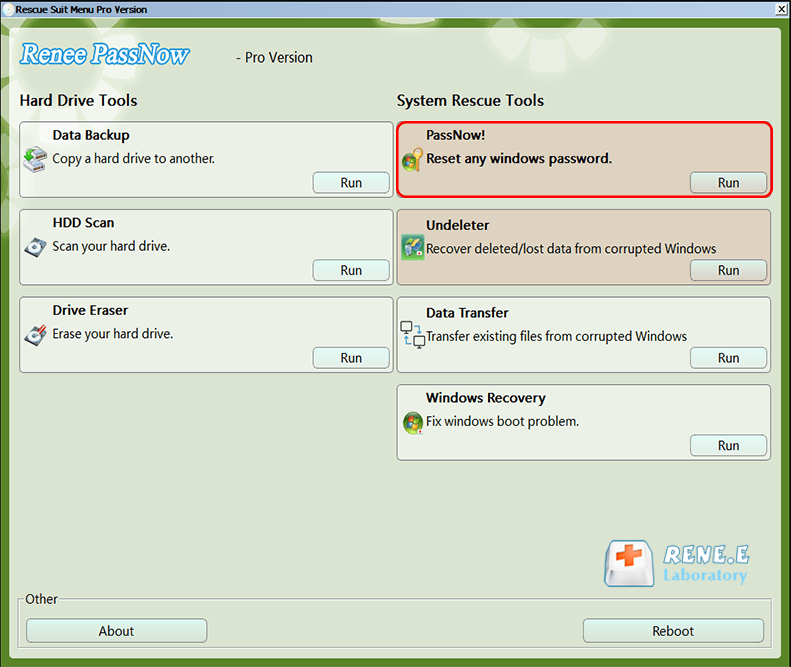
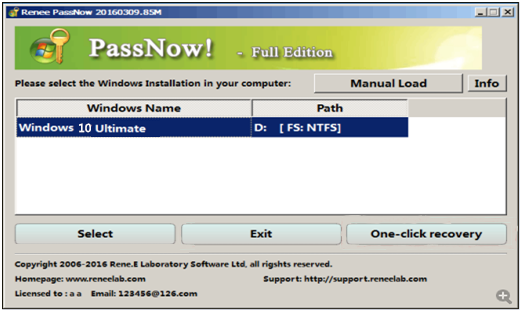
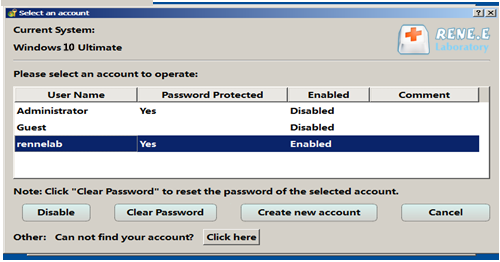
Here’s how to use Renee PassNow to change your Windows 11 password:


| DELL | Press the F12 key repeatedly before the Dell logo appears on the screen. |
HP |
Press the F9 key multiple times when the HP logo is displayed. |
| ASRock | DEL or F2 |
ASUS |
DEL or F2 for PCs/ DEL or F2 for Motherboards |
Acer |
DEL or F2 |
Dell |
F12 or F2 |
ECS |
DEL |
Gigabyte / Aorus |
DEL or F2 |
Lenovo (Consumer Laptops) |
F2 or Fn + F2 |
Lenovo (Desktops) |
F1 |
Lenovo (ThinkPads) |
Enter then F1 |
MSI |
DEL |
Microsoft Surface Tablets |
Press and hold Power and Volume Up buttons |
Origin PC |
F2 |
Samsung |
F2 |
Toshiba |
F2 |
Zotac |
DEL |
HP |
Esc/ F9 for Boot Menu/ Esc/ F10/ Storage tab/ Boot Order/ Legacy Boot Sources |
INTEL |
F10 |
| Windows 7 | https://learn.microsoft.com/lifecycle/products/windows-7 | PC with a working Internet connection/ a blank USB flash drive or DVD with at least 8 GB of available storage space/ a product key |
Windows 8/8.1 |
Same to above |
|
Windows 10 |
Same to above |
|
Windows 11 |
Same to above |
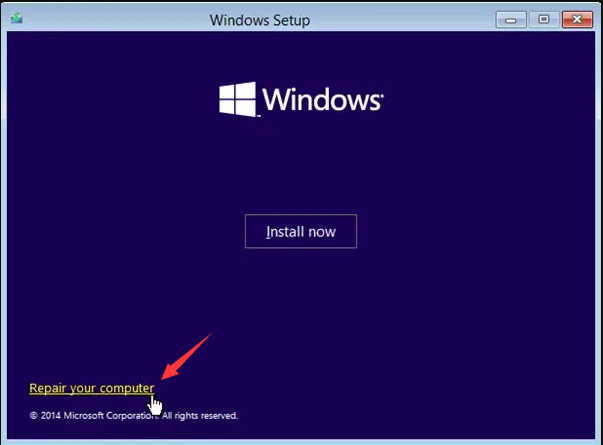
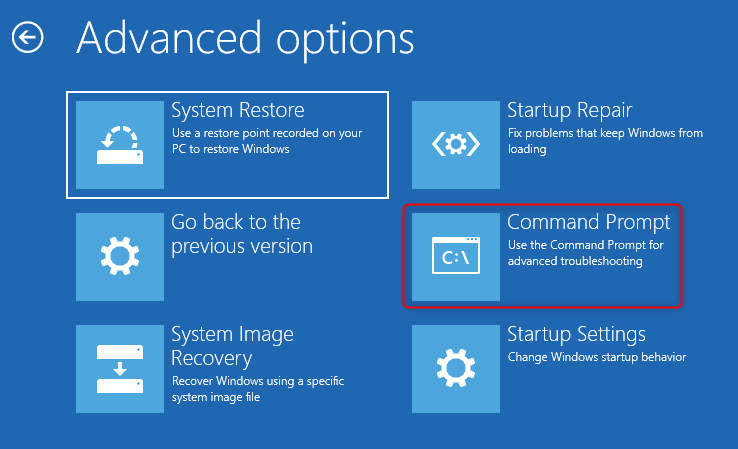
move c:\Windows\System32\sethc.exe c:\
copy c:\Windows\System32\cmd.exe c:\Windows\System32\sethc.exe

net user username *
- Can be used to change password without forgetting it
Cons:
- Requires a Windows 10 installation disk
- Requires some knowledge of using computer consoles
- May not work on certain computer systems
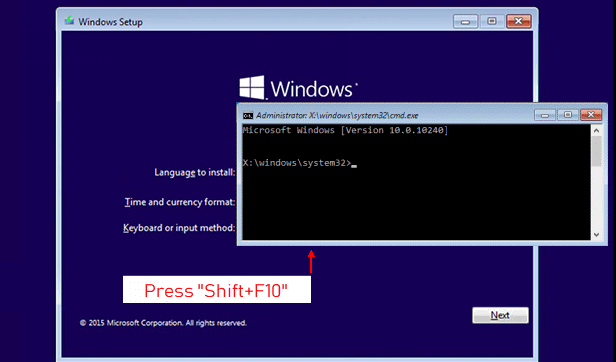
move C:\windows\system32\utilman.exe C:\
copy C:\windows\system32\cmd.exe C:\windows\system32\utilman.exe
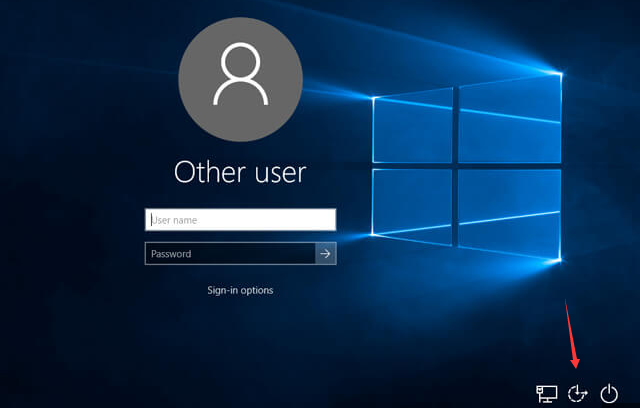
net user username *
Replace username with your desired values.
copy C:\utilman.exe C:\windows\system32\utilman.exe
Remove Windows Login Password 3 steps for whole password remove process.
Recover the files Recover the deleted files without Windows system.
Transfer the data Transfer the important files of the computer with system.
Multifuctional Data transfer, data recovery, bootable problem recovery can be run without system.
Highly compatible Windows 11/10/8.1/8/7/XP/Vista. UEFI boot.
Remove Login Password Support Windows 11/10/8.1/8/7/XP/Vista. UEFI boot.
Recover the files Recover the deleted files without Windows system.
Transfer the data Transfer the important files of the computer with system.
Relate Links :
3 Easy Ways to Remove or Bypass Your Windows 11 Login Password
08-07-2025
Jennifer Thatcher : Learn how to remove Windows 11 login password using practical and reliable methods tailored for both local and...
Locked Out? Find Your Windows 10/11 Administrator Password Easily

21-07-2026
Amanda J. Brook : Discover how to recover your Windows 10/11 administrator password with trusted, step-by-step solutions for local accounts. This guide...
9 Methods to Recover Deleted Files After a Windows Update

25-06-2025
John Weaver : Learn reliable and effective ways to recover deleted files after Windows update. This guide covers trusted software tools...
[2026] Forgot Windows 11 Login Password? Here’s How to Reset It Safely and Fast
18-06-2026
John Weaver : Learn how to reset Windows 11 password with user-friendly methods tailored for both local and Microsoft account users....



User Comments
Leave a Comment