
How to Factory Reset Dell Laptop Without Password: Step-by-Step Guide

Summary
Learn how to factory reset Dell laptop without password using built-in recovery tools or utilities like Renee PassNow. This authoritative guide ensures quick access recovery and smooth resetting, even if you’re locked out of your Dell laptop.

Table of contents


| Dell Model / Era | Operating System | Reset Method |
|---|---|---|
Inspiron / Latitude (2004–2007) |
Windows XP |
Ctrl + F11 → Dell PC Restore by Symantec |
Inspiron / XPS (2007–2010) |
Windows Vista |
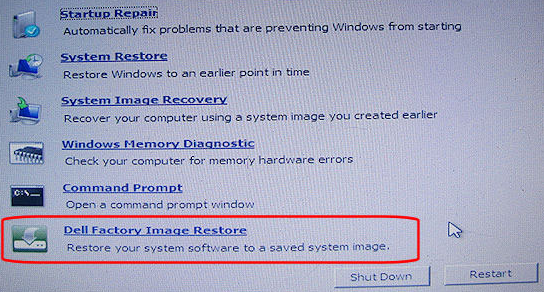
F8 → Repair Your Computer → Dell Factory Image Restore |
Inspiron / XPS / Alienware (2010–2015) |
Windows 7 |
F8 → Repair Your Computer → Dell DataSafe Restore |
All models (2015–2020) |
Windows 10 |
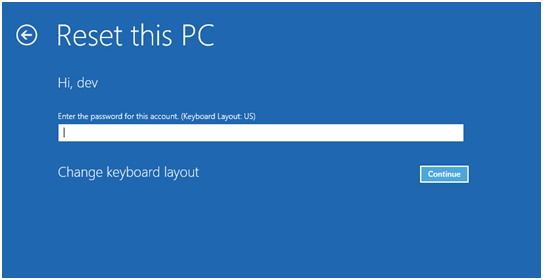
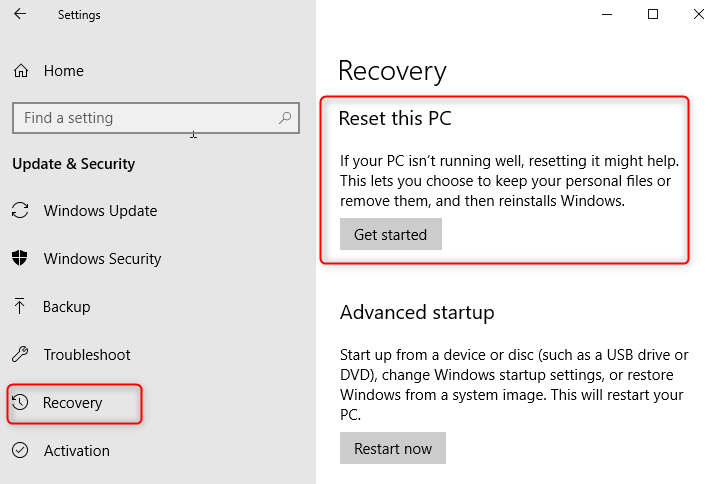
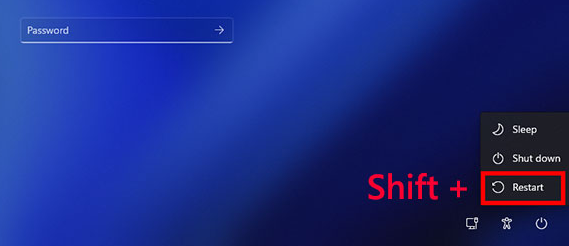
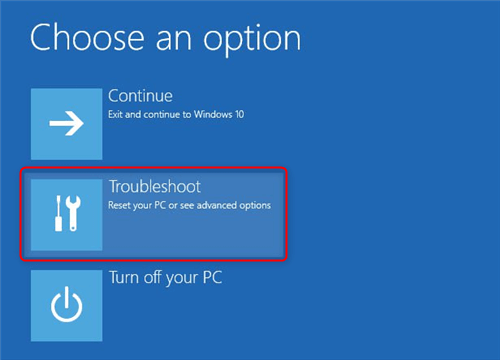
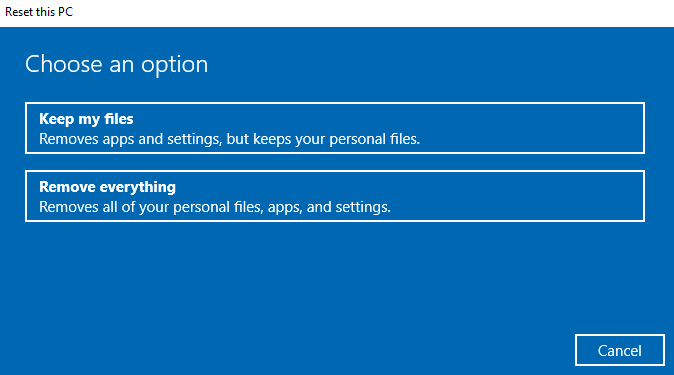
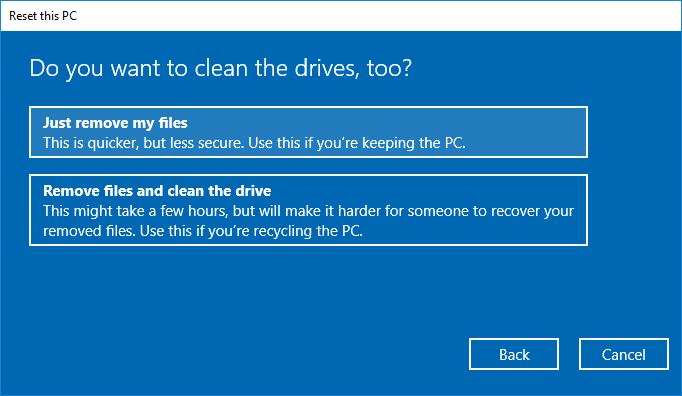
WinRE (Shift + Restart) → Reset this PC |
All models (2021–present) |
Windows 11 |
WinRE or SupportAssist OS Recovery via F12 |
Enterprise Latitude / Precision |
Windows 10/11 Pro |
BitLocker + SupportAssist OS Recovery |

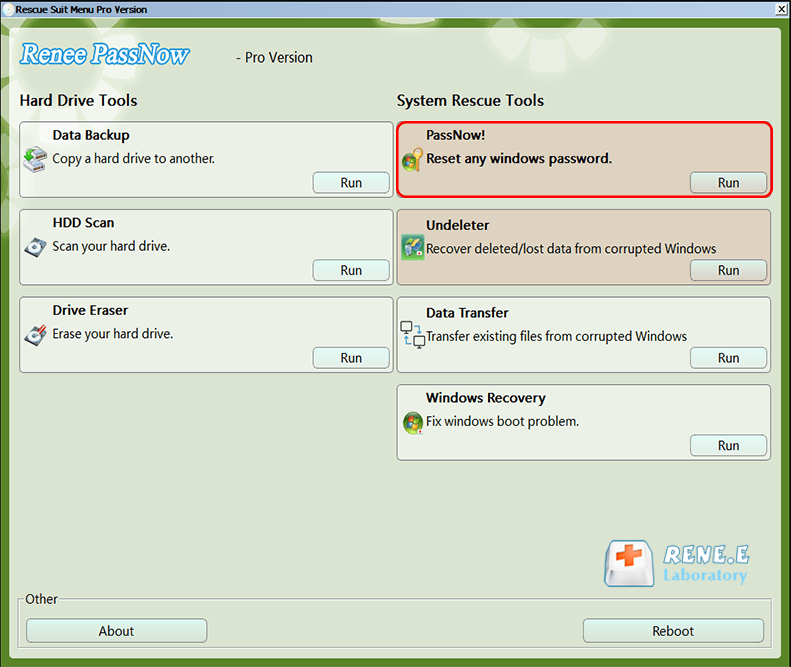
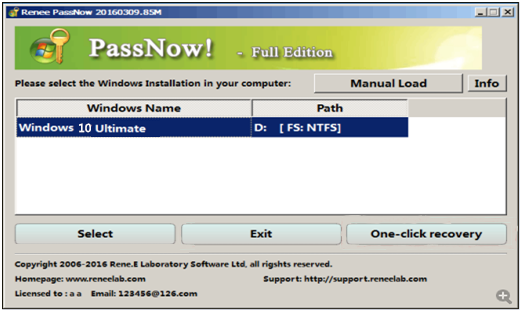
Remove Windows Login Password 3 steps for whole password remove process.
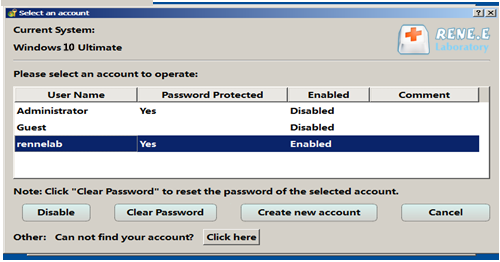
Enable/Create Administrator One click for creating new administrator and enable the disabled account.
Widely Use New version supports UEFI boot model, which can be used on more computers, laptops and even surfaces.
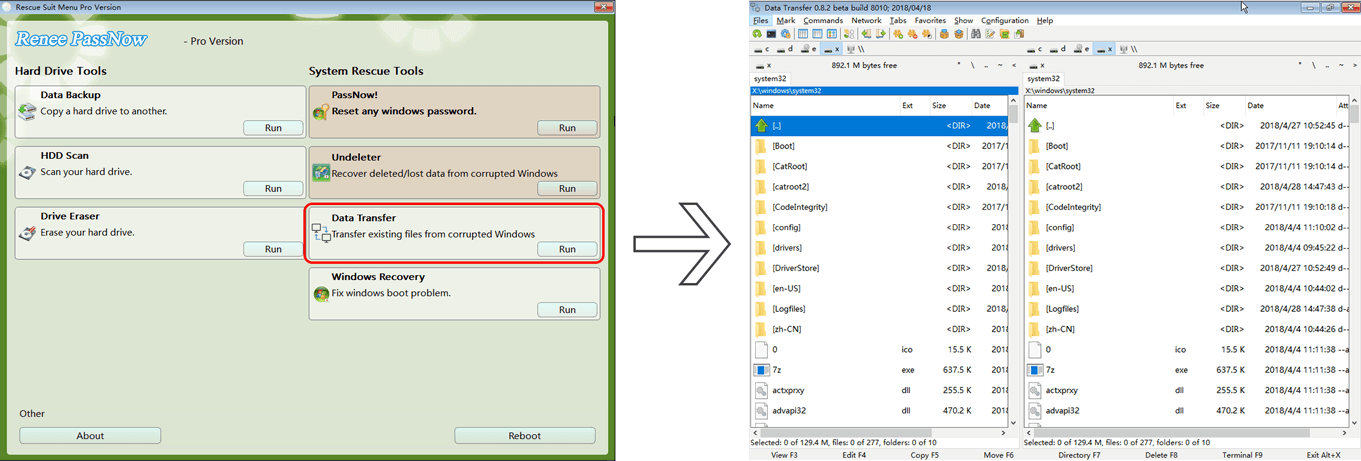
Multifuctional Data transfer, data recovery, bootable problem recovery can be run without system.
Highly compatible Windows 11/10/8.1/8/7/XP/Vista.
Remove Login Password Support Windows 11/10/8.1/8/7/XP/Vista.
Enable/Create Administrator One click for creating new administrator and enable the disabled account.
Easy to use No need of any professional knowledge or password reset disk.


| Server Type | Enter Boot Menu Method |
|---|---|
DELL |
Press the F12 key repeatedly before the Dell logo appears. |

Can I Factory Reset My Dell Laptop from the BIOS?
Will a Factory Reset Remove All Viruses from My Dell Laptop?
How Can I Back Up My Data Before a Factory Reset If I’m Locked Out?
What Should I Do If the Factory Reset Fails or the Recovery Partition Is Missing?
Remove Windows Login Password 3 steps for whole password remove process.
Enable/Create Administrator One click for creating new administrator and enable the disabled account.
Widely Use New version supports UEFI boot model, which can be used on more computers, laptops and even surfaces.
Multifuctional Data transfer, data recovery, bootable problem recovery can be run without system.
Highly compatible Windows 11/10/8.1/8/7/XP/Vista.
Remove Login Password Support Windows 11/10/8.1/8/7/XP/Vista.
Enable/Create Administrator One click for creating new administrator and enable the disabled account.
Easy to use No need of any professional knowledge or password reset disk.
Relate Links :
Resetting Your Dell Laptop: Easy Steps to Factory Reset without Password

03-09-2023
Ashley S. Miller : Discover how to factory reset your Dell laptop without a password using our comprehensive guide.
Alienware Factory Reset Without a Password: Step-by-Step Recovery Guide
21-08-2025
Ashley S. Miller : Restore your Alienware laptop or desktop with ease—even if you're locked out. This beginner-friendly guide walks you through...
How to Factory Reset Your Toshiba Laptop Without a Windows/BIOS Password

28-11-2023
Jennifer Thatcher : In this article, learn how to factory reset your Toshiba laptop without the need for a password. Discover...
Toshiba Laptop Password Reset: Unlocking Your Device
28-11-2023
Ashley S. Miller : Forgot your Toshiba laptop password and don't have a Windows build-in reset disk? Or Forgot BIOS password? Don't...



User Comments
Leave a Comment