
Top 6 Windows 11 Password Recovery Tools for 2026: The Ultimate Guide

Summary
Discover the best Windows 11 password recovery tools for 2026. Our expert guide compares the top options and walks you through simple, step-by-step instructions, so you can reset your password quickly without losing any data. Ideal for anyone who wants secure access.
Table of contents


Before You Start: Choose the Right Path
| Tool/Type | Key Features | Best For | Local Account |
Microsoft Account |
BitLocker |
|---|---|---|---|---|---|
|
Renee PassNow (Shareware) |
Easy UI 🎨, bootable USB/CD, works with local/Microsoft accounts, built‑in data backup |
✅👶 Beginners |
✅ | ✅ | ✅ (Need Recovery Key) |
|
Ophcrack (Open-Source) |
Rainbow‑table cracking 🌈, free, local accounts only |
✅ Budget users |
✅ | ❌ | ❌ |
|
John the Ripper (Command-Line) |
Brute‑force/dictionary attacks 💥, highly customizable, hash cracking |
✅ Power users |
✅ | ❌ | ❌ |
|
Trinity Rescue Kit (Live CD) |
CLI tools, Linux‑based suite 🐧, password reset, repair tools, antivirus scan |
✅ Multi‑tool recovery |
✅ | ❌ | ❌ |
|
Microsoft Account Reset |
Online reset 🌐, email/phone verification, official method |
✅ Microsoft account users |
❌ | ✅ | ✅ |
|
Command Prompt (Built-In) |
Uses install media 💿, resets local accounts via system file swap |
✅ Local accounts |
✅ | ❌ | ❌ |

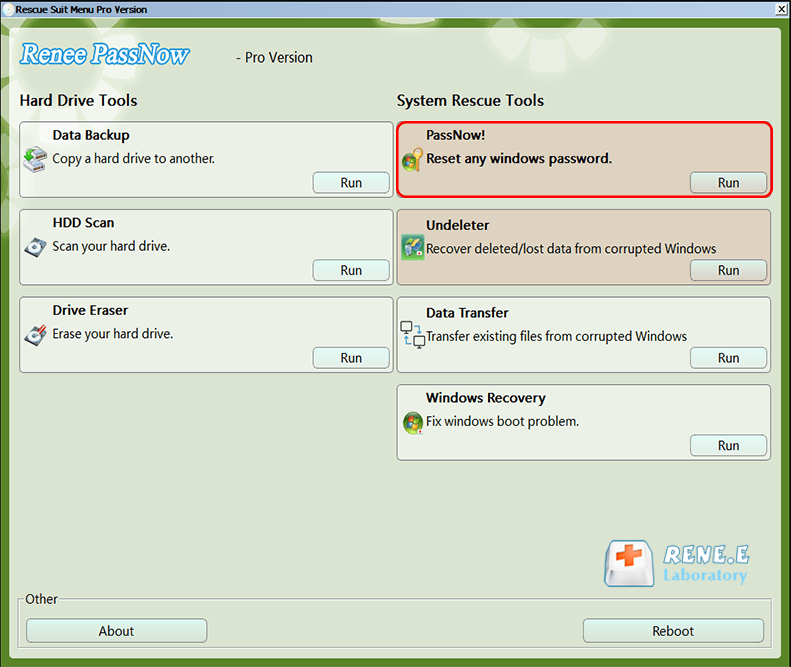
Remove Windows Login Password 3 steps for whole password remove process.
Enable/Create Administrator One click for creating new administrator and enable the disabled account.
Widely Use New version supports UEFI boot model, which can be used on more computers, laptops and even surfaces.
Multifuctional Data transfer, data recovery, bootable problem recovery can be run without system.
Highly compatible Windows 11/10/8.1/8/7/XP/Vista.
Remove Login Password Support Windows 11/10/8.1/8/7/XP/Vista.
Enable/Create Administrator One click for creating new administrator and enable the disabled account.
Easy to use No need of any professional knowledge or password reset disk.



| Device Type | Boot Menu Key |
|---|---|
Dell |
F12 |
HP |
F9 |
ASUS |
DEL or F2 |
Lenovo |
F2 or Fn + F2 |
Acer |
DEL or F2 |
MSI |
DEL |
Toshiba |
F2 |
Surface |
Power + Volume Up |
 ;
;
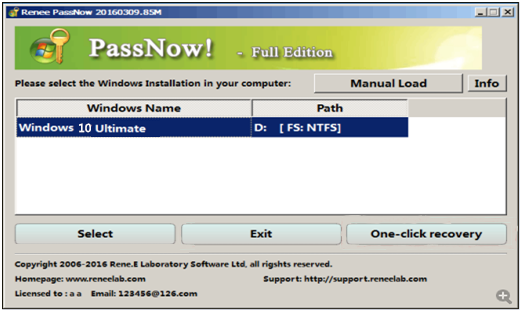
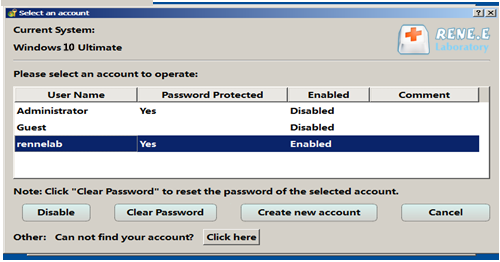
Remove Windows Login Password 3 steps for whole password remove process.
Enable/Create Administrator One click for creating new administrator and enable the disabled account.
Widely Use New version supports UEFI boot model, which can be used on more computers, laptops and even surfaces.
Multifuctional Data transfer, data recovery, bootable problem recovery can be run without system.
Highly compatible Windows 11/10/8.1/8/7/XP/Vista.
Remove Login Password Support Windows 11/10/8.1/8/7/XP/Vista.
Enable/Create Administrator One click for creating new administrator and enable the disabled account.
Easy to use No need of any professional knowledge or password reset disk.
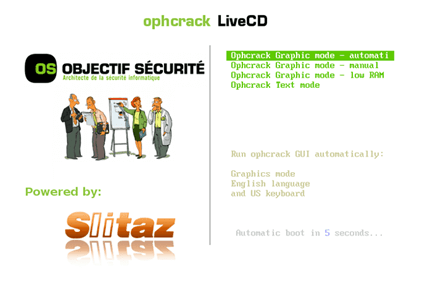

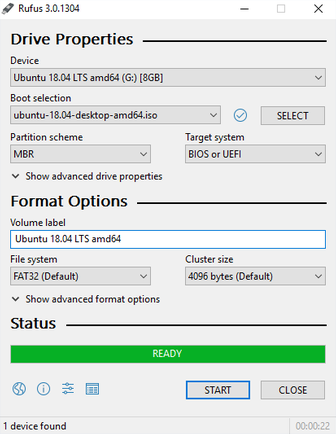

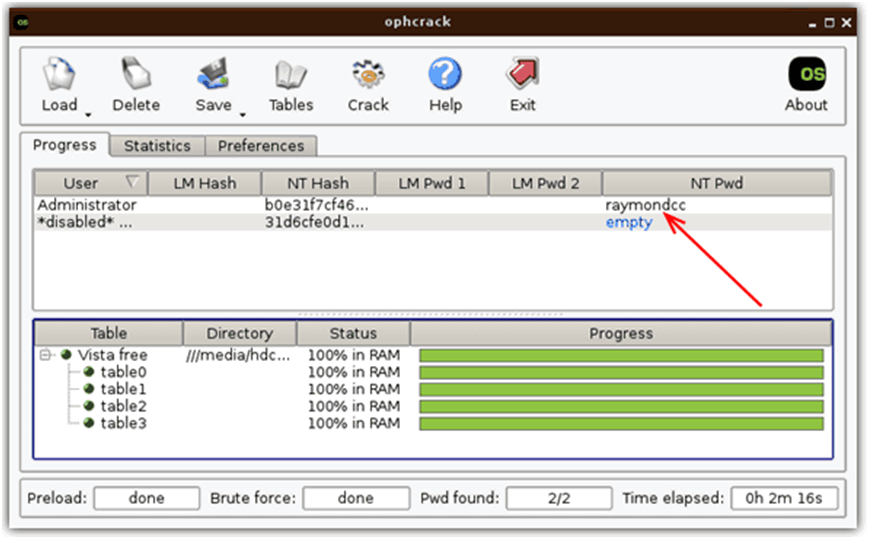
1️⃣ Install John the Ripper
2️⃣ Extract Windows Password Hashes
sudo fdisk -l # Locate NTFS partition (e.g., /dev/sda2)
sudo mkdir /mnt/win sudo mount -t ntfs /dev/sda2 /mnt/win
cd /mnt/win/Windows/System32/config/
sudo cp SAM /home/ubuntu/ sudo cp SYSTEM /home/ubuntu/
sudo umount /mnt/win
sudo apt update && sudo apt install bkhive samdump2
bkhive SYSTEM bootkey.txt
samdump2 SAM bootkey.txt > hashes.txt
3️⃣ Run John the Ripper
john –wordlist=dictionary.txt hashes.txt
4️⃣ Use Recovered Passwords
Remove Windows Login Password 3 steps for whole password remove process.
Enable/Create Administrator One click for creating new administrator and enable the disabled account.
Widely Use New version supports UEFI boot model, which can be used on more computers, laptops and even surfaces.
Multifuctional Data transfer, data recovery, bootable problem recovery can be run without system.
Highly compatible Windows 11/10/8.1/8/7/XP/Vista.
Remove Login Password Support Windows 11/10/8.1/8/7/XP/Vista.
Enable/Create Administrator One click for creating new administrator and enable the disabled account.
Easy to use No need of any professional knowledge or password reset disk.
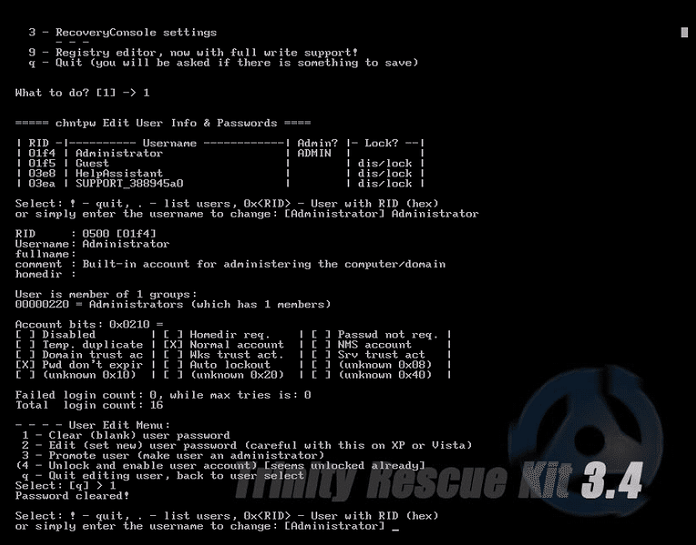
1️⃣ Download & Create Boot Media
- Get the TRK ISO from its official source.
- Create a bootable USB (with Rufus or something similar) or burn it to a CD.
2️⃣ Boot from TRK
- Insert the USB/CD into the locked PC.
- Boot and select the default mode from the startup menu.
3️⃣ Run the Winpass Utility
winpass -l
winpass -u username
4️⃣ Reboot & Log In
- Exit TRK.
- Remove the boot media.
- Log in with the new password (or leave it blank if you chose to clear it).
Remove Windows Login Password 3 steps for whole password remove process.
Enable/Create Administrator One click for creating new administrator and enable the disabled account.
Widely Use New version supports UEFI boot model, which can be used on more computers, laptops and even surfaces.
Multifuctional Data transfer, data recovery, bootable problem recovery can be run without system.
Highly compatible Windows 11/10/8.1/8/7/XP/Vista.
Remove Login Password Support Windows 11/10/8.1/8/7/XP/Vista.
Enable/Create Administrator One click for creating new administrator and enable the disabled account.
Easy to use No need of any professional knowledge or password reset disk.
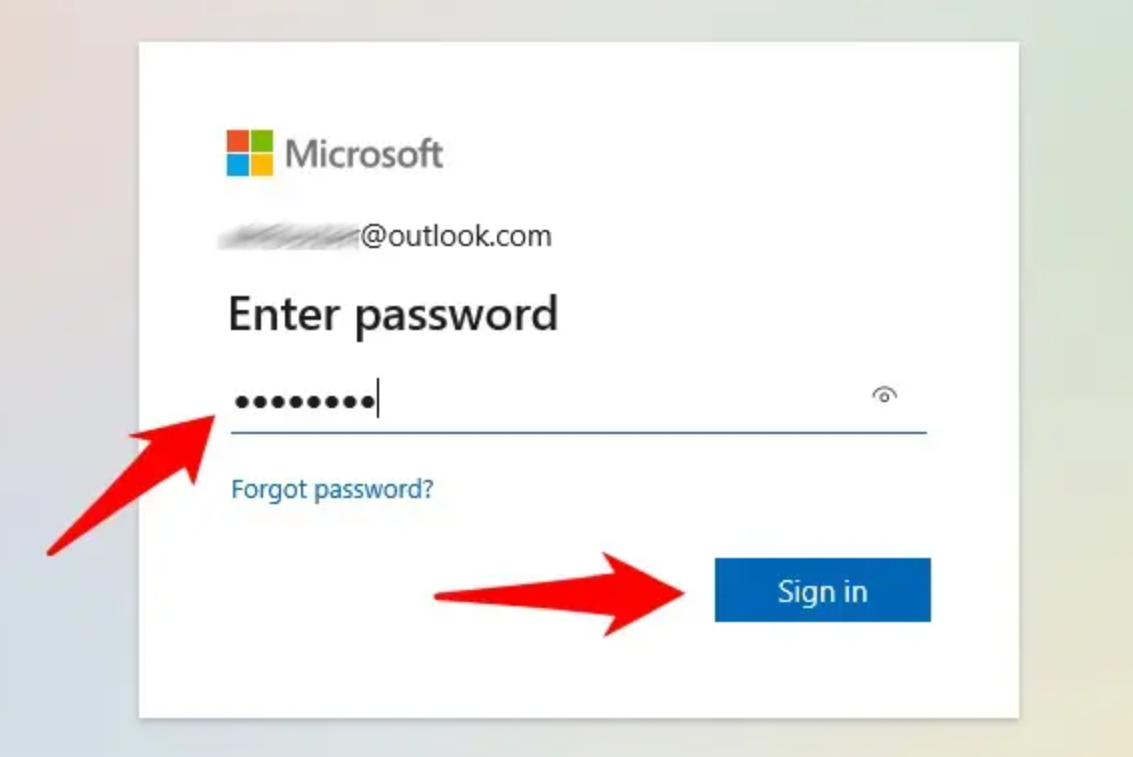
Remove Windows Login Password 3 steps for whole password remove process.
Enable/Create Administrator One click for creating new administrator and enable the disabled account.
Widely Use New version supports UEFI boot model, which can be used on more computers, laptops and even surfaces.
Multifuctional Data transfer, data recovery, bootable problem recovery can be run without system.
Highly compatible Windows 11/10/8.1/8/7/XP/Vista.
Remove Login Password Support Windows 11/10/8.1/8/7/XP/Vista.
Enable/Create Administrator One click for creating new administrator and enable the disabled account.
Easy to use No need of any professional knowledge or password reset disk.
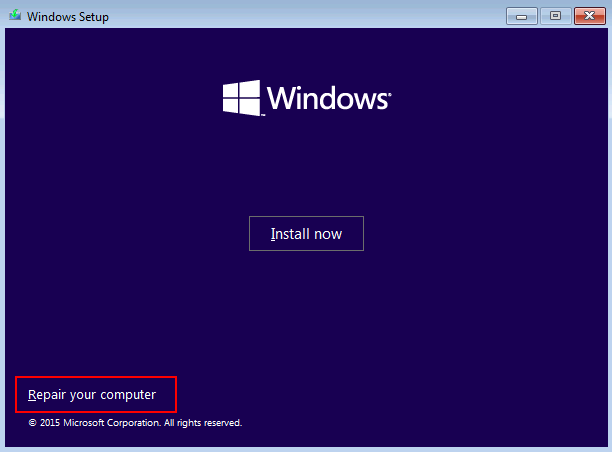
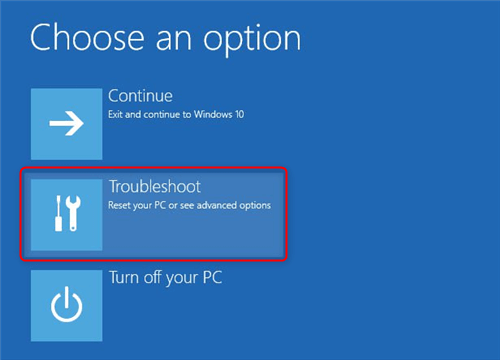
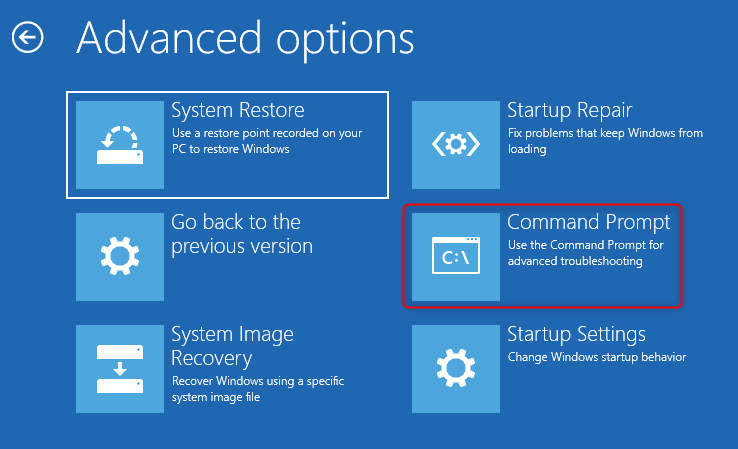
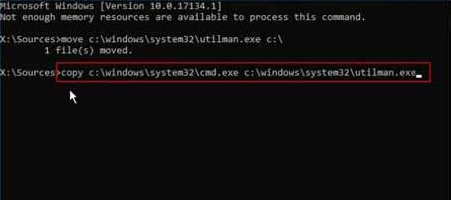
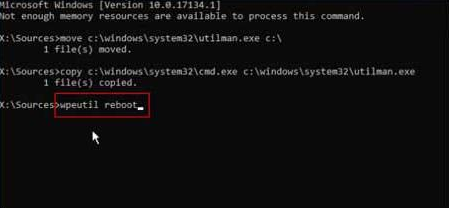
move c:\Windows\system32\utilman.exe C:\
copy c:\Windows\system32\cmd.exe c:\Windows\system32\utilman.exe


Remove Windows Login Password 3 steps for whole password remove process.
Enable/Create Administrator One click for creating new administrator and enable the disabled account.
Widely Use New version supports UEFI boot model, which can be used on more computers, laptops and even surfaces.
Multifuctional Data transfer, data recovery, bootable problem recovery can be run without system.
Highly compatible Windows 11/10/8.1/8/7/XP/Vista.
Remove Login Password Support Windows 11/10/8.1/8/7/XP/Vista.
Enable/Create Administrator One click for creating new administrator and enable the disabled account.
Easy to use No need of any professional knowledge or password reset disk.
Relate Links :
How to Safely Clone HDD to HDD: Complete Preparation, Tools, and Troubleshooting

08-07-2026
Ashley S. Miller : The provided resource details the technical procedures required to clone hdd to hdd, covering essential prerequisites such as...
HP Reset Password Disk: Complete Guide to Unlocking Your HP Laptop Without Losing Data

02-06-2026
John Weaver : This guide outlines the operational mechanics and available alternatives for an hp reset password disk when addressing Windows...
BSOD : CRITICAL_PROCESS_DIED Error (0x000000EF) - Data Recovery and System Repair
10-05-2026
Jennifer Thatcher : This comprehensive guide addresses the bsod critical_process_died error by prioritizing data recovery before any system repair attempts. It...



User Comments
Leave a Comment