
How to Fix a RAW Hard Drive When Your Laptop Won’t Boot (Without Formatting or Losing Data)

Summary
This guide outlines comprehensive methods to fix RAW hard drive issues without formatting or data loss. It covers bootable recovery utilities, partition repair tools like TestDisk, and systematic troubleshooting steps for logical corruption.
Table of contents
 Step-by-step: fix a RAW hard drive without formatting or losing data
-
- Pre-check: Understanding RAW file system and common causes
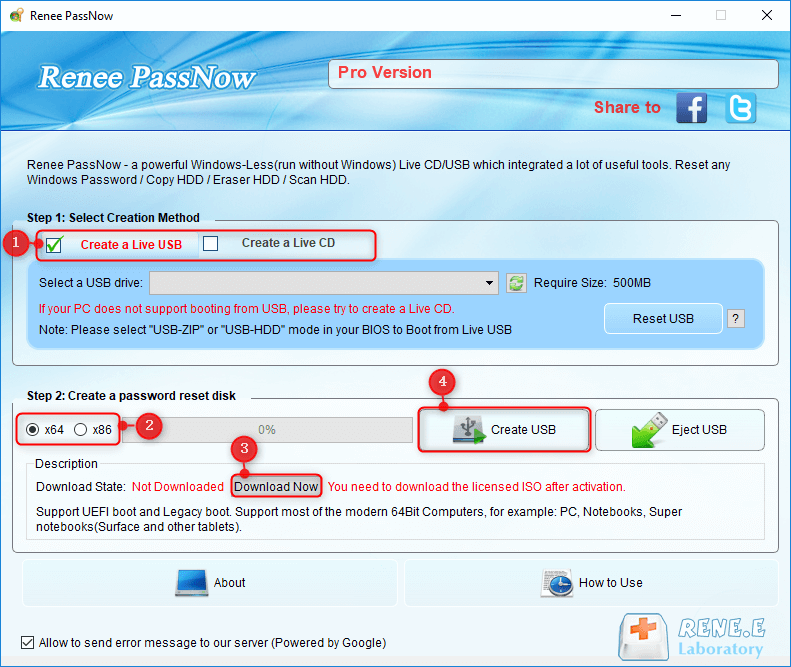
- Step 1: Create a Renee PassNow Live USB on a working computer
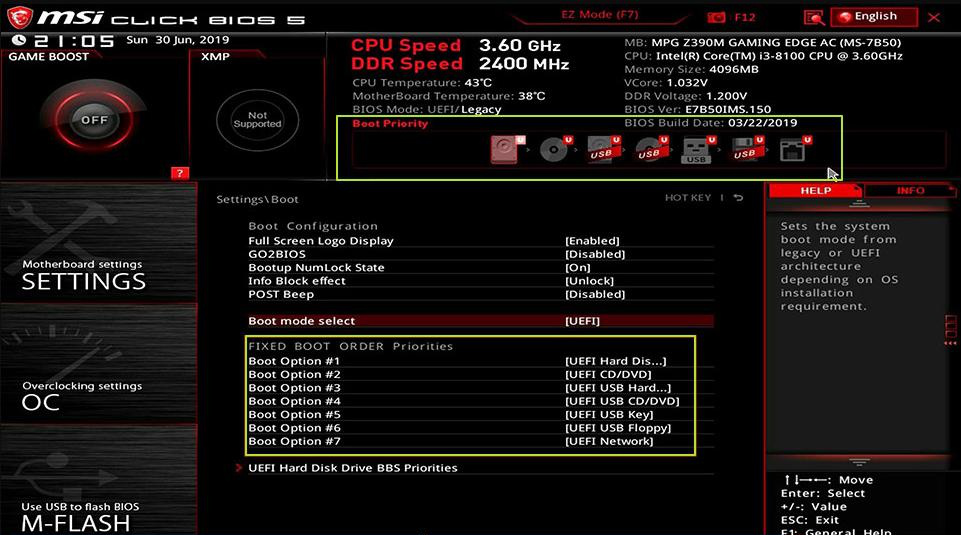
- Step 2: Boot the affected PC from the Live USB/CD
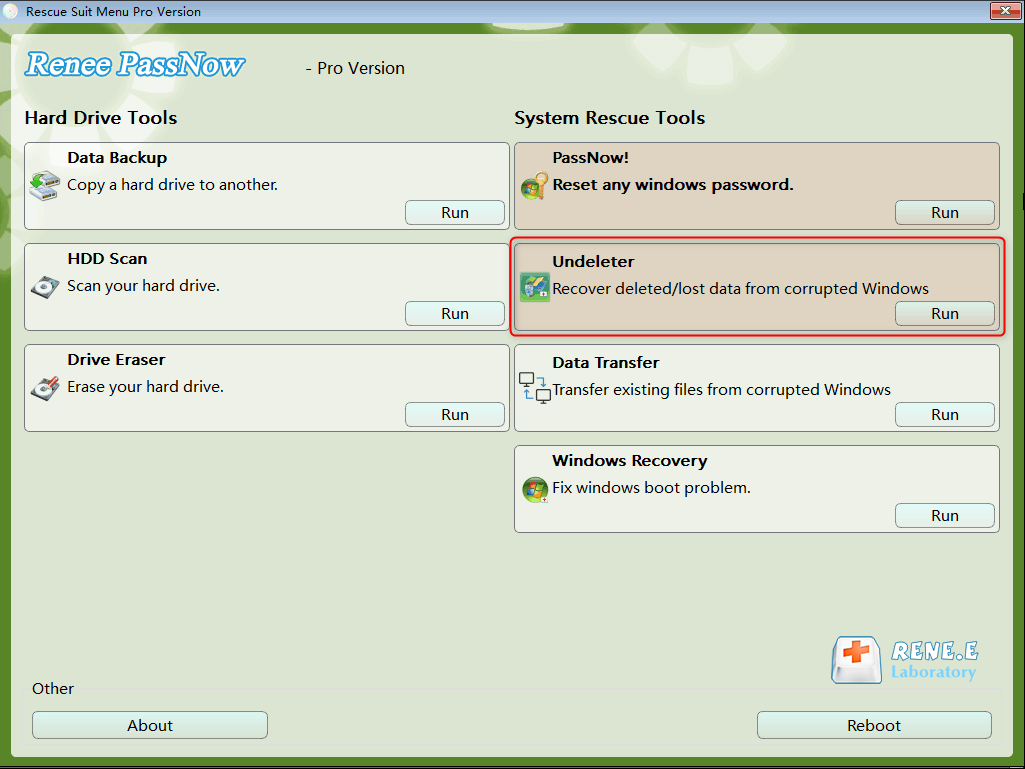
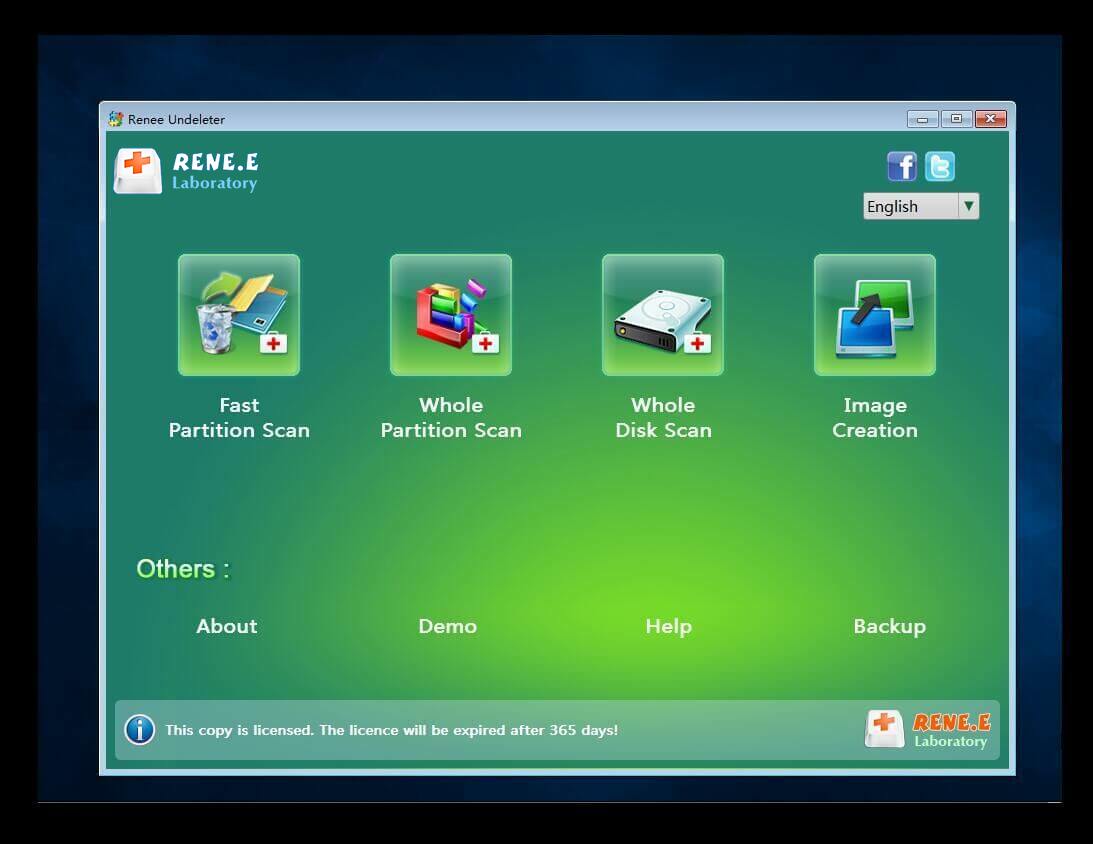
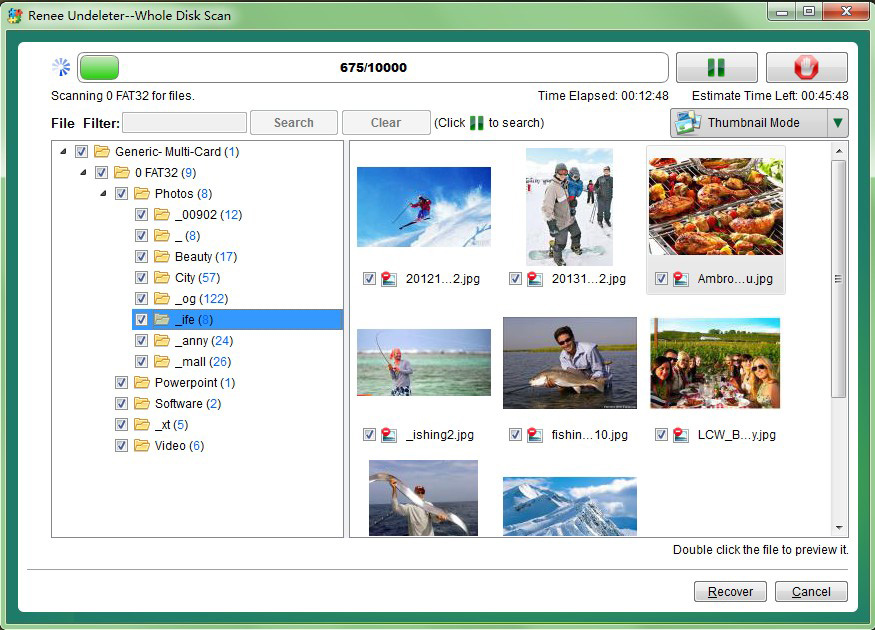
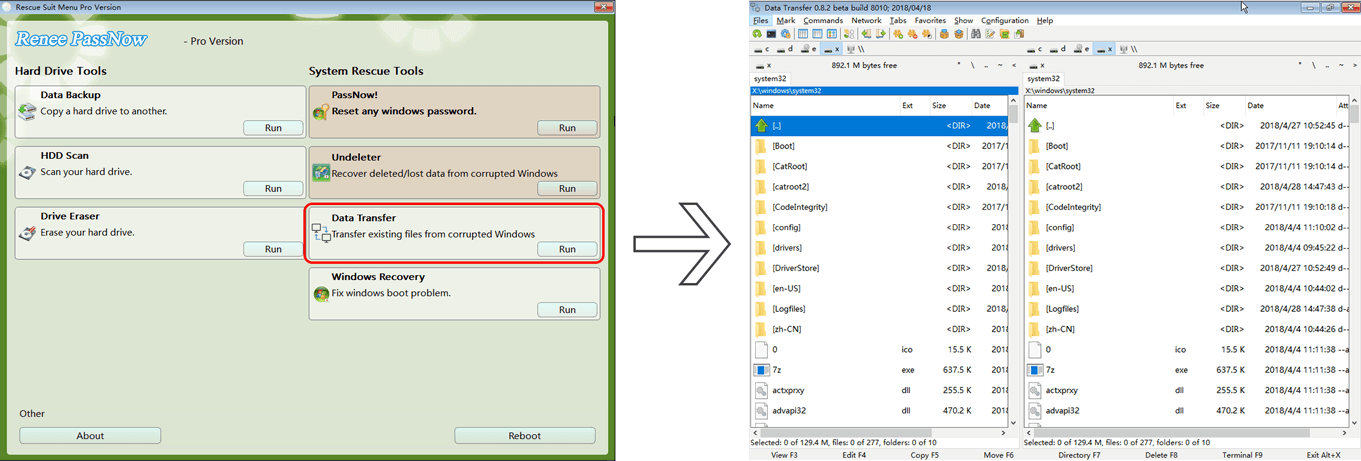
- Step 3: Recover files from the RAW drive with Undeleter or Data Transfer
- Step 4: Try a safe repair with CHKDSK (after recovery)
- Step 5: Format the drive only when data is fully secured

RAW Partition Recovery Safely extract and restore files from RAW, corrupted, or unallocated partitions without modifying the damaged file system.
Recover the files Recover the deleted files without Windows system.
Transfer the data Transfer the important files of the computer with system.
Multifuctional Data transfer, data recovery, bootable problem recovery can be run without system.
Highly compatible Windows 11/10/8.1/8/7/XP/Vista. UEFI boot.
Remove Login Password Support Windows 11/10/8.1/8/7/XP/Vista. UEFI boot.
Recover the files Recover the deleted files without Windows system.
Transfer the data Transfer the important files of the computer with system.
| Cause | What happens |
|---|---|
Improper ejection |
Removing a USB drive while data is being written can corrupt file tables. |
Sudden power loss |
An unexpected shutdown during a write cycle can leave the file system in an inconsistent state. |
Bad sectors |
Physical defects where critical metadata resides make the volume unreadable. |
Virus or malware |
Malicious code can damage the partition table or boot sector. |
Partition table damage |
Accidental deletion, failed resizing, or MBR/GPT corruption turns a partition into RAW. |


| BIOS / Computer Brand | Boot Menu Key | BIOS Setup Key |
|---|---|---|
DELL |
F12 |
F2 |
HP |
F9 (boot menu) / Esc → F9 |
Esc → F10 (some models F10 direct) |
ASUS |
Esc (laptops) / F8 (desktops) |
F2 or Delete |
Acer |
F12 (must be enabled in BIOS) |
F2 or Delete |
Lenovo (Consumer Laptops) |
F12 (some models Novo Button) |
F2 |
Lenovo (Desktops) |
F12 |
F1 |
Lenovo (ThinkPads) |
F12 |
F1 |
MSI |
F11 |
Delete |
Samsung |
F10 or F11 (varies by model) |
F2 |
Gigabyte / Aorus |
F12 |
Delete |
Intel (NUC / Boards) |
F10 |
F2 |
Microsoft Surface Tablets |
Hold Volume Down + Power (boot menu) |
Hold Volume Up + Power (UEFI) |
RAW Partition Recovery Safely extract and restore files from RAW, corrupted, or unallocated partitions without modifying the damaged file system.
Recover the files Recover the deleted files without Windows system.
Transfer the data Transfer the important files of the computer with system.
Multifuctional Data transfer, data recovery, bootable problem recovery can be run without system.
Highly compatible Windows 11/10/8.1/8/7/XP/Vista. UEFI boot.
Remove Login Password Support Windows 11/10/8.1/8/7/XP/Vista. UEFI boot.
Recover the files Recover the deleted files without Windows system.
Transfer the data Transfer the important files of the computer with system.
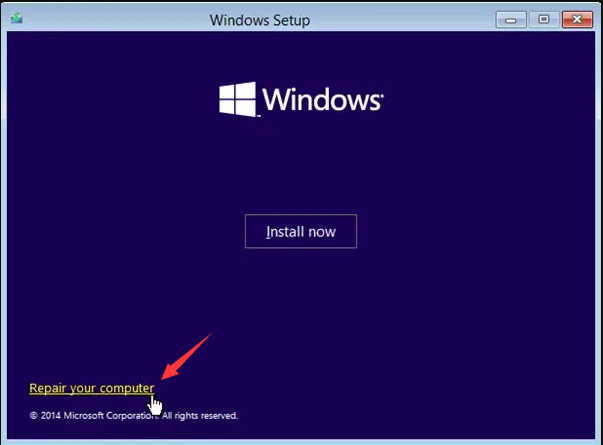
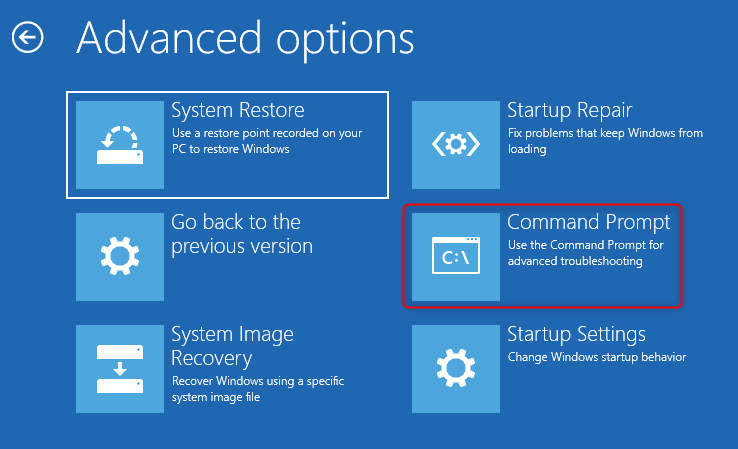
chkdsk X: /f
Important notes
| Attribute | CHKDSK details |
|---|---|
Supported Windows versions |
Windows XP through Windows 11 |
Prerequisites |
Drive must appear in Disk Management; run from Recovery Environment console |
Runtime limitations |
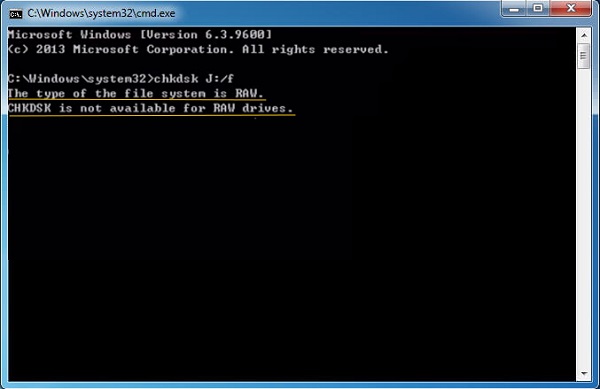
Often reports “RAW drive” error on severely damaged volumes |
Performance characteristics |
Fast on healthy drives; slow or unstable on drives with bad sectors |
Does CHKDSK work on a RAW drive?
What causes a hard drive to become RAW?
Is a RAW drive a sign of permanent physical damage?
RAW Partition Recovery Safely extract and restore files from RAW, corrupted, or unallocated partitions without modifying the damaged file system.
Recover the files Recover the deleted files without Windows system.
Transfer the data Transfer the important files of the computer with system.
Multifuctional Data transfer, data recovery, bootable problem recovery can be run without system.
Highly compatible Windows 11/10/8.1/8/7/XP/Vista. UEFI boot.
Remove Login Password Support Windows 11/10/8.1/8/7/XP/Vista. UEFI boot.
Recover the files Recover the deleted files without Windows system.
Transfer the data Transfer the important files of the computer with system.
Relate Links :
External Hard Drive RAW Fix: Step-by-Step Guide

19-12-2023
Jennifer Thatcher : Learn how to solve the issue "external hard drive raw fix" and recover data from the hard drive...
Fatal Hard Drive Recovery Mistakes to Avoid When Your Drive Crashes

27-07-2026
John Weaver : This article outlines critical hard drive recovery mistakes that can lead to permanent data loss during a drive...
Physical vs. Logical Hard Drive Failure: How to Tell the Difference

24-07-2026
Amanda J. Brook : This article provides a comprehensive analysis of physical vs logical hard drive failure, detailing the distinct symptoms, causes,...
How to Copy a Hard Drive Safely: A Complete Guide to Cloning, Migration & Boot Issues
17-07-2026
Ashley S. Miller : The provided content details technical procedures to copy hard drive data, distinguishing between file-level transfers and sector-by-sector cloning....



User Comments
Leave a Comment