
“Keep My Files” Reset Requires Password Workaround: How to Bypass the Prompt

Summary
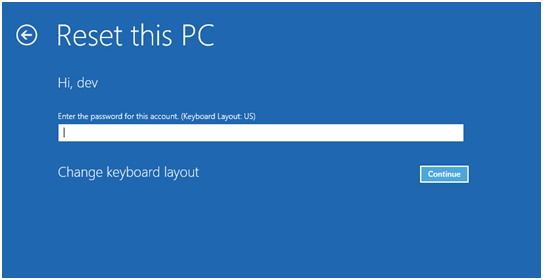
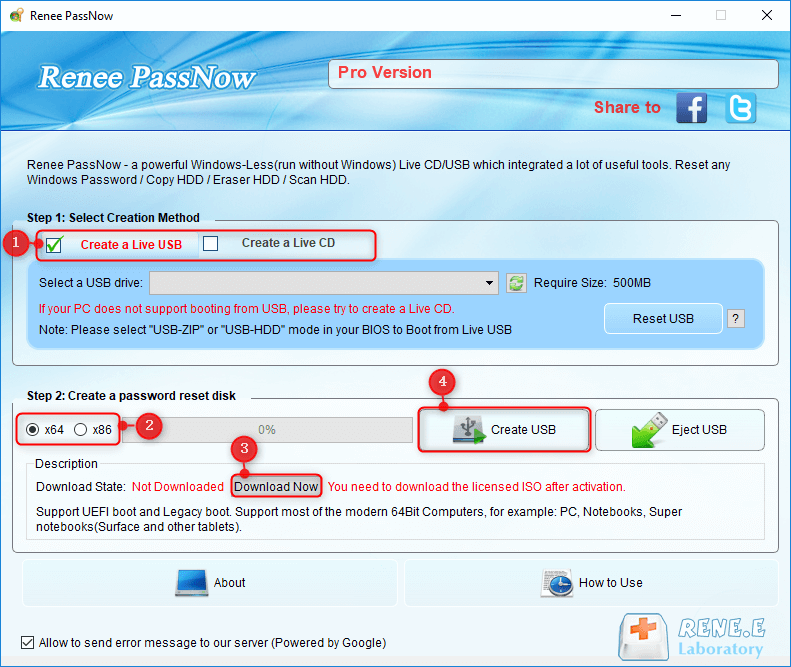
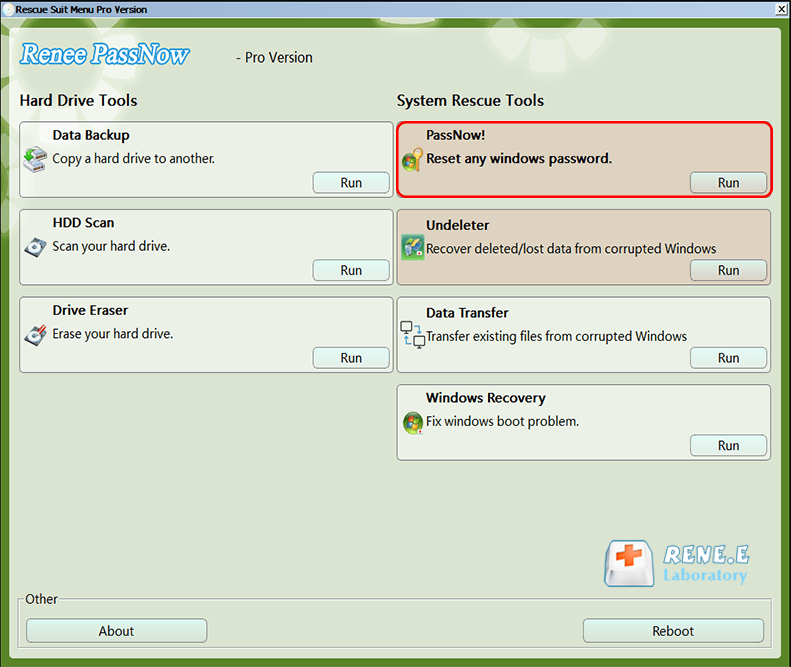
This guide explains how to work around the password prompt during a 'Keep my files' reset by clearing account authentication barriers before starting the system reset. It details the use of bootable tools like Renee PassNow to remove password requirements while preserving personal data and ensuring a successful Windows recovery process.
Table of contents

| Common Options in Windows Recovery Environment | What it does | Password required | Best use case |
|---|---|---|---|
Keep my files |
Reinstalls Windows while keeping personal files |
Yes – administrator password needed |
Repair system without losing documents |
Remove everything |
Erases all files, apps, and settings |
No (BitLocker recovery key may be required) |
Prepare PC for resale or a fresh start |
Restore |
Rolls back Windows to a previous restore point |
Yes – administrator password usually required |
Undo recent system changes without reinstalling |
Startup Repair |
Fixes boot problems automatically |
No (may ask for BitLocker key) |
Recover from startup failures when Windows won’t boot |

Remove Windows Login Password 3 steps for whole password remove process.
Recover the files Recover the deleted files without Windows system.
Transfer the data Transfer the important files of the computer with system.
Multifuctional Data transfer, data recovery, bootable problem recovery can be run without system.
Highly compatible Windows 11/10/8.1/8/7/XP/Vista. UEFI boot.
Remove Login Password Support Windows 11/10/8.1/8/7/XP/Vista. UEFI boot.
Recover the files Recover the deleted files without Windows system.
Transfer the data Transfer the important files of the computer with system.


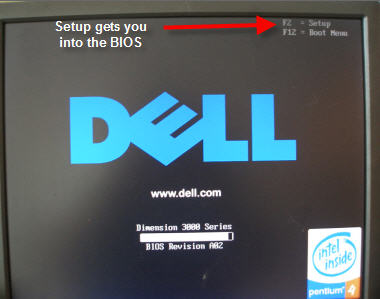
| BIOS / Computer Brand | Boot Menu Key |
|---|---|
DELL |
F12 |
HP |
F9 |
ASUS |
Esc or F8 |
Acer |
F12 |
Lenovo |
F12 or F1 |
MSI |
F11 |
Samsung |
F10 or F11 |
Gigabyte |
F12 |
Intel NUC |
F10 |
Microsoft Surface |
Volume Down + Power |
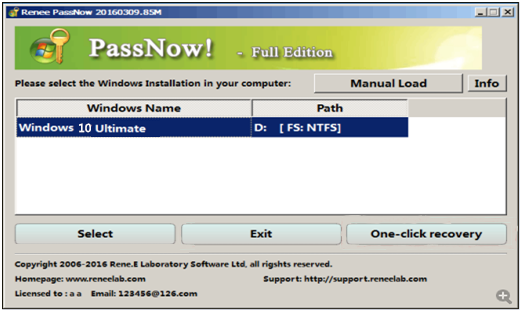
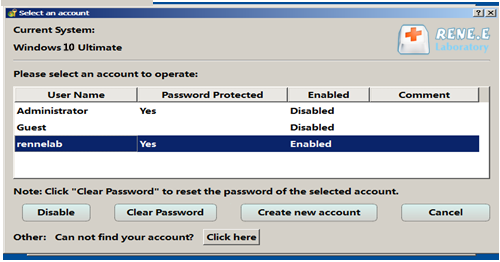
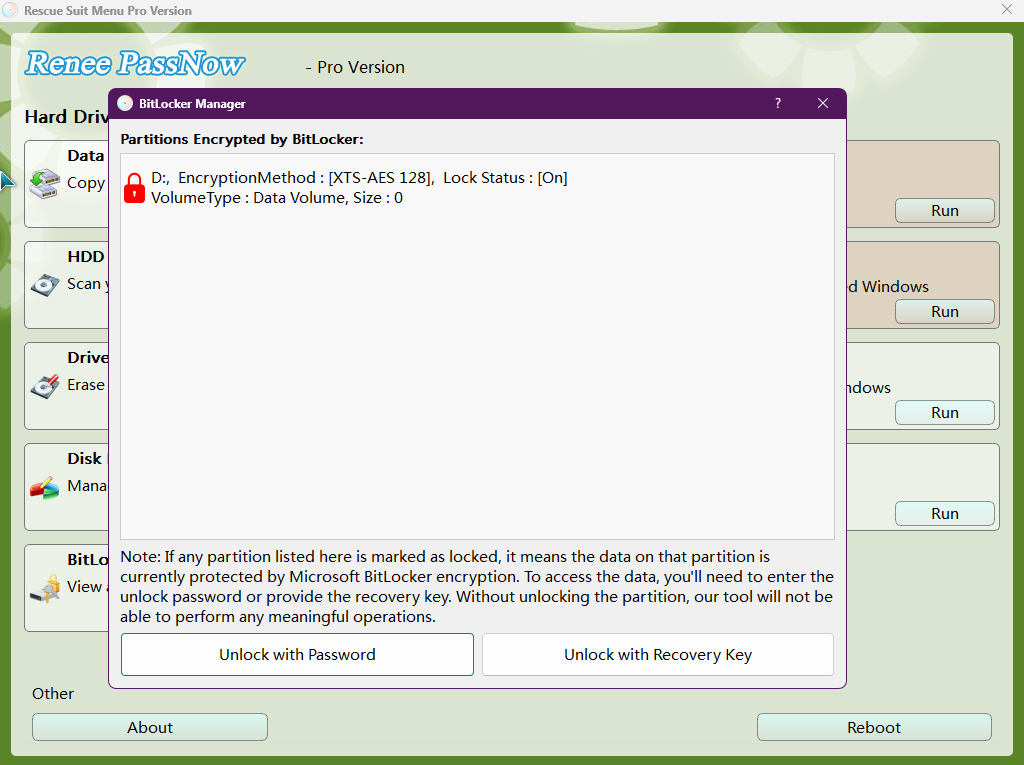

| Item | Details |
|---|---|
Supported system versions |
Windows 10 and Windows 11; older Windows versions don’t have the same Reset this PC flow. |
Required conditions |
An administrator-capable account or cleared password, working recovery environment, and enough free disk space. |
Runtime limitations |
Removes installed desktop apps and drivers; settings are reset to defaults. |
Typical performance |
Usually 20–40 minutes, depending on disk speed and system load. |
Remove Windows Login Password 3 steps for whole password remove process.
Recover the files Recover the deleted files without Windows system.
Transfer the data Transfer the important files of the computer with system.
Multifuctional Data transfer, data recovery, bootable problem recovery can be run without system.
Highly compatible Windows 11/10/8.1/8/7/XP/Vista. UEFI boot.
Remove Login Password Support Windows 11/10/8.1/8/7/XP/Vista. UEFI boot.
Recover the files Recover the deleted files without Windows system.
Transfer the data Transfer the important files of the computer with system.
C:\Users\YourName to ensure your Documents, Photos, and Desktop files are still there.
Why does Keep my files ask for a password at all?
Can I bypass the password prompt directly without clearing it first?
Will Renee PassNow delete my personal files?
What if my drive is encrypted with BitLocker?
Remove Windows Login Password 3 steps for whole password remove process.
Recover the files Recover the deleted files without Windows system.
Transfer the data Transfer the important files of the computer with system.
Multifuctional Data transfer, data recovery, bootable problem recovery can be run without system.
Highly compatible Windows 11/10/8.1/8/7/XP/Vista. UEFI boot.
Remove Login Password Support Windows 11/10/8.1/8/7/XP/Vista. UEFI boot.
Recover the files Recover the deleted files without Windows system.
Transfer the data Transfer the important files of the computer with system.
Relate Links :
Unlocking Your iPhone: How to Factory Reset iPhone 7 without Password or Computer

19-12-2023
Ashley S. Miller : Learn how to factory reset your iPhone 7 without password or computer with these easy methods, including using...
Accessing HP Recovery: Factory Resetting Without Password on Windows 7
29-11-2023
Ashley S. Miller : Lost your password and need to reset your HP laptop? Don't worry, this article will guide you through...
Locked Out of My Computer: Strategies for Regaining Access

21-11-2023
John Weaver : Don't panic if you find yourself unable to access your computer. With a few simple strategies, you can...



User Comments
Leave a Comment