
How to Resolving Intel VMD/RST Cloning Blue Screen Errors

Summary
This guide explains how to fix boot failures caused by Intel VMD/RST controller conflicts after cloning Windows to a new SSD. It covers essential BIOS configuration checks, storage mode adjustments, and driver repair techniques.
Table of contents

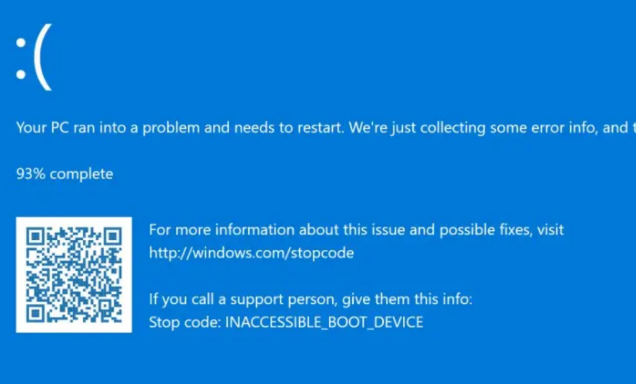
INACCESSIBLE_BOOT_DEVICE error—often appears after cloning Windows to a new SSD on a modern Intel system. This guide will walk you through BIOS mode adjustments, storage driver repairs, boot order cleanup, and safe re-cloning options to help your cloned drive boot independently, all without needing to reinstall Windows.
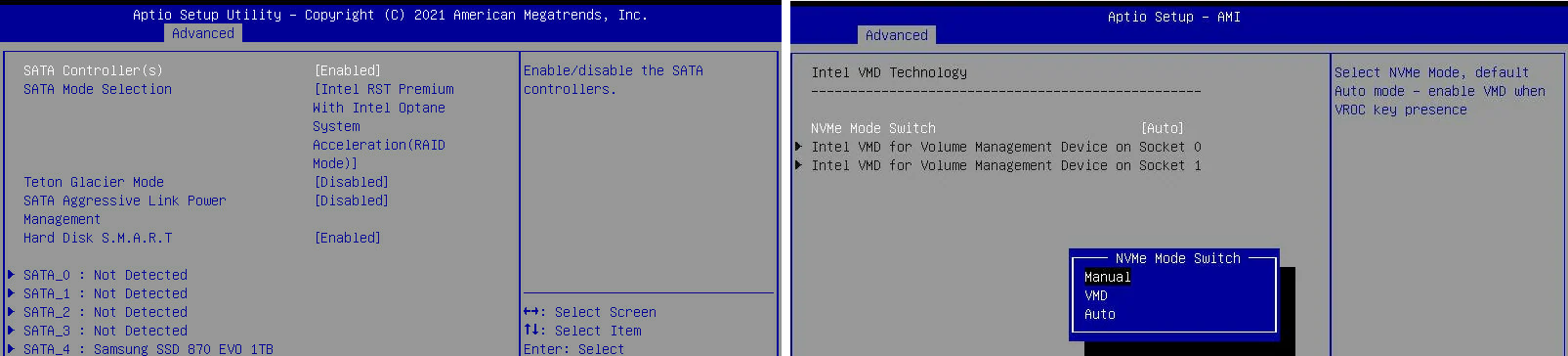
Quick Test 1: Toggle Intel VMD/RST mode in BIOS
Quick Test 2: Physically disconnect the original source drive.
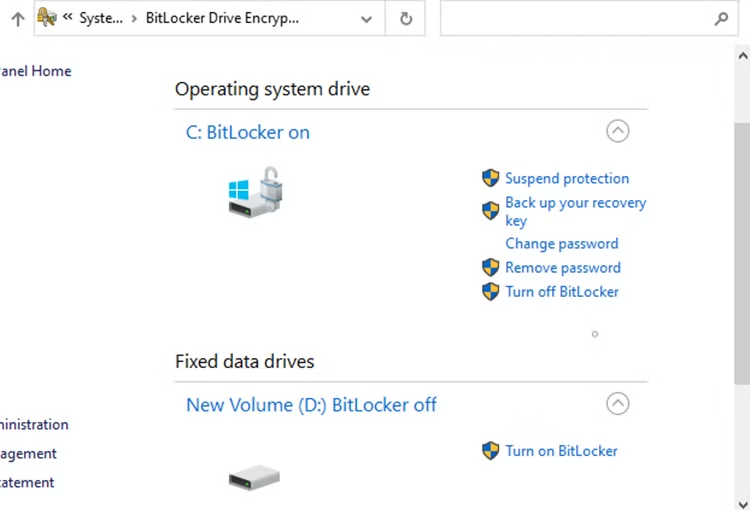
Suspend BitLocker
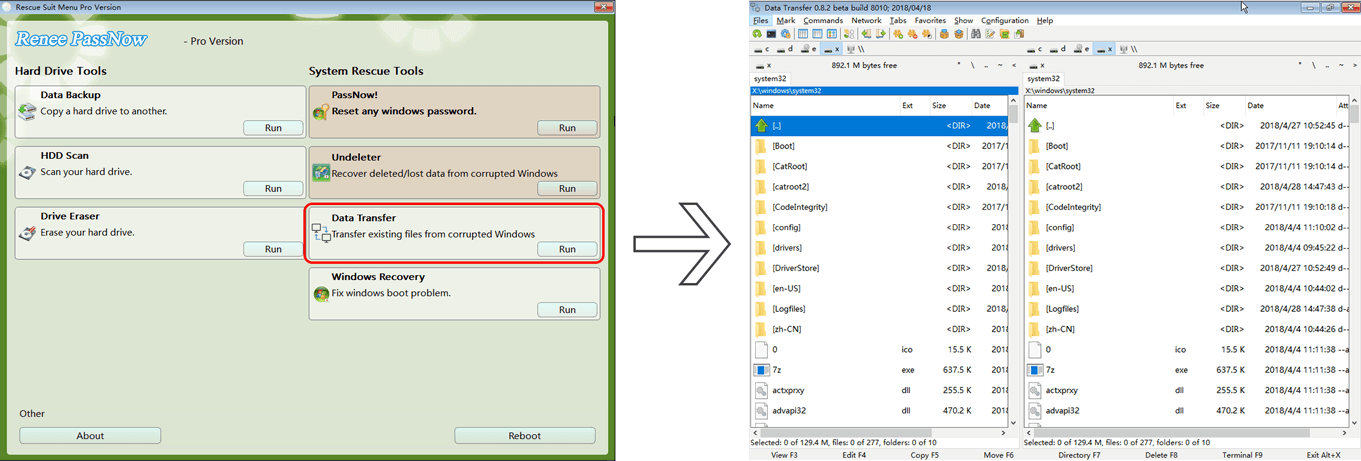
Prepare a recovery path
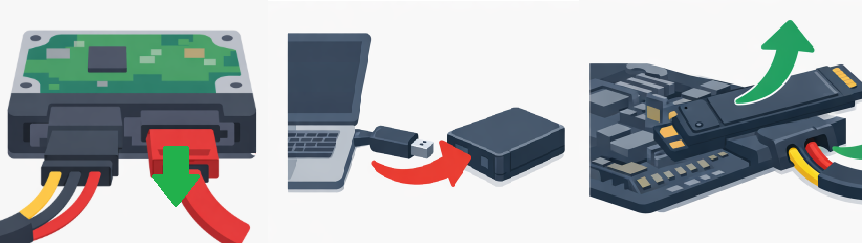
Del, F2, F10, or Esc are common).

INACCESSIBLE_BOOT_DEVICE error after cloning.
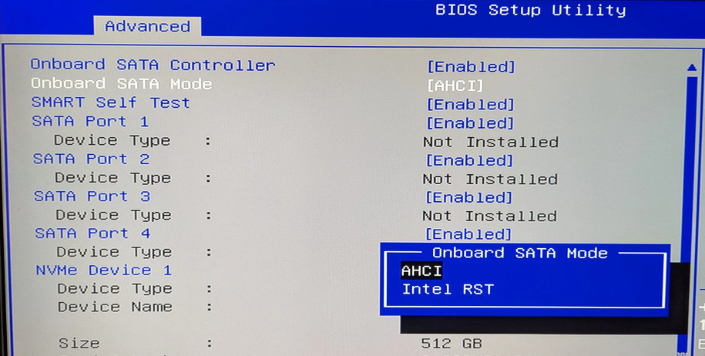
Which BIOS mode matches the driver?
| Cloned Windows storage driver | BIOS storage mode to try |
|---|---|
Standard Microsoft AHCI/NVMe driver |
Intel VMD Off or AHCI mode |
Intel RST/VMD driver with |
Intel VMD On or RST mode |
Renee Becca overview
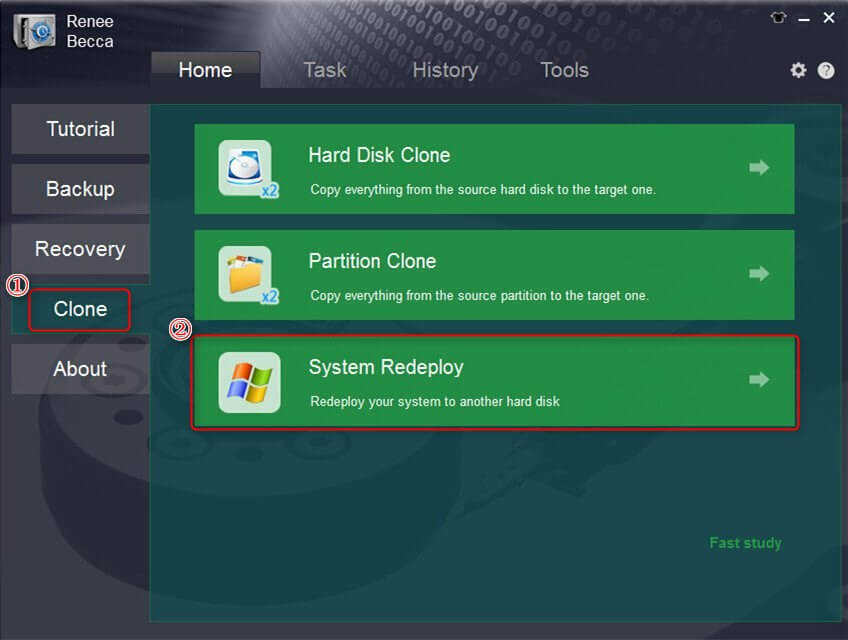
- Simple, clear interface for users of all skill levels
- Multiple backup and cloning options for disks, partitions, system-only, or files
- Supports partition resizing during clone operations
- Incremental and differential backups save time and disk space
- Free for non-Windows disk cloning operations
Disadvantages:
- Windows-only software; Mac and Linux users require alternatives
- Advanced features may require purchase after the trial
- System migration requires the target drive capacity to exceed the source system size
- All data on the target disk is erased during migration or cloning

Automatic 4K alignment Improves SSD performance during system migration.
Support GPT and MBR Automatically adapt to the suitable partition format.
Support NTFS and FAT32 Redeploy various files in different file systems.
Back up quickly Back up files at up to 3,000MB/min.
Overall backup schedule Support system redeployment/system backup/partition backup/disk backup/disk clone.
Automatic 4K alignment Improve SSD performance
Support GPT and MBR Intelligently adapt to a partition format
Support NTFS and FAT32 Redeploy files in different file systems
What is the difference between VMD and AHCI mode, and which should I keep after cloning?
What does the iaStorVD.sys BSOD mean and how does it relate to Intel VMD/RST?
iaStorVD.sys is the Intel RST VMD driver. A BSOD or Device Manager warning related to iaStorVD.sys means Windows is trying to load a VMD driver that is missing, incompatible, or not supported in the current BIOS mode. The fix is to align the BIOS storage mode with the driver, update the driver in Safe Mode, or inject the correct driver from WinRE.
Can Safe Mode bypass the VMD driver failure after cloning?
Is removing the old drive enough to fix post-clone boot conflicts?
Do I need to re-clone with Renee Becca, or are BIOS/driver fixes sufficient?
Automatic 4K alignment Improves SSD performance during system migration.
Support GPT and MBR Automatically adapt to the suitable partition format.
Support NTFS and FAT32 Redeploy various files in different file systems.
Back up quickly Back up files at up to 3,000MB/min.
Overall backup schedule Support system redeployment/system backup/partition backup/disk backup/disk clone.
Automatic 4K alignment Improve SSD performance
Support GPT and MBR Intelligently adapt to a partition format
Support NTFS and FAT32 Redeploy files in different file systems
Relate Links :
How to Fix the INACCESSIBLE_BOOT_DEVICE BSOD After Cloning a Drive

15-07-2026
Jennifer Thatcher : This comprehensive guide outlines the technical procedures to fix inaccessible boot device after cloning a storage drive. It...
Critical Process Died ntoskrnl.exe: How to Fix the BSOD Error in Windows 10/11
17-03-2026
Jennifer Thatcher : This article analyzes the critical_process_died ntoskrnl exe Blue Screen of Death error in Windows environments. It outlines common...



User Comments
Leave a Comment