
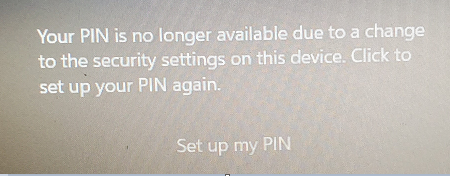
How to Fix TPM Errors Causing Windows 10 PIN Unavailability

Summary
This guide provides comprehensive methods to fix the “TPM error: PIN unavailable” issue in Windows 10 by addressing root causes such as BIOS updates, TPM state mismatches, and corrupted Ngc folder data. It outlines a prioritized troubleshooting sequence from password sign-in and PIN recreation to advanced steps like clearing the TPM.

| Trigger / Cause | Recommended First Fix | Risk Level | Notes / Potential Roadblocks |
|---|---|---|---|
🔧 BIOS / Firmware Update |
🟡 Moderate |
This option won't work if the account password is unknown. |
|
🔒 TPM Cleared or Disabled |
🟠 Elevated |
Requires access to BIOS/UEFI settings. |
|
🪟 Windows Update Issue |
🟠 Elevated |
Repairing the NGC folder typically requires administrator privileges. |
|
⚡ Fast Startup / fTPM Conflict |
🟢 Low |
Requires access to Control Panel settings. |
tpm.msc check (Intermediate)

Create New Admin Account Instantly create a new local administrator account to regain access and clear PIN status.
Recover the files Recover the deleted files without Windows system.
Transfer the data Transfer the important files of the computer with system.
Multifuctional Data transfer, data recovery, bootable problem recovery can be run without system.
Highly compatible Windows 11/10/8.1/8/7/XP/Vista. UEFI boot.
Remove Login Password Support Windows 11/10/8.1/8/7/XP/Vista. UEFI boot.
Recover the files Recover the deleted files without Windows system.
Transfer the data Transfer the important files of the computer with system.
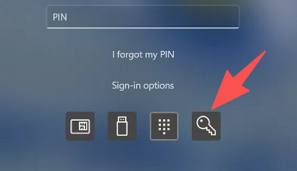
Win + R.
tpm.msc
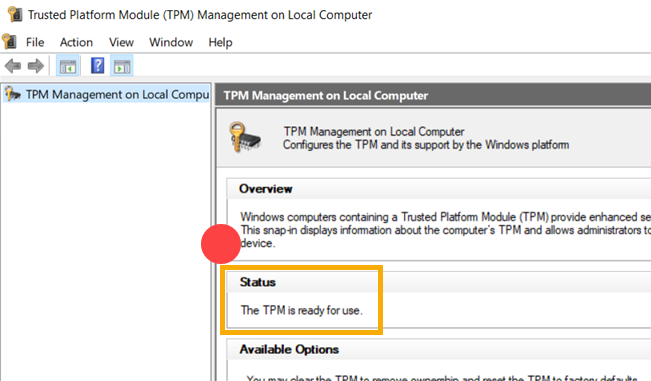
tpm.msc reports that no TPM is available, it may be disabled in your system firmware.
F2, F10, F12, or Del).
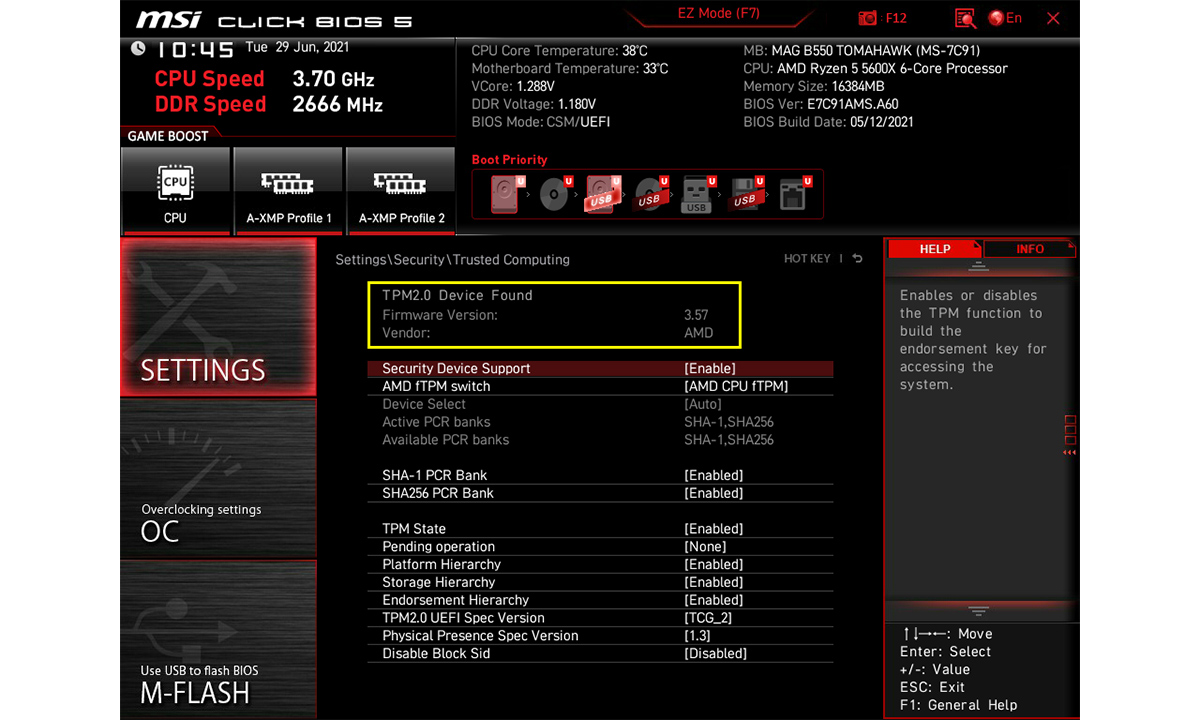
F10.
tpm.msc again.
C:\Windows\ServiceProfiles\LocalService\AppData\Local\Microsoft\Ngc
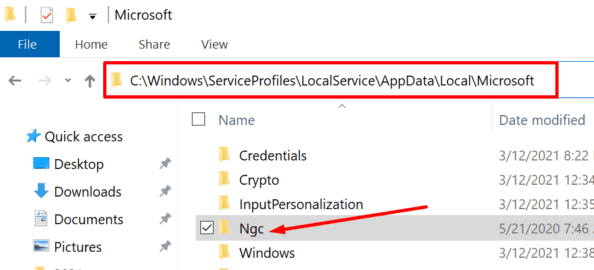
Administrators.

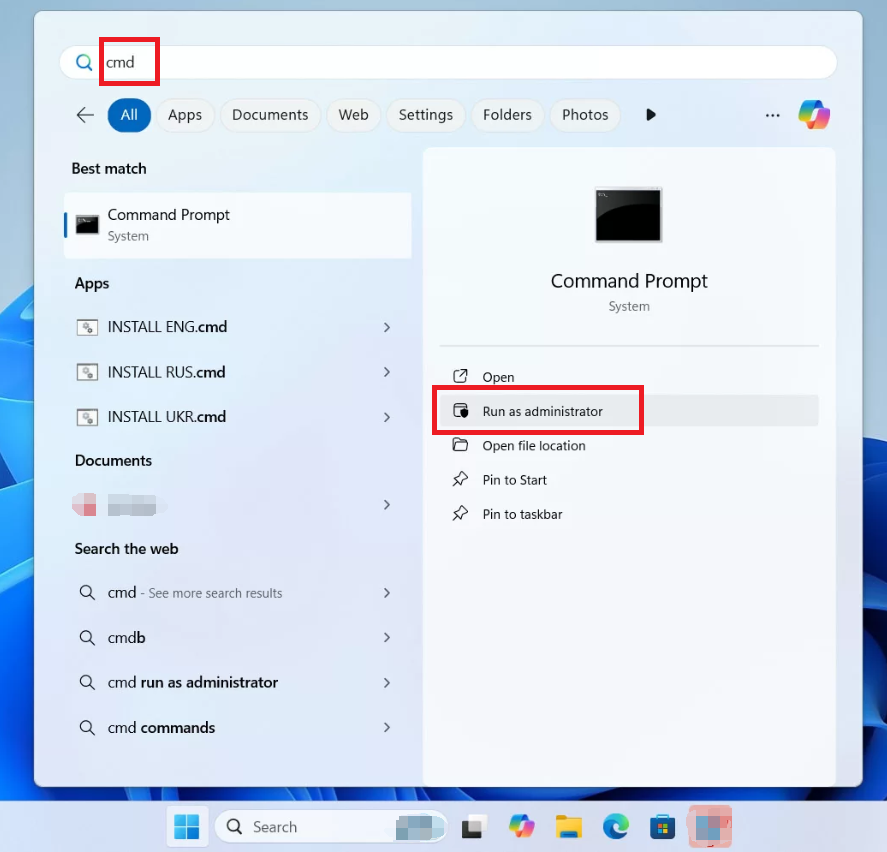
cmd, right-click Command Prompt, and choose Run as administrator.
takeown /F "C:\Windows\ServiceProfiles\LocalService\AppData\Local\Microsoft\Ngc" /R /D Y
icacls "C:\Windows\ServiceProfiles\LocalService\AppData\Local\Microsoft\Ngc" /grant administrators:F /T
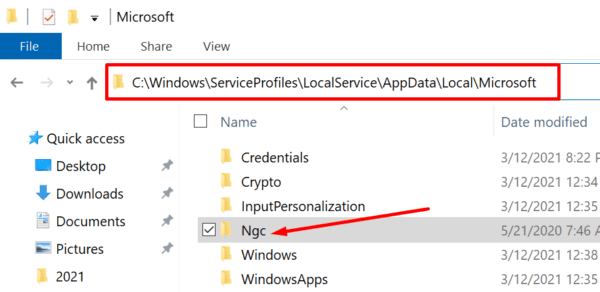
Win + R.
services.msc
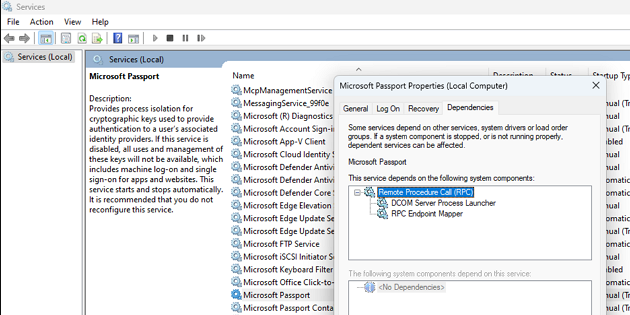
tpm.msc from the Run dialog.
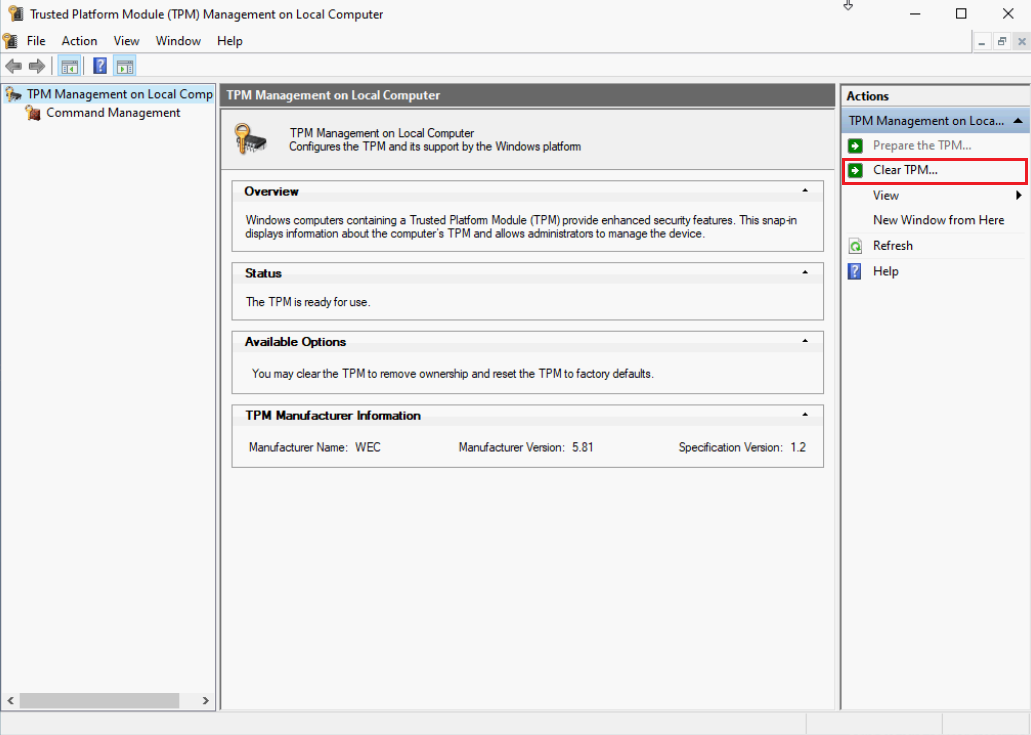
tpm.msc displays “The TPM is ready for use.”
Create New Admin Account Instantly create a new local administrator account to regain access when the original password is lost.
Recover the files Recover the deleted files without Windows system.
Transfer the data Transfer the important files of the computer with system.
Multifuctional Data transfer, data recovery, bootable problem recovery can be run without system.
Highly compatible Windows 11/10/8.1/8/7/XP/Vista. UEFI boot.
Remove Login Password Support Windows 11/10/8.1/8/7/XP/Vista. UEFI boot.
Recover the files Recover the deleted files without Windows system.
Transfer the data Transfer the important files of the computer with system.
What do error codes 0x80090011, 0x80090016, and 0x80090027 mean?
0x80090011 means Windows can’t find a valid TPM key. 0x80090016 points to a key mismatch or TPM state change. 0x80090027 signals corrupt PIN container data in the Ngc folder. The same solutions apply: recreate the PIN, check tpm.msc, and repair the Ngc folder if needed.
Will clearing the TPM delete my personal files?
What if I don’t know my account password?
Remove Windows Login Password 3 steps for whole password remove process.
Enable/Create Administrator One click for creating new administrator and enable the disabled account.
Widely Use New version supports UEFI boot model, which can be used on more computers, laptops and even surfaces.
Multifuctional Data transfer, data recovery, bootable problem recovery can be run without system.
Highly compatible Windows 11/10/8.1/8/7/XP/Vista.
Remove Login Password Support Windows 11/10/8.1/8/7/XP/Vista.
Enable/Create Administrator One click for creating new administrator and enable the disabled account.
Easy to use No need of any professional knowledge or password reset disk.
Relate Links :
Fix "Windows Hello PIN No Longer Available" Error on Windows 11/10 Without Losing Data

14-10-2026
John Weaver : This guide provides a comprehensive windows hello pin no longer available fix by detailing built-in troubleshooting steps such...
Unlocking Your Windows 10 Computer Without a Password: A Comprehensive Guide

21-11-2023
Jennifer Thatcher : Forgot your Windows 10 password? Don't worry - this article covers 5 different methods for unlocking your computer...
Troubleshooting Guide: How to Fix the I Forgot My PIN not working Issue in Windows 10
02-12-2023
Ashley S. Miller : Having trouble with your Windows 10 PIN? Don't worry, we've got you covered. In this troubleshooting guide, we'll...
Troubleshooting Windows Startup Repair Password Issues - WinRe and Bitlocker
24-08-2023
Ashley S. Miller : Learn how to handle common password errors and best practices for managing passwords in Windows Recovery and Bitlocker....



User Comments
Leave a Comment