
Troubleshooting Guide: Fix the TPM “PIN Unavailable” Error in Windows 11

Summary
This in-depth guide walks through several technical methods for fixing the “TPM error: PIN unavailable” issue in Windows 11, from basic sign-in workarounds to advanced BIOS and NGC folder repairs. The article lays out a systematic troubleshooting path that covers TPM status checks, service configuration, and use of a secure recovery toolkit to get Windows Hello working again.

Table of contents

0x80090027, 0x80090016, and 0x80280006.
| Trigger | Description | Representative Event / News |
|---|---|---|
🔧 BIOS / Firmware Update |
The TPM resets, re-initializes, or Intel PTT / AMD fTPM changes state. This makes previously enrolled Windows Hello credentials invalid. |
📅 Aug 9, 2022 – Microsoft KB5012170 (Secure Boot DBX Update) Microsoft released KB5012170 to update the UEFI Secure Boot forbidden-signature database (DBX). Many users reported that the update triggered TPM/PCR measurement changes, BitLocker recovery prompts, and Windows Hello re-validation on some devices. |
🖥️ Hardware Replacement |
Replacing a motherboard, swapping CPUs (on some platforms), or adding or replacing a TPM can invalidate existing Windows Hello keys. |
📅 Ongoing (Windows 10/11 lifecycle) Microsoft and major OEMs (Dell, HP, Lenovo) note that replacing the motherboard or TPM breaks the trust relationship between Windows Hello credentials and the original TPM. Users usually have to re-enroll their PIN and may need their BitLocker Recovery Key. |
🛡️ Windows Security Update |
Security updates can change TPM access policies, Secure Boot measurements, or Windows Hello-related components, which may lead to PIN re-enrollment. |
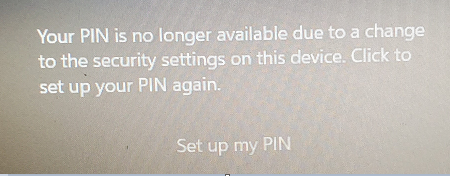
📅 Aug 9, 2022 – Microsoft KB5012170 (Secure Boot DBX Update) One of the most visible Microsoft security update events linked to TPM-related authentication issues, BitLocker recovery events, and Windows Hello credential revalidation. 📅 2023–2025 – Multiple cumulative update discussions in Microsoft Community & Q&A Users reported errors such as: "Your PIN is no longer available due to a change to the security settings on this device." In most cases, re-creating the PIN or re-enrolling Windows Hello solved the problem. |
🔑 Microsoft Account Password Change |
After a password reset or account recovery action, local Windows Hello credentials and cloud identity state can get temporarily out of sync. |
📅 2019–Present – Microsoft Account Synchronization Scenarios After a Microsoft account password reset, MFA enrollment, security information update, or account recovery, some users found their Windows Hello PIN unavailable until they completed identity verification and set up a new PIN. This is generally treated as expected identity synchronization behavior, not a product defect. |
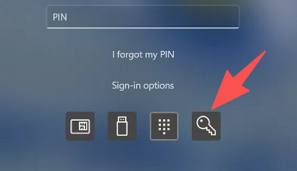
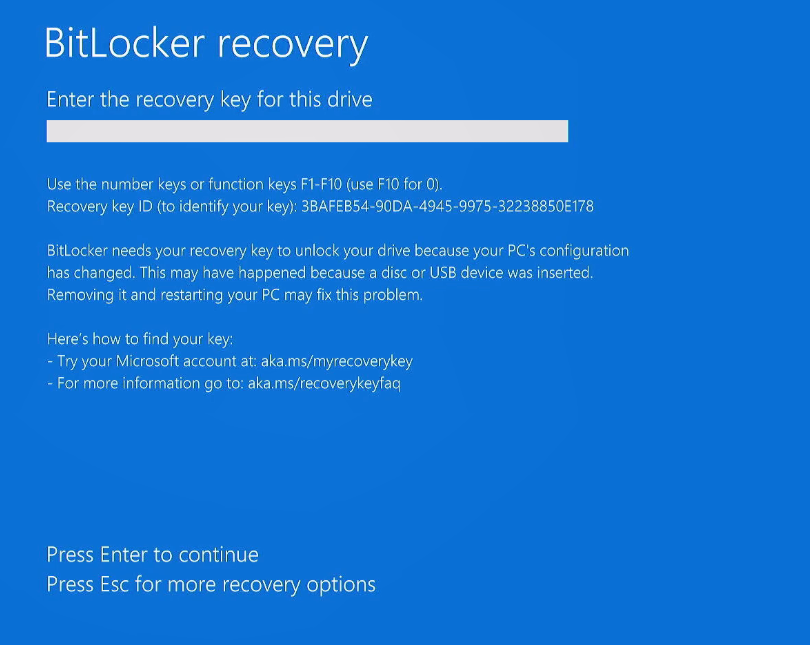
aka.ms/myrecoverykey.

Bypass TPM-related PIN blocks Boot from USB to clear a forgotten PIN or locked account when TPM settings block normal sign-in.
Recover the files Recover the deleted files without Windows system.
Transfer the data Transfer the important files of the computer with system.
Multifuctional Data transfer, data recovery, bootable problem recovery can be run without system.
Highly compatible Windows 11/10/8.1/8/7/XP/Vista. UEFI boot.
Remove Login Password Support Windows 11/10/8.1/8/7/XP/Vista. UEFI boot.
Recover the files Recover the deleted files without Windows system.
Transfer the data Transfer the important files of the computer with system.
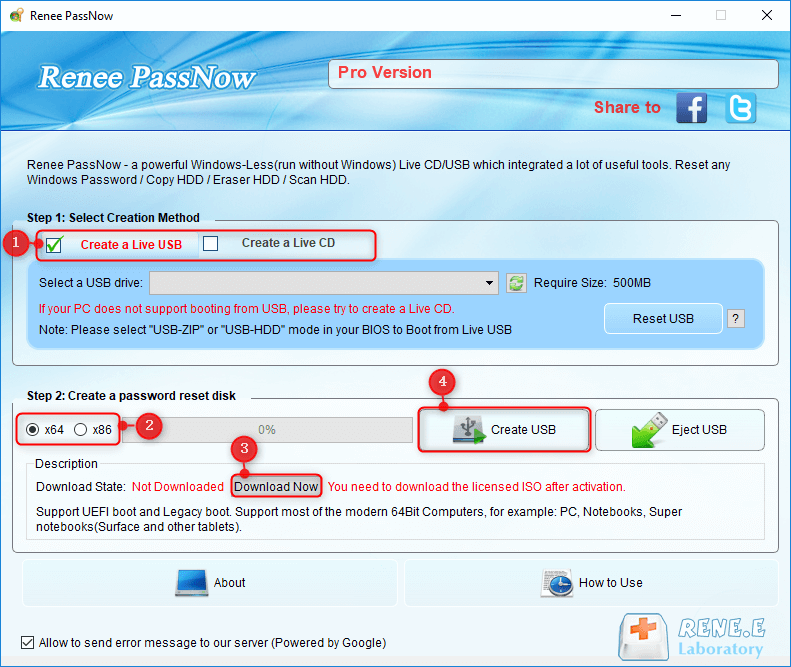
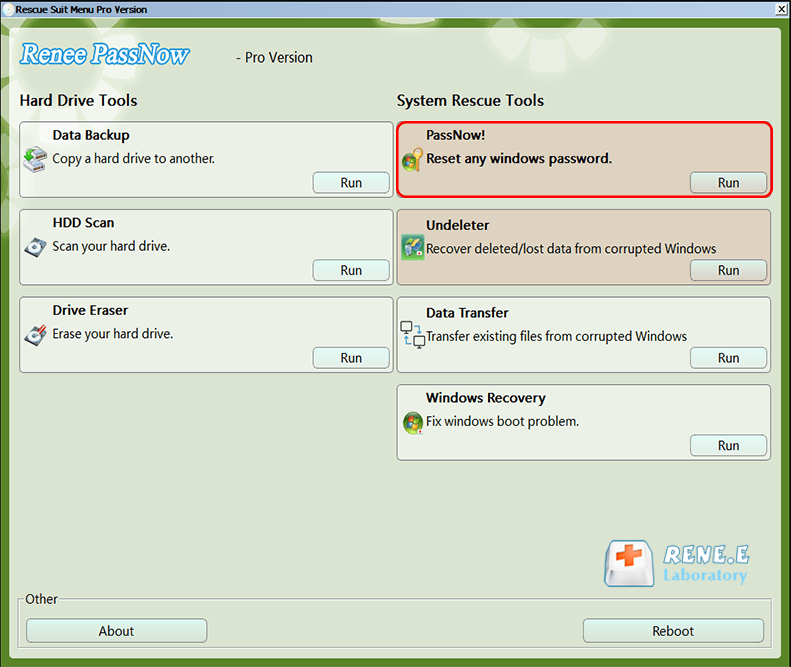
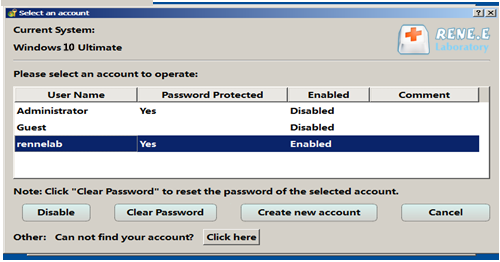
- Clears Windows 11 PINs and local/Microsoft account login credentials without prior password hints
- Boots from USB when Windows can’t start normally, including locked sign-in loops
- Includes Data Transfer and Undeleter for offline backup and file recovery
- Creates a new local administrator account on a damaged user profile
Cons:
- Requires a second working PC to create the bootable USB drive
- USB creation erases the target drive completely
- Microsoft account recovery converts the account to local and requires re-linking afterward
Win + R, type:
tpm.msc
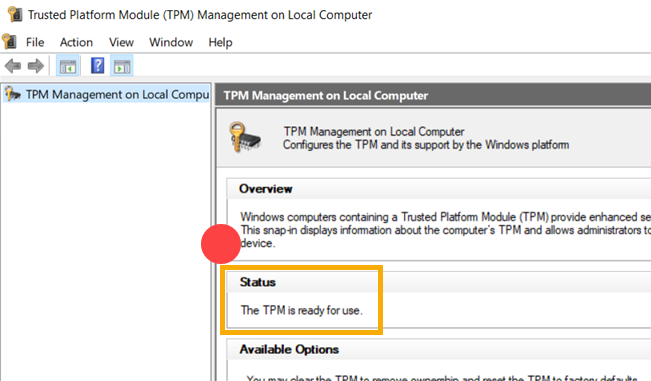
Win + R again, type:
services.msc
0x80090016, go on to Step 3.
F2, Del, F10, or F12) at startup to open BIOS/UEFI.
Platform Trust Technology (PTT)
AMD fTPM or fTPM switch
Security Chip or TPM 2.0 Device
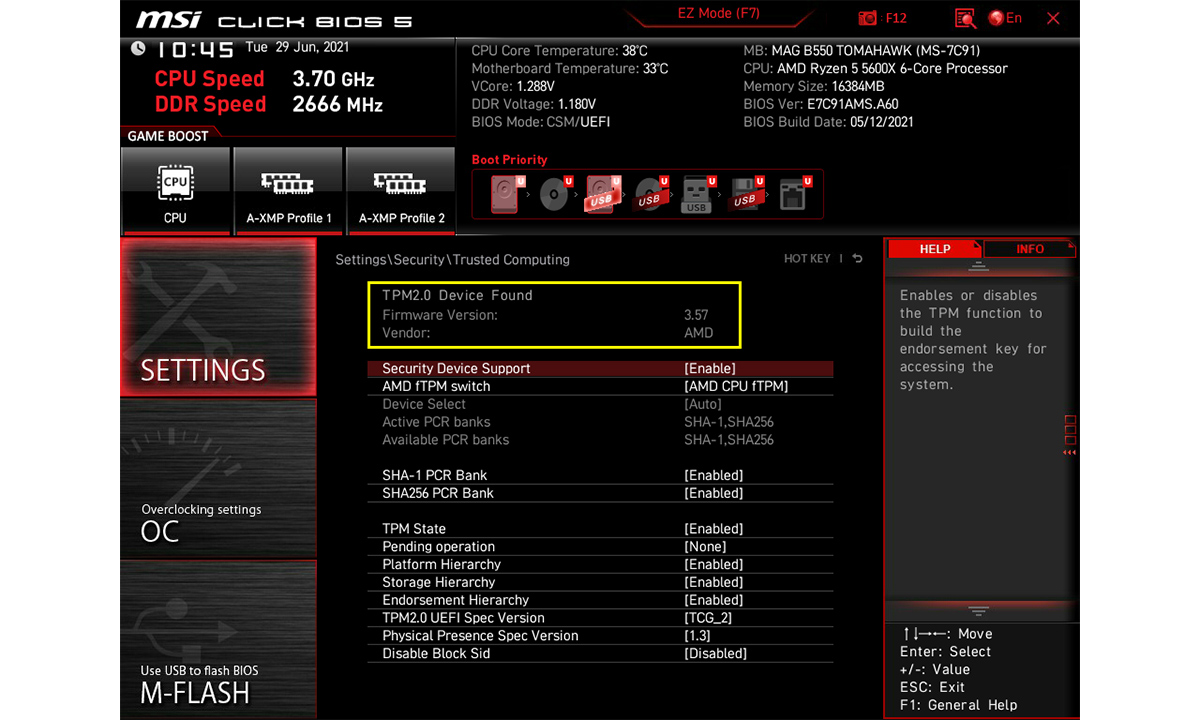
F10).
Safe Mode method (recommended):
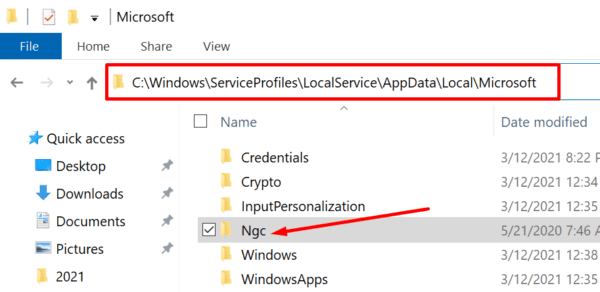
Shift and click Restart on the lock screen.
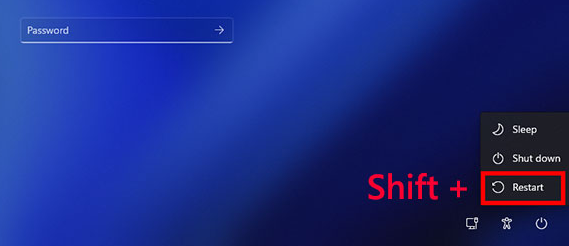
4 or F4 for Safe Mode.
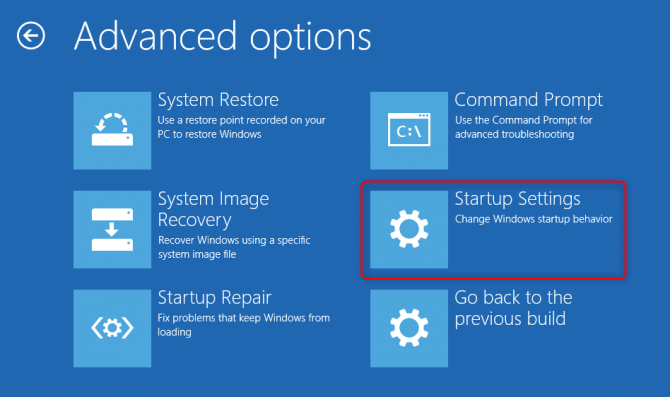
C:\Windows\ServiceProfiles\LocalService\AppData\Local\Microsoft
Ngc folder, right-click it, and delete it or rename it to Ngc.old.
Alternate command-line method:
cmd and select Run as administrator.
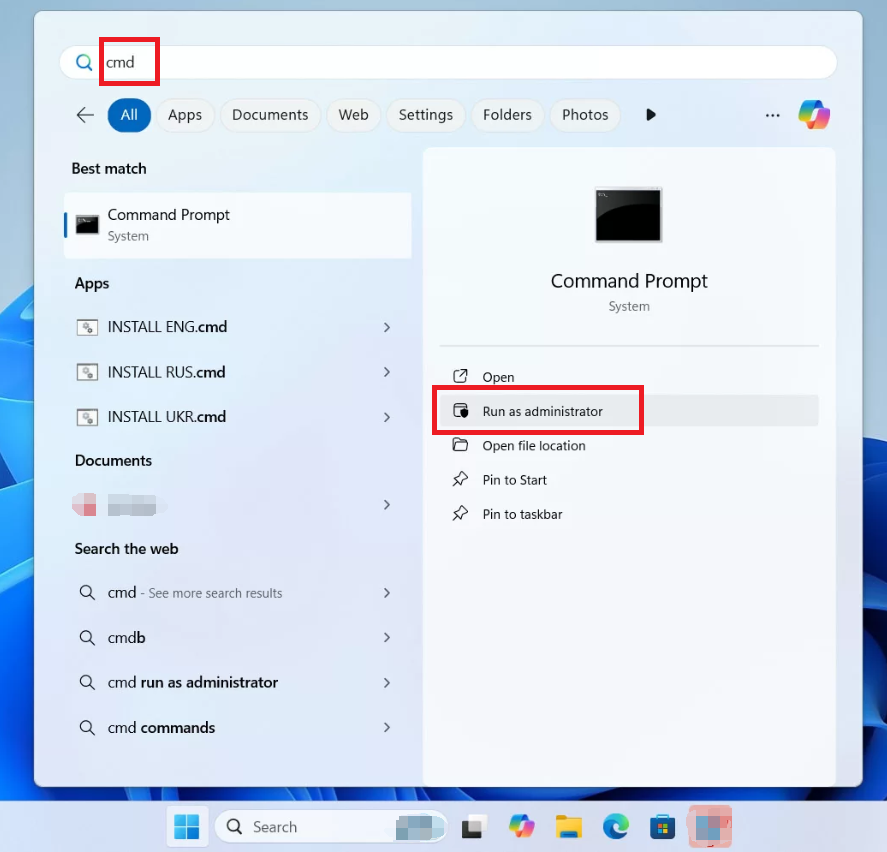
takeown /f C:\Windows\ServiceProfiles\LocalService\AppData\Local\Microsoft\Ngc /r /d y
icacls C:\Windows\ServiceProfiles\LocalService\AppData\Local\Microsoft\Ngc /grant administrators:F /t
ren C:\Windows\ServiceProfiles\LocalService\AppData\Local\Microsoft\Ngc Ngc.old
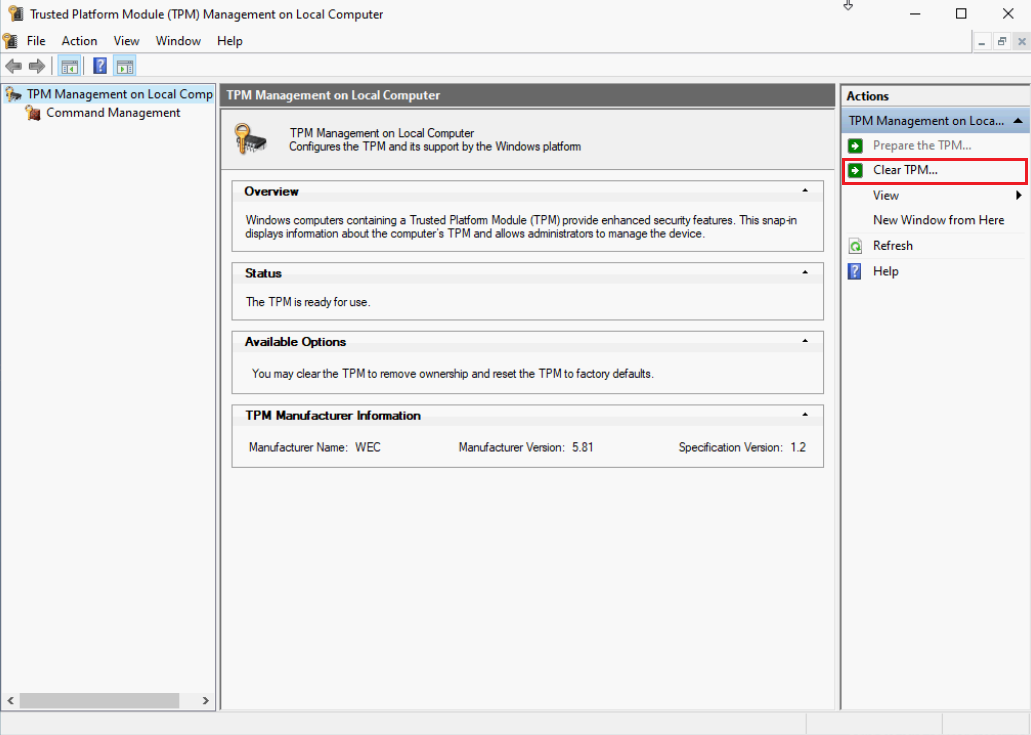
Clear-Tpm
Clear TPM or Reset fTPM/PTT from the BIOS/UEFI menu.
Will clearing the TPM delete my personal files?
Will clearing the TPM trigger a BitLocker recovery key prompt?
Why is the PIN unavailable after a BIOS or firmware update?
Remove Windows Login Password 3 steps for whole password remove process.
Enable/Create Administrator One click for creating new administrator and enable the disabled account.
Widely Use New version supports UEFI boot model, which can be used on more computers, laptops and even surfaces.
Multifuctional Data transfer, data recovery, bootable problem recovery can be run without system.
Highly compatible Windows 11/10/8.1/8/7/XP/Vista.
Remove Login Password Support Windows 11/10/8.1/8/7/XP/Vista.
Enable/Create Administrator One click for creating new administrator and enable the disabled account.
Easy to use No need of any professional knowledge or password reset disk.
Relate Links :
How to Fix TPM Errors That Make Your Windows 10 PIN Unavailable

26-10-2026
Ashley S. Miller : This guide covers reliable ways to fix the “TPM error: PIN unavailable” issue in Windows 10. It focuses...
Fix "Windows Hello PIN No Longer Available" Error on Windows 11/10 Without Losing Data

14-10-2026
John Weaver : This guide provides a comprehensive windows hello pin no longer available fix by detailing built-in troubleshooting steps such...
Unlocking Your Windows 10 Computer Without a Password: A Comprehensive Guide
21-11-2023
Jennifer Thatcher : Forgot your Windows 10 password? Don't worry - this article covers 5 different methods for unlocking your computer...
Troubleshooting Guide: How to Fix the I Forgot My PIN not working Issue in Windows 10
02-12-2023
Ashley S. Miller : Having trouble with your Windows 10 PIN? Don't worry, we've got you covered. In this troubleshooting guide, we'll...



User Comments
Leave a Comment