
How to Transfer Files from a Locked Windows 10 PC Using Renee PassNow

Summary
This article outlines the technical procedures to transfer files locked Windows 10 Renee PassNow via a bootable USB drive. It covers essential solution categories including BitLocker decryption, graphical data transfer, and optional file recovery without requiring system login.


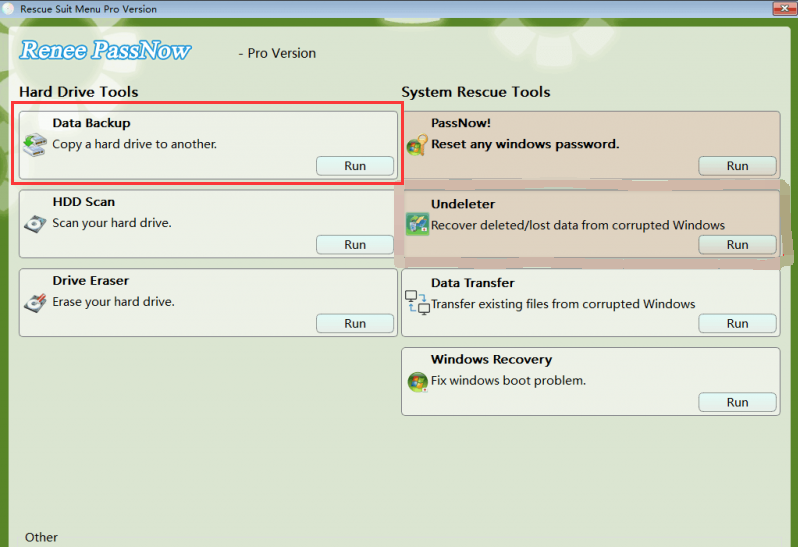
Prepare bootable media safely Guides you through backing up the USB drive and choosing the right x64 or x86 build before creating bootable media.
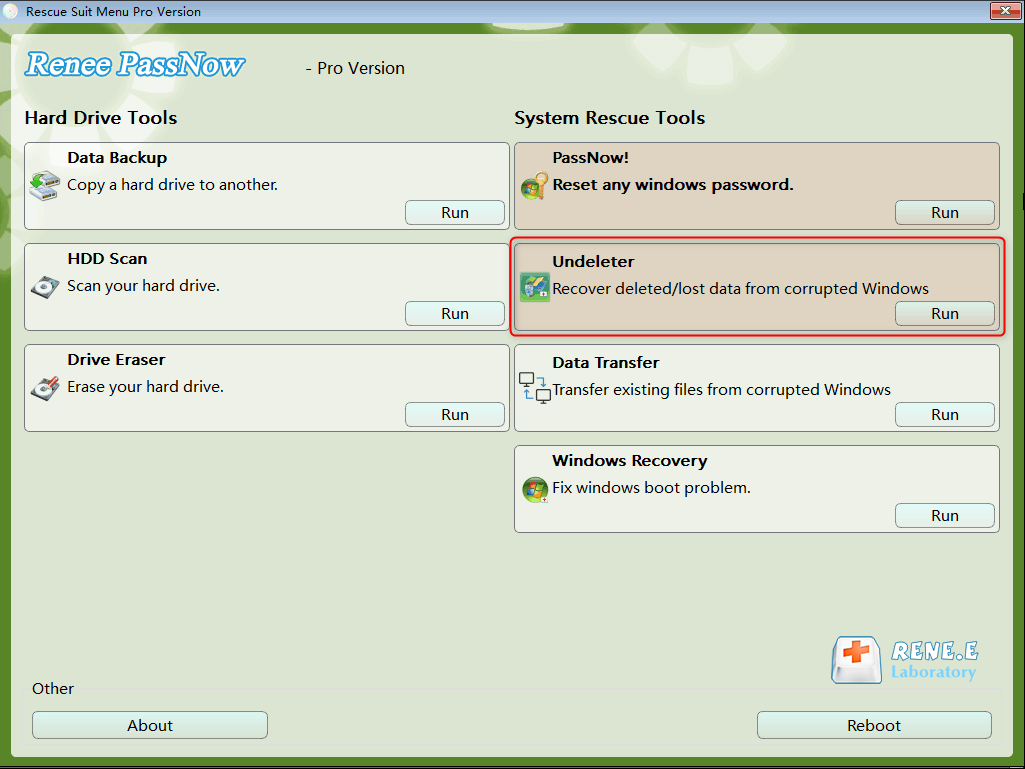
Recover the files Recover the deleted files without Windows system.
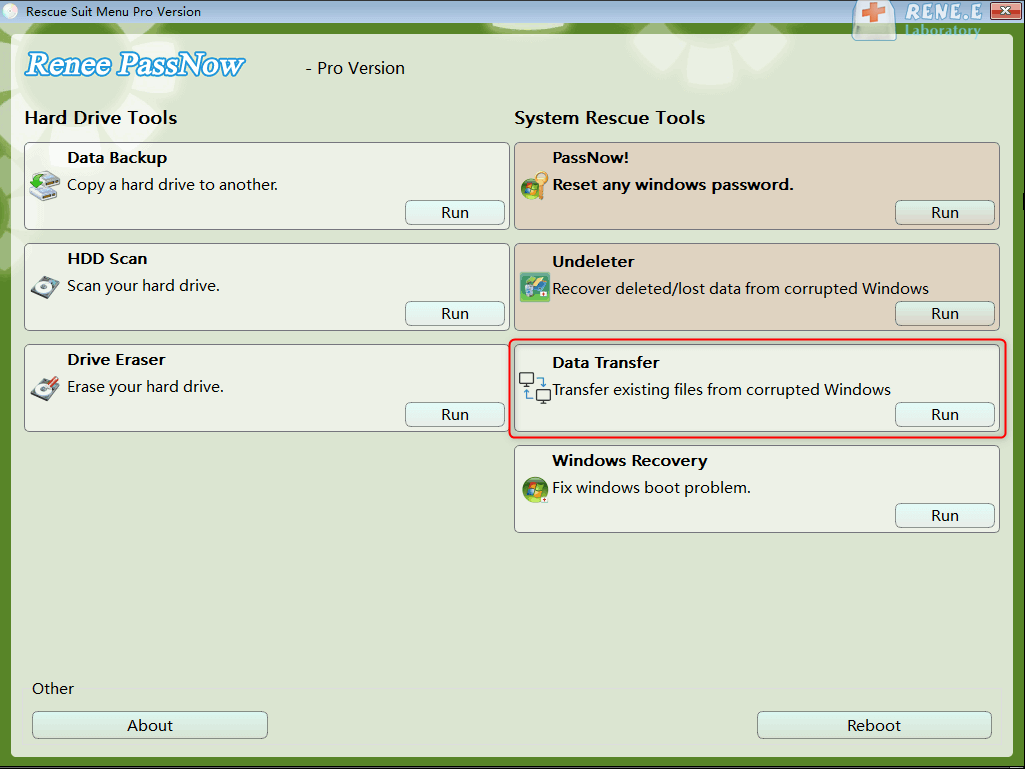
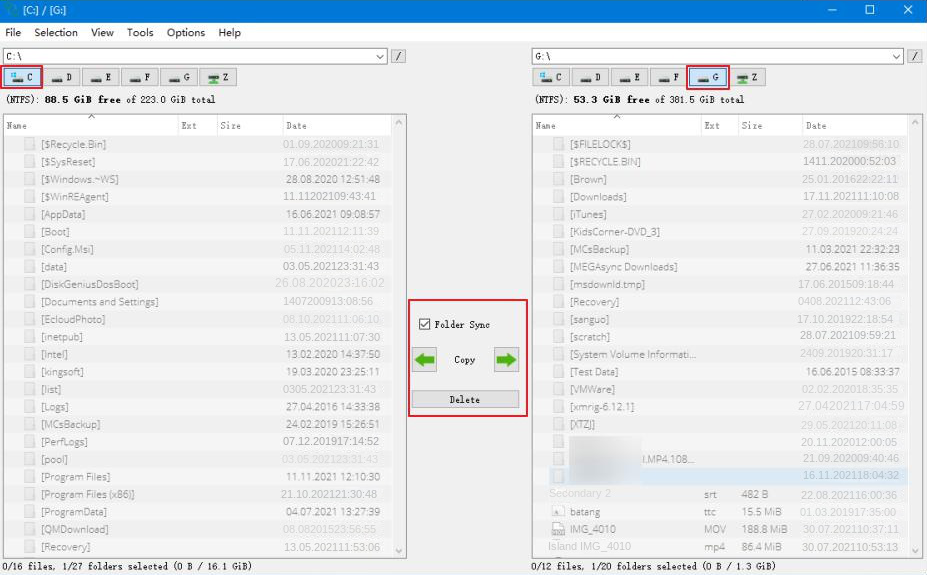
Transfer the data Transfer the important files of the computer with system.
Multifuctional Data transfer, data recovery, bootable problem recovery can be run without system.
Highly compatible Windows 11/10/8.1/8/7/XP/Vista. UEFI boot.
Remove Login Password Support Windows 11/10/8.1/8/7/XP/Vista. UEFI boot.
Recover the files Recover the deleted files without Windows system.
Transfer the data Transfer the important files of the computer with system.
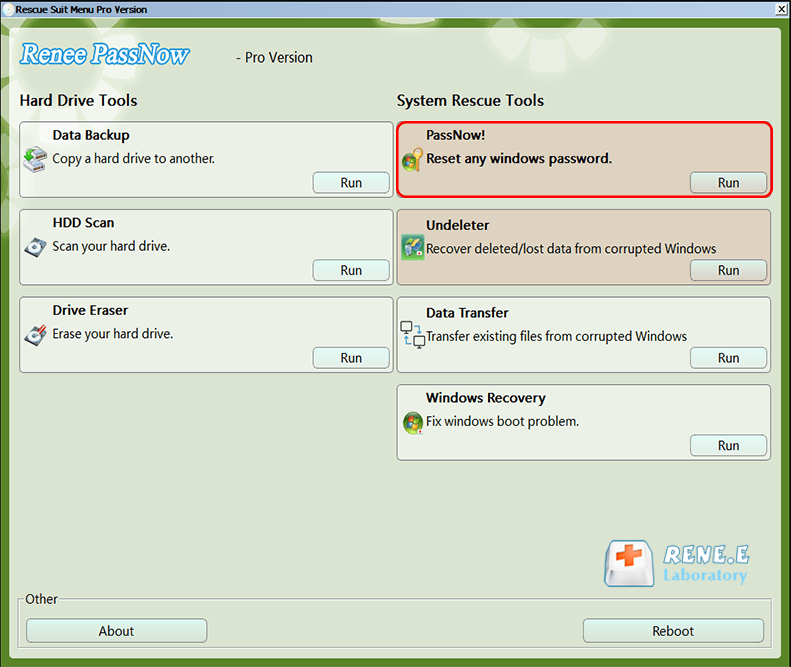
Common lockout scenarios and quick checks
| Lockout Scenario | ✅ Quick Check / Prerequisite |
|---|---|
🔑 Forgotten local password |
Check if you have a password reset disk or another admin account. |
👤 Microsoft account/PIN failure |
Ensure you can access your Microsoft account email/phone for verification. |
💻 System crash / Blue screen |
Verify the PC still powers on and can reach the BIOS/boot menu. |
🛡️ BitLocker encrypted drive |
Locate your 48-digit BitLocker recovery key (usually saved in your Microsoft account). |
General solutions vs. Renee PassNow
| Method | Requirements & Drawbacks |
|---|---|
Physical drive removal |
Requires opening your PC and handling hardware—risky and not beginner-friendly. |
Linux Live USB |
Needs command-line skills and manual drive mounting—can be confusing for non-technical users. |
Renee PassNow |
Simple graphical interface, no hardware teardown, no coding, and all-in-one for file transfer and reset. |
| Item | Detailed Description |
|---|---|
Supported system versions |
Windows 11, 10, 8.1, 8, 7, Vista, XP; USB boot works on UEFI and legacy BIOS systems. |
Required conditions |
Working second PC, blank USB drive, external target drive, BitLocker key if encryption is enabled. |
Runtime limitations |
BitLocker-encrypted files require password or recovery key. Basic edition does not support BitLocker. |
Typical performance |
USB 3.0 transfers are faster than USB 2.0; large folders may take several minutes to copy. |

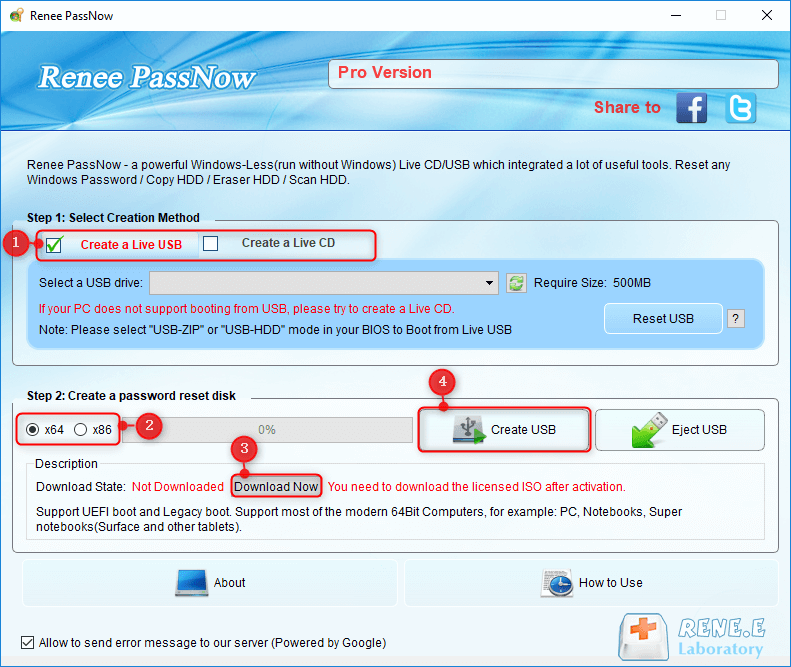

| BIOS / Computer Brand | Boot Menu Key | BIOS Setup Key |
|---|---|---|
DELL |
F12 |
F2 |
HP |
F9 / Esc → F9 |
Esc → F10 |
ASUS |
Esc (laptops) / F8 (desktops) |
F2 or Delete |
Acer |
F12 (enable in BIOS first) |
F2 or Delete |
Lenovo (Laptops) |
F12 / Novo Button |
F2 |
Lenovo (Desktops/ThinkPads) |
F12 |
F1 |
MSI |
F11 |
Delete |
Microsoft Surface |
Hold Volume Down + Power |
Hold Volume Up + Power |
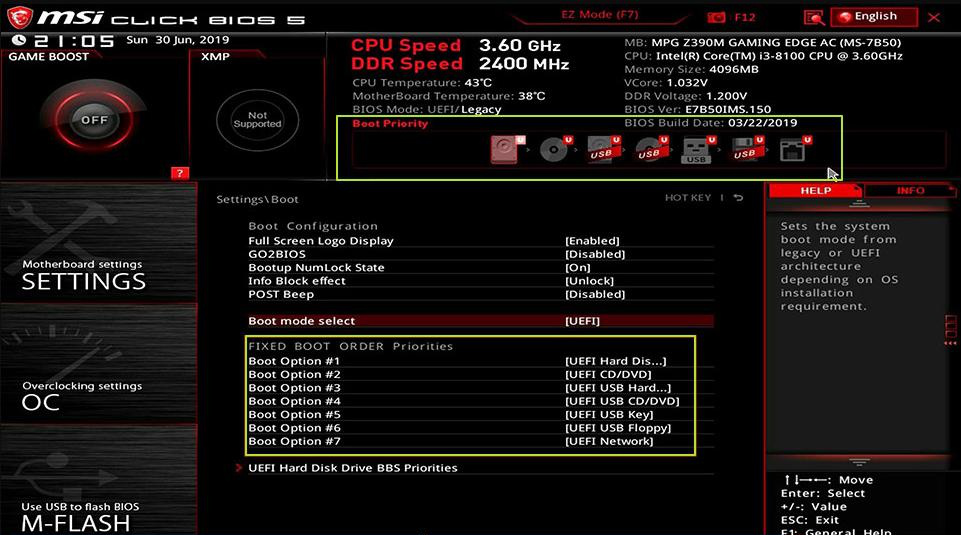
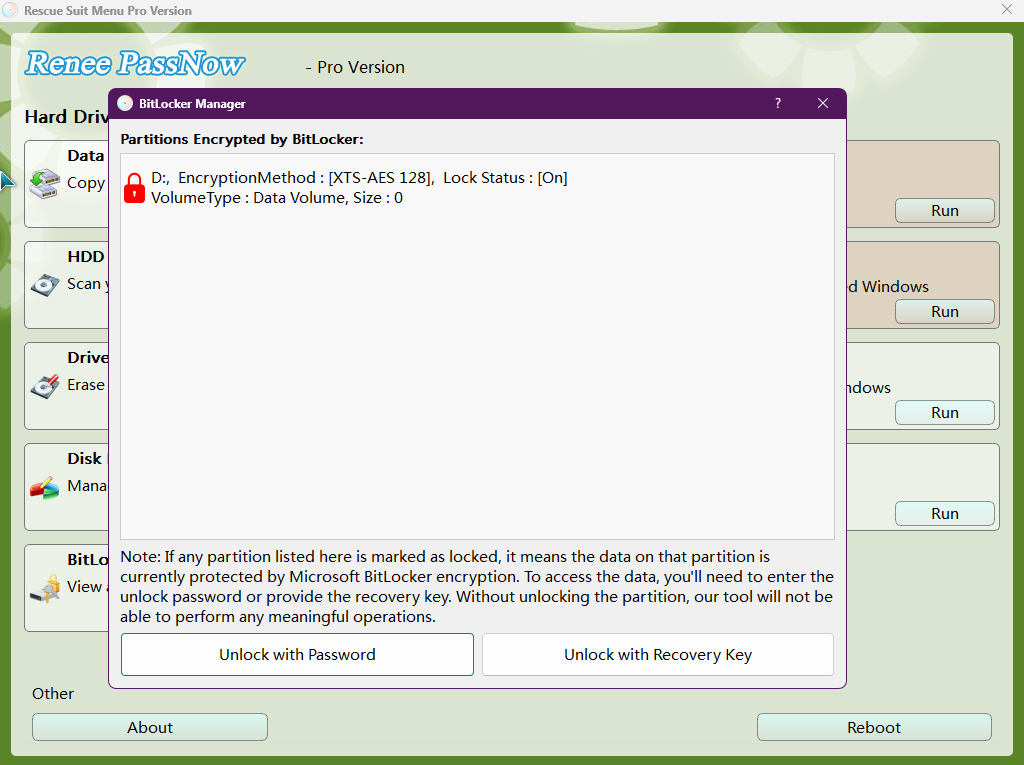
| Location | What It Stores | Why It Matters |
|---|---|---|
C:\Users\YourUserName |
All personal data and profile settings |
Main user folder—nearly all personal files are here. |
C:\Users\YourUserName\Documents |
Personal documents, PDFs, spreadsheets |
Default save location for most applications. |
C:\Users\YourUserName\Pictures |
Screenshots, photos, image libraries |
Default image folder for Windows and many apps. |
C:\Users\YourUserName\Downloads |
Browser and app downloads |
Central location for downloaded files. |
C:\Users\YourUserName\Desktop |
Items shown on the desktop |
Files seen on the desktop are stored here. |
C:\Users\YourUserName\Videos |
Videos, recordings, editor exports |
Default for video-related apps. |
C:\Users\YourUserName\Music |
Music files and audio projects |
Music players and audio apps save here. |
C:\Users\Public |
Shared files accessible to all users |
Useful for documents or media shared across accounts. |
Does this method work for both Microsoft account and local account lockouts?
Can I transfer files if my Windows 10 PC is completely dead and won't turn on?
Why is my external USB drive not showing up in the Data Transfer window?
Remove Windows Login Password 3 steps for whole password remove process.
Enable/Create Administrator One click for creating new administrator and enable the disabled account.
Widely Use New version supports UEFI boot model, which can be used on more computers, laptops and even surfaces.
Multifuctional Data transfer, data recovery, bootable problem recovery can be run without system.
Highly compatible Windows 11/10/8.1/8/7/XP/Vista.
Remove Login Password Support Windows 11/10/8.1/8/7/XP/Vista.
Enable/Create Administrator One click for creating new administrator and enable the disabled account.
Easy to use No need of any professional knowledge or password reset disk.
Relate Links :
Delete NGC Folder Command Prompt Locked Out: Windows 10/11 Guide

16-10-2026
Jennifer Thatcher : This guide explains how to delete the NGC folder via Command Prompt when you're locked out, by taking...
Fix "Windows Hello PIN No Longer Available" Error on Windows 11/10 Without Losing Data
14-10-2026
John Weaver : This guide provides a comprehensive windows hello pin no longer available fix by detailing built-in troubleshooting steps such...
How to Factory Reset a Laptop Without a Password
28-08-2026
John Weaver : This comprehensive guide details how to factory reset laptop without password by utilizing bootable USB tools and Windows...
24-08-2026
Jennifer Thatcher : This guide explains how to resolve OEM recovery partition password prompts by verifying the requested credential, checking vendor...



User Comments
Leave a Comment