laptop hard drive data recovery
author avatar
    Technology Manager of Test Dept.
Last update by Emma Johnson at 16 June 2026

Summary
The comprehensive resource outlines methodologies for laptop hard drive recovery, categorizing interventions into logical error resolution, offline data extraction, and professional cleanroom services. It further evaluates the technical distinctions between mechanical failures and file system corruption to determine the appropriate recovery protocol.



laptop hard drive data recovery
Not every laptop hard drive failure is the same. The most important distinction is between logical errors—where the drive hardware is fine but file tables or the operating system are damaged—and physical hardware damage. Logical problems still allow DIY software to work safely. Physical damage gets worse every time the drive spins, and amateur attempts can destroy data beyond any lab’s ability to recover it.

Logical failures

Logical failures, often show up as boot errors, blue screens, missing partitions, or files that suddenly disappear—while the drive still sounds smooth and appears in BIOS.

Physical failure

Physical failure, on the other hand, usually announces itself loudly. You might hear a rhythmic clicking, grinding, or beeping noise from the drive bay. The laptop might not detect the drive in BIOS at all, or you may feel no vibration when the drive should be spinning. A recent drop, liquid spill, or power surge is another strong signal.

If the laptop won’t power on at all or the drive makes unusual noises, shut it down immediately and consult a local repair service.

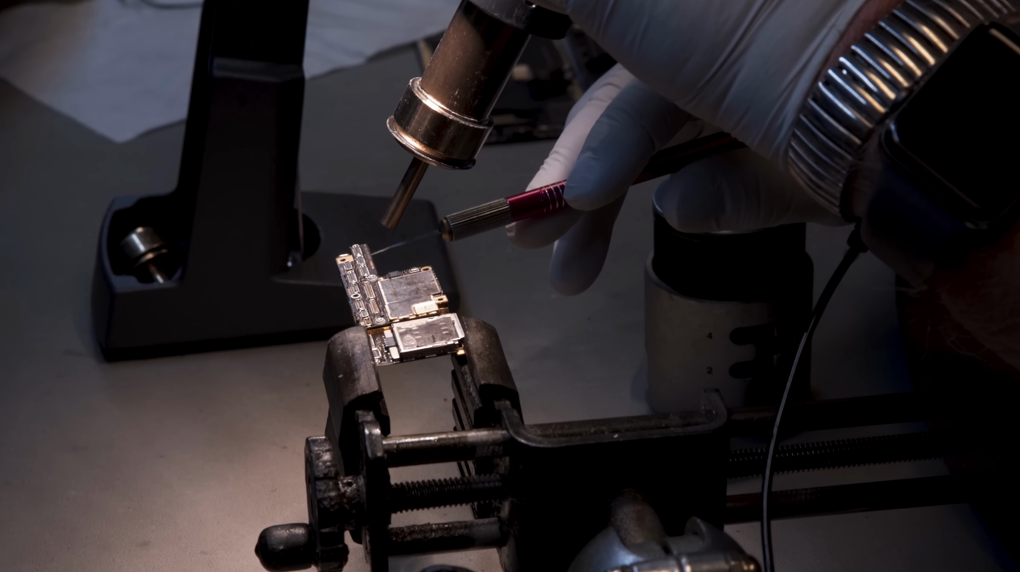
Every time you power on a physically failing drive, the read/write heads scrape the spinning platters. That turns a potentially affordable recovery into an impossible one. Professional labs use clean rooms and specialized equipment to repair mechanical issues before imaging data. Every failed DIY attempt shrinks their success window.
DIY-Safe Symptoms (Logical Issues Only)Stop – Go to Professional Lab Now (Physical Damage Indicators)

Computer shows “No bootable device” but drive appears in BIOS

🚨 Clicking, grinding, or beeping sounds from the drive

Windows blue screen with storage error codes

🚨 Drive not detected in BIOS at all

Accidental deletion, quick format, or virus attack

🚨 Laptop was dropped or got wet shortly before failure

Files missing or partition table corrupted

🚨 No spinning sound or vibration when power is applied

Warning: Never open a hard drive outside a certified cleanroom. Dust particles act like microscopic wrecking balls on internal drive components. Opening the enclosure guarantees unrecoverable data loss without professional tools.

Backup/Recover Data First Before Any Laptop Repair Attempt

A lot of standard laptop repair commands act like a bulldozer on top of your files. Running this on a failing drive can corrupt data further:

chkdsk /f

Reinstalling Windows, repartitioning, or running Startup Repair often wipes user folders or rewrites sectors that still hold recoverable information. For SSDs, the risk is even higher: the TRIM command permanently erases deleted data blocks, making later recovery impossible.
Before you attempt any fix—whether it’s a system restore, a command-line repair, or an OS reinstall—pull your important files off the drive. That’s where Renee PassNow comes in. Not as a hardware repair tool, but as a safety net that lets you rescue data from a non-bootable laptopbefore destructive repair steps begin.
Why Renee PassNow fits this critical pre-repair role:
- It runs completely offline: boots from a USB when your Windows system won’t start.
- The Data Transfer feature copies documents, photos, videos, and entire user profiles to external drives while your main OS is dead.
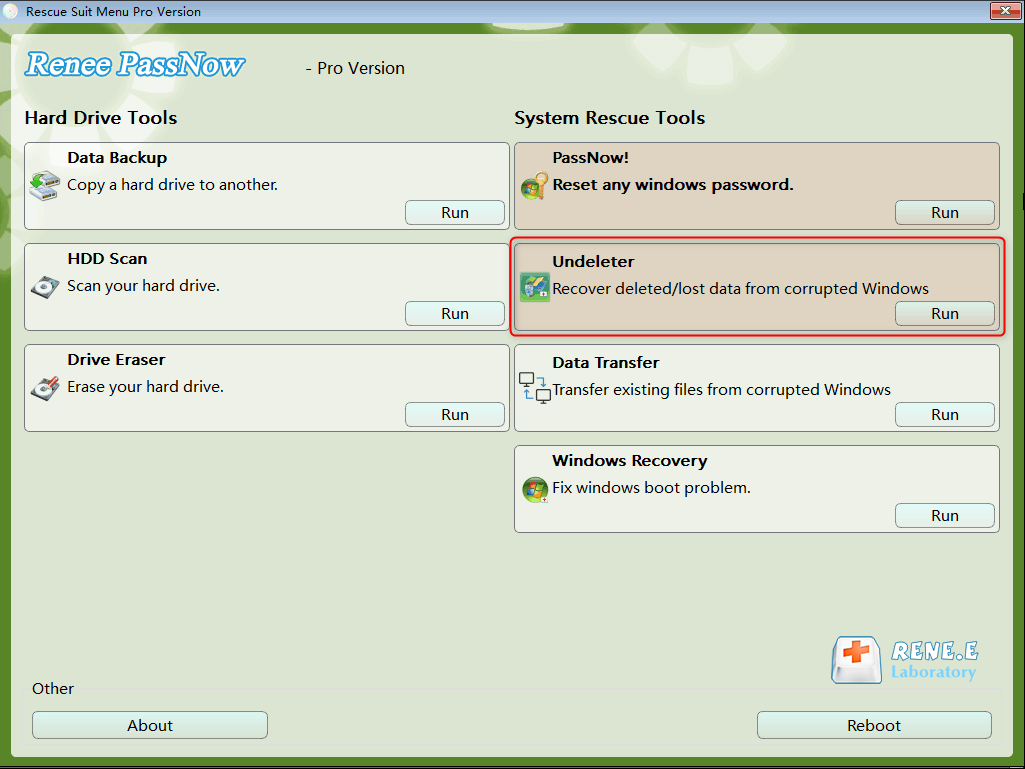
- Its built-in Undeleter recovers already deleted or formatted files—even after quick formats or partition loss.
- It works across Windows 11, 10, 8.1, 8, 7, Vista, and XP, covering both new and old laptops.
Before starting, prepare an external hard drive or a large USB flash drive with enough space for all the data you need to save. That destination drive will receive your backed-up or recovered files, so keep it ready and connected.
Renee Passnow – Professional Windows Password Remover

Remove Windows Login Password 3 steps for whole password remove process.

Recover the files Recover the deleted files without Windows system.

Transfer the data Transfer the important files of the computer with system.

Multifuctional Data transfer, data recovery, bootable problem recovery can be run without system.

Highly compatible Windows 11/10/8.1/8/7/XP/Vista. UEFI boot.

Remove Login Password Support Windows 11/10/8.1/8/7/XP/Vista. UEFI boot.

Recover the files Recover the deleted files without Windows system.

Transfer the data Transfer the important files of the computer with system.
Free TrialFree TrialNow 2000 people have downloaded!

Offline Data Transfer: Move Files from a Non-Bootable Laptop

When Windows refuses to boot, you can’t just drag and drop files to an external drive. The entire operating system is offline, and your file manager is locked behind a black screen or blue screen. You need a bootable live environment that works independently of your installed OS. Renee PassNow’s Data Transfer feature is built precisely for this emergency: it boots the laptop into a lightweight system, displays all internal drives and partitions, and lets you copy files to external storage without touching the broken Windows installation.
Here’s how to create the bootable USB and transfer your files safely.
Step 1: Install Renee PassNow on a separate working computer (any Windows PC that can access the internet). Connect a USB drive with at least 8 GB capacity.

Important: This process will erase all data on the USB drive. Back up any important USB contents beforehand.

Step 2: Launch Renee PassNow, and under “Step 1: Choose the creation method,” select “Create a Live USB”. Choose (x64) or (x86) based on the target laptop’s system type (modern laptops are typically x64). Click Download Now to fetch the ISO file. After the download completes, click Create Live USB. Once the creation finishes, click Eject USB.
use renee passnow to create usb to reset passnword
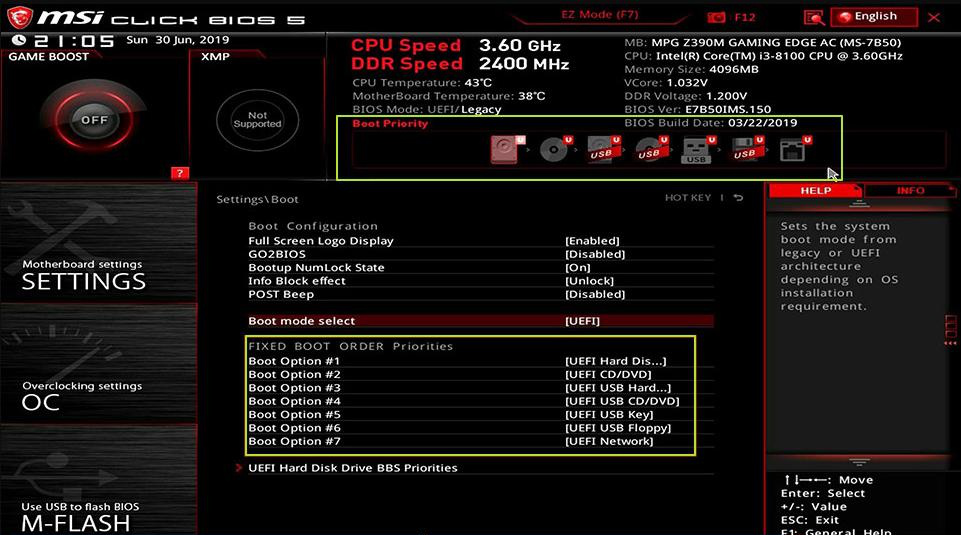
Step 3: Insert the bootable USB into the laptop with the hard drive issue. Power it on and immediately start tapping the BIOS boot menu key. The key varies by manufacturer; common ones are listed below. If you miss the prompt (it often flashes for only 1–2 seconds), restart and try again.
Common boot menu keys:
BIOS Name / BrandBoot Menu Key

DELL

F12

HP

Esc / F9

Lenovo (Consumer Laptops)

F2 or Fn + F2

ASUS

F2 or Del

Acer

F2 or Del

MSI

Del

Toshiba

F2

In the Boot Priority menu, set the USB drive as the primary boot device, save changes, and reboot the laptop.
select boot order
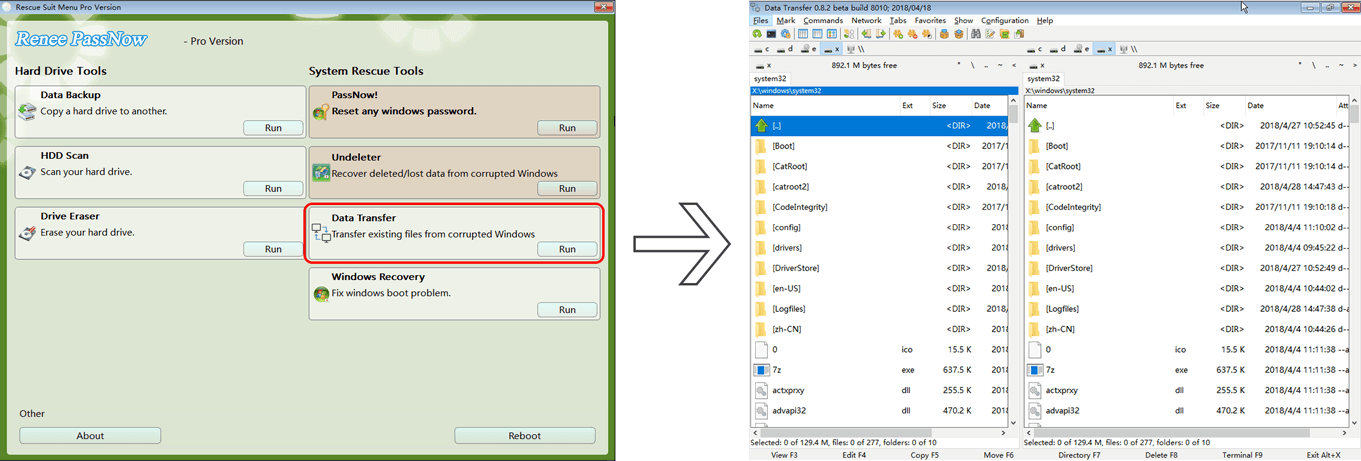
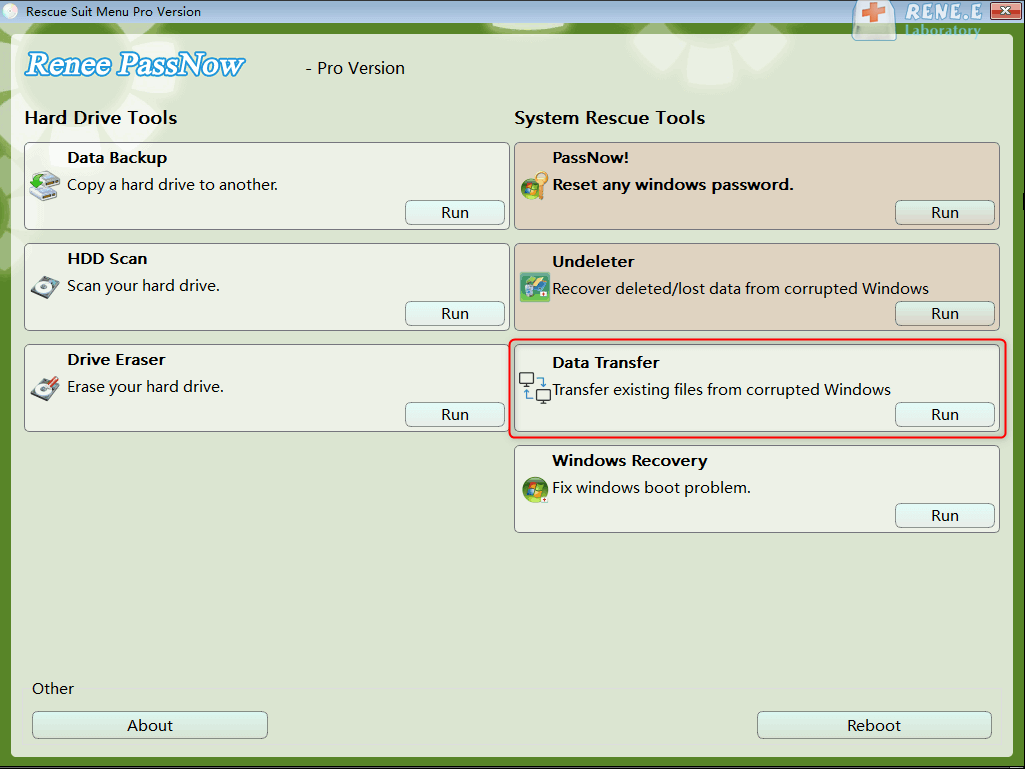
Step 4: Wait for Renee PassNow to load. On the main interface, select “Data Transfer.” The screen will show all available drives. Select the source drive (usually C:) from the upper-left panel, and your destination external drive from the upper-right panel. Browse through folders to confirm your files appear, select what you need, and click the “Copy” button in the middle. The files will transfer directly to the external drive.
Renee PassNow data transfer wizard displaying drive partitions and file copy options
data transfer
Below are the critical user folders on the C drive—check these to make sure you don’t miss anything.
LocationWhat It StoresWhy It Matters

C:\Users\YourUserName

All personal data and profile settings

The main home directory for your account

C:\Users\YourUserName\Documents

Personal documents (Word, PDF, spreadsheets)

Default save location for most apps

C:\Users\YourUserName\Pictures

Screenshots, photos, image libraries

Windows defaults for images

C:\Users\YourUserName\Downloads

Browser and app downloads

Central download repository

C:\Users\YourUserName\Desktop

Items shown on the desktop

Files visually on the desktop

C:\Users\YourUserName\Videos

Videos, screen recordings

Default location for video apps

C:\Users\YourUserName\Music

Music files, audio projects

Media players save content here

C:\Users\YourUserName\AppData

User-specific app data, caches, browser profiles

Hidden folder with configurations

Step 5: If you discover that some files are missing or were deleted before the backup, switch to the “Undeleter” function described in the next section while still in the Renee PassNow environment.
The whole process above takes about 10 minutes from USB creation to file copy, assuming you have a working secondary PC. It’s designed to be approachable for any user—no command-line knowledge required.

Offline Undeleter: Recover Already Lost or Deleted Files

Sometimes the data loss happened before the laptop died—deleted files, a quick format, or a partition that vanished after a crash. Renee PassNow includes Undeleter, an offline recovery tool that scans the drive without booting Windows and finds recoverable files. Because it runs outside the installed OS, it avoids overwriting the very data you need to retrieve, and it works when the laptop is otherwise dead.
Renee Passnow – Professional Windows Password Remover

Remove Windows Login Password 3 steps for whole password remove process.

Recover the files Recover the deleted files without Windows system.

Transfer the data Transfer the important files of the computer with system.
Multifuctional Data transfer, data recovery, bootable problem recovery can be run without system.

Highly compatible Windows 11/10/8.1/8/7/XP/Vista. UEFI boot.

Remove Login Password Support Windows 11/10/8.1/8/7/XP/Vista. UEFI boot.

Recover the files Recover the deleted files without Windows system.

Transfer the data Transfer the important files of the computer with system.
Free TrialFree TrialNow 2000 people have downloaded!
This procedure continues from the bootable USB you created in the previous section.
Step 1: Boot the laptop using the same Renee PassNow USB. After the interface loads, select “Undeleter” and click Run.
data recovery function in Renee PassNow
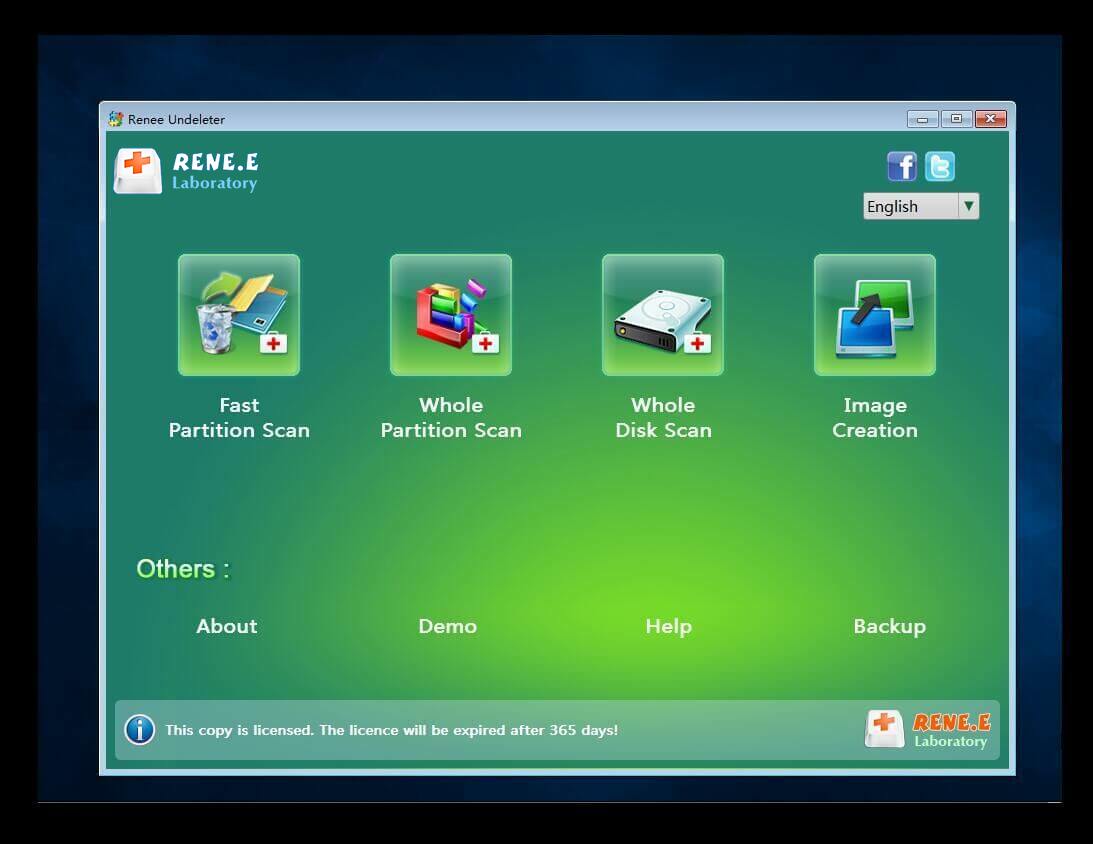
Step 2: Choose the scanning target. You can scan the whole partition, a specific folder location, or even the entire disk. Select “Whole Partition Scan” for the most thorough recovery, especially after a quick format or deletion.
scan the whole partition with renee passnow recovery function to reinstall windows 7
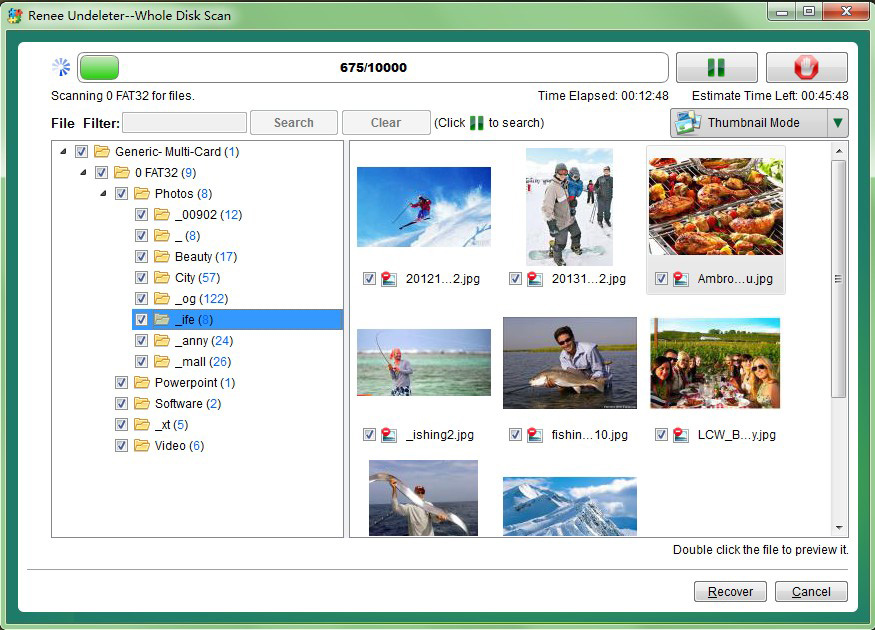
Step 3: Once the scan completes, you’ll see a list of recoverable files with preview support. Use the preview to confirm file integrity, select the items you want, and click “Recover.”
Preview pane in Renee PassNow showing a selected file's content, with a 'Recover' button visible

Save recovered files to a different external disk—never back onto the original laptop hard drive. Writing to the same drive overwrites unrecovered data sectors and makes further recovery impossible.

This offline approach is a game-changer for dead or unbootable laptops. You aren’t limited by a crashed operating system, and you avoid the risk of TRIM permanently erasing data on SSDs during a boot into Windows. Intermediate users who have already created the bootable USB will finish this in less than half an hour, depending on scan size.

Free or Built-in Methods (Low Success Rate, Software Only)

If your laptop still boots into Windows and the hard drive shows no physical distress, you might try built-in or free utilities before investing in offline recovery tools. These options cost nothing and are easy to start, but they demand a functional operating system to run—they cannot rescue data from a non-booting laptop. Success rates drop sharply on SSDs where the TRIM command has already erased deleted data. Always prioritize data backup first, even with these tools.
Advantages
  • Free or built into Windows
  • Easy to use for basic recovery tasks
  • No installation required for some tools

Disadvantages

  • Cannot access unbootable laptops
  • Ineffective against physical drive damage
  • Lower success rates on SSDs due to TRIM
  • No data transfer when OS is dead

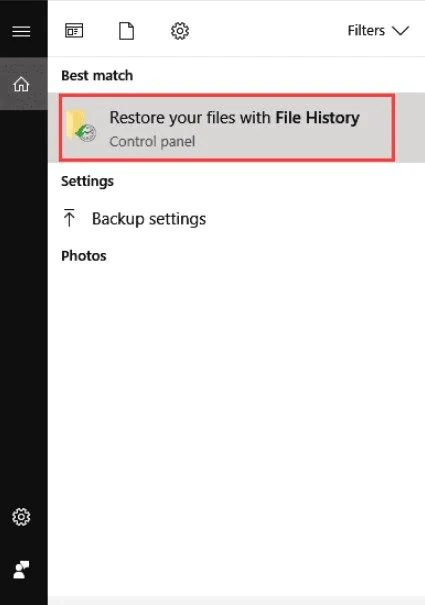
1. Windows File History
Built into Windows 10 and 11, this tool can restore previous versions of files only if you’d configured a backup drive and folder selections before the loss. It does not recover files that were never part of a scheduled backup, and it’s useless when Windows itself will not start.
restore your files with file history
2. Recuva
A free utility from CCleaner that scans for deleted files on a working Windows system. It offers a simple wizard for scanning a laptop and includes a deep scan mode. However, Recuva cannot run on a non-bootable laptop, and its recovery rate drops dramatically on SSDs because of the TRIM command.
recuva Preview results
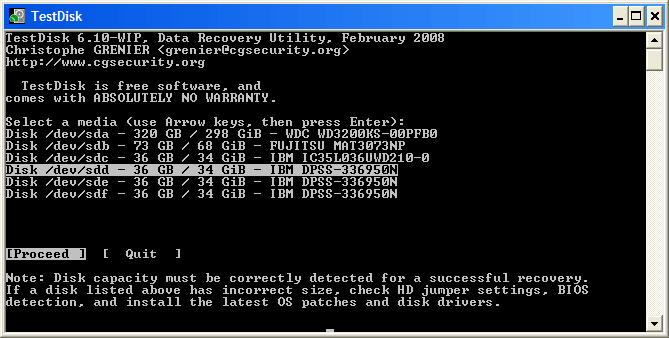
3. TestDisk
A powerful open-source command-line tool that can recover lost partitions and repair boot sectors. It is highly capable but has no graphical file preview, and one wrong keystroke can make matters worse. TestDisk is recommended only for advanced users who are comfortable working in a terminal.
testdisk

Key limitations of these free methods at a glance

- No support for unbootable laptops; they require a functioning Windows environment.
- Ineffective against physical drive damage or severe file system corruption.
- Lower recovery success on SSDs due to TRIM and wear-leveling algorithms.
- Cannot transfer data when the operating system is completely dead.
If your laptop won’t turn on or Windows fails to load, these tools will not help. For that scenario, jump back to the offline Renee PassNow sections above. For tech-savvy users with a still-booting laptop and a very tight budget, they are reasonable first attempts—but always back up what you can first.

Cost and Decision Guide

Choosing how to recover your laptop hard drive data depends on the failure type, the value of your files, and your budget. The table below gives a realistic view of cost and success expectations across regions. Keep in mind that professional data recovery prices are estimates and depend on the specific lab, drive condition, and parts required.
Solution TypeEstimated Success RateApproximate Cost (USD)

DIY software only (bootable OS required)

Low for dead OS/broken drives; moderate for simple deletions

Free or under $50

Offline bootable tools (Renee PassNow for data extraction)

High for logical failures on unbootable systems; no physical repair

One-time license under $40

Professional lab service (cleanroom, hardware repair)

Highest for physical damage, IF drive has not been opened or further damaged

$300 – $2,000+

Your safest, most cost-effective workflow is to try Renee PassNow first. Extract all accessible data from the unbootable laptop yourself. If the tool reads the drive without strange mechanical noises, you likely have a logical failure you can resolve afterward with a clean Windows reinstallation. If the drive isn’t recognized at all, or you hear physical damage signs, stop and send it to a lab. Starting with DIY data extraction ensures you pay for hardware repair only when truly needed—and you already have your files secured.
fix damaged cards in clean room

These cost ranges are based on publicly shared lab pricing catalogs and user reports in tech forums as of early 2025. Prices vary by region and cleanroom part availability, so always request a specific quote.

FAQ – Laptop Hard Drive Recovery

Can I recover data after a quick format on my laptop hard drive?

Yes, in most cases. A quick format removes file table entries but leaves the actual data on the drive until it gets overwritten. Tools like Renee PassNow’s Undeleter can scan the formatted partition and recover files, provided you act before new data writes to those sectors. Stop using the laptop immediately after the format for the best chance.

Does Renee PassNow work on a completely dead laptop that won’t power on?

Only to a limited extent. If the laptop won’t power on at all, you must first remove the hard drive and connect it to a working computer using a USB adapter or enclosure. Renee PassNow can then scan that drive. If the drive itself is physically dead, professional lab service is required.

Will running chkdsk destroy my data on a failing laptop hard drive?

It can. chkdsk /f attempts to fix filesystem errors by moving and rewriting data, which on a failing drive can corrupt or overwrite recoverable files. Never run chkdsk on a drive you suspect is failing mechanically without first backing up data using a read-only offline tool.

Is data recovery possible from a laptop SSD after the TRIM command has run?

Once TRIM has executed, the operating system tells the SSD to permanently erase blocks of deleted data, making recovery extremely difficult or impossible with software tools. If you accidentally deleted files on an SSD, stop using it immediately and attempt recovery offline before Windows runs routine TRIM operations, which can happen within minutes.
Renee Passnow – Professional Windows Password Remover

Remove Windows Login Password 3 steps for whole password remove process.

Enable/Create Administrator One click for creating new administrator and enable the disabled account.

Widely Use New version supports UEFI boot model, which can be used on more computers, laptops and even surfaces.

Multifuctional Data transfer, data recovery, bootable problem recovery can be run without system.

Highly compatible Windows 11/10/8.1/8/7/XP/Vista.

Remove Login Password Support Windows 11/10/8.1/8/7/XP/Vista.

Enable/Create Administrator One click for creating new administrator and enable the disabled account.

Easy to use No need of any professional knowledge or password reset disk.

Free TrialFree TrialNow 2000 people have downloaded!

User Comments

Page 1

Leave a Comment


Your comment has been submitted and is awaiting moderation.