
How to Create a New Administrator Account on a Locked Windows Laptop

Summary
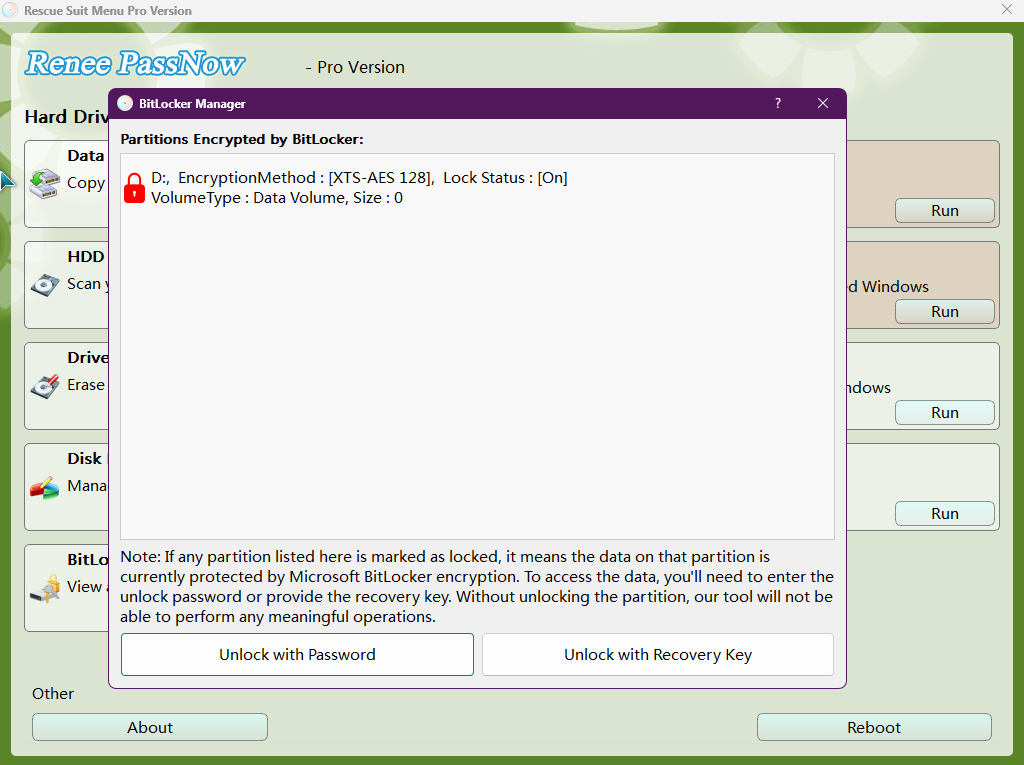
This technical guide outlines systematic procedures to create new administrator account windows locked by providing detailed instructions for both third-party bootable media and native Windows Recovery Environment utilities. The documentation covers prerequisite configurations, BitLocker encryption handling, and command-line execution paths to restore system access without compromising existing user data.

Your two recovery options
| Method | Description | Best for |
|---|---|---|
🖥️ WinRE + Command Prompt |
Uses built‑in Windows recovery tools to create a new admin account manually. |
Experienced users who are comfortable typing commands. |
🔌 Bootable USB (Renee PassNow) |
Guided interface that creates a new admin account or clears the old password. |
Beginners or anyone who wants the fastest, safest path. |
What you should know

Remove Windows Login Password 3 steps for whole password remove process.
Recover the files Recover the deleted files without Windows system.
Transfer the data Transfer the important files of the computer with system.
Multifuctional Data transfer, data recovery, bootable problem recovery can be run without system.
Highly compatible Windows 11/10/8.1/8/7/XP/Vista. UEFI boot.
Remove Login Password Support Windows 11/10/8.1/8/7/XP/Vista. UEFI boot.
Recover the files Recover the deleted files without Windows system.
Transfer the data Transfer the important files of the computer with system.
| Scenario | Prerequisite | Recommended Path |
|---|---|---|
Forgotten admin password |
USB drive + another PC |
Reset password or create new admin |
Lost admin rights |
USB drive + another PC |
Create new admin |
BitLocker encrypted drive |
BitLocker recovery key |
Unlock drive first |

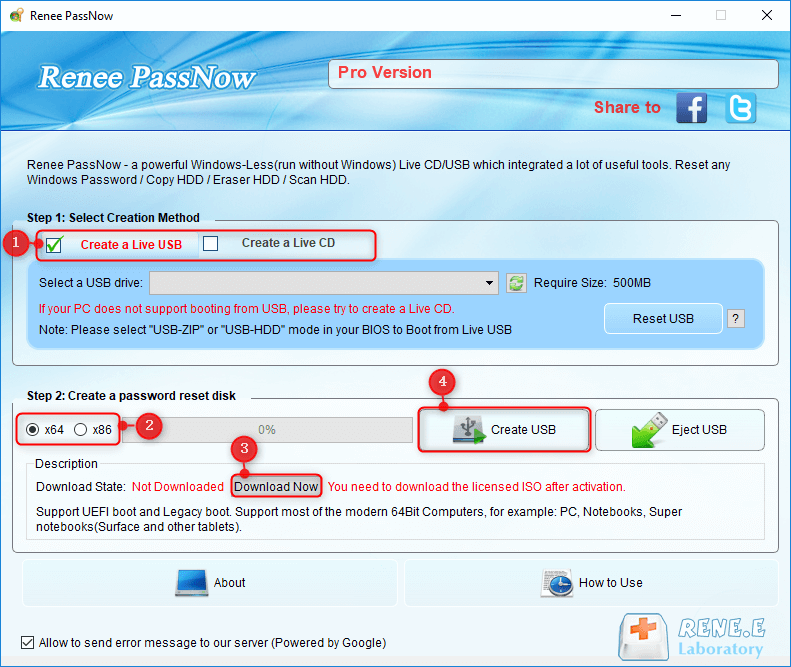
reneelab with administrator rights—this is the fastest way to get a new, clean profile.

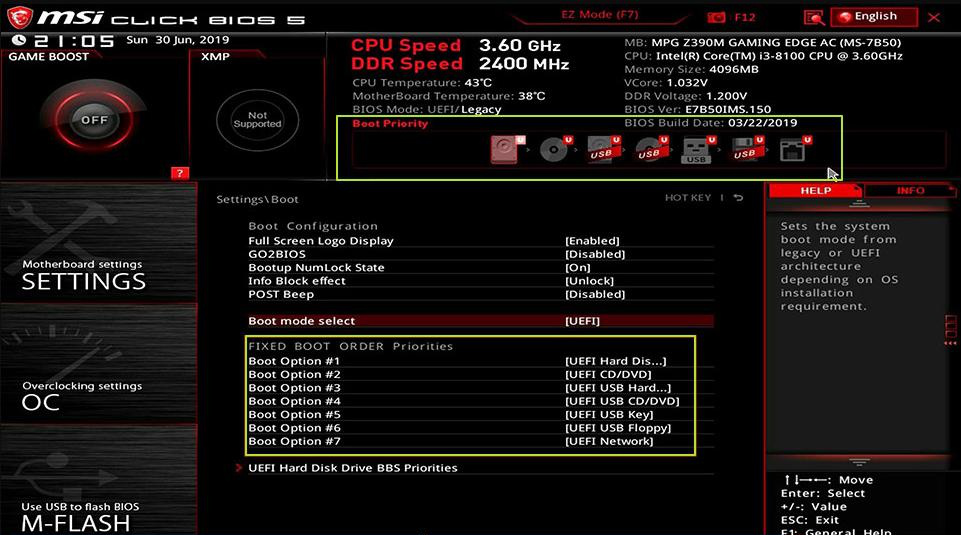
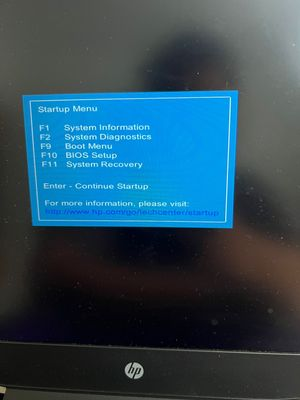
| Brand | Boot Menu Key | BIOS Setup Key |
|---|---|---|
DELL |
F12 |
F2 |
HP |
F9 or Esc then F9 |
Esc then F10 |
ASUS |
Esc or F8 |
F2 or Delete |
Acer |
F12 |
F2 or Delete |
Lenovo |
F12 |
F2 or F1 |
MSI |
F11 |
Delete |
Samsung |
F10 or F11 |
F2 |
Microsoft Surface |
Volume Down + Power |
Volume Up + Power |
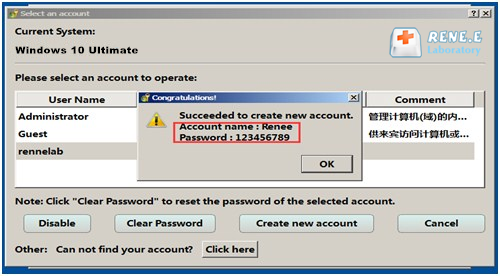
Option A: Create the reneelab administrator account directly
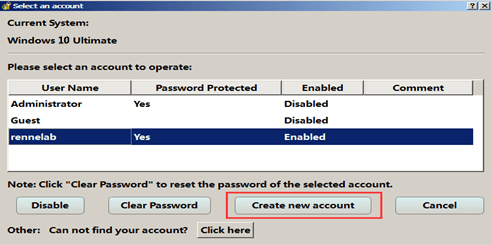
reneelab (if the screen says Renee, use that name).
123456789.
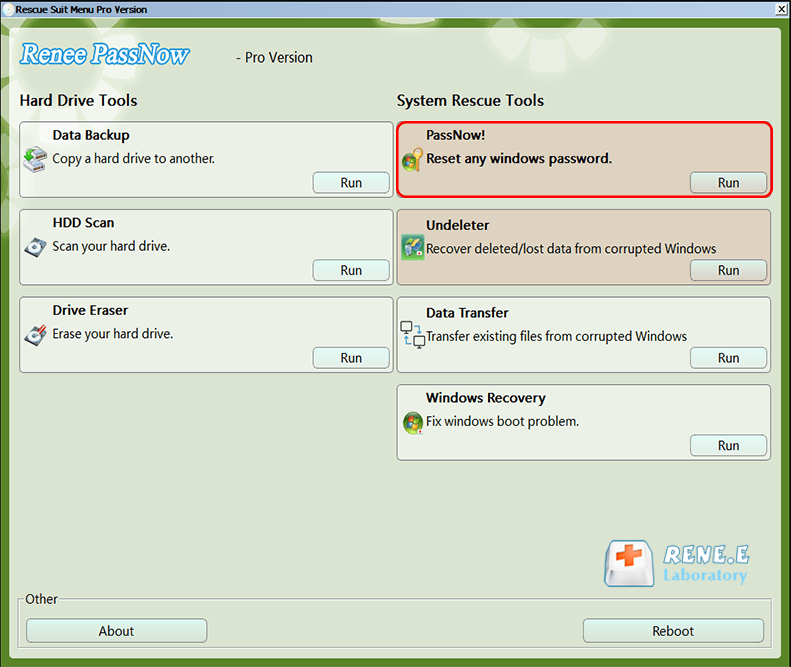
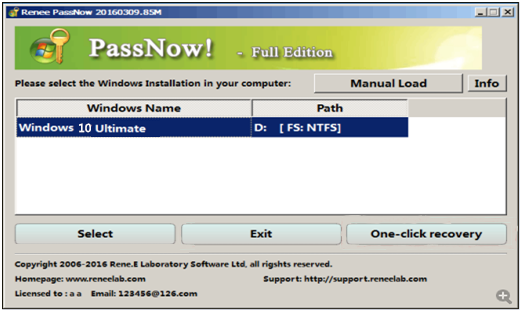
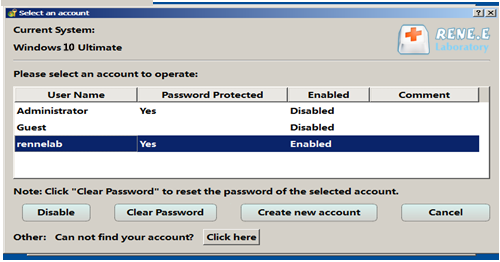
Option B: Reset an existing administrator password, then create a new admin in Windows
| Title | Detailed Description |
|---|---|
Supported system versions |
Best supported on Windows 10 and 11. Windows 7/8.1 work, but steps may differ. |
Required conditions |
Official Windows installation USB or recovery drive; target drive must be accessible; BitLocker off/unlocked; Secure Boot may need to be disabled. |
Runtime limitations |
WinRE opens a limited command environment, not the full desktop. Commands must be entered exactly. Group policy or domain restrictions can prevent changes. |
Typical performance |
Manual creation takes 10–30 minutes, depending on prep, boot time, and typing accuracy. Mistyped commands may require a restart. |
- No extra software purchase required
- Uses official Windows tools
- Can recover access without a second PC if media already exists
Disadvantages:
- Manual commands are easy to mistype
- Creating installation media still needs a working PC
- BitLocker can block offline changes
- Less beginner-friendly than a guided tool

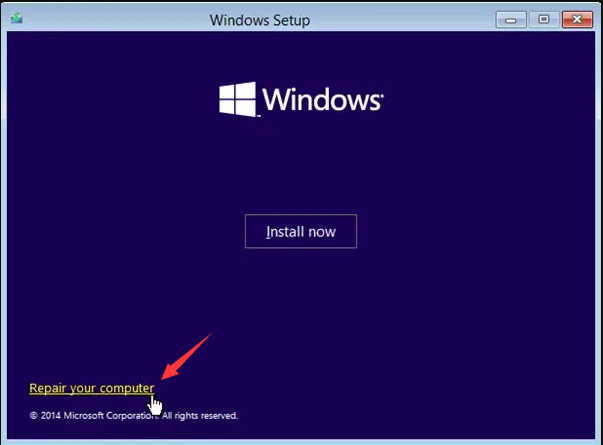
net user Administrator /active:yes
Administrator is the built-in hidden account.
/active:yes enables it.
net user NewAdmin Password123 /add
NewAdmin is the new username.
Password123 is the temporary password.
/add creates the account.
net localgroup administrators NewAdmin /add
administrators is the admin group.
NewAdmin is the account you just created.
/add adds the account to that group.
Will Renee PassNow work if the Windows drive is protected by BitLocker?
Do I need a Microsoft account or a local account for this to work?
Will creating a new administrator account delete or change my existing files?
C:\Users\OldUsername). Avoid resetting or reinstalling Windows unless you’ve already backed up your data.
What should I do if no accounts are shown on the Windows login screen?
Remove Windows Login Password 3 steps for whole password remove process.
Enable/Create Administrator One click for creating new administrator and enable the disabled account.
Widely Use New version supports UEFI boot model, which can be used on more computers, laptops and even surfaces.
Multifuctional Data transfer, data recovery, bootable problem recovery can be run without system.
Highly compatible Windows 11/10/8.1/8/7/XP/Vista.
Remove Login Password Support Windows 11/10/8.1/8/7/XP/Vista.
Enable/Create Administrator One click for creating new administrator and enable the disabled account.
Easy to use No need of any professional knowledge or password reset disk.
Relate Links :
Recover Files from Windows 11 Not Starting: Safe Data Rescue Guide

09-03-2026
John Weaver : This guide explains how to recover files from Windows 11 not starting by outlining software-based, built-in recovery, and...
How to Factory Reset a Computer That Is Locked?

31-08-2025
Jennifer Thatcher : Learn how to factory reset a computer that is locked, clear forgotten passwords, and restore system access using...
Unlock Windows 11: Bypass Password Using Utilman.exe Safely
19-08-2025
Ashley S. Miller : Learn how to bypass Windows 11 password with Utilman exe using a secure, step-by-step method. This guide is...
Top 6 Windows 11 Password Recovery Tools for 2026: The Ultimate Guide
15-09-2026
Jennifer Thatcher : Discover the best Windows 11 password recovery tools for 2026. Our expert guide compares the top options and...



User Comments
Leave a Comment