
Windows 11: Remove Password and PIN – A Complete Guide for Signed-In and Locked-Out Users

Summary
This guide details multiple approaches to windows 11 remove password and pin, including Settings adjustments, automatic sign-in configurations, registry tweaks for local accounts, and professional rescue tools for lockout scenarios. It outlines solution categories for signed-in users versus locked-out situations, with method comparisons and security considerations clearly explained.


| Your Situation | Recommended Approach |
|---|---|
I can still reach my desktop |
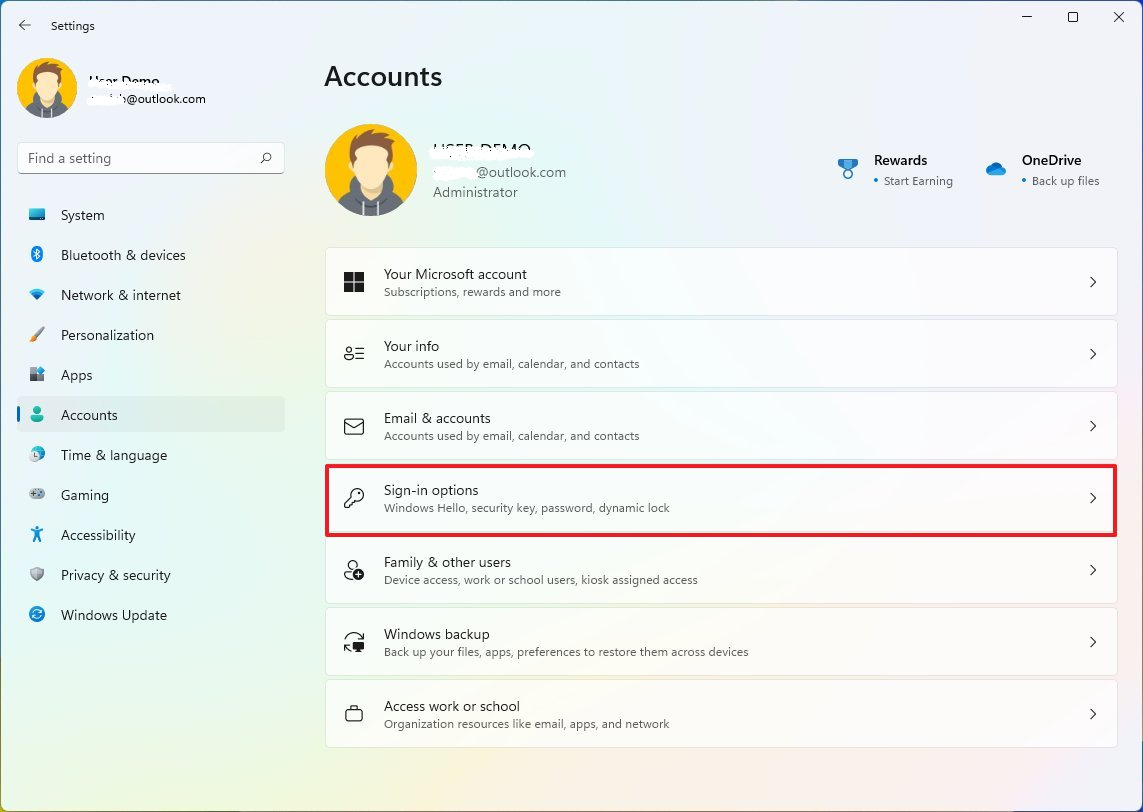
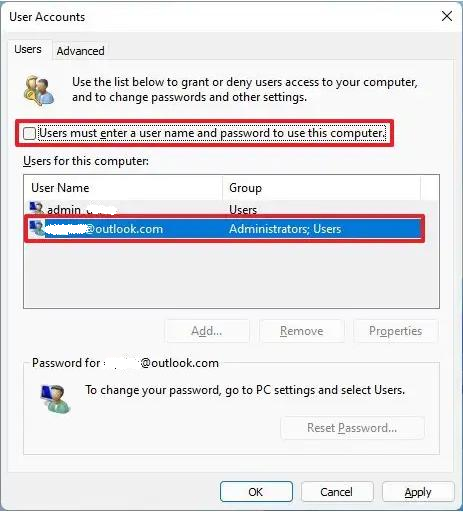
Use Windows 11 Settings to remove the PIN, enable automatic sign‑in with netplwiz, or apply a registry tweak for a blank local password. All these methods need you already signed in. |
I cannot sign in at all |
You need a bootable rescue environment. Renee PassNow creates a USB drive that boots the locked PC and clears any password or PIN – no prior sign‑in required. It also lets you create a fresh admin account if the original profile is damaged. |

Remove Windows Login Password 3 steps for whole password remove process.
Recover the files Recover the deleted files without Windows system.
Transfer the data Transfer the important files of the computer with system.
Multifuctional Data transfer, data recovery, bootable problem recovery can be run without system.
Highly compatible Windows 11/10/8.1/8/7/XP/Vista. UEFI boot.
Remove Login Password Support Windows 11/10/8.1/8/7/XP/Vista. UEFI boot.
Recover the files Recover the deleted files without Windows system.
Transfer the data Transfer the important files of the computer with system.
Remove Windows Login Password 3 steps for whole password remove process.
Recover the files Recover the deleted files without Windows system.
Transfer the data Transfer the important files of the computer with system.
Multifuctional Data transfer, data recovery, bootable problem recovery can be run without system.
Highly compatible Windows 11/10/8.1/8/7/XP/Vista. UEFI boot.
Remove Login Password Support Windows 11/10/8.1/8/7/XP/Vista. UEFI boot.
Recover the files Recover the deleted files without Windows system.
Transfer the data Transfer the important files of the computer with system.
a. Install Renee PassNow and Prepare the USB Drive

b. Download the ISO and Create the Bootable Live USB

c. Boot the Locked PC from the USB Drive

| Brand | Boot Menu / BIOS Key |
|---|---|
Dell |
F12 (Boot Menu), F2 (BIOS) |
HP |
F9 (Boot Menu), F10 (BIOS) |
Lenovo |
F12 or Fn + F12 (Boot Menu), F1/F2 (BIOS) |
ASUS |
F8 or Esc (Boot Menu), Del or F2 (BIOS) |
Acer |
F12 or Esc (Boot Menu), F2 (BIOS) |

d. Launch Password Reset Function and Identify Target Account
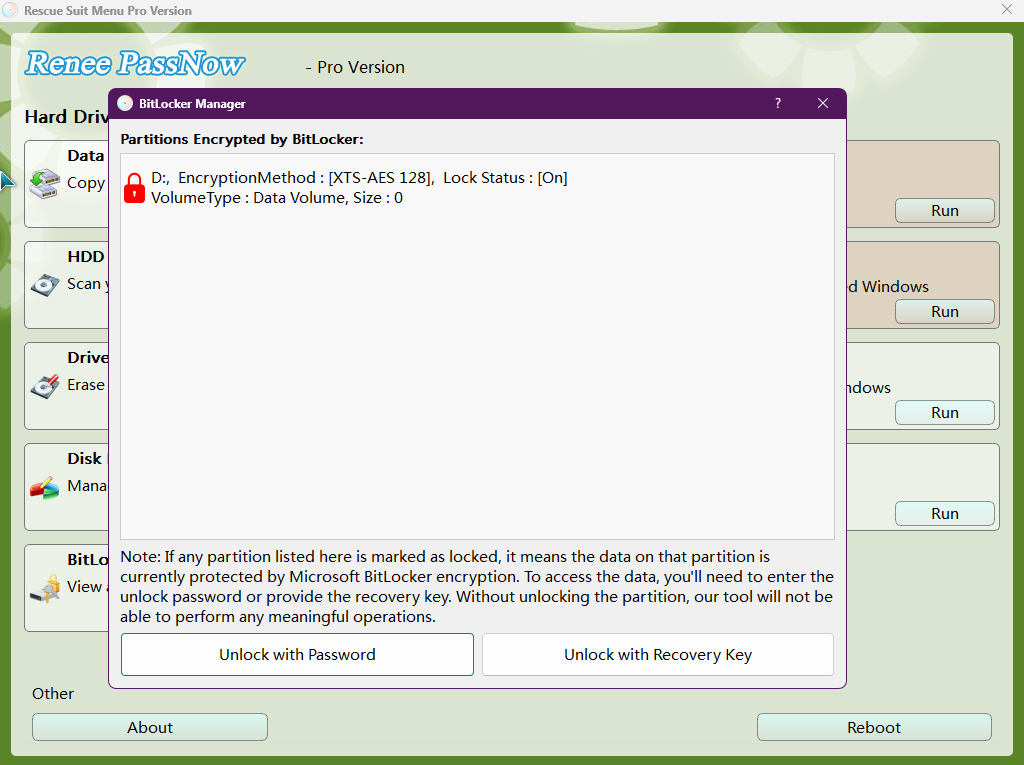
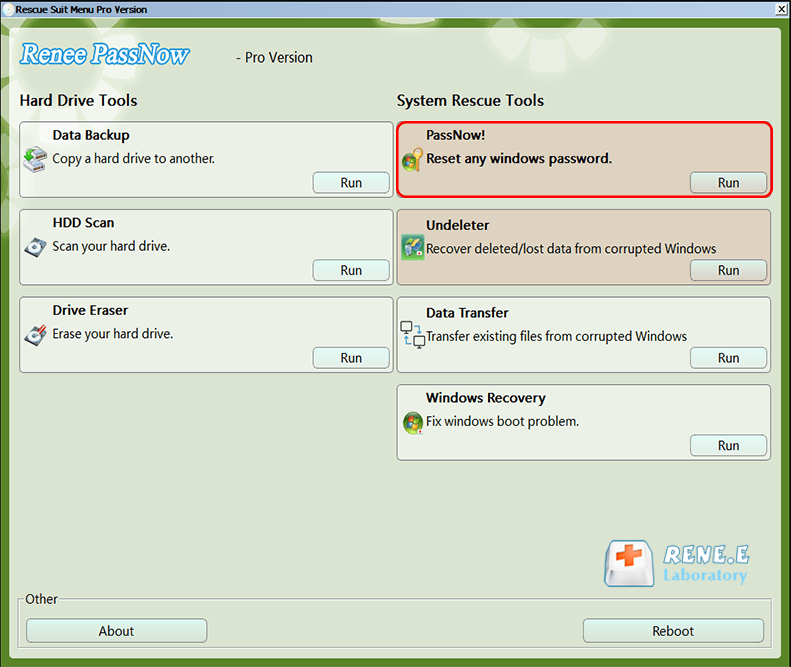
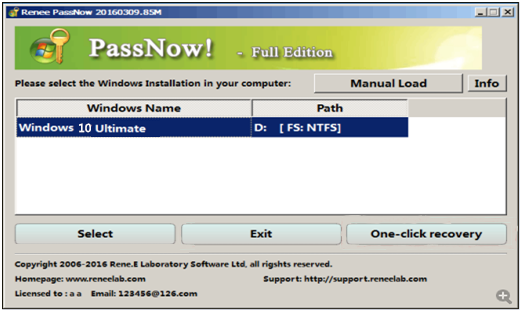
e. Remove or Reset Password/PIN and (Optional) Create New User
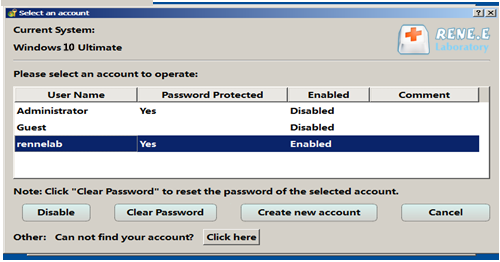
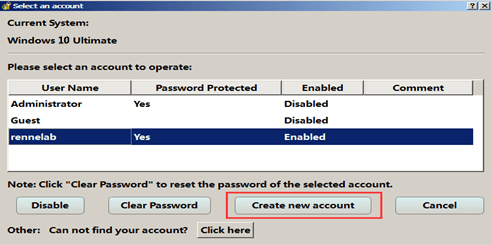
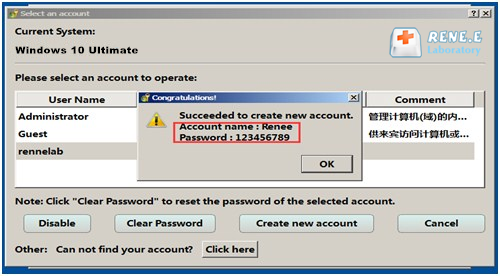
f. Reboot and Verify Successful Sign-in
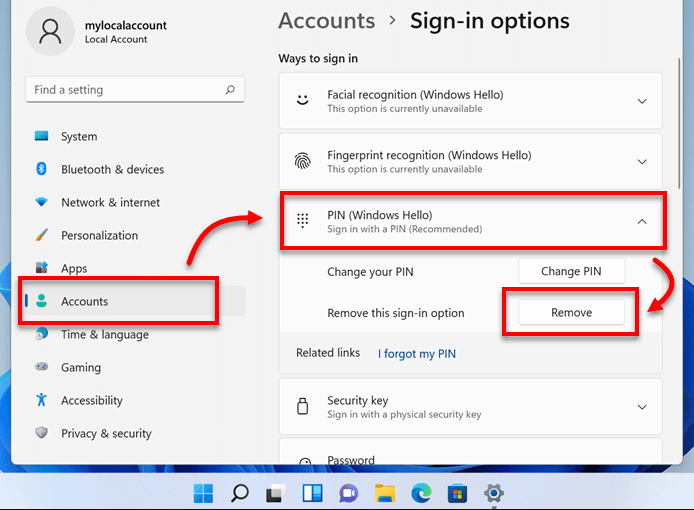
- Zero cost and no third‑party downloads
- Works with both local and Microsoft accounts (for PIN removal)
- Straightforward graphical interface, no command line needed
- Auto‑sign‑in via netplwiz restores after a Windows update if properly configured
Disadvantages:
- Cannot help if you are locked out – you must be signed in to apply changes
- Removing the PIN does not delete your Microsoft account password; online services still need it
- Auto‑sign‑in may be hidden after major feature updates and need reconfiguration
- netplwiz option might be missing when 'Require Windows Hello sign‑in for Microsoft accounts' is turned on
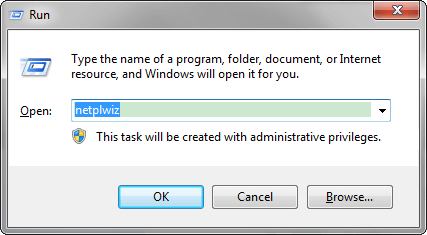
Windows + R, type netplwiz, and press Enter. The User Accounts dialog opens.
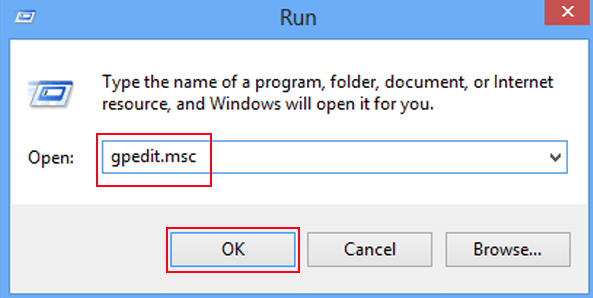
Windows key + R to open the Run dialog box. Type “gpedit.msc” and press Enter to open the Local Group Policy Editor.
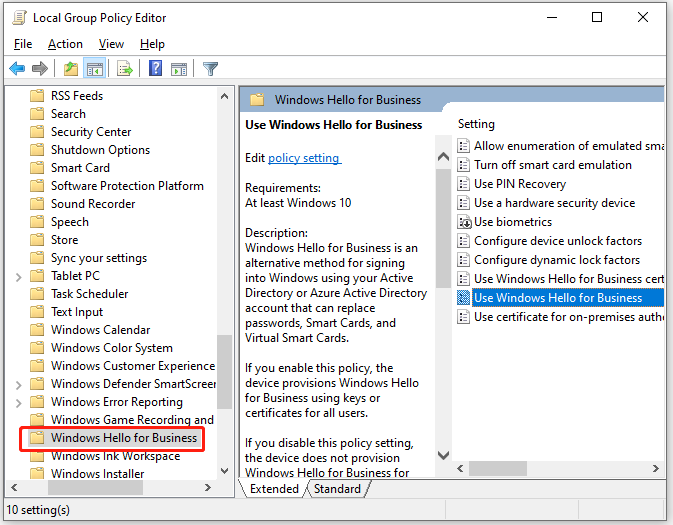
gpmc.msc).
| Method | Works When Locked Out? | Difficulty | Removes PIN & Password Effectively? | Recommended For |
|---|---|---|---|---|
Renee PassNow |
Yes |
Low (follow wizard) |
Yes – clears both, works for local and Microsoft accounts |
Locked‑out users, corrupted profiles, forgotten passwords or PINs |
Settings + netplwiz |
No |
Low |
Partially – removes PIN, bypasses password locally; still needs online password for services |
Signed‑in users wanting convenience on private, single‑user devices |
Registry blank password |
No |
High |
Yes – for local accounts only, complete sign‑in removal |
Offline kiosks, lab machines, enthusiasts fully aware of security risks |
Will removing my PIN delete my Microsoft account password?
Can I remove the password without a Microsoft account?
Is Renee PassNow safe for my data?
Remove Windows Login Password 3 steps for whole password remove process.
Enable/Create Administrator One click for creating new administrator and enable the disabled account.
Widely Use New version supports UEFI boot model, which can be used on more computers, laptops and even surfaces.
Multifuctional Data transfer, data recovery, bootable problem recovery can be run without system.
Highly compatible Windows 11/10/8.1/8/7/XP/Vista.
Remove Login Password Support Windows 11/10/8.1/8/7/XP/Vista.
Enable/Create Administrator One click for creating new administrator and enable the disabled account.
Easy to use No need of any professional knowledge or password reset disk.
Relate Links :
Enjoy Seamless Login: Remove Password and Pin on Windows 11
27-09-2023
Ashley S. Miller : Discover the benefits of removing password and PIN login on Windows 11. Follow our step-by-step guide to configure...
Windows 11: Remove Password and PIN – A Complete Guide for Signed-In and Locked-Out Users

29-05-2026
Amanda J. Brook : This guide details multiple approaches to windows 11 remove password and pin, including Settings adjustments, automatic sign-in configurations,...
BSOD : CRITICAL_PROCESS_DIED Error (0x000000EF) - Data Recovery and System Repair

10-05-2026
Jennifer Thatcher : This comprehensive guide addresses the bsod critical_process_died error by prioritizing data recovery before any system repair attempts. It...
Recover Files from Windows 11 Not Starting: Safe Data Rescue Guide

09-03-2026
John Weaver : This guide explains how to recover files from Windows 11 not starting by outlining software-based, built-in recovery, and...



User Comments
Leave a Comment