
How to Factory Reset a Laptop Without a Password

Summary
This comprehensive guide details how to factory reset laptop without password by utilizing bootable USB tools and Windows Recovery Environment options. It outlines brand-specific boot keys, BitLocker considerations, and systematic password removal procedures to restore device functionality.

Table of contents
-
 Step-by-Step: Use Renee PassNow and Boot Your Laptop from USB
-
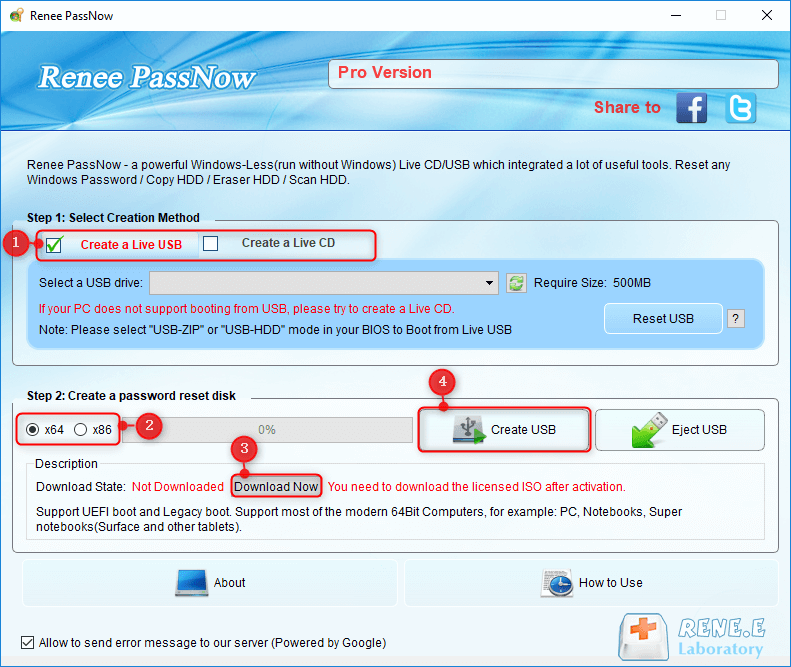
- 1. Creating the Renee PassNow Boot Media on Another PC
- 2. How to Enter Boot Menu or BIOS on Common Laptop Brands
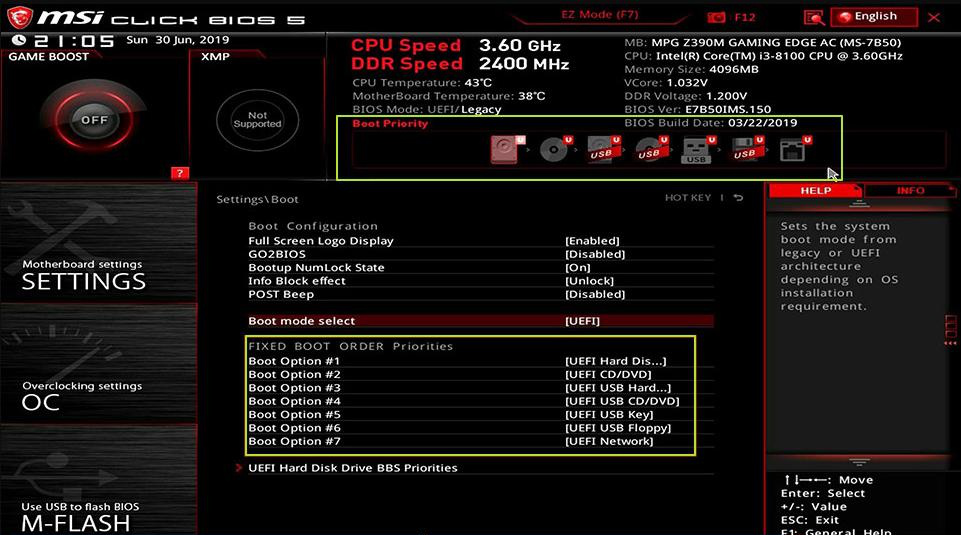
- 3. Changing Boot Order and Starting from the USB Drive
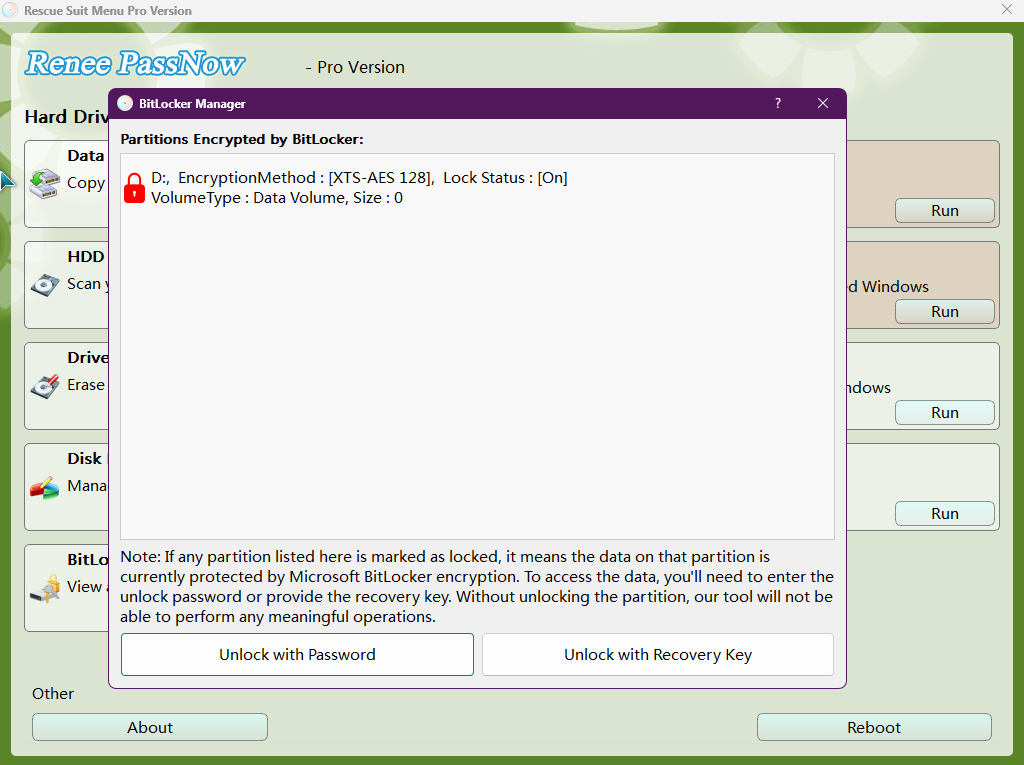
- 4. (Optional) BitLocker Unlock Step
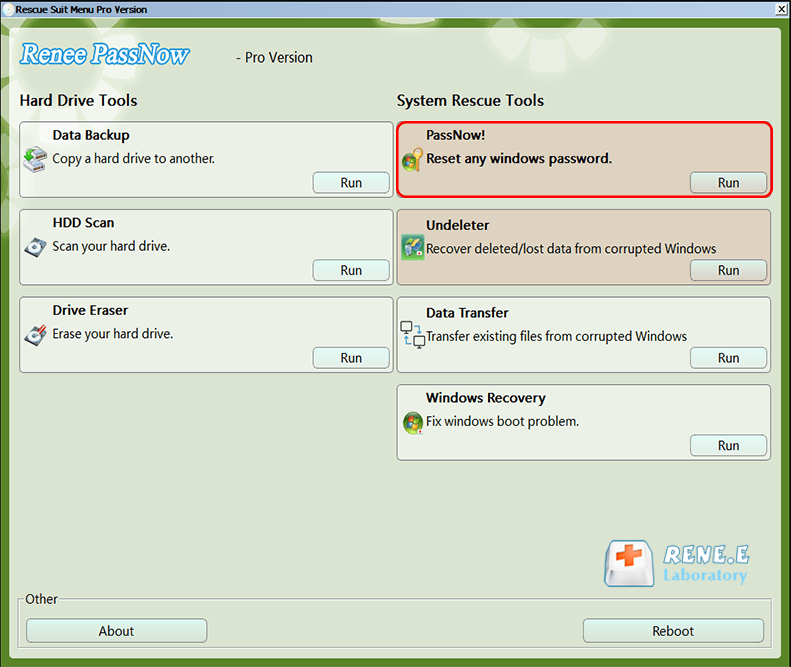
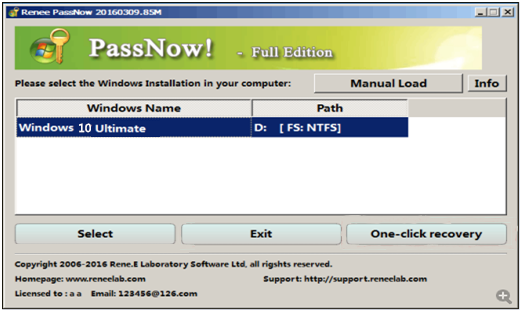
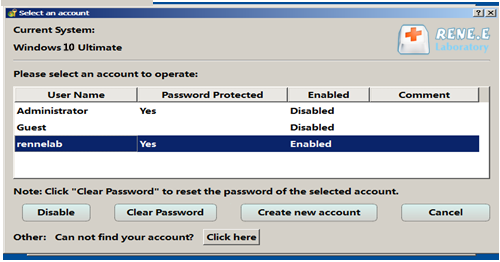
- 5. Removing or Resetting the Login Password
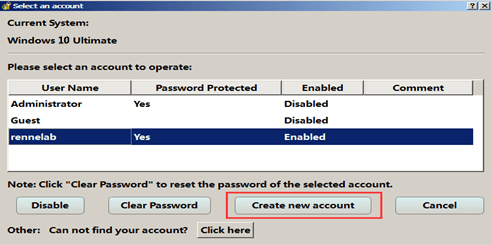
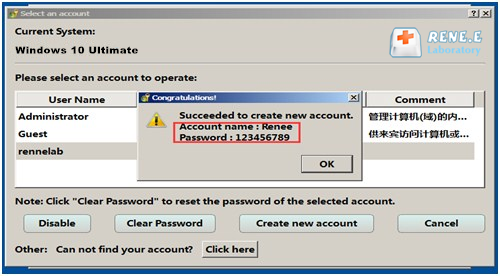
- 6. Creating a New Admin Account or Proceeding to Reset
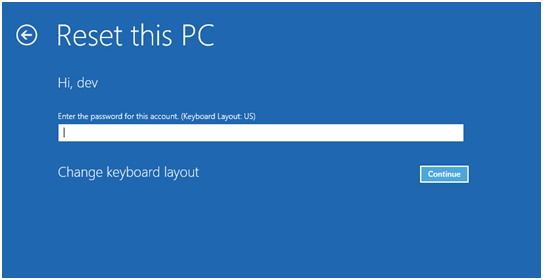
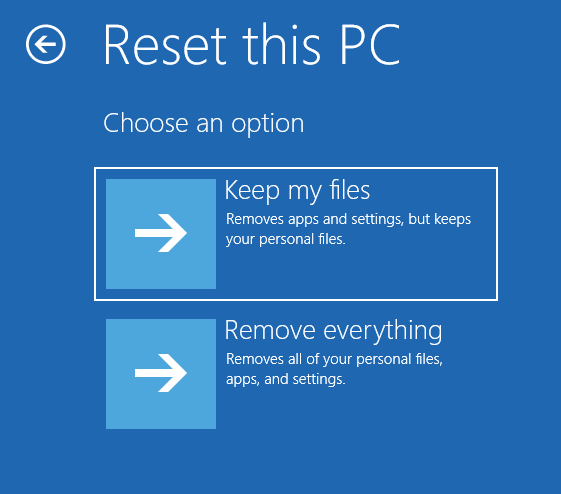
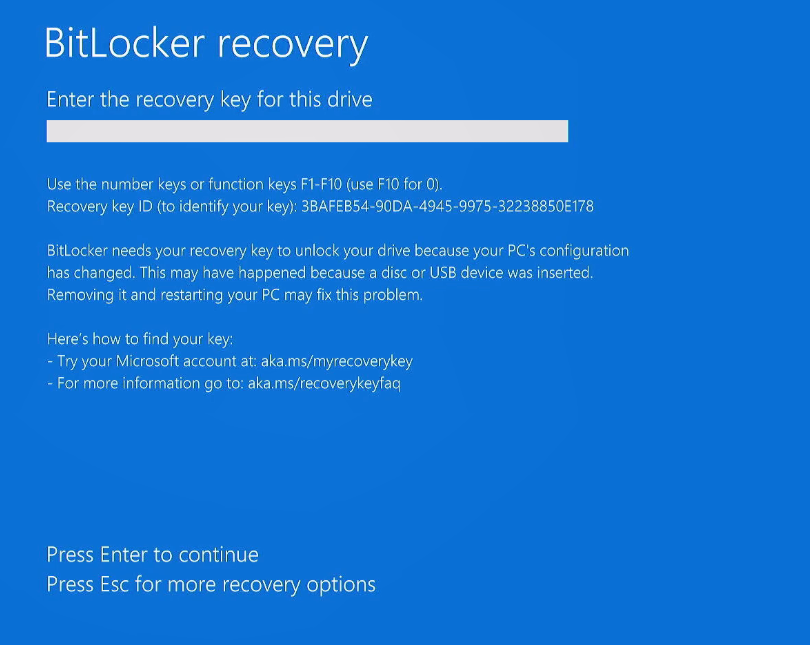
| Password or Key | Where It Appears | Why It Blocks the Reset |
|---|---|---|
BitLocker password |
BitLocker prompt |
Required to unlock an encrypted drive |
BitLocker recovery key |
BitLocker recovery prompt |
Used if the standard BitLocker password is unavailable |

Remove Windows Login Password 3 steps for whole password remove process.
Recover the files Recover the deleted files without Windows system.
Transfer the data Transfer the important files of the computer with system.
Multifuctional Data transfer, data recovery, bootable problem recovery can be run without system.
Highly compatible Windows 11/10/8.1/8/7/XP/Vista. UEFI boot.
Remove Login Password Support Windows 11/10/8.1/8/7/XP/Vista. UEFI boot.
Recover the files Recover the deleted files without Windows system.
Transfer the data Transfer the important files of the computer with system.

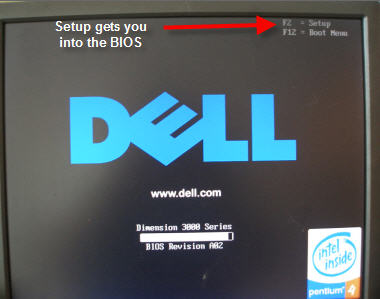
| Brand | Boot Menu Key | BIOS Setup Key |
|---|---|---|
DELL |
F12 |
F2 |
HP |
F9 (or Esc → F9) |
Esc → F10 |
ASUS |
Esc (laptops) / F8 (desktops) |
F2 or Delete |
Acer |
F12 (enable in BIOS first) |
F2 or Delete |
Lenovo |
F12 or Novo Button |
F2 or F1 |
MSI |
F11 |
Delete |
Samsung |
F10 or F11 |
F2 |
Gigabyte / Aorus |
F12 |
Delete |
Intel NUC / Boards |
F10 |
F2 |
Microsoft Surface |
Hold Vol Down + Power |
Hold Vol Up + Power |
Does a factory reset remove the login password?
Can I use the 'Keep my files' option without the old password?
What should I do if BitLocker asks for a recovery key during the reset?
Can Renee PassNow remove Windows Hello or a PIN login barrier?
Remove Windows Login Password 3 steps for whole password remove process.
Enable/Create Administrator One click for creating new administrator and enable the disabled account.
Widely Use New version supports UEFI boot model, which can be used on more computers, laptops and even surfaces.
Multifuctional Data transfer, data recovery, bootable problem recovery can be run without system.
Highly compatible Windows 11/10/8.1/8/7/XP/Vista.
Remove Login Password Support Windows 11/10/8.1/8/7/XP/Vista.
Enable/Create Administrator One click for creating new administrator and enable the disabled account.
Easy to use No need of any professional knowledge or password reset disk.
Relate Links :
[2026 Guide] How to Factory Reset Your Dynabook Laptop Without Password
03-02-2026
John Weaver : Learn how to factory reset your Dynabook laptop without password using proven methods for quick access. This guide...
How to Factory Reset Panasonic Laptop & PC Without Password

27-11-2025
Jennifer Thatcher : Discover how to factory reset Panasonic laptop & PC without password using proven methods. This guide covers secure...
[2026] How to Factory Reset Fujitsu Laptop & PC Without Password

16-09-2026
Ashley S. Miller : Learn how to factory reset Fujitsu laptop & PC without password using built-in tools or recommended software, perfect...
2025 Guide: How to Factory Reset NEC Laptop Without Password
16-10-2025
Ashley S. Miller : Learn how to factory reset NEC laptop without password using simple, step-by-step solutions for 2025. This guide covers...



User Comments
Leave a Comment